Color Variables in UI/UX Design
Most designers learn about color early
Color Variables in UI/UX Design
Most designers learn about color early
You pick a palette, maybe build a mood board, and then go ahead and apply those colors directly to your designs. That works fine when you’re working alone on a small project. But the moment your project grows, or you hand it off to someone else, or the client asks you to change the primary color, that approach starts to fall apart fast.
Color variables fix that problem. They are one of the most practical tools in UI/UX design and, honestly, one of the most underused ones too.
What a color variable actually is
A color variable is a named reference to a color value. Instead of applying a hex code like #2B52E0 directly to a button, you assign that hex code to a variable called something like color/primary/500, and then apply the variable to the button. The button does not hold the color. It holds the name, and the name points to the color.
The distinction sounds small but it changes everything about how you manage a design system. When you need to update that blue, you change it once in the variable, and every element referencing it updates automatically. You never have to hunt through hundreds of frames wondering if you missed a button somewhere.
How they are structured
A well-built color variable system usually works in two layers.
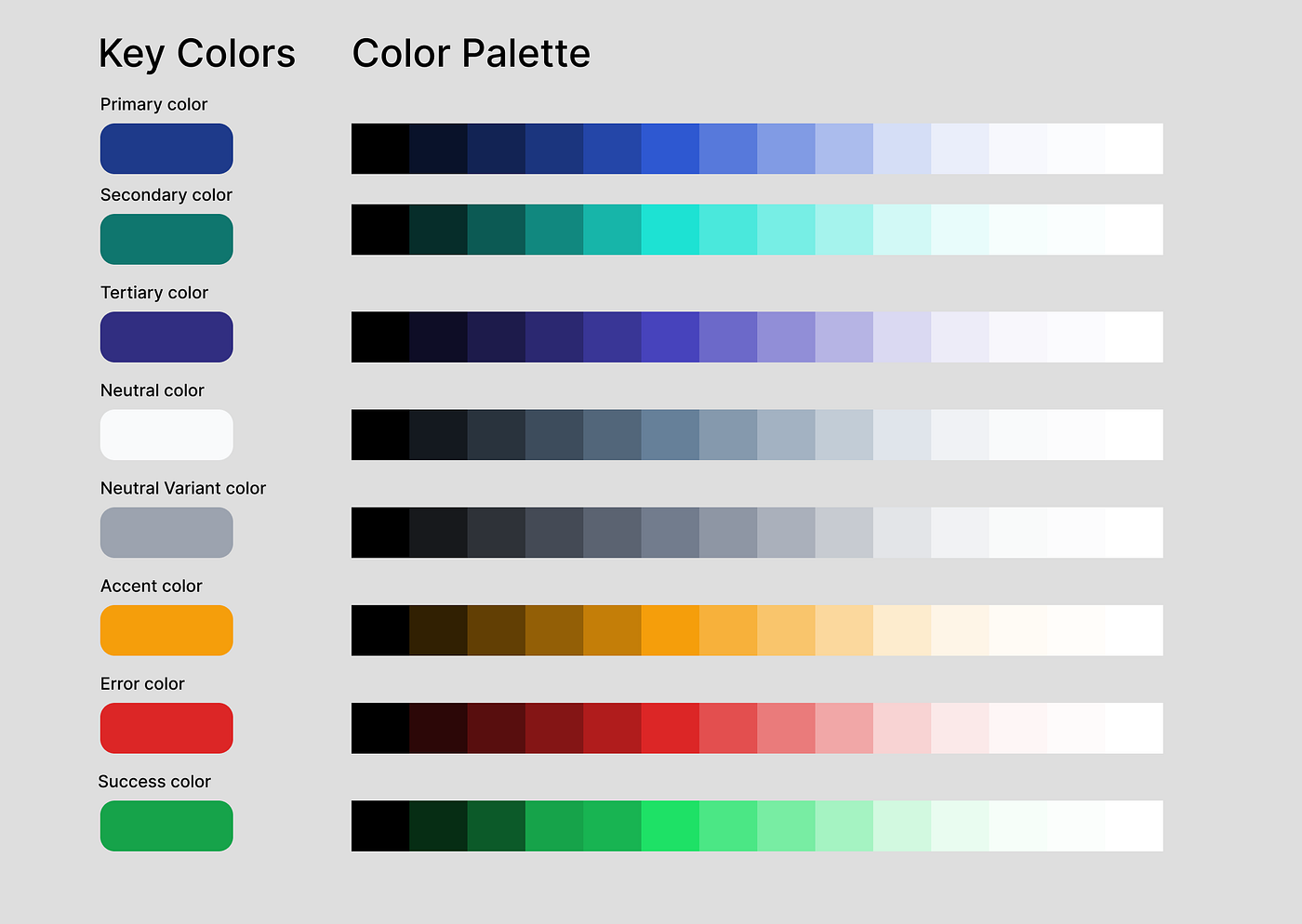
The first layer is your primitive colors. These are your raw values. Every shade of every color you intend to use in your product lives here. Blue 100, Blue 200, Blue 300, all the way up. These variables have no meaning yet. They are just a library of available colors.
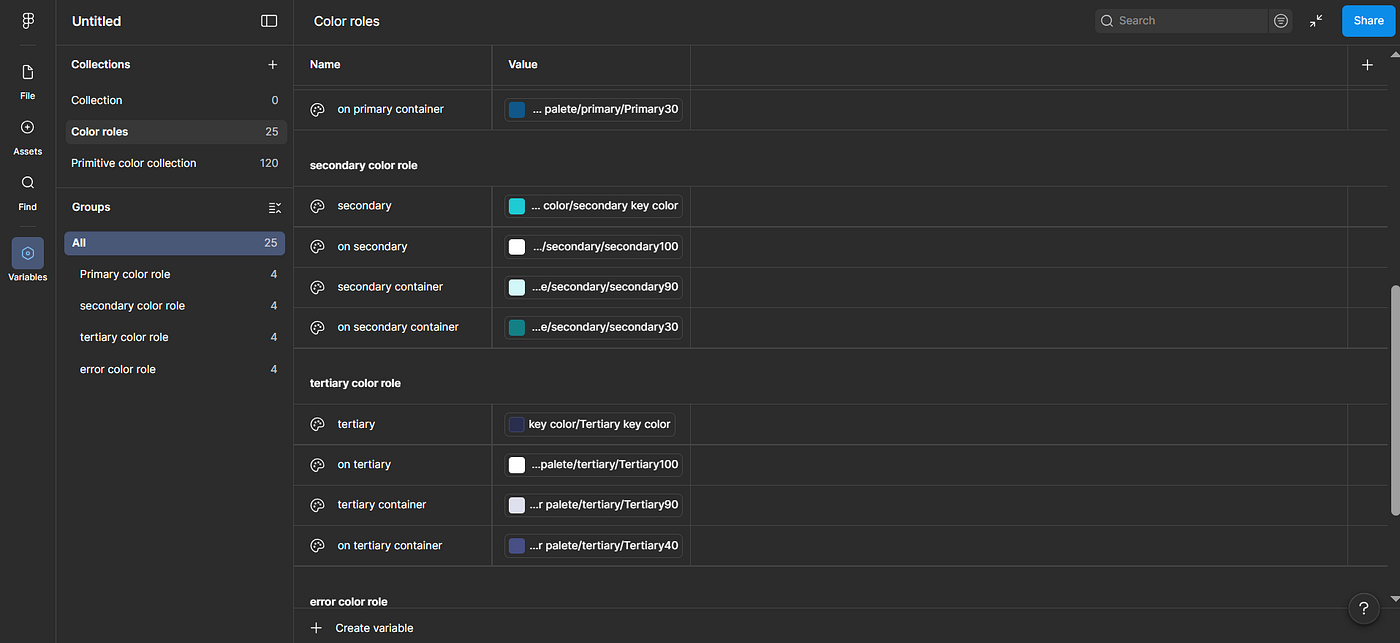
The second layer is your semantic colors. This is where meaning gets assigned. A semantic variable like color/background/surface does not store a hex code directly. It references a primitive, so color/background/surface points to Neutral 50, which is a very light gray. Now your components reference semantic variables, not primitives. This is the layer that makes theming and dark mode possible without rebuilding anything from scratch.
Why this matters in practice
Take dark mode as a real example. If your components reference semantic variables like color/text/primary and color/background/page, switching to dark mode means you only need to remap those semantic variables to darker primitives. Every component updates. Nothing breaks. You do not have to redesign a single screen.
Without variables, dark mode is essentially a second design file that you have to maintain in parallel with your light mode version. Every change you make to one file has to be manually mirrored in the other. That is hours of work that could have been seconds.
The same principle applies to rebranding. If a client changes their primary brand color, a designer without a variable system has to go through the file manually. A designer with a proper variable system changes one value and the job is done.
Naming conventions matter more than you think
The biggest mistake designers make with color variables is naming them after their appearance rather than their purpose. Calling a variable blue or dark-blue tells you what it looks like, not what it does. If that color ever changes, the name becomes misleading and the whole system gets confusing to navigate.
Name semantic variables by their role. Color/action/primary, color/status/error, color/text/disabled. These names stay accurate even if the underlying hex code changes completely. A developer or another designer picking up your file will understand the system immediately without needing you to explain it.
Color variables are not just a workflow convenience. They reflect a specific way of thinking about design, where decisions are systematic rather than case by case. When you build with variables, you are not just designing screens. You are building a language that your entire product speaks consistently.
That consistency is what separates a collection of screens from an actual design system. And it starts with something as simple as giving your colors proper names.
메타데이터
- post_id
- cf2bfb2dd28f
- slug
- color-variables-in-ui-ux-design-cf2bfb2dd28f
- url
- https://medium.com/@tagoe.olamide/color-variables-in-ui-ux-design-cf2bfb2dd28f
- canonical_url
- https://medium.com/@tagoe.olamide/color-variables-in-ui-ux-design-cf2bfb2dd28f
- author_url
- https://medium.com/@tagoe.olamide
- status
- ok
- fetched_at
- 2026-06-12 18:14:10




