Meet the Information Flow Architecture!
TL;DR: We created the concept of an Information Flow Architecture (IFA) to bridge User Flows and Information Architecture gaps and to…
Meet the Information Flow Architecture! Our journey towards a hybrid User Flow x Information Architecture
TL;DR: We created the concept of an Information Flow Architecture (IFA) to bridge User Flows and Information Architecture gaps and to replace the Information Architecture. Throughout 3 iterations (2023–2025), the IFA evolved from primitive rectangles to reusable components with decision nodes, significantly improving design-to-dev handoff. IFA v4 is currently in development.
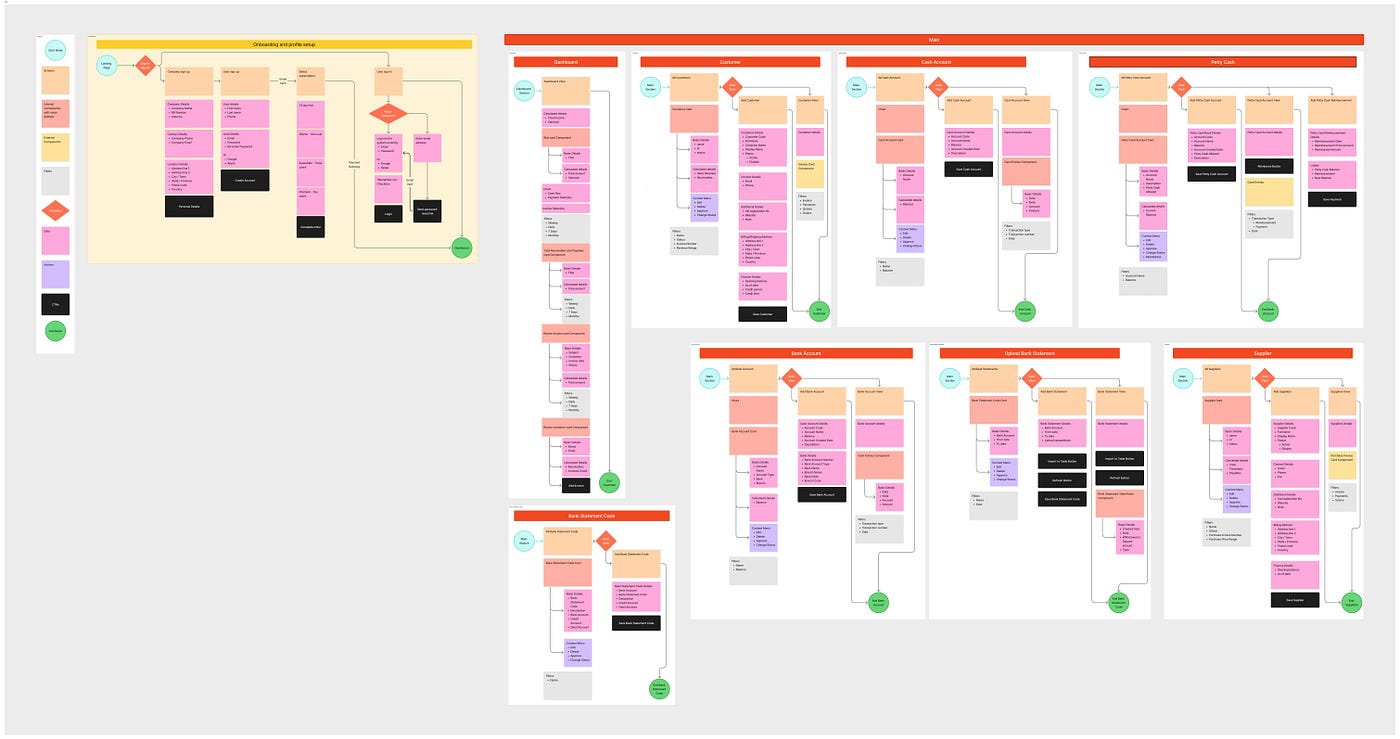
Information Flow Architecture
Before we dive into designing UIs, one of the first things we do is the UX process, of course, where we follow The Double Diamond Design Process, starting off with the user research down to delivering the final prototype/end product. During this process, diagrams such as User Flows (UF) and Information Architectures (IA) play a vital role in helping us understand the requirements at hand, enabling us to methodically create our masterpiece, backed by the user requirements and the technological constraints.
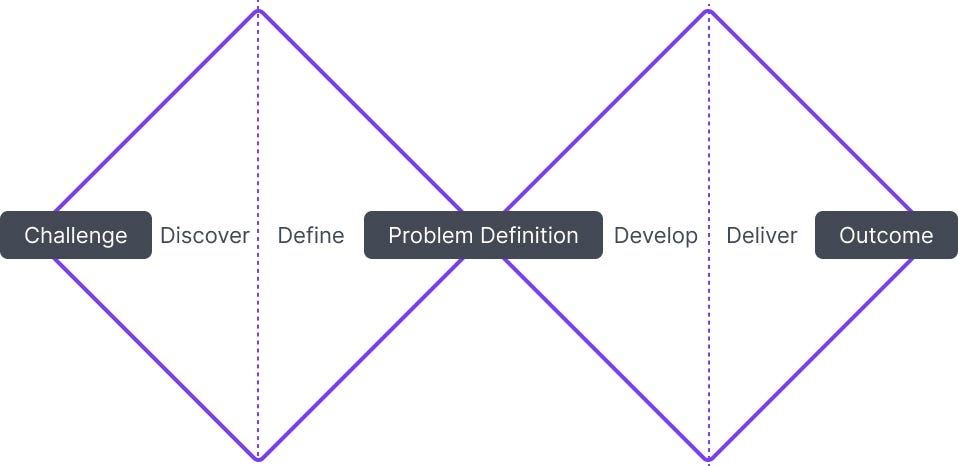
The Double Diamond Design Process
Coming from a Computer Science background, I understand the complexity of how data is stored in the database and how wireframes and user stories do not always provide enough context that is useful for a developer to identify what data has to be included in the backend. This led me to explore information architectures to help identify what data fields can be used in the design.
But the problem? Well, we identified that there is no intermediary diagram to help transition between IA and UF. And what’s more… there is no single standardized information architecture that is universally adopted. Besides, we needed a simple, consistent way that would help anyone understand the required data elements for a specific screen at a glance without essentially having to revisit the user flow each time.
And that's what led us to the Information Flow Architecture (IFA): An internal diagram that we use to bridge the user flows with the Information Architecture, and this helped speed up our design process, enabling us (Team ZaVolt) to consistently ship designs faster! We use this as a replacement for the Information Architecture (an upgrade, if you may).
IFA v1: Simplistic but flawed (2023)
That brought us to our first attempt, a primitive Information Architecture that helped us build UIs for simple applications. We used rectangles, sticky notes and arrows on FigJam to construct the diagram, by first preparing a legend so that people know what each aspect means.
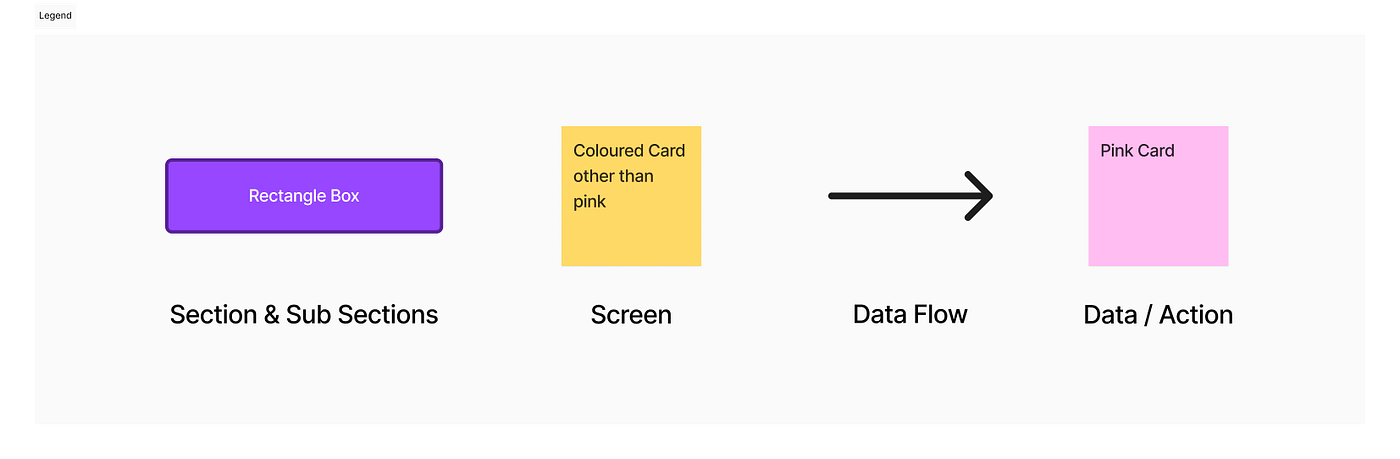
Simple Legend for IFA v1
Using this legend, we constructed the IA and used stickers to highlight various stages of the design and dev cycle in a central place as follows.
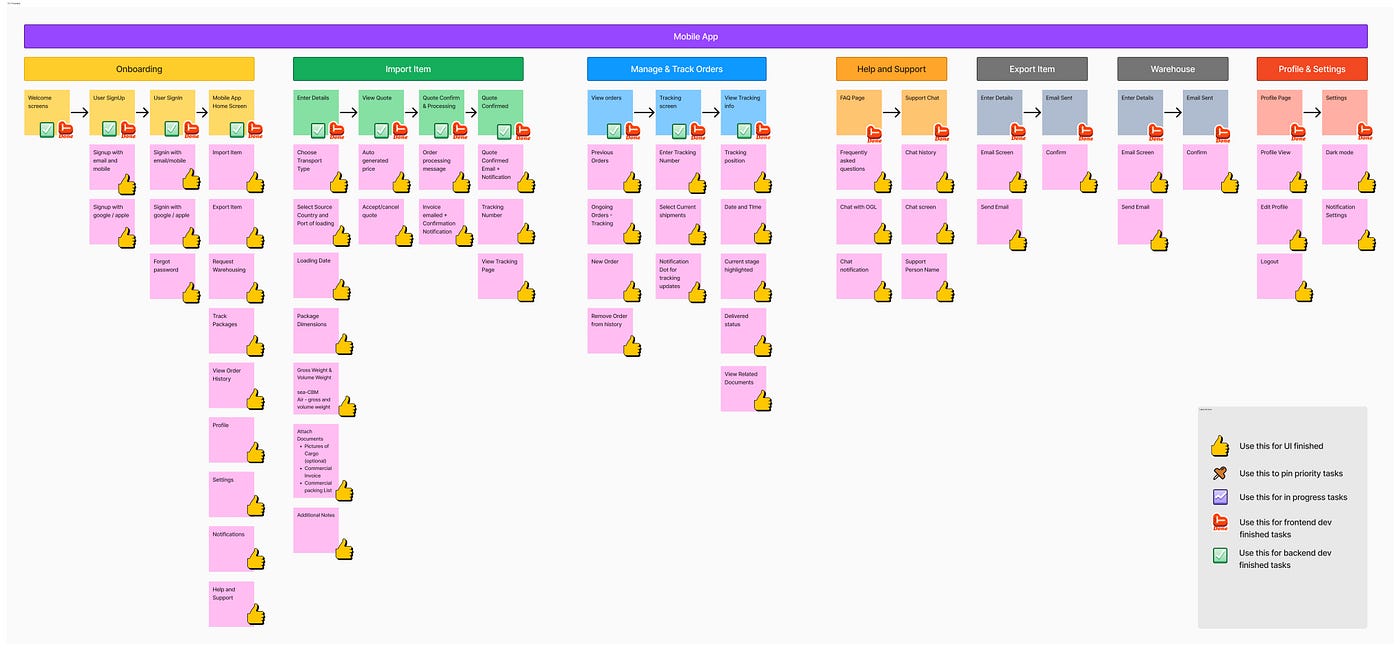
IFA v1 for a Freight Forwarding App with stickers to highlight statuses
As a start, this was pretty impressive, as we were able to provide a high-level understanding of all the items that should be included in a screen. However, after continuous use, we realized its flaws. For one, we cannot determine what the actions are, what the data fields are, or the intermediary processes such as OTP verification, nor can we determine the actual flow without cross-referencing a user flow diagram.
IFA v2: Improved with imperfections (2024)
And that brings us to our 2nd iteration, where we introduced colours for transitions, and data flow arrows with labels.
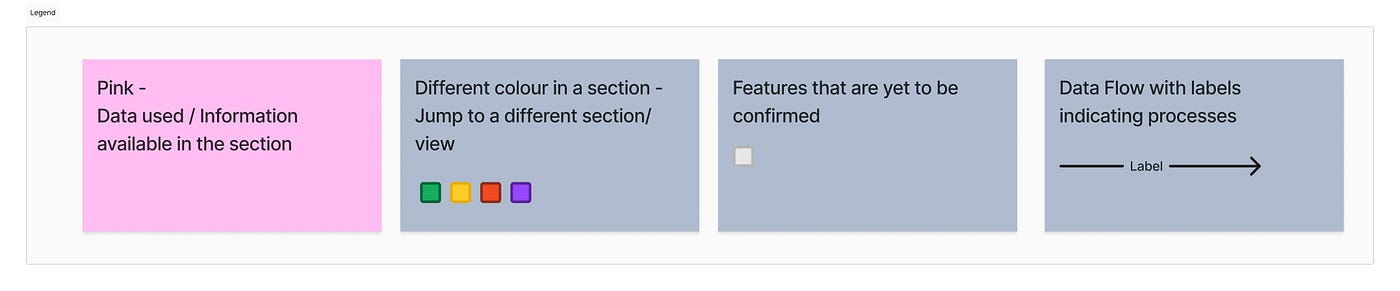
Simple Legend for IFA v2
And similar to v1, we could create an IFA as follows. The image had to be compressed as it was too long, which is another issue that we wanted to address (spoiler alert 😅).
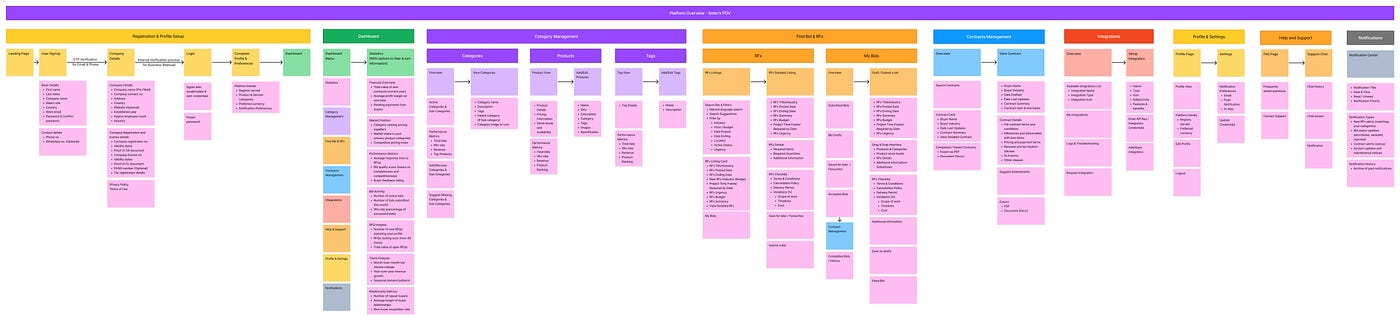
IFA v2 for a Procurement Platform
I included the onboarding section below so that you could visualize the difference more easily.
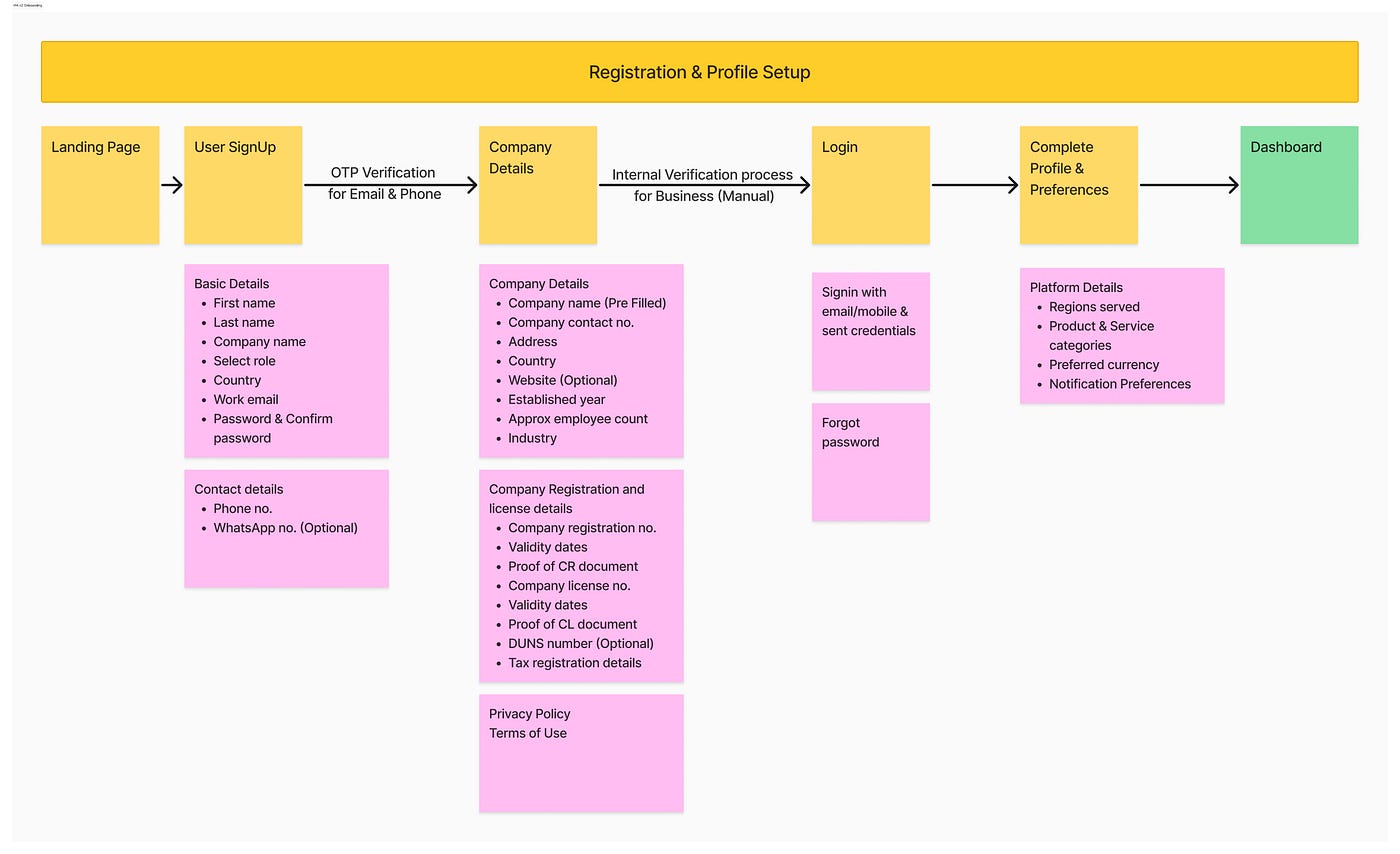
IFA v2 Onboarding Section for a Procurement Platform
Then again, even in v2, although we improved the diagram in terms of creating a method to view intermediary processes, and also provided a method to showcase navigating to a different page, we did not yet have a dedicated element for actions. Also, there was a tendency for data repetition, especially with a new accounting-based application we were building.
Up until this point, the IFA did not really include many of the user flow aspects. But with our next iteration, we were heading towards a diagram that could address that, enabling both designers and developers to understand the requirements with just a single diagram.
v2.5: Minor Updates to v2
And yes, we did of course have minor version updates where we introduced a black box as a CTA. But it essentially was still the same old format, which did not suit us with the increasing complexities. One aspect that the IFA could not show yet was components, variations and context menus. We wanted to include that as well, so that we could have a holistic understanding enabling all stakeholders to understand the system at a glance.
Enter IFA v3: Our current iteration (2025)
Our latest project, an accounting suite, brought us the realization that many components have their own actions and CTAs, which are not fully realized in our existing IFAs. That made us come up with a new definition, entering the user flow territory.
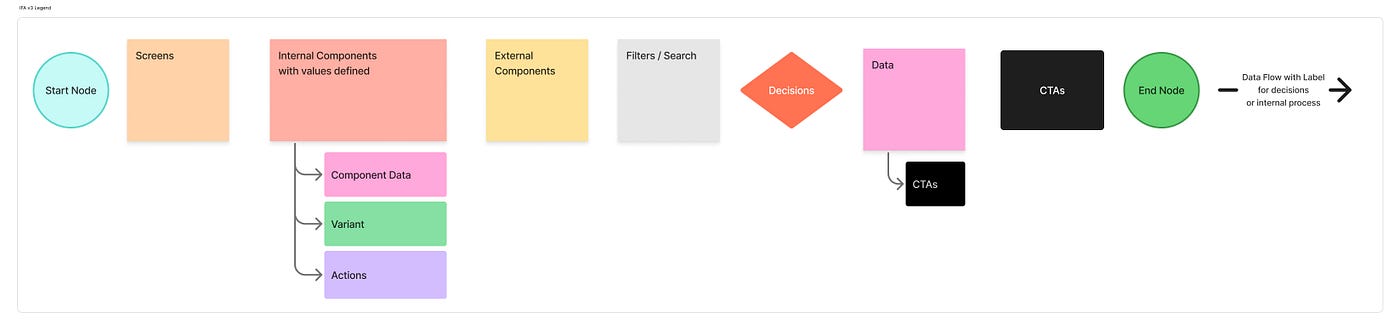
Legend for IFA v3
As you may have noticed… we now have an option for Components. This is useful as it allows us to show component-based data with variants, which otherwise may not be reflected in the IFA. We also introduced start and end nodes as well as decision boxes similar to a traditional user flow.
Data fields also have an additional option to add CTAs, which is useful in the sense of a select dropdown with an option to add more elements.
And now we can easily create IFA sections as follows.
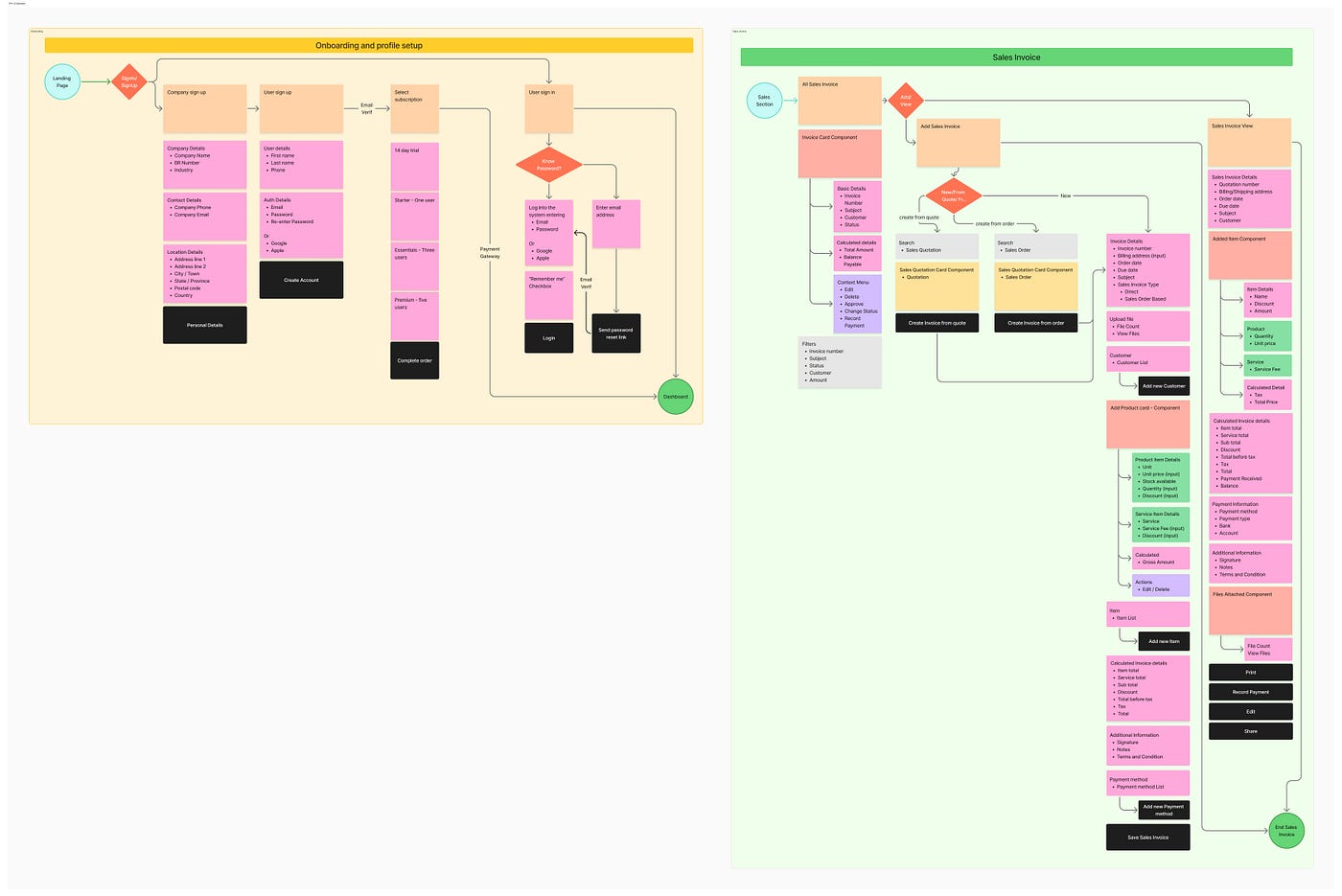
IFA v3 Onboarding and Invoice Section in an Accounting Platform
Now you can easily define components, and reuse them throughout the IFA without duplicating data. What’s more? Context, search & filters, and actions are more apparent, significantly improving both the design and dev experience.
A major improvement, but slightly flawed nonetheless
Although v3 improved several aspects, there is a minor flaw in terms of multiple representations of actions. We now have 3 distinctive ways to represent an action or a decision.
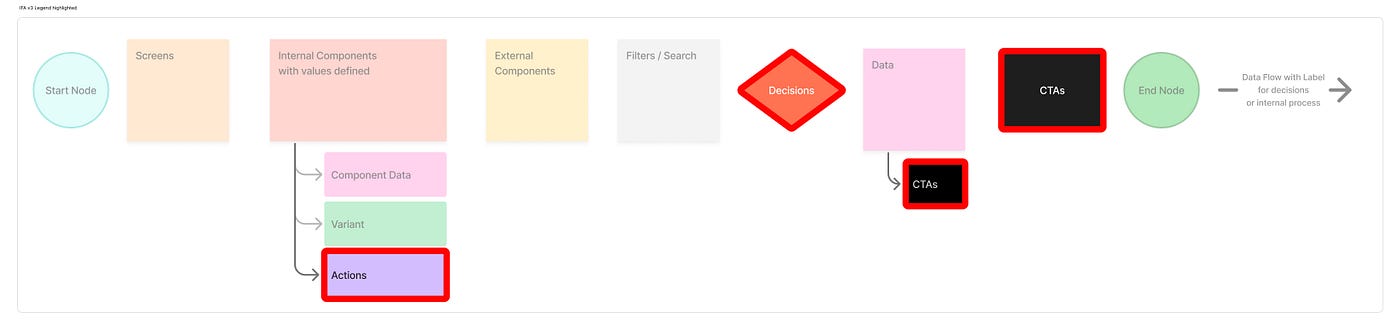
3 distinctive ways to define a decision
And that becomes an issue because we can represent the same onboarding process in 2 different ways.
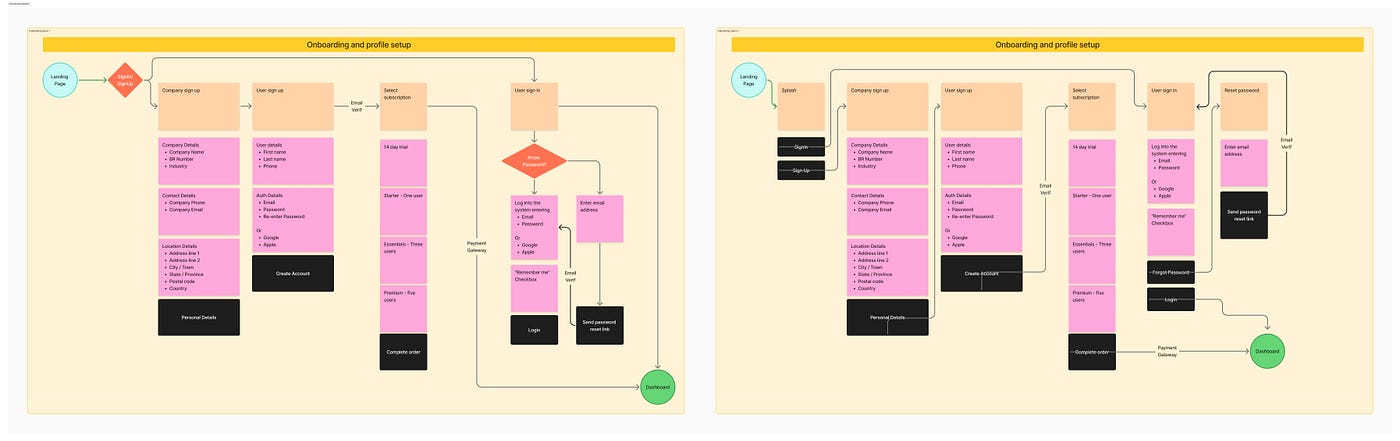
2 representations for the same Onboarding process
This can lead to minor inconsistencies when scaling the IFA, as different designers may have different approaches.
Going Forward: IFA v4 (Work In Progress)
And that brings us to v4. Now we still have not officially launched it yet, but we are working on a unified approach that will help bridge user flows with Information Architectures, helping anyone to easily visualize and understand how the information should flow within the system, with additional context on the different actions the users may take and how it connects.
That being said, I invite you too to drop your ideas on what you would like to see in the IFA v4, and we could help make that a reality, enabling you to improve your design process significantly! This document is just to provide a brief understanding of our journey towards improving an IA, hence I did not dive deep into the specifics. But I do hope to provide a comprehensive documentation with the release of IFA v4.
Want to learn more about our design process or contribute to IFA v4? Connect with Team ZaVolt and let’s build the future of UX documentation together.
메타데이터
- post_id
- cfbfd9e71be8
- slug
- information-flow-architecture-cfbfd9e71be8
- url
- https://medium.com/@abdullahjasmin/information-flow-architecture-cfbfd9e71be8
- canonical_url
- https://medium.com/@abdullahjasmin/information-flow-architecture-cfbfd9e71be8
- author_url
- https://medium.com/@abdullahjasmin
- status
- ok
- fetched_at
- 2026-07-17 19:04:00




