AWS Training- Day 04: Introduction to Amazon EC2
On Day 4 of my AWS Cloud training, I explored one of the most fundamental AWS services Amazon Elastic Compute Cloud (EC2). This lab focused…
AWS Training- Day 04: Introduction to Amazon EC2
On Day 4 of my AWS Cloud training, I explored one of the most fundamental AWS services Amazon Elastic Compute Cloud (EC2). This lab focused on creating, managing, securing, monitoring, and resizing EC2 instances while understanding important features like security groups, instance protection, and service quotas.
Instead of only learning the theory, I performed every task in the AWS Management Console, which gave me practical experience with real cloud infrastructure.
Understanding Amazon EC2
Cloud applications need computing power to run websites, applications, databases, and other services. Instead of purchasing and maintaining physical servers, Amazon EC2 allows users to launch virtual servers in the cloud within minutes. These virtual servers are called EC2 instances.
Amazon EC2 gives users complete control over their virtual machines. You can choose the operating system, processor, memory, storage, networking, and security settings according to your application’s requirements. Since resources are available on demand, you only pay for what you use, making EC2 both flexible and cost-effective.
Why do we use Amazon EC2?
Amazon EC2 is widely used because it provides reliable and scalable computing resources without the need to manage physical hardware.
Some common use cases include:
- Hosting websites and web applications
- Running business applications
- Deploying databases
- Application development and testing
- Machine learning and data processing
- Game servers and enterprise workloads
What I Performed in This Lab
In this hands-on activity, I learned how to:
- Launch an Amazon EC2 instance
- Configure networking and security groups
- Deploy a simple web server using User Data
- Monitor instance health and system logs
- Modify inbound security rules
- Resize an EC2 instance
- Enable Stop Protection
- Explore Amazon EC2 Service Quotas
- Verify instance protection mechanisms
1. Launching an Amazon EC2 Instance
The first task was launching a new EC2 instance using the Amazon Linux 2023 AMI.
While creating the instance, I configured:
- Instance Name
- Amazon Linux AMI
- Instance Type
- Existing Key Pair
- Security Group
- User Data Script
- Termination Protection
The User Data script automatically installed Apache HTTP Server and created a simple webpage during the instance boot process.
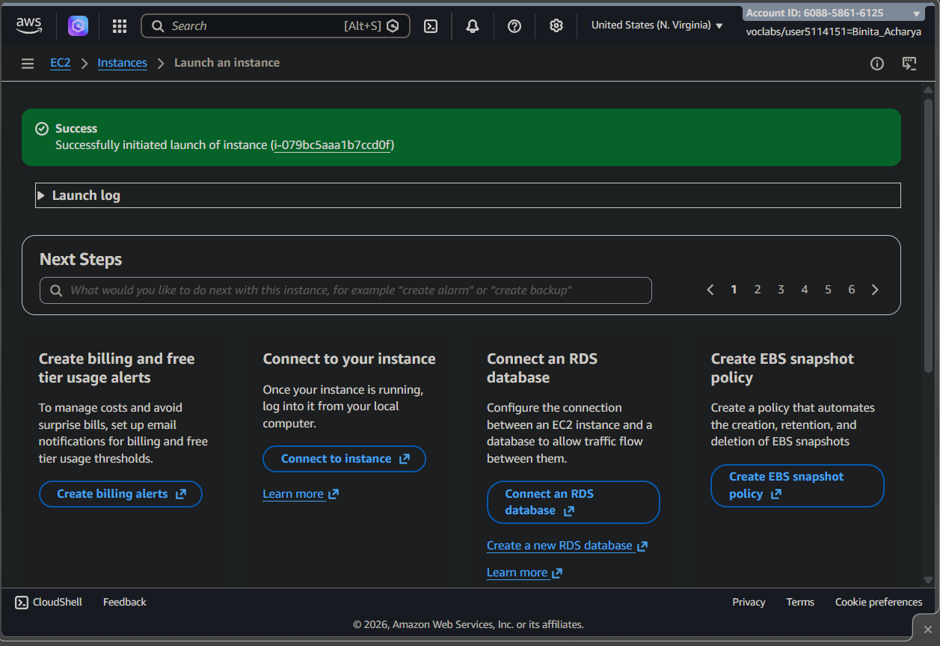
After launching, I viewed all available EC2 instances.
The lab environment already contained a Bastion Host, and my newly created Web Server instance appeared alongside it.

2. Monitoring the EC2 Instance
AWS provides several monitoring tools for troubleshooting and checking the health of an EC2 instance.
I viewed the System Log, where I could see the execution of the User Data script.
The logs confirmed that:
- Apache was installed
- Services started successfully
- Web server configuration completed
Monitoring system logs is extremely useful when diagnosing startup issues.


3. Modifying the Security Group and Accessing the Web Server
Initially, when I attempted to access the web server using its Public IPv4 address, the webpage did not load.
The browser displayed:
“This site can’t be reached”
This happened because the Security Group had no inbound HTTP rule allowing web traffic on Port 80.

To fix the issue, I edited the inbound rules of the Web Server Security Group and added:
- Type: HTTP
- Protocol: TCP
- Port: 80
- Source: Anywhere (IPv4)
After saving the rules, HTTP traffic was allowed.

After refreshing the browser, the web server became accessible and displayed the default page created by the User Data script.

4. Modifying the EC2 Instance (Changing Instance Type and Enabling Stop Protection)
Cloud resources can be scaled whenever application requirements change.
Before changing the instance type, the EC2 instance had to be stopped.

After the instance stopped, I changed its instance type from t2.micro to t2.small.
This demonstrates one of AWS’s biggest advantages resources can be upgraded without creating a completely new server.

I also enabled Stop Protection, which prevents accidental stopping of important production instances.

5. Exploring Amazon EC2 Service Quotas
Next, I explored AWS Service Quotas.
Service Quotas define the maximum number of AWS resources allowed within an AWS account and Region.
I searched for:
Running On-Demand Instances
This section displays limits related to EC2 instance usage.

6. Testing Stop Protection
To verify Stop Protection, I attempted to stop the EC2 instance.
AWS prevented the action and displayed an error message indicating that Stop Protection was enabled.
This demonstrates how AWS helps protect important production resources from accidental shutdown.

After disabling Stop Protection, I successfully stopped the Web Server instance.

Key Takeaways
This lab demonstrated that launching an EC2 instance is only the beginning. Proper configuration, monitoring, security, and resource management are essential for running reliable cloud applications.
Some of my biggest takeaways include:
- Security Groups act as virtual firewalls controlling network access.
- User Data automates software installation during instance launch.
- Monitoring tools like System Logs help troubleshoot startup issues.
- EC2 instances can be resized as workload demands increase.
- Stop Protection and Termination Protection help prevent accidental disruptions.
- AWS Service Quotas help manage and control cloud resource limits.
Conclusion
Day 4 provided a solid understanding of how Amazon EC2 works in a real-world cloud environment. From launching a virtual server to securing it, monitoring its health, scaling its resources, and protecting it from accidental actions, this lab covered the complete lifecycle of managing an EC2 instance.
Each hands-on task reinforced the flexibility and scalability that make Amazon EC2 one of AWS’s most widely used services. I’m looking forward to building on these foundational cloud skills in the upcoming labs.
메타데이터
- post_id
- d048cb83519f
- slug
- aws-training-day-03-introduction-to-amazon-ec2-d048cb83519f
- url
- https://medium.com/@binitaa2061/aws-training-day-03-introduction-to-amazon-ec2-d048cb83519f
- canonical_url
- https://medium.com/@binitaa2061/aws-training-day-03-introduction-to-amazon-ec2-d048cb83519f
- author_url
- https://medium.com/@binitaa2061
- status
- ok
- fetched_at
- 2026-07-15 00:47:22