Document Translation Made Easy with ERNIE 4.5 and PaddleOCR 3.0
I. Challenges in Document Translation
Document Translation Made Easy with ERNIE 4.5 and PaddleOCR 3.0

I. Challenges in Document Translation
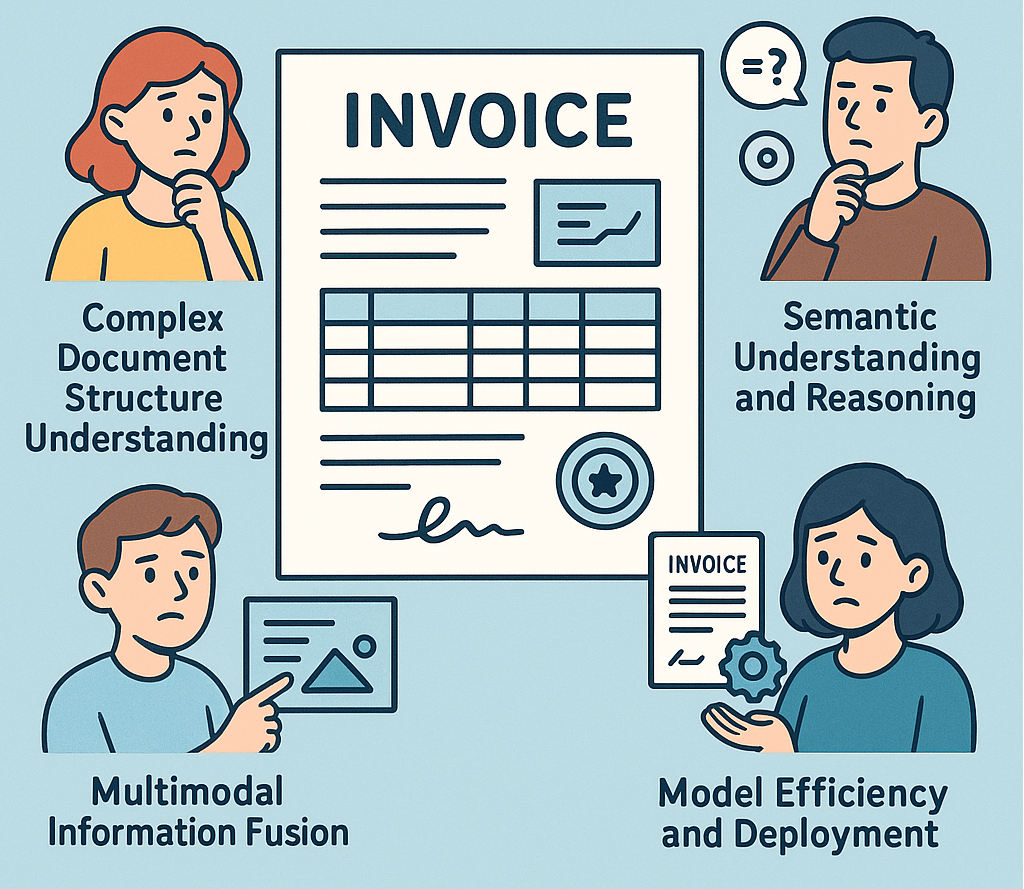
Amid globalization, the demand for cross-language communication is growing, and document translation has become increasingly important. Especially with the acceleration of digitalization, the demand for document image translation continues to rise, but this task faces unique challenges:
- Complex Layout Parsing: Document images often contain various elements such as text, charts, and tables. Traditional OCR technology struggles to accurately extract text while preserving the original format when dealing with complex layouts.
- Multilingual Translation Quality: There are differences in grammar, vocabulary, and cultural backgrounds between different languages. Long sentences and context-dependent translation tasks are quite challenging for traditional tools.
- Format Preservation: How to maintain the original structure and format of documents during translation is another major pain point for users.
If you’ve faced these challenges, you’re not alone. This article will show you how to build a high-quality document translation solution using PaddleOCR 3.0 and ERNIE 4.5.
II. Introduction to PaddleOCR 3.0 and ERNIE 4.5
PaddleOCR 3.0
PaddleOCR 3.0 is an industry-leading, production-ready OCR and document intelligence engine that delivers end-to-end solutions from text recognition to document understanding. It features the versatile PP-OCRv5 text recognition model, the advanced PP-StructureV3 for complex document parsing, and PP-ChatOCRv4 for intelligent information extraction. Among them, PP-StructureV3 excels in layout region detection, table recognition, and formula recognition. It also adds capabilities for chart understanding, restoring multi-column reading order, and converting results to Markdown files.
github repo: https://github.com/PaddlePaddle/PaddleOCRERNIE 4.5
ERNIE 4.5 is an open-source multimodal large language model series developed by Baidu, featuring 10 versions with up to 424 billion parameters. It employs an innovative Mixture-of-Experts (MoE) architecture, supports cross-modal shared and dedicated parameters, and excels in both text and multimodal tasks. By combining the document analysis capabilities of PP-StructureV3 and the translation capabilities of ERNIE 4.5, we can build an end-to-end high-quality document translation solution.
III. Solution Overview
The document translation solution introduced in this article is based on the following core processes:
- Use PP-StructureV3 to analyze document content and obtain structured data representation
- Process the structured data into Markdown format document files
- Build prompts using prompt engineering and call ERNIE 4.5 to translate document content
This method can not only accurately identify and analyze complex document layouts but also deliver high-quality multilingual translation services to meet users’ document translation needs in different language environments.

IV. Quick Start
Step 1: Environment Preparation
Start by installing the PaddlePaddle framework and PaddleOCR:
# Install PaddlePaddle GPU version
python -m pip install paddlepaddle-gpu==3.0.0 -i https://www.paddlepaddle.org.cn/packages/stable/cu126/

# Install PaddleOCR
pip install paddleocr

# Install OpenAI SDK for testing model availability
pip install openai
Step 2: Deploy ERNIE 4.5 Service
The ERNIE large language model is accessed via API requests and requires deployment as a local service. Deployment can be easily accomplished using the FastDeploy tool. After deployment, test the service availability:
# Test ERNIE Service Connectivity
# Enter your local service URL (e.g., http://0.0.0.0:8000/v1)
ERNIE_URL = ""

try:
    import openai

    client = openai.OpenAI(base_url=ERNIE_URL, api_key="api_key")
    question = "Who are you?"
    response1 = client.chat.completions.create(
        model="ernie-4.5", messages=[{"role": "user", "content": question}]
    )
    reply = response1.choices[0].message.content
    print(f"Test successful!\nQuestion: {question}\nAnswer: {reply}")
except Exception as e:
    print(f"Test failed! Error message:\n{e}")
Step 3: Document Parsing and Translation
# Document Translation Example Code
from paddleocr import PPDocTranslation

# Configure Parameters
input_path = "path/to/your/document.pdf"  # Path to your document image or PDF
output_path = "./output/"  # Directory to save results
target_language = "en"  # Target translation language (English)

# Initialize the PP-DocTranslation Pipeline
translation_engine = PPDocTranslation(
    use_doc_orientation_classify=False,  # Enable document orientation classification
    use_doc_unwarping=False,  # Enable document unwarping correction
    use_seal_recognition=True,  # Enable seal recognition
    use_table_recognition=True  # Enable table recognition
)

# Parse the Document Image
visual_predict_res = translation_engine.visual_predict(input_path)

# Process Parsing Results
ori_md_info_list = []
for res in visual_predict_res:
    layout_parsing_result = res["layout_parsing_result"]
    ori_md_info_list.append(layout_parsing_result.markdown)
    layout_parsing_result.save_to_img(output_path)
    layout_parsing_result.save_to_markdown(output_path)

# For PDF files, concatenate multi-page results
if input_path.lower().endswith(".pdf"):
    ori_md_info = translation_engine.concatenate_markdown_pages(ori_md_info_list)
    ori_md_info.save_to_markdown(output_path)

# Configure ERNIE Service Settings
chat_bot_config = {
    "module_name": "chat_bot",
    "model_name": "ernie-4.5",
    "base_url": ERNIE_URL,  # Enter your ERNIE service URL
    "api_type": "openai",
    "api_key": "api_key"
}

# Initiate Document Translation with ERNIE
print("Starting document translation...")
tgt_md_info_list = translation_engine.translate(
    ori_md_info_list=ori_md_info_list,
    target_language=target_language,
    chunk_size=3000,  # Chunk size for text processing
    chat_bot_config=chat_bot_config,
)

# Save Translation Results
for tgt_md_info in tgt_md_info_list:
    tgt_md_info.save_to_markdown(output_path)

print(f"Translation completed, results saved in: {output_path}")
For the complete code example, please refer to Document Translation Practice Based on ERNIE 4.5 and PaddleOCR.
V. Running Example Translation Results
The following figure shows an example of translation results (the left side is the original English PDF paper image, and the right side is the translated Chinese Markdown file):

VI. Common Issues and Debugging
Common Issues
- Q: Experiencing CUDA version mismatch when installing PaddlePaddle? A: Please ensure that the CUDA version is compatible with the PaddlePaddle version. You can refer to the PaddlePaddle Official Installation Guide to select the appropriate version.
- Q: Connection timeout when calling ERNIE service? A: Check if the ERNIE service is running normally and if the network connection is smooth. You can try restarting the service or increasing the timeout setting.
- Q: Table format lost in document parsing results? A: Ensure that the
use_table_recognitionparameter is set toTrue. For complex tables, you may need to adjust the parameters of the table recognition model. - Q: Low quality of translation results? A: Try adjusting the
chunk_sizeparameter to ensure the text chunk size is appropriate. For professional domain documents, you can provide a domain vocabulary list as part of the prompt.
Debugging Tips
- Step-by-Step Verification: Start testing with single-page simple documents, confirm each step works normally before processing complex documents
- Log Output: Add logs at key steps to record processing time and result status
- Version Compatibility: Ensure the versions of PaddlePaddle, PaddleOCR, and other dependency libraries are compatible
- Visual Inspection: Use the
save_to_imgfunction to save images during parsing for intuitive problem checking
VII. Summary
With the approach outlined in this article, you can quickly implement a robust document translation system that meets diverse translation needs. From academic papers and technical documentation to business reports, this solution delivers accurate, fluent translations while preserving complex document structures like tables and charts.
Next Steps and Resources
- 📚 Dive into the documentation: PaddleOCR Official Documentation
- 💻 Try the example code: Document Translation Practice Based on ERNIE 4.5 and PaddleOCR
- 🐞 Report issues or suggest improvements: PaddleOCR GitHub Issues
- 🤝 Contribute to the project: PaddleOCR Contribution Guide
메타데이터
- post_id
- d0ff64c938a1
- slug
- document-translation-made-easy-with-ernie-4-5-and-paddleocr-3-0-d0ff64c938a1
- url
- https://medium.com/@alex_paddleocr/document-translation-made-easy-with-ernie-4-5-and-paddleocr-3-0-d0ff64c938a1
- canonical_url
- https://medium.com/@alex_paddleocr/document-translation-made-easy-with-ernie-4-5-and-paddleocr-3-0-d0ff64c938a1
- author_url
- https://medium.com/@alex_paddleocr
- status
- ok
- fetched_at
- 2026-06-24 23:31:39