Android CAPTCHA Testing Is a Test Infrastructure Problem, Not a UI Hack
Android end-to-end tests are supposed to prove that critical user journeys work.
Android CAPTCHA Testing Is a Test Infrastructure Problem, Not a UI Hack

Android end-to-end tests are supposed to prove that critical user journeys work.
A checkout flow should complete. A registration flow should submit. A login flow should authenticate. A payment WebView should load, validate, and return control to the app. But when a CAPTCHA appears inside a WebView, a clean Espresso test can suddenly become blocked by something the test framework was not designed to solve directly.
The first instinct is usually tactical: detect the CAPTCHA, solve it, inject the token, continue the test.
That approach may work for a local proof of concept. But for a real engineering team, CAPTCHA handling in Android Espresso tests is not just a token problem. It is a test infrastructure problem.
The source workflow shows a practical pattern: a debug-only Android helper detects reCAPTCHA inside a WebView, sends the sitekey and page URL to a backend solver service, receives a token, injects it into the page, and continues the Espresso test. That is the mechanics. The deeper engineering question is how to make this safe, repeatable, observable, and isolated from production code.
A test-only CAPTCHA workflow should answer several questions:
Is the helper excluded from release builds? Can the emulator or real device reach the backend service? Is the WebView fully loaded before JavaScript runs? Are failures classified clearly? Can the test distinguish CAPTCHA failure from checkout failure? Are secrets kept outside the Android app? Can CI run this reliably without manual intervention?
If those questions are ignored, the test suite becomes flaky, risky, and hard to debug.
Why this problem matters
Mobile test automation is valuable because it catches regressions in flows that unit tests cannot fully simulate.
WebView-based flows are especially important because they often involve third-party systems: payments, identity verification, embedded checkout, account login, fraud checks, or compliance steps. These flows are also harder to test because the app does not fully control the page content.
CAPTCHA makes that boundary even more complicated.
Espresso can interact with native Android views. It also provides WebView support for some cases, but arbitrary JavaScript execution and CAPTCHA callback handling require direct WebView APIs such as evaluateJavascript(). The source article highlights this distinction: basic WebView interaction is possible, but CAPTCHA handling needs WebView-level JavaScript execution.
That means the test architecture must cross several boundaries:
The Android app boundary. The WebView JavaScript boundary. The backend solver boundary. The third-party page boundary. The CI environment boundary.
Every boundary introduces failure modes.
A WebView may not be ready. JavaScript may be disabled. The helper may not attach. The emulator may not reach the host machine. The backend solver may timeout. A token may be injected but the page callback may not fire. A CI device may use a different network path than the local emulator. A debug-only helper may accidentally be placed in the wrong source set.
The goal is not only to “make the test pass.” The goal is to design a controlled test-only bridge between Espresso and the WebView so the suite can verify the intended user journey without leaking test infrastructure into production.
Technical workflow breakdown
A reliable Android CAPTCHA testing architecture has five layers.
The first layer is the test-only app helper. This helper lives in the debug or test source set, not in production code. Its job is to attach to the WebView, expose a JavaScript interface, detect CAPTCHA elements, capture the sitekey and page URL, and inject the solved token later.
This helper should be treated as test infrastructure, not application logic. The source article explicitly places the helper in a debug-only source set, which is important because test helpers should not ship with release builds.
The second layer is the WebView detection step. The helper evaluates JavaScript inside the loaded page to find CAPTCHA elements such as .g-recaptcha, extract data-sitekey, and read window.location.href. This step should run only after the WebView has finished loading. In production-quality tests, relying only on Thread.sleep() is fragile. A more reliable approach is to use WebViewClient.onPageFinished() or a test synchronization mechanism.
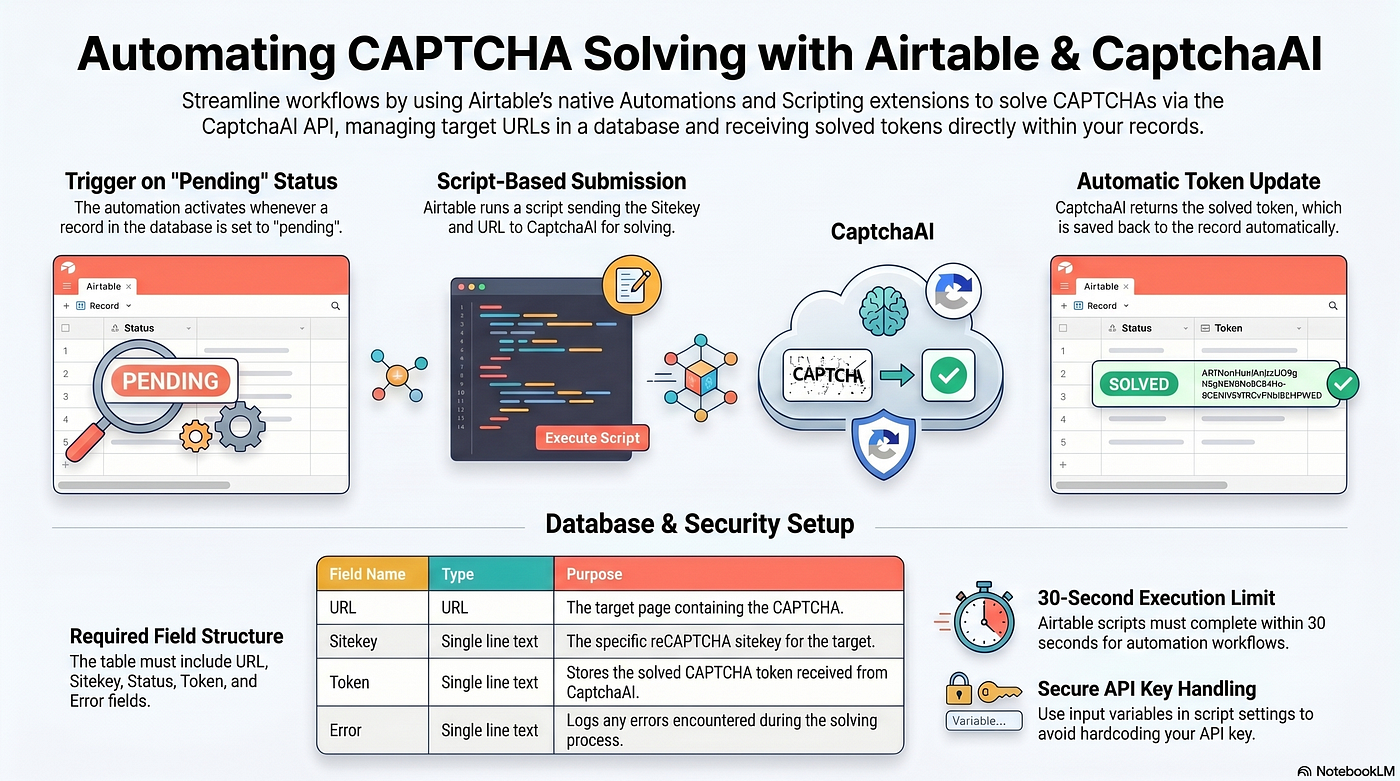
The third layer is the backend solver service. The Android app should not contain the CAPTCHA provider API key. Instead, the test helper calls a local or internal backend service. The backend submits the CAPTCHA task, polls for completion, and returns the token. The source uses a Python backend service as this isolation layer.
The fourth layer is token injection. Once the token is returned, the helper injects it into the WebView on the main thread. This may involve setting the g-recaptcha-response field and triggering the page’s callback if needed. This step must be treated carefully because token injection is page-specific. The callback structure may differ between implementations.
The fifth layer is workflow validation. The test should not stop at “token injected.” The real test outcome is whether the checkout, login, registration, or payment flow completes successfully. In the source scenario, the test continues after injection and verifies an “Order Confirmed” state. That final assertion is essential.
Production considerations
The first production consideration is build isolation.
CAPTCHA test helpers must never ship to production. Place helper code under debug or androidTest source sets. Add build checks if necessary. Treat addJavascriptInterface() as sensitive because exposing JavaScript bridges in production WebViews can create security risk if misused.
The second consideration is secret isolation.
The CaptchaAI API key should stay in the backend solver service or CI secret store, not inside the Android app. Even in debug builds, avoid embedding long-lived secrets directly in mobile binaries.
The third consideration is WebView readiness.
Many flaky tests come from trying to evaluate JavaScript before the page is ready. Prefer explicit page-load signals, polling for expected DOM state, or controlled test hooks over arbitrary sleeps.
The fourth consideration is CI networking.
On Android Emulator, 10.0.2.2 points to the host machine. On physical devices, that address will not work. The source troubleshooting notes that real devices need the actual host IP and reachable network configuration. CI environments should make the solver endpoint configurable.
The fifth consideration is cleartext traffic.
If the test backend uses HTTP locally, Android 9+ may block cleartext traffic unless debug-only network configuration allows it. This should never become a broad production manifest setting.
The sixth consideration is failure classification.
A failed CAPTCHA test can mean many things: WebView not loaded, JavaScript disabled, helper not attached, backend unreachable, solver timeout, invalid sitekey, token injection failed, callback not triggered, or downstream checkout failed. Treating all of those as “test failed” slows debugging.
Common mistakes
The first common mistake is putting test helper code in the wrong source set. Debug-only tools should not be available in release builds.
The second mistake is storing CAPTCHA provider secrets inside the Android app. Mobile apps are not safe places for backend API keys.
The third mistake is relying on fixed sleeps. Thread.sleep() can work locally but often becomes flaky in CI. Synchronize with WebView load and DOM readiness instead.
The fourth mistake is assuming Espresso can handle all WebView CAPTCHA behavior directly. Basic WebView interactions are possible, but arbitrary JavaScript evaluation requires WebView APIs.
The fifth mistake is treating token injection as test success. The test must verify the real user journey after injection.
The sixth mistake is ignoring real-device network differences. Emulator networking and physical-device networking behave differently.
The seventh mistake is failing to log enough context. Without sitekey detection status, backend response, solve time, injection result, and final assertion state, debugging becomes guesswork.
Metrics to monitor
Mobile CAPTCHA test infrastructure should be observable.
Track CAPTCHA detection rate, WebView load time, JavaScript detection success, backend solver latency, solve timeout rate, token injection success, callback execution success, and final test completion rate.
In CI, track environment-specific failure rates: emulator vs real device, local vs CI, debug build vs test build, network profile, and Android version.
Track solver service health separately: request count, average solve time, timeout rate, provider errors, and backend availability.
Track flakiness patterns. If the same test passes locally but fails in CI, the issue may be WebView timing, network access, cleartext policy, or device configuration rather than CAPTCHA itself.
The most important metric is not “CAPTCHA solved.” It is “authorized end-to-end test completed successfully.”
Safe/authorized-use note
CAPTCHA handling, automation, bots, WebView testing, and third-party flows require strict boundaries. This type of workflow should only be used in owned, client-authorized, or contractually permitted environments.
For Android testing, that means using this pattern only for approved test environments, internal QA, client-authorized flows, or contractually permitted third-party integrations. Test-only helpers should be isolated from release builds, secrets should remain server-side, and automation should not be used to bypass protections outside approved testing contexts.
Reliable test automation should be safe, auditable, and limited to the workflows it is meant to validate.
For the implementation-focused walkthrough, review the original guide here: https://blog.captchaai.com/android-espresso-captcha-testing
Use it as a starting point for the mechanics: debug-only WebView helper, JavaScript detection, backend solver service, token injection, and Espresso flow continuation. Then extend the design with CI configuration, observability, failure taxonomy, secure secrets handling, and release-build safeguards.
Before adding CAPTCHA handling to Android Espresso tests, design the test boundary first. Keep helpers debug-only, isolate secrets in a backend service, synchronize WebView state, and validate the full user journey after token injection.
메타데이터
- post_id
- d37ca75f8182
- slug
- android-captcha-testing-is-a-test-infrastructure-problem-not-a-ui-hack-d37ca75f8182
- url
- https://medium.com/@oliverjack1999xx/android-captcha-testing-is-a-test-infrastructure-problem-not-a-ui-hack-d37ca75f8182
- canonical_url
- https://medium.com/@oliverjack1999xx/android-captcha-testing-is-a-test-infrastructure-problem-not-a-ui-hack-d37ca75f8182
- author_url
- https://medium.com/@oliverjack1999xx
- status
- ok
- fetched_at
- 2026-06-09 15:37:30