How to Stop Slouching While Working From Home (2026)
Catching yourself slouching at your home office desk? Here’s why it happens, the free fixes that help most, and the products worth adding…
How to Stop Slouching While Working From Home (2026)
Catching yourself slouching at your home office desk? Here’s why it happens, the free fixes that help most, and the products worth adding to your setup.

If you’ve caught yourself hunched over your laptop, shoulders rounded and chin jutting toward the screen, you’re far from alone. Slouching while working from home is one of the most common side effects of spending eight-plus hours a day at a makeshift or under-optimized desk setup, and it tends to creep up slowly enough that you don’t notice it happening in real time.
This guide covers what’s actually causing the slouch, the free changes that fix the biggest share of the problem, and a handful of specific products worth adding if you want extra support while you build better habits. Every product mentioned has been researched directly on Amazon with a real, verified listing — nothing here is a guessed link.
Before diving in, one honest note: posture problems are usually fixable with consistent habit changes and the right setup, but persistent pain, numbness, or a posture change that seems to be getting worse over time is worth mentioning to a doctor rather than solving with a product alone. We’ll come back to that at the end.
Let’s start with why slouching happens in the first place.
Why You Slouch While Working From Home
Slouching isn’t really a willpower problem — it’s usually your body responding to your setup.
Your screen is too low. When your laptop or monitor sits below eye level, your neck and upper back round forward to bring your eyes down to the screen. This is one of the single biggest causes of slouching for anyone working directly on a laptop without a stand or riser, since a laptop screen naturally sits several inches below where your eyes rest when looking straight ahead.
Your chair doesn’t support your lower back. A chair without lumbar support lets your lower spine curve backward when you sit for extended periods, which pulls your whole upper body into a rounded position to compensate. Dining chairs, couches, and generic office chairs without adjustable lumbar support are common culprits here — a lot of home offices were assembled from whatever furniture was already in the house.
Your core muscles get fatigued. Sitting upright actually requires ongoing, low-level engagement from your core and back muscles. Over a long day, especially without breaks, those muscles fatigue, and slouching is your body’s way of resting them — even though it shifts the load onto your spine and connective tissue instead.
You’re not moving enough. Staying in any single position, good or bad, for hours at a stretch tends to end in slouching, simply because no posture is comfortable to hold indefinitely without some variation.
The pattern across all four causes is the same: slouching is usually a symptom of your setup asking too much of your body, not a personal failing. That’s good news, because it means most of the fix is structural, not about “trying harder” to sit up straight.
Fix Your Setup First — It’s Free
Before adding any products, these changes cost nothing and address the root causes directly.
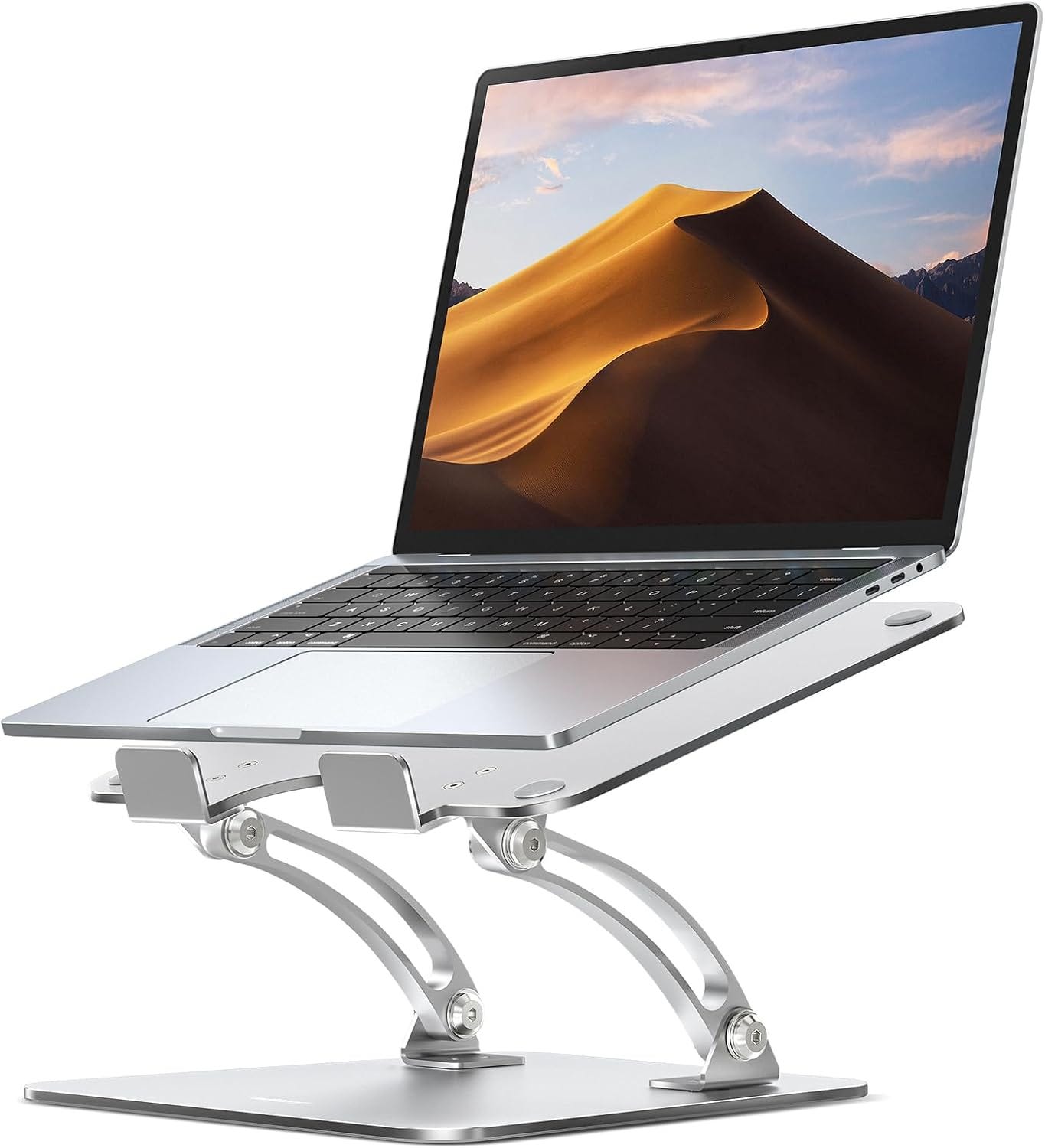
Raise your screen to eye level. The top of your monitor or laptop screen should sit at or slightly below eye level when you’re sitting upright, so you’re looking slightly downward at the middle of the screen rather than tilting your whole head and upper back forward to see it. If you’re working directly off a laptop, this alone is often the single biggest cause of slouching, since laptop screens sit too low by design. If your monitor setup needs adjusting, our guide to the best Amazon monitor stands walks through affordable ways to get your screen to the right height.
Sit all the way back in your chair. It sounds obvious, but a lot of slouching starts with sitting on the front edge of the seat, which removes any back support the chair does have. Scoot back until your lower back actually touches the chair, even if that means adjusting your desk distance slightly.
Keep your feet flat on the floor. If your feet dangle or you’re sitting cross-legged, your pelvis tends to tilt in a way that pulls your spine out of a neutral position. A stable base under your feet — flat on the floor or on a footrest — makes it easier to maintain an upright position without extra effort.
Take a movement break every 30–45 minutes. Since muscle fatigue is one of the root causes of slouching, standing up, stretching, or just walking around briefly resets those muscles before they fully fatigue. Even a minute or two makes a meaningful difference over a full workday.
Change your working position throughout the day if you can. Alternating between sitting and standing periodically reduces how long any single set of muscles has to hold the same posture continuously. If a full standing desk isn’t in the plan, our breakdown of the best Amazon standing desks covers converter options that don’t require replacing your existing desk.
Once your setup is addressing the basics, the next layer is adding specific support where your body needs it most — which is where a few well-chosen products can help.
Add Real Lumbar Support to Your Chair
If your chair doesn’t have built-in adjustable lumbar support — and most budget and home-furniture chairs don’t — your lower back is doing without the one thing that keeps your spine from curving backward under sustained sitting.
The Everlasting Comfort Lumbar Support Pillow attaches to almost any chair using dual adjustable straps that fit up to 32 inches wide, so it works on office chairs, dining chairs, or even a couch if that’s where you end up working some days. It’s built with slow-rebounding memory foam shaped to follow the natural curve of your lower spine, rather than a flat cushion that just adds bulk without actually supporting anything. The mesh cover is breathable and removable for washing, which matters if you’re using it for hours every day.
Because it straps onto your existing chair rather than requiring a chair replacement, this is one of the more accessible fixes on this list if your current chair is otherwise fine but missing real lower-back support.
Support Your Upper Back and Shoulders
Lower back support handles part of the problem, but a lot of slouching specifically shows up as rounded shoulders and a forward head position — which a lumbar pillow alone doesn’t fully address.
The Fit Geno Posture Corrector is an upper-back brace that uses four flexible fiberglass support stays along with a breathable mesh construction to gently pull your shoulders back into a more neutral position. It’s designed to be worn under clothing during desk work, and the adjustable straps let you dial in the amount of pull based on your comfort level.
It’s worth understanding how posture braces are meant to be used: they work best as a training tool worn for short, consistent periods — often starting at 15 to 30 minutes and building up gradually — rather than something you wear passively for eight hours straight. The goal is to build muscle memory for the position it holds you in, so that eventually your muscles maintain that posture without the brace. Wearing it for extended periods immediately, or relying on it as a permanent fix rather than a training aid, tends to be less effective and can leave supporting muscles weaker rather than stronger over time.
Get Real-Time Feedback When You Slouch
One of the trickiest parts of fixing posture is that slouching happens gradually and unconsciously — by the time you notice you’ve been hunched over for twenty minutes, the habit has already reinforced itself for the day.
The Upright GO 2 Posture Trainer addresses that directly. It’s a small, strapless wearable device that attaches to your upper back with a reusable adhesive pad and gives you a gentle vibration the moment you start to slouch — essentially closing the gap between when the slouch starts and when you notice it. It connects to a companion app that tracks your posture patterns over time and offers a structured training plan, and the manufacturer rates the battery at around 30 hours between charges.
This kind of real-time feedback tool is particularly useful during the habit-building phase, when you’re still training your body to recognize what upright actually feels like. Once that awareness becomes automatic for most people, the device typically gets used less often — which the manufacturer treats as the intended outcome, not a sign the device stopped working.
Change How You Sit, Not Just What You Sit In
All of the products above work with a traditional chair setup. But part of what makes slouching so persistent is that sitting in any single fixed position for hours — even a well-supported one — eventually leads to fatigue and compensation.
The DRAGONN Ergonomic Kneeling Chair takes a different approach by opening up your hip angle and redistributing your weight between your seat and your shins, which naturally encourages a more upright spine position without requiring active effort to maintain it. It includes a gentle rocking design that lets you shift position throughout the day rather than locking into one static pose, and it’s rated to support up to 250 pounds.
A kneeling chair isn’t meant to replace your regular chair entirely — most people who use one alternate between it and a standard chair throughout the day, since the kneeling position engages different muscles and isn’t necessarily meant for continuous all-day use. As a way to break up long stretches in a traditional chair while encouraging better spinal alignment, though, it’s a genuinely different tool than anything else on this list.
Building a Realistic Routine
You don’t need every product above at once, and habit change matters more than any single purchase. A reasonable way to build this out:
- Start with your screen height and chair position — free changes that address the root cause directly.
- Add lumbar support if your chair lacks it — this is the highest-impact single product for most people.
- Introduce a posture trainer or brace during the habit-building phase, when you’re still learning what upright actually feels like.
- Build in movement — a kneeling chair for part of the day, or simply standing periodically — so no single position gets held long enough to cause fatigue-driven slouching.
Consistency matters more than intensity here. Ten minutes of correct posture awareness practiced daily tends to produce better long-term results than an intense one-time setup overhaul that isn’t sustained.
When Slouching Might Be Something More
Most posture problems from working at a desk respond well to the changes covered in this guide. But there are a few signs worth taking to a doctor rather than addressing with a product:
- Pain that persists or worsens despite consistent setup and habit changes over several weeks
- Numbness, tingling, or weakness in your arms or hands
- A visible, ongoing change in your spinal curve that seems to be progressing rather than stable
- Pain that wakes you up at night or is present even when you’re not sitting at a desk
- Sudden onset of severe pain, especially following a specific movement or injury
These can be signs of an underlying issue that setup changes and posture products aren’t designed to address. The Mayo Clinic’s overview of back pain causes and symptoms is a useful starting point for understanding when general discomfort crosses into something worth a medical evaluation.
If you want a broader, research-backed reference on the connection between posture and overall health, Harvard Health Publishing has a plain-language overview on why posture matters beyond just avoiding a hunched appearance. And for the government’s official guidance on setting up a computer workstation to reduce strain in the first place, OSHA’s Computer Workstations eTool covers recommended positioning for your chair, desk, monitor, and keyboard in more depth than we’ve gone into here.
Frequently Asked Questions
How long does it take to fix bad posture from working at home?
Most people notice some improvement in awareness within a couple of weeks of consistent effort, but building lasting postural habits — where upright sitting starts to feel natural rather than effortful — typically takes longer, often measured in months rather than weeks. Consistency matters more than speed here.
Is a posture corrector brace bad for you if you wear it too much?
Wearing a posture brace passively for very long stretches, especially early on, can lead to your back and core muscles relying on the brace rather than building their own strength to hold you upright. Most guidance recommends starting with short daily periods and gradually increasing wear time, treating the brace as a training tool rather than a permanent crutch.
Does a standing desk fix slouching automatically?
Not automatically — you can slouch while standing just as easily as while sitting if your screen height and posture habits aren’t addressed. A standing desk helps most as a way to vary your position throughout the day, reducing how long you hold any single posture, rather than as a direct fix for poor alignment on its own.
Why do I slouch more later in the day, even with a good chair?
This is usually simple muscle fatigue. Maintaining upright posture requires ongoing low-level engagement from your core and back muscles, and those muscles tire over the course of a long workday, especially without movement breaks. Building strength over time and taking regular breaks both help reduce this end-of-day decline.
Can a kneeling chair replace my office chair completely?
Most people don’t use a kneeling chair as a full-time replacement — it’s typically used for part of the day, alternating with a standard chair, since the kneeling position uses different muscles and isn’t designed for continuous all-day sitting. Using it as one tool among several tends to work better than trying to switch entirely.
Is slouching actually bad for you long-term, or is it just about appearance?
Beyond appearance, chronically poor posture is associated with increased strain on the spine, neck, and shoulder muscles over time, along with more general discomfort and fatigue. It’s not usually an emergency in the short term, but the cumulative effect of years of poor positioning is why addressing it proactively is worthwhile.
Do posture-tracking wearables like Upright GO actually work, or is it just a gimmick?
The core mechanism — a vibration alert the moment you start to slouch — directly addresses one of the harder parts of posture correction: noticing the slouch in real time rather than after it’s already been sustained for a while. Like any habit-training tool, results depend on consistent use, and it works best as part of a broader approach rather than a standalone fix.
What’s the single best first step if I can only do one thing?
For most people working directly on a laptop, raising the screen to eye level is the highest-impact free change, since a low screen is one of the most common root causes of slouching in the first place. It costs nothing if you already have books, a box, or a basic stand on hand, and it addresses the problem at the source rather than just adding support after the fact.
Final Thoughts
Slouching while working from home is rarely about willpower — it’s almost always a response to a setup that’s asking too much of your body for too many hours at a stretch. Start with the free fixes: screen height, chair position, and regular movement breaks, since those address the root causes directly and cost nothing.
From there, the right support — real lumbar support for your lower back, an upper-back brace or posture trainer during the habit-building phase, and a way to change position throughout the day — gives your body the tools it needs to hold a better position without constant conscious effort. None of these products are a substitute for addressing your actual setup, but combined with the free changes above, they make good posture a lot easier to sustain over a full workday.
If you build the habit gradually and stay consistent, most people find that sitting upright eventually stops feeling like an effort at all.
As an Amazon Associate I earn from qualifying purchases.
메타데이터
- post_id
- d39bfc3bc24a
- slug
- how-to-stop-slouching-while-working-from-home-2026-d39bfc3bc24a
- url
- https://medium.com/@techrigreview/how-to-stop-slouching-while-working-from-home-2026-d39bfc3bc24a
- canonical_url
- https://medium.com/@techrigreview/how-to-stop-slouching-while-working-from-home-2026-d39bfc3bc24a
- author_url
- https://medium.com/@techrigreview
- status
- ok
- fetched_at
- 2026-08-16 13:27:35