Deploying a Highly Available Web App on AWS Using Terraform
1. Configurable Web Server
Deploying a Highly Available Web App on AWS Using Terraform
1. Configurable Web Server
We refactored the single EC2 instance deployment to remove hardcoded values using input variables. This follows the DRY principle, so changes like instance type, port, and AMI can be adjusted without modifying core logic.
variables.tf
variable "server_port" {
  description = "Port for HTTP requests"
  type        = number
  default     = 8080
}
variable "instance_type" {
description = "EC2 instance type"
type = string
default = "t2.micro"
}variable "ami_id" {
description = "AMI ID for the EC2 instance"
type = string
}variable "vpc_id" {
description = "VPC ID for security groups"
type = string
}variable "subnet_ids" {
description = "Subnets for ALB and ASG"
type = list(string)
}main.tf (simplified for single server)
resource "aws_security_group" "web_sg" {
  name   = "web_sg"
  vpc_id = var.vpc_id
ingress {
from_port = var.server_port
to_port = var.server_port
protocol = "tcp"
cidr_blocks = ["0.0.0.0/0"]
} egress {
from_port = 0
to_port = 0
protocol = "-1"
cidr_blocks = ["0.0.0.0/0"]
}
}resource "aws_instance" "web" {
ami = var.ami_id
instance_type = var.instance_type
security_groups = [aws_security_group.web_sg.name]
user_data = <<-EOF
#!/bin/bash
echo "Hello World from Terraform Day 4" > index.html
nohup python3 -m http.server ${var.server_port} &
EOF
}Key points:
- Changing AMI or instance type now only requires updating the variable.
- No hardcoded ports or IDs.
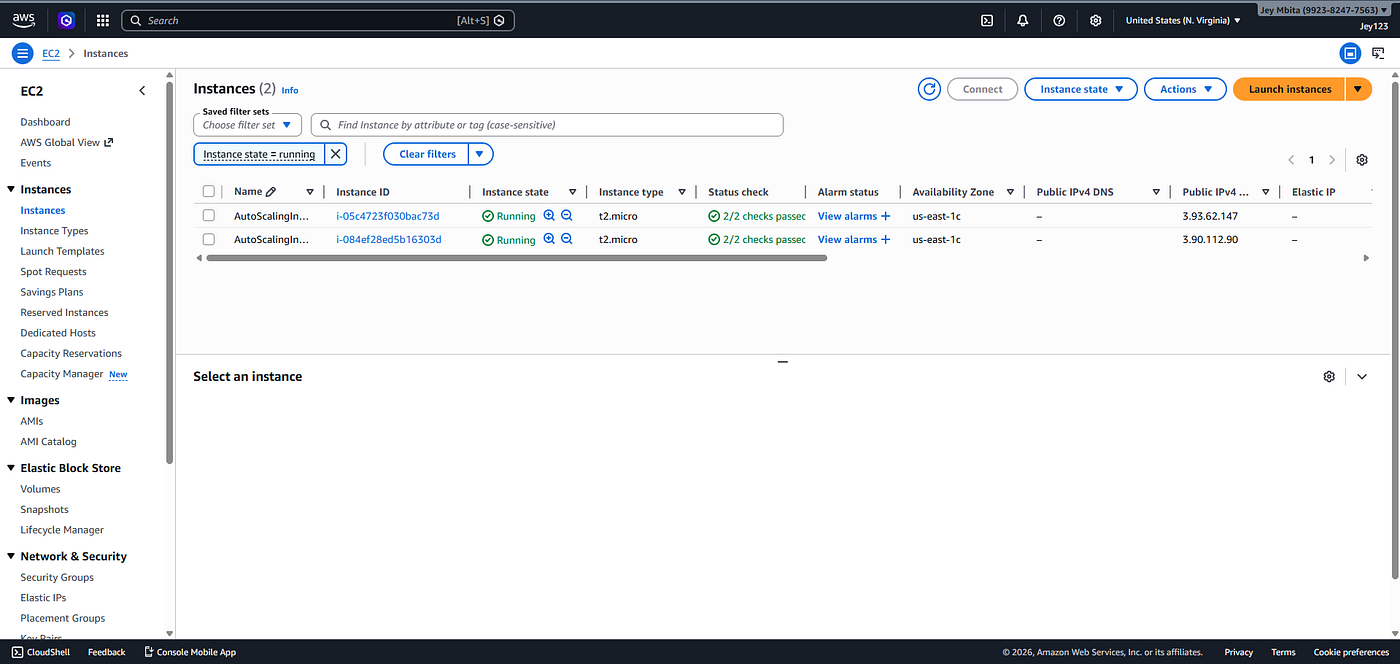
2. Clustered Web Server with Load Balancer
To scale for production, we added:
- Launch Template defining the EC2 spec
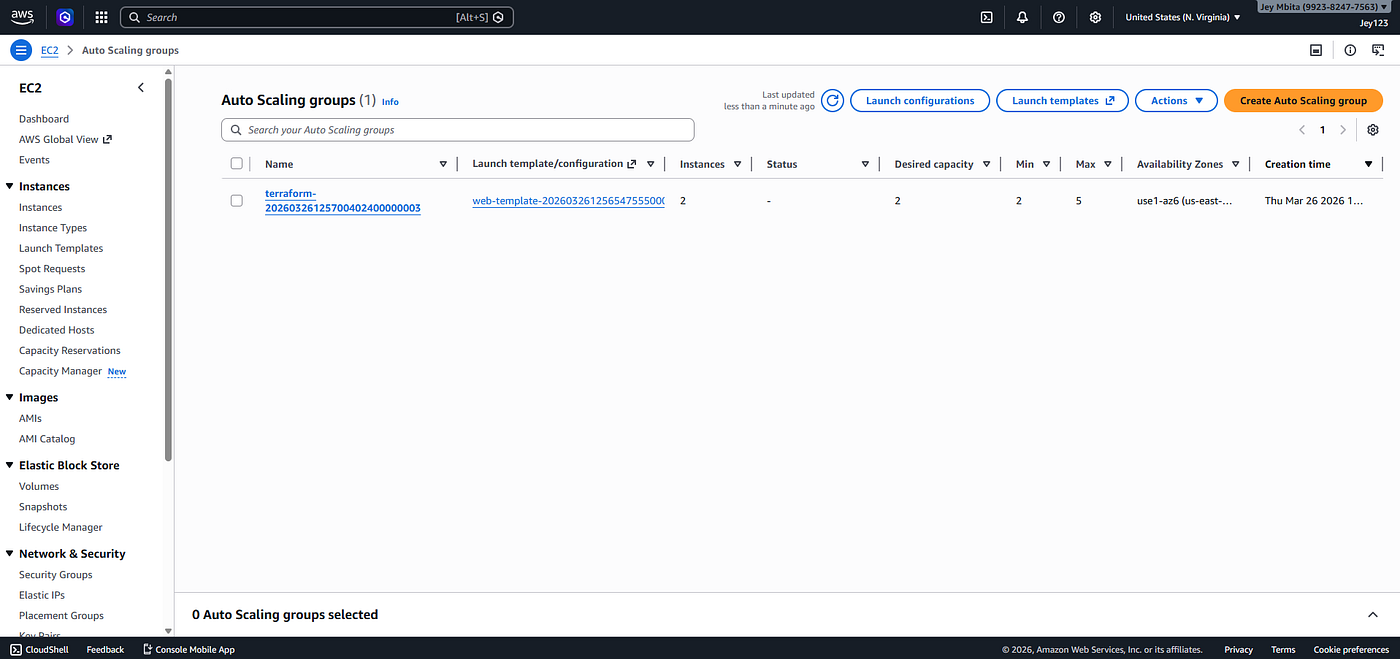
- Auto Scaling Group (2–5 instances)
- ALB with Target Group and Listener
main.tf (clustered setup)
data "aws_availability_zones" "all" {}resource "aws_launch_template" "web_template" {
name = "web-template"
image_id = var.ami_id
instance_type = var.instance_type
security_group_names = [aws_security_group.web_sg.name]
user_data = <<-EOF
#!/bin/bash
echo "Hello from ASG instance" > index.html
nohup python3 -m http.server ${var.server_port} &
EOF
}resource "aws_autoscaling_group" "web_asg" {
desired_capacity = 2
max_size = 5
min_size = 2
vpc_zone_identifier = var.subnet_ids
launch_template {
id = aws_launch_template.web_template.id
version = "$Latest"
}
target_group_arns = [aws_lb_target_group.web_tg.arn]
}resource "aws_lb" "web_lb" {
name = "web-load-balancer"
internal = false
load_balancer_type = "application"
security_groups = [aws_security_group.web_sg.id]
subnets = var.subnet_ids
}resource "aws_lb_target_group" "web_tg" {
name = "web-target-group"
port = var.server_port
protocol = "HTTP"
vpc_id = var.vpc_id
}resource "aws_lb_listener" "web_listener" {
load_balancer_arn = aws_lb.web_lb.arn
port = var.server_port
protocol = "HTTP"
default_action {
type = "forward"
target_group_arn = aws_lb_target_group.web_tg.arn
}
}Key points:
- ASG allows auto-scaling when traffic increases.
- ALB distributes traffic across instances.
- Using data source for availability zones makes deployment dynamic.
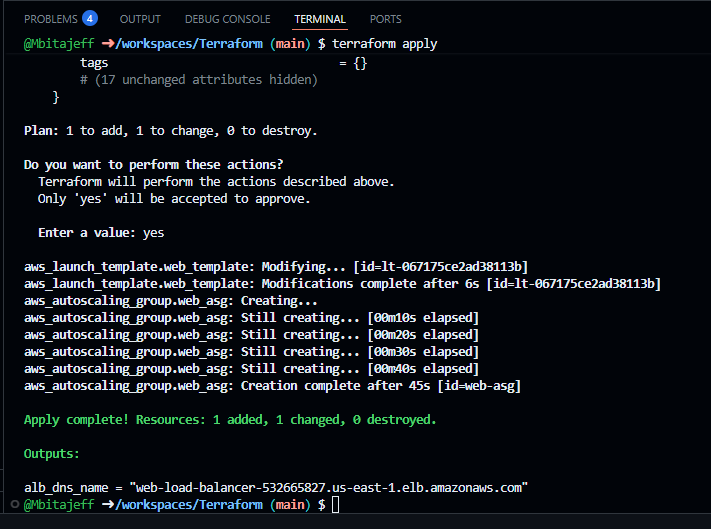
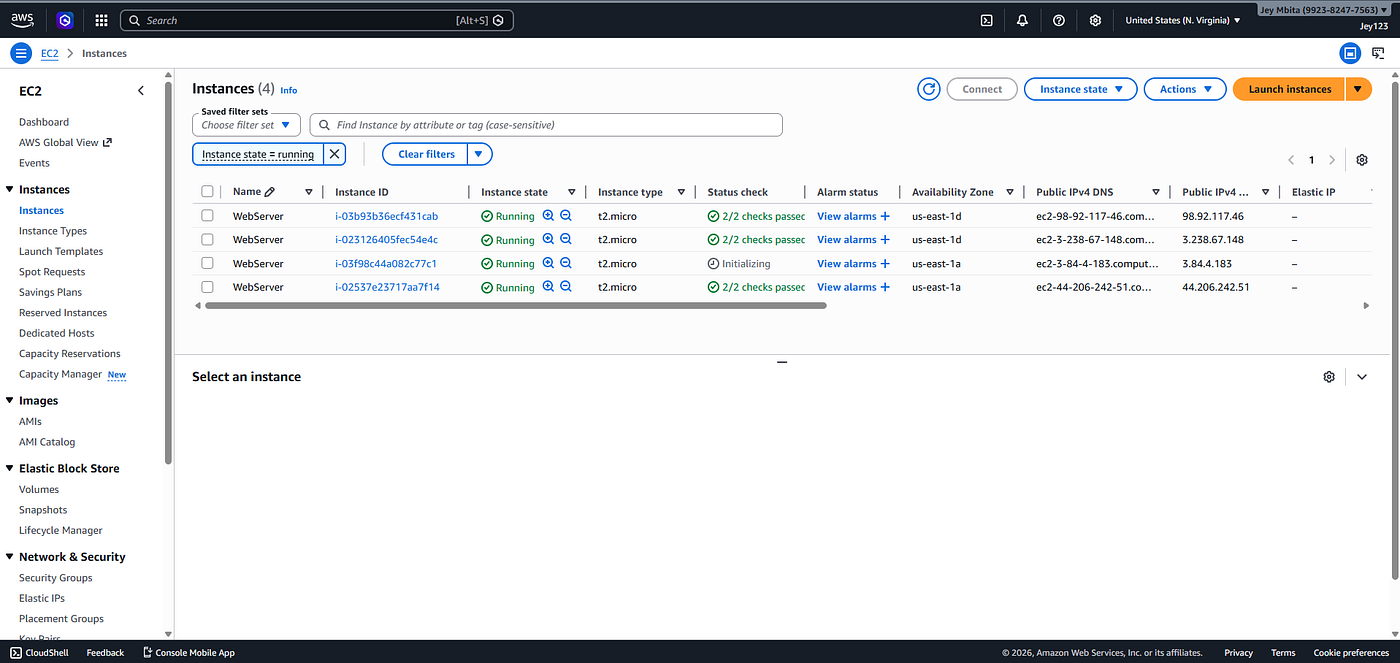
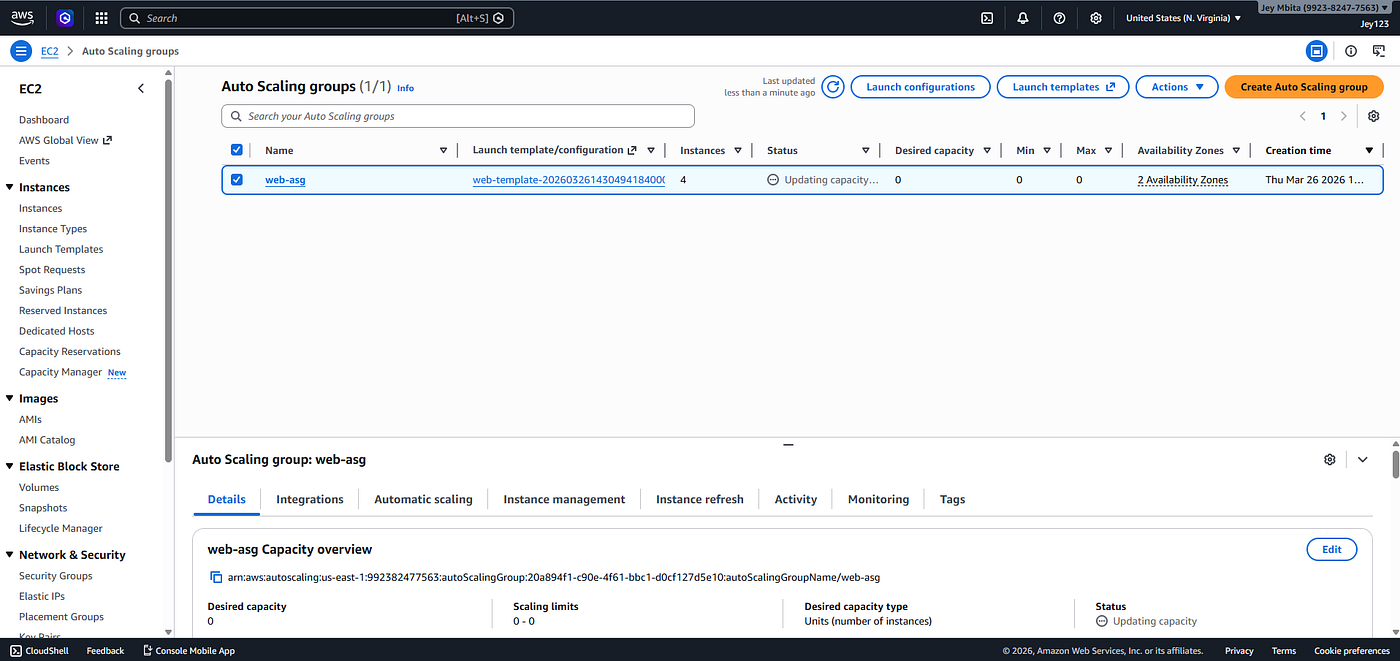
3. Deployment Confirmation
- ALB DNS Name:
web-load-balancer-532665827.us-east-1.elb.amazonaws.com- Visiting this URL shows the web page hosted by multiple EC2 instances in the ASG.
- Terraform output confirms resources were deployed:
terraform output
alb_dns_name = "web-load-balancer-532665827.us-east-1.elb.amazonaws.com"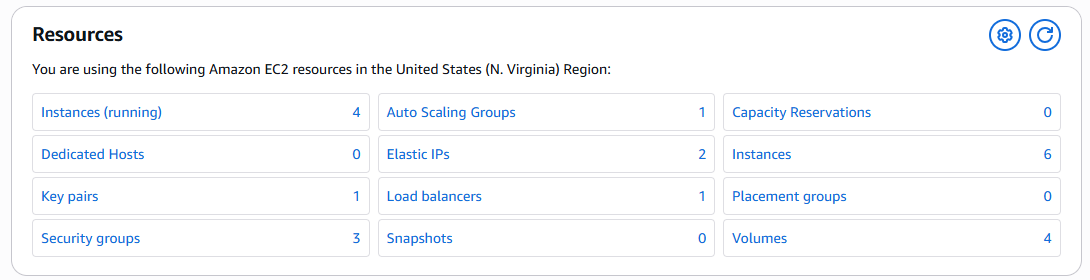
4. DRY Principle in Practice
- DRY (Don’t Repeat Yourself) ensures infrastructure is reusable and maintainable.
- Input variables prevented repeated hardcoding of ports, instance types, AMI IDs, VPC IDs, and subnet IDs.
- Hardcoding in a team project could cause inconsistencies and deployment errors.
5. Difference Between Configurable and Clustered
FeatureSingle InstanceClustered DeploymentScalabilityOne instance2–5 instances with auto-scalingAvailabilitySingle point of failureHigh availability with ALBTraffic HandlingLimitedDistributed, handles real trafficComplexitySimpleRequires Launch Template, ASG, ALB, TG
Clustering solves single-server downtime and traffic bottlenecks.
6. Lab Takeaways
- Data Block Lab: Learned to dynamically fetch information like availability zones.
- Input Variables Lab: Learned to make infrastructure flexible and DRY.
7. Challenges and Fixes
- Missing VPC/Subnet IDs caused security group creation errors → solved by providing real IDs.
- Large Terraform provider binaries were ignored in
.gitignoreto avoid GitHub push issues. - Invalid AMI IDs → updated to a valid
ami-0c55b159cbfafe1f0(or your region-specific AMI).
메타데이터
- post_id
- d3bc5dbf0ebe
- slug
- deploying-a-highly-available-web-app-on-aws-using-terraform-d3bc5dbf0ebe
- url
- https://medium.com/@jeffmbita69/deploying-a-highly-available-web-app-on-aws-using-terraform-d3bc5dbf0ebe
- canonical_url
- https://medium.com/@jeffmbita69/deploying-a-highly-available-web-app-on-aws-using-terraform-d3bc5dbf0ebe
- author_url
- https://medium.com/@jeffmbita69
- status
- ok
- fetched_at
- 2026-06-10 08:34:46


