Need Independent Deployments in Angular? Use Module Federation — MFE
Microfrontends (MFEs) are having a moment.
Need Independent Deployments in Angular? Use Module Federation — MFE
AI Generated Image
Microfrontends (MFEs) are having a moment.
If you work in a large enterprise Angular app, you know the feeling: the builds are slow, the bundle is enormous, teams step on each other’s toes, and every upgrade feels like a tax audit.
Somewhere between “Who touched the shared module?” and “Why did the whole app break when I changed a button style?” you start wondering if there’s a better way.
Enter Module Federation — a Webpack 5 superpower that Angular (especially version 16+) embraces beautifully.
It lets you load code at runtime from other apps. Yes, runtime. As in: “the code wasn’t here a second ago, but now it is.”
This guide walks you through Module Federation architecture in Angular the way a senior dev would explain it over a cup of coffee — diagrams, jokes, real-world patterns, Nx integration, SSR pitfalls, the whole buffet.
1. What Module Federation Actually Solves (AKA: The Pain Section)
Let’s be honest about big Angular apps.
They tend to become:
- 💣 Massive bundles (“Why is the login page 8MB?”)
- 🐢 Slow builds (“Go for lunch while it compiles.”)
- 😵 Cross-team chaos (“Who refactored the shared-utils folder?!”)
- 🥵 Tight coupling (“Feature A broke feature Z again.”)
- 😭 Painful upgrade cycles (“Don’t touch RxJS today, we’ll deal with it next quarter.”)
Module Federation says: “Relax, we can fix that.”
It gives you:
- Independent deployment
- Runtime loading of remote code
- Version-agnostic library sharing
- True team autonomy
- Incremental Angular upgrades
In other words:
Module Federation turns your Angular app from a monolith into a constellation of apps that come together at runtime.
Imagine your main app (the Shell) as a conductor, and each MFE is a musician playing independently but in sync.
2. High-Level Architecture (The Big Picture)
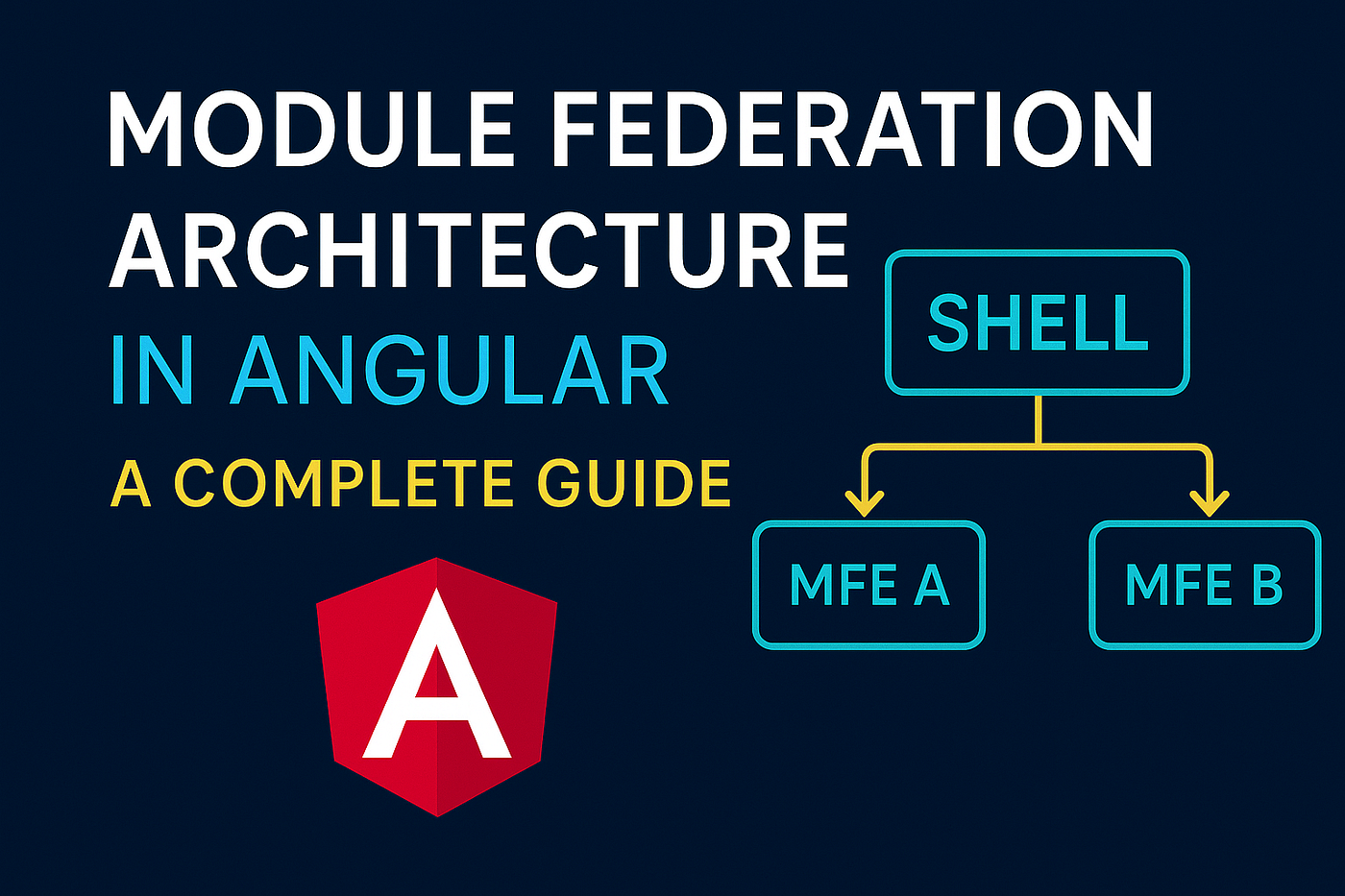
Here’s the enterprise-style visual:
INTERNET
     │
┌────┴──────────┐
│ Reverse Proxy │  (NGINX / CDN / API Gateway)
└────┬──────────┘
     │ Requests
 ┌───┼─────────────────────────────────────────────┐
 │   │                                             │
 ▼   ▼                                             ▼
┌──────────┐  ┌──────────────┐             ┌────────────┐
│  Shell   │  │   MFE A      │             │   MFE B     │
│ (Host)   │  │  (Remote)    │             │  (Remote)   │
└────┬─────┘  └──────┬───────┘             └──────┬─────┘
     │ Webpack MF Runtime                      │
     └──────────────────────────────────────────┘
Dynamically pulls remote bundles at runtime- Shell = Host
- Billing / CRM / Orders = Remotes
The Shell owns:
- Global layout
- Navigation
- Theme
- Authentication
- Runtime remote configuration
Each Remote owns its domain (Billing, CRM, Inventory, etc.)
This separation is the secret to scaling large organizations.
3. Internal Architecture (What’s Inside the Shell & Remotes)
Let’s pop the hood.
Shell / Host
┌──────────────────────────────────────────────────────┐
│ AppComponent (header, footer, layout)                │
│     │                                                │
│     ▼                                                │
│ Shell Routing Module                                 │
│     │                                                │
│     ├─ /home        → local feature module           │
│     ├─ /profile     → local feature module           │
│     └─ /billing     → remote module (MFE)            │
└──────────────────────────────────────────────────────┘
Remote App (e.g., Billing)
┌──────────────────────────────────────────────────────┐
│  Exposed Entry Module                                 │
│        │                                              │
│        └── Remote Routing Module                      │
│              ├── /billing/home                        │
│              ├── /billing/invoices                    │
│              └── /billing/settings                    │
└──────────────────────────────────────────────────────┘
The Shell doesn’t care how the Remote arranges its internals — that’s the remote’s job.
The Shell only knows one thing: how to load its exposed entry module. Clean, decoupled, elegant.
4. Webpack Module Federation Configuration (Angular 14–20+)
Angular 14+ uses Webpack 5 under the hood, so Module Federation is now basically a first-class citizen.
Thanks to the amazing @angular-architects/module-federation, configuration becomes almost too easy.
Shell config
// shell/webpack.config.js
const { withModuleFederationPlugin } = require('@angular-architects/module-federation/webpack');

module.exports = withModuleFederationPlugin({
  remotes: {
    billing: "billing@http://localhost:4201/remoteEntry.js",
    crm:     "crm@http://localhost:4202/remoteEntry.js"
  },
  shared: {
    "@angular/core": { singleton: true, strictVersion: true },
    "@angular/common": { singleton: true },
    "@angular/router": { singleton: true },
  }
});
Remote config
// remote/webpack.config.js
module.exports = withModuleFederationPlugin({
  name: 'billing',
  exposes: {
    './Module': './src/app/billing/billing.module.ts',
  },
});
Boom. The Shell can now load Billing at runtime.
5. Deep Dive: How Module Federation Works Behind the Scenes
Let’s follow the flow:
SHELL LOADS
     │
     ▼
┌────────────┐
│remoteEntry │  ← remote's definition file
└─────┬──────┘
      │ registers exposed modules + shared libs
      ▼
┌────────────┐
│Shared Scope│  ← ensures singletons
└─────┬──────┘
      │
Shell requests "./Module"
      │
MF runtime resolves it from Billing
Magic? No. Brilliant engineering? Yes.
At runtime, the Shell becomes a conductor calling:
“Billing, I need your module!”
And Billing responds by sending over the code on the fly.
6. Routing Architecture (Where the Magic Meets Angular)
Shell routes
{
  path: 'billing',
  loadChildren: () =>
    loadRemoteModule({
      type: 'module',
      remoteName: 'billing',
      exposedModule: './Module'
    }).then(m => m.BillingModule)
}
Remote routes
const routes: Routes = [
  { path: '', component: BillingHomeComponent },
  { path: 'invoices', component: InvoiceListComponent },
  { path: 'settings', component: BillingSettingsComponent }
];
The Shell only loads the entry module. The Remote lazy-loads everything else — sweet efficiency.
7. Communication Between MFEs (AKA: “How do they talk?”)
This is where most teams struggle.
✔ Allowed + Recommended
- Custom Browser Events
- Shared RxJS service (through shared singleton)
- Host-level message bus
- URL parameters
- Shared NgRx store (careful!)
- APIs
- WebSockets
✘ Avoid at all costs
- Cross-MFE DI service mutation
- Direct component imports
- Using global window hacks
- Sharing huge domain libraries
Recommended Architecture (Event Bus)
SHELL
┌──────────────────────────────┐
│  Event Hub (RxJS Subject)    │
└─────────────┬────────────────┘
              │
      ┌───────▼──────┐   ┌───────▼──────┐
      │ Billing MFE   │   │  CRM MFE      │
      └───────────────┘   └───────────────┘
Broadcast → everyone listens. Everyone publishes → Shell forwards if needed.
Decoupled. Clean. Maintainable.
8. Shared Libraries & Versioning (Where Enterprises Win or Die)
To avoid version hell:
- Use
strictVersion: true - Align Angular versions across MFEs
- Use Nx to sync dependencies
- Share only what must be singleton
- For libs like lodash → don’t use singleton
Example:
shared: {
  '@angular/*': { singleton: true, strictVersion: true },
  'rxjs': { singleton: true },
  'lodash': { singleton: false }
}
9. Deployment Architecture (The Real Battle)
This is where Module Federation truly shines.
Your CDN / reverse proxy maps:
/shell/*             → Shell SPA
/billing/remoteEntry.js
/crm/remoteEntry.js
/orders/remoteEntry.js
But here’s the trick:
DO NOT hardcode URLs.
Use a runtime remotes.json file.
shell/assets/remotes.json

{
  "billing": "https://cdn.app.com/billing/remoteEntry.js",
  "crm":     "https://cdn.app.com/crm/remoteEntry.js"
}
This allows deployments without rebuilding the Shell.
10. Nx Integration (Highly Recommended)
Nx is basically the Tony Stark suit for Module Federation.
Benefits:
- Distributed builds
- Affected graph
- Instant caching
- Shared library workspace
- Version alignment
- CI/CD isolation
Architecture:
┌────────────────── Nx Workspace ──────────────────┐
   │                │                 │
   │           ┌─────────┐     ┌─────────┐
   │           │ Shell   │     │ Billing │
   │           └─────────┘     └─────────┘
   │                  │           │
   │        └── depends on Shared Libs ─────┘
Only the MFEs you’ve touched get rebuilt. Your build team will love you.
11. SSR + Module Federation (The Spicy Section)
SSR + MFEs = tricky.
Why?
remoteEntry.jscannot run in Node- Remotes must ship server bundles
- Often remotes skip SSR entirely
- Shell handles the initial SSR
Many teams do:
✔ SSR on Shell ✘ No SSR on Remotes
Simplifies life dramatically.
12. Advanced Architecture Patterns
12.1 Domain-Driven MFEs
Split MFEs by business domains:
- Billing → invoices, payments, reports
- CRM → customers, leads, interactions
- Inventory → warehouses, items, tracking
12.2 UI Composition Patterns
A) Route-Level (most common) B) Component-Level (shell imports widgets) C) Widget Federation (dashboard cards)
12.3 Auth & Permissions
Shell handles:
- JWT
- RBAC
- Navigation
- Session
Remotes just plug in and listen.
13. Security Architecture
Module Federation involves loading remote JavaScript… which can be risky.
Best practices:
- Strict CORS
- HTTPS only
- CSP headers
- Use approved remote hosts
- No random dynamic URLs
14. Failure Handling & Resilience
Things will break — prepare for it.
- Retry strategy
- Circuit breakers
- Fallback UIs
- Health endpoints
- Rollback pipelines
If remote fails:
loadRemoteModule()
  .catch(() => redirectToErrorPage());
15. How MFEs Transform Team Structure
MFEs allow teams to work like microservices teams.
Before MFEs:
- Big bang deployments
- Shared ownership (no one actually owned it)
- Every change risked breaking 20 features
After MFEs:
- Each team owns a domain
- Each MFE deploys independently
- Faster cycles
- Easier experiments
Everyone wins.
16. Final Architecture (Everything Comes Together)
Browser
   │
   ▼
Loads Shell SPA
   │
   ▼
Shell loads remotes dynamically
┌──────────────────────────────────────────────────────────────┐
│ SHELL                                                         │
│ - Layout, nav, auth                                           │
│ - Event bus                                                   │
│ - Remote config loader                                        │
│ - Global services                                             │
└─────────┬─────────────────────────────────────────────────────┘
          │
   ┌──────▼────────┐     ┌──────▼─────────┐
   │ Billing MFE    │     │  CRM MFE        │
   └───────────────┘     └─────────────────┘
          │                    │
   ┌──────▼───────────┐  ┌────▼────────────┐
   │ Shared libraries  │  │ Auth / API libs │
   └───────────────────┘  └────────────────┘
This setup gives you:
- Independent deployments
- Runtime composition
- Runtime configuration
- Shared layout/auth
- Domain isolation
- True scalability
17. Conclusion
Module Federation doesn’t just change how Angular apps are built — it changes how teams work.
It turns Angular into a modular, scalable application platform with:
✔ Better autonomy ✔ Faster releases ✔ Smaller bundles ✔ Easier upgrades ✔ Better performance ✔ Cleaner domain boundaries
When paired with:
- Nx
- Runtime configuration
- Event bus architecture
- Strict version management
- Smart shared libraries
Module Federation becomes one of the strongest front-end architectures for enterprise-scale Angular apps.
메타데이터
- post_id
- d3c8aa3b6f57
- slug
- need-independent-deployments-in-angular-use-module-federation-mfe-d3c8aa3b6f57
- url
- https://medium.com/@anumathew16/need-independent-deployments-in-angular-use-module-federation-mfe-d3c8aa3b6f57
- canonical_url
- https://medium.com/@anumathew16/need-independent-deployments-in-angular-use-module-federation-mfe-d3c8aa3b6f57
- author_url
- https://medium.com/@anumathew16
- status
- ok
- fetched_at
- 2026-06-23 17:05:31