Introducing E-Mode on Neverland
A More Efficient Route Through Borrower’s Bay
Introducing E-Mode on Neverland
A More Efficient Route Through Borrower’s Bay

Efficiency Mode on Neverland: A More Efficient Route Through Borrower’s Bay
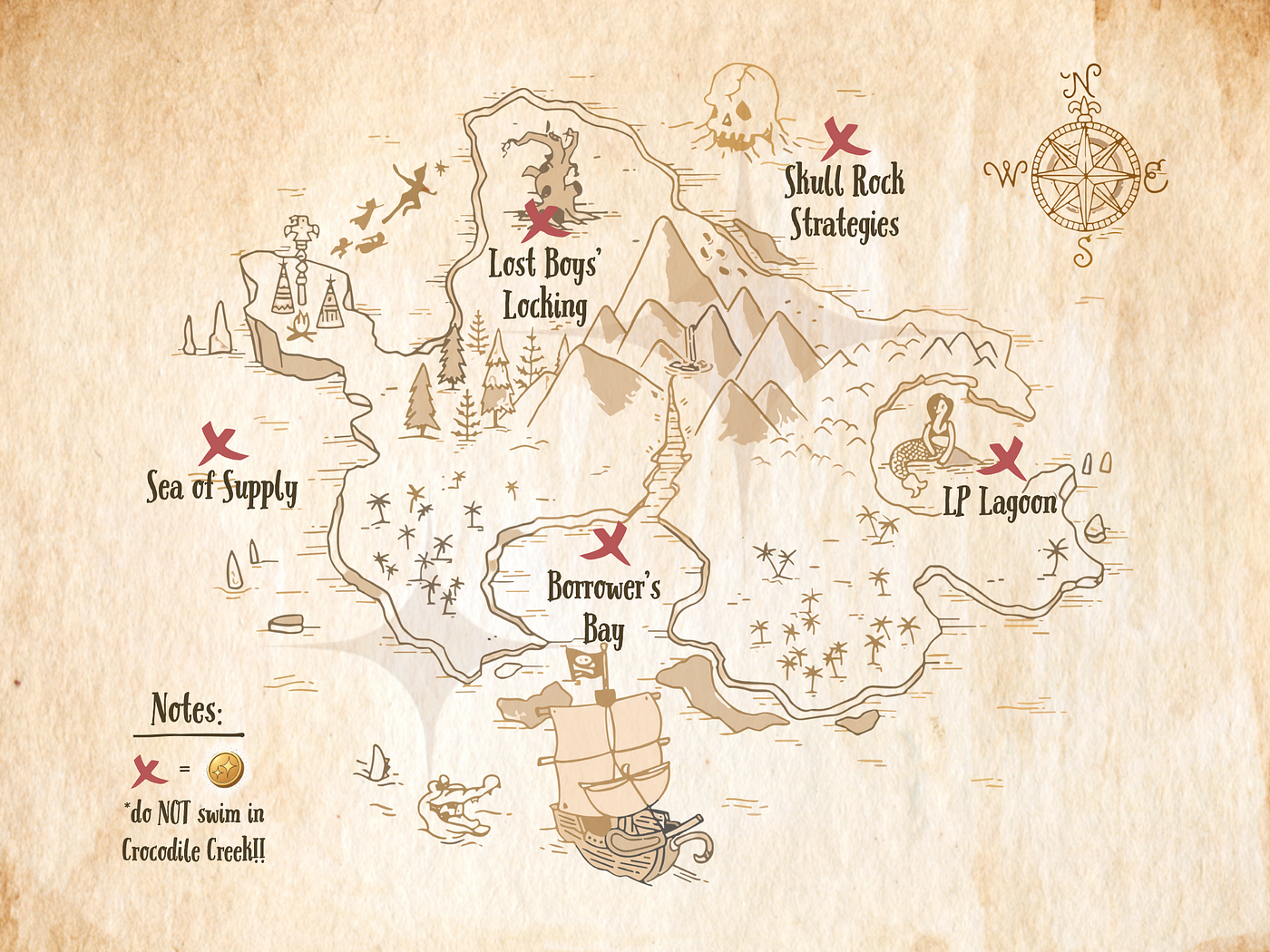
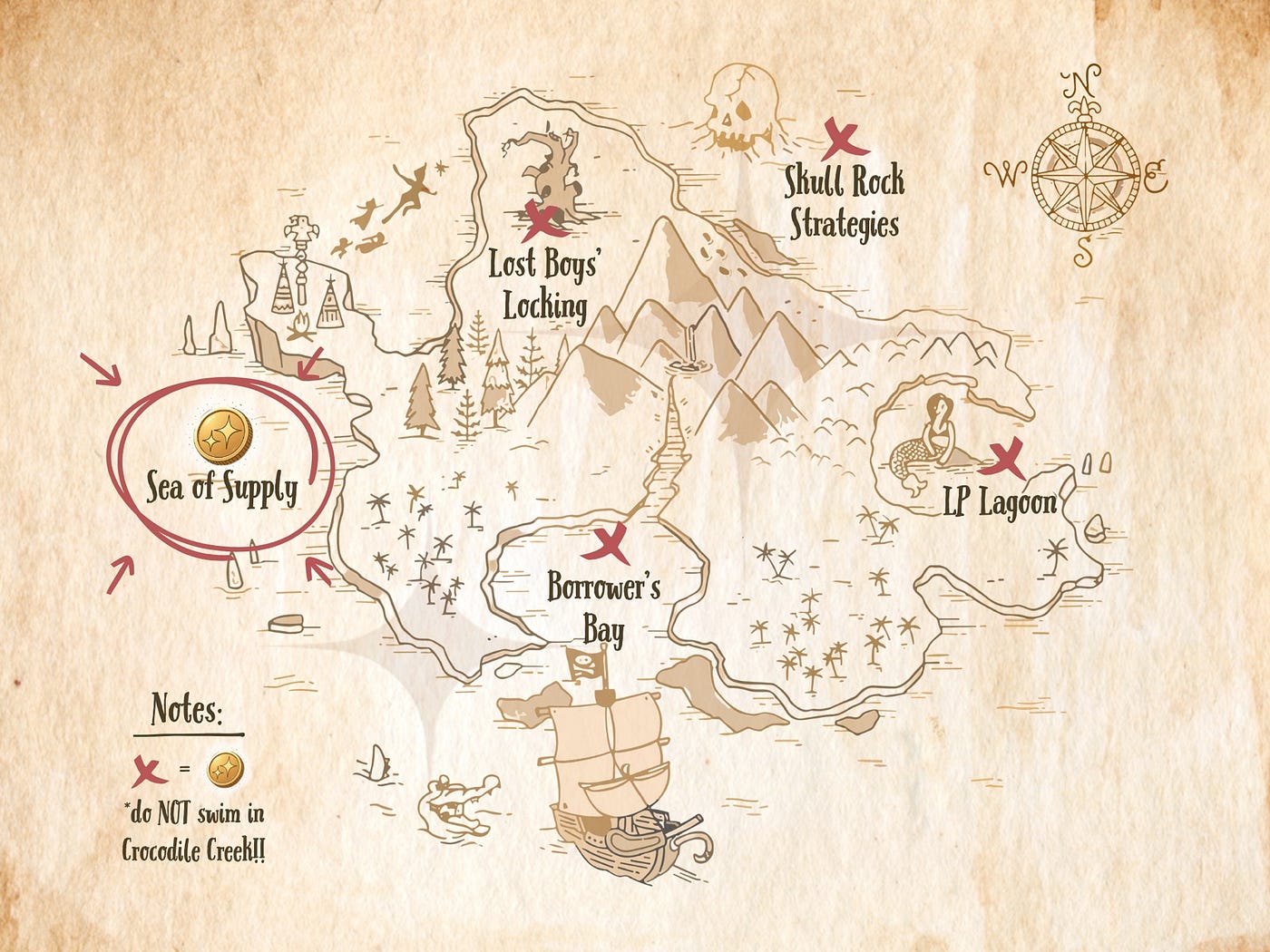
If you’ve been following the Neverland treasure map, you already know that every corner of the island has its own way of putting capital to work.
The **Sea of Supply is where idle treasure begins to earn. [Borrower’s Bay](https://news.neverland.money/how-to-use-borrowing-in-neverland-adventures-in-borrowers-bay-2fc558c7f07a) is where users unlock liquidity without surrendering the assets they want to keep. [Lost Boys’ Locking](https://news.neverland.money/part-three-how-to-earn-with-lost-boys-locking-2f376c1d10a1) is where DUST can be locked into veDUST for governance power and rewards. [LP Lagoon](https://news.neverland.money/how-to-earn-by-providing-liquidity-a-swim-through-lp-lagoon-19a37e0ea8b4)** rewards DUST liquidity providers with USDC from weekly generated protocol revenue.
Now, Neverland is opening a new passage through **Borrower’s Bay**.
Starting today, users can enter E-Mode, short for Efficiency Mode: a more capital-efficient borrowing setting designed for select categories of closely correlated assets. On the map, you can think of it as the E-Mode Canal - a more sheltered route for positions built around assets that naturally move together.

What Is Efficiency Mode?
Efficiency Mode, or E-Mode, is a borrowing setting that improves capital efficiency for select categories of correlated assets.
In Default Mode, assets use their standard lending parameters across the platform. In E-Mode, supported assets within a selected category are treated under more efficient risk parameters, allowing for higher loan-to-value ratios than standard lending.
This is especially useful when supplying and borrowing assets expected to remain closely aligned, such as liquid staking assets related to MON or stablecoins that trade near the same value.
In simple terms: E-Mode allows users to borrow more efficiently when their position stays within a tightly related asset category.
How E-Mode Works on Neverland
All users begin in Default Mode.
To switch into an E-Mode category, users can click the E-Mode button located at the top right of the Markets page of the Neverland app. This opens a modal showing the available modes, where users can select the one they want to enter.
A user can only be in one mode at a time.
When an E-Mode category is enabled, users can still supply any supported collateral asset on Neverland. Assets that belong to the selected E-Mode category are optimized under that mode’s enhanced parameters, while any supplied assets outside that category continue using their standard base configuration. Borrowing, however, becomes limited to the selected E-Mode category.
This gives users a clear choice: stay in Default Mode for broader flexibility, or enter E-Mode for higher efficiency within a specific asset category.
Default Mode
Default Mode is Neverland’s standard lending and borrowing configuration. In this mode, users can supply and borrow across supported markets using each asset’s normal parameters, without entering a specialized E-Mode category. For users who want the widest flexibility across different market types, Default Mode remains the natural starting point.
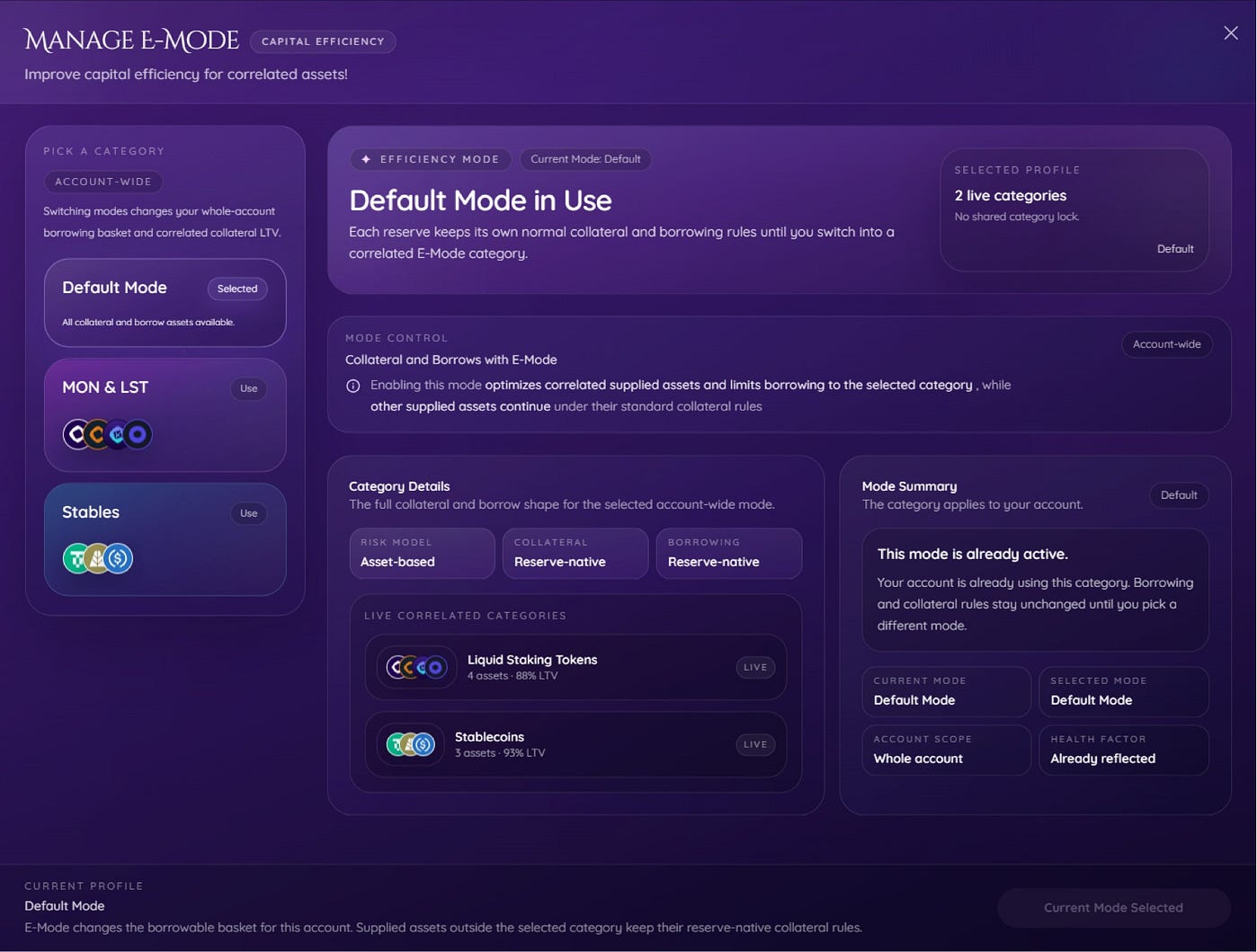
MON & LST Mode
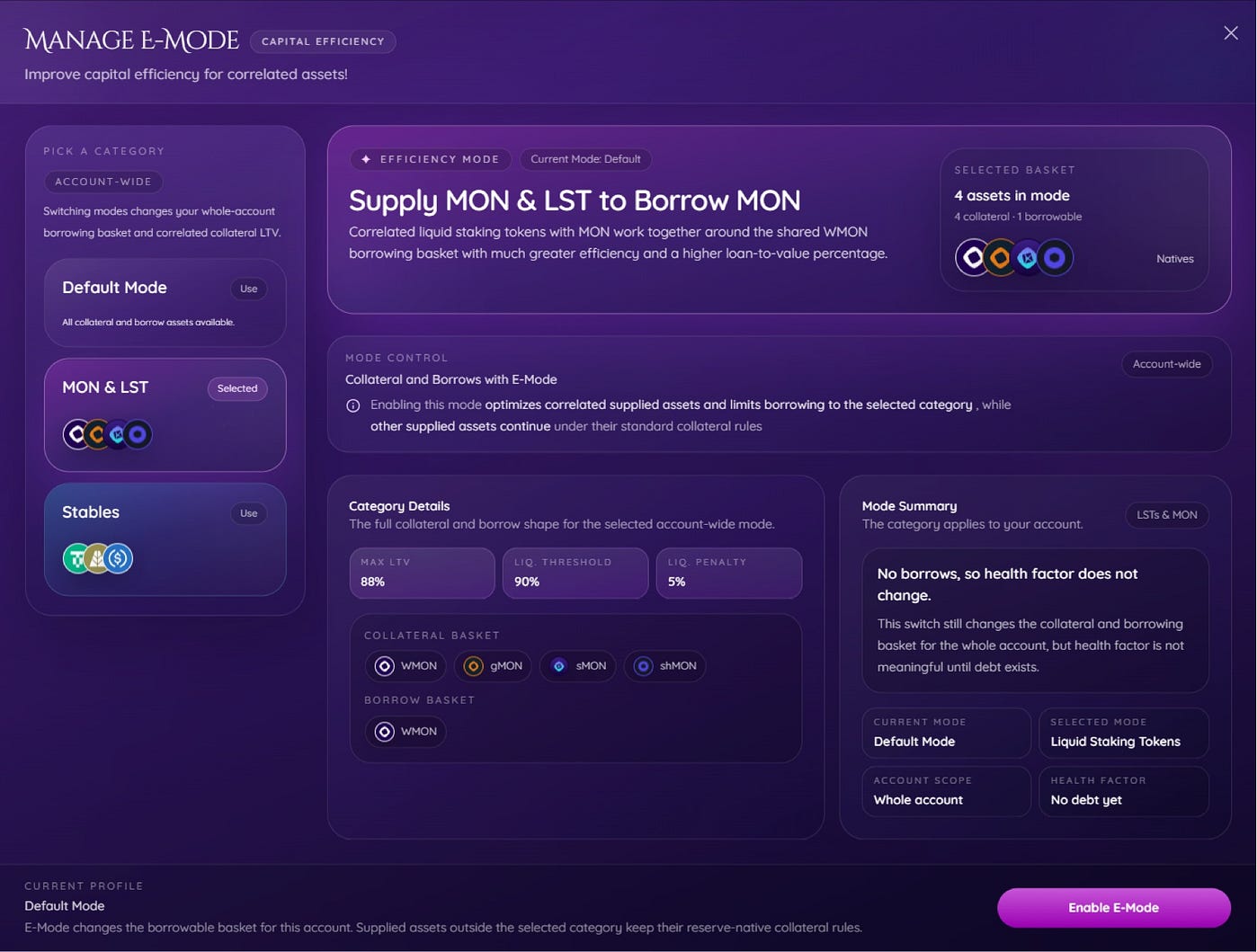
MON & LST Mode is designed for correlated liquid staking assets related to MON.
In this mode, correlated liquid staking tokens work together around a shared WMON borrowing basket with greater efficiency and a higher loan-to-value percentage than Default Mode provides.
Collateral basket: ✦ WMON ✦ shMON ✦ sMON ✦ gMON
Borrow basket: ✦ WMON
Parameters: ✦ Max LTV: 88% ✦ Liquidation Threshold: 90% ✦ Liquidation Penalty: 5%
Liquid Staking Mode is built for users structuring positions around MON and closely related liquid staking assets who want to access greater capital efficiency within that category. In this mode, the users can only borrow MON.
Stables Mode
Stables Mode is designed for correlated stablecoins.
In this mode, supported stablecoins operate as a unified collateral category, allowing for higher LTV ratios and improved capital efficiency due to their low volatility relative to each other.
Collateral basket: ✦ USDC ✦ AUSD ✦ USDT0
Borrow basket: ✦ USDC ✦ AUSD ✦ USDT0
Parameters: ✦ Max LTV: 93% ✦ Liquidation Threshold: 94% ✦ Liquidation Penalty: 4%
Stables Mode is designed for users managing stablecoin positions who want a more efficient way to borrow within that category.

Why Use E-Mode?
E-Mode is designed for positions built around a supported category of closely correlated assets.
Its advantages include: ✦ higher capital efficiency ✦ higher maximum loan-to-value ratios ✦ more efficient borrowing within approved asset categories ✦ a more optimized setup for strategies built around correlated assets
Rather than using the same framework for every possible asset combination, E-Mode allows users to opt into settings designed for asset groups that naturally fit together.
When Should You Use E-Mode?
E-Mode is best suited for positions that stay within one of Neverland’s supported categories.
That may make it a strong fit when: ✦ supplying MON-related liquid staking assets and borrowing WMON ✦ supplying supported stablecoins and borrowing within the stablecoin basket
If your strategy is centered around one correlated asset group, E-Mode can offer better efficiency than Default Mode.
A New Canal on the Map
Neverland has never been about one single path.
Some users want the broad flexibility of open waters. Some want to lock DUST and guide the island through governance. Some want to supply, borrow, loop, or chart a more intricate course across the map. E-Mode adds another route - one designed for users whose positions are built around assets that already move together.
The Default Mode is to remain in **Borrower’s Bay. But for correlated positions, MON & LST Mode and Stables Mode** open a more sheltered passage: a place where borrowing can be done with greater efficiency, clearer structure, and a route better suited to the assets in play.
So if **Borrower’s Bay is where opportunity is unlocked to reach more treasures, E-Mode Canal** is where that journey becomes more finely charted.
Starting today, users can enter Efficiency Mode directly from the Markets page by clicking the E-Mode button on the Markets page of the app and selecting the category that best fits their strategy.
E-Mode at a Glance
✦ Users can still supply any supported collateral asset while in E-Mode. ✦ Assets in the selected E-Mode category receive that mode’s enhanced parameters. ✦ Supplied assets outside the selected category remain on their standard base configuration. ✦ When E-Mode is enabled, users can only borrow from that mode’s specific borrow basket. ✦ Users can only be in one mode at a time. ✦ All users begin in Default Mode.
| Visit our website | Follow us on 𝕏 | Join our Discord Server | Read the Docs | Get updates on Telegram |
메타데이터
- post_id
- d5a7223a8d5a
- slug
- introducing-e-mode-on-neverland-d5a7223a8d5a
- url
- https://news.neverland.money/introducing-e-mode-on-neverland-d5a7223a8d5a
- canonical_url
- https://news.neverland.money/introducing-e-mode-on-neverland-d5a7223a8d5a
- author_url
- https://medium.com/@neverlandmoney
- status
- ok
- fetched_at
- 2026-06-12 18:14:10