React TypeScript: Typing Components the Right Way
Stop Guessing What Props Your Components Accept
React TypeScript: Typing Components the Right Way
Stop Guessing What Props Your Components Accept
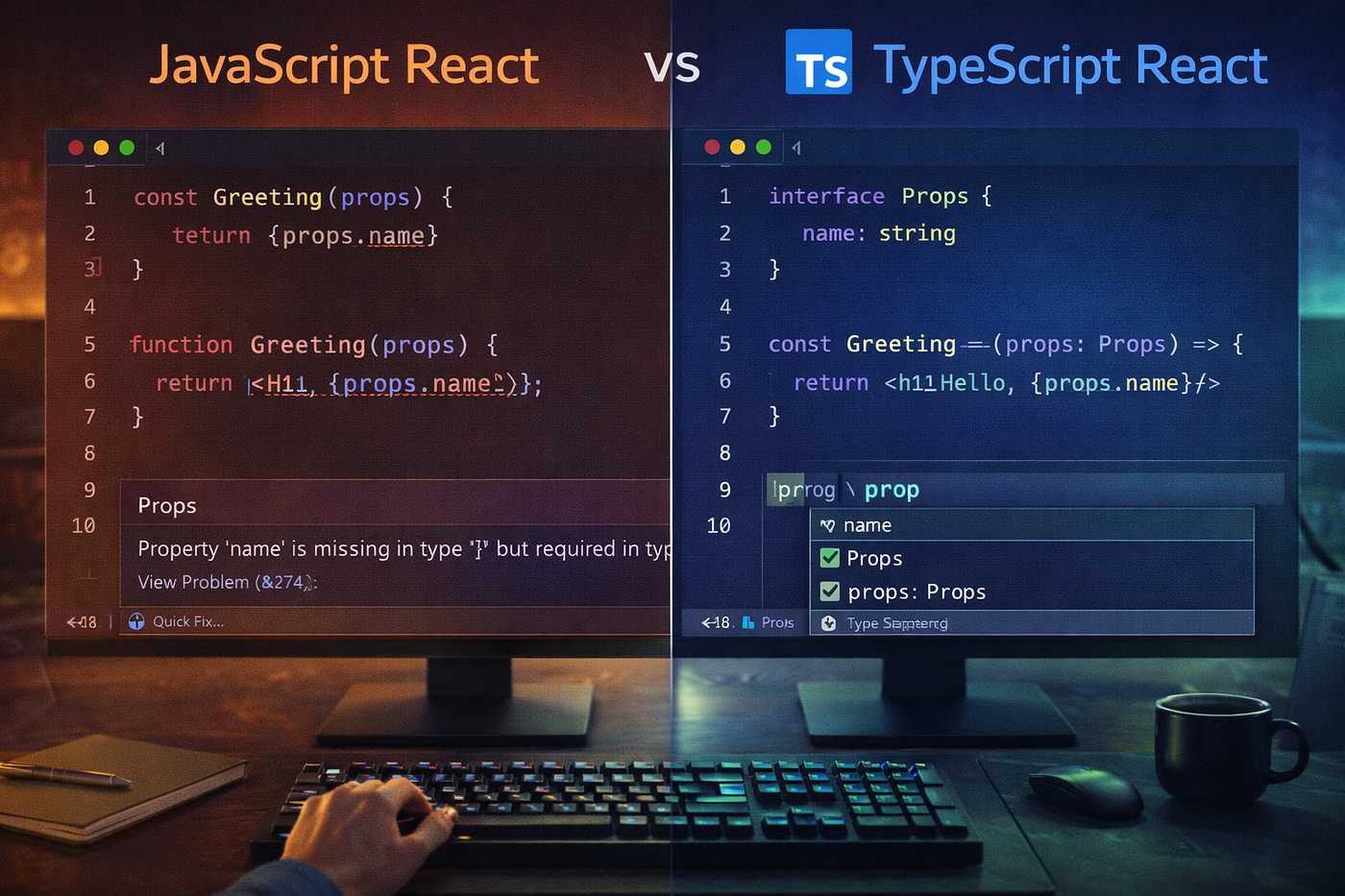
You write a component. You accept some props. You use them. A week later, you come back to use this component somewhere else. What props does it need? What types are they? Is title required or optional? Does onClick take arguments?
You do not remember. You open the file. You read the code. You trace through the implementation. Ten minutes wasted just to figure out how to use your own component.
Or worse. You pass the wrong type. A number instead of a string. An object instead of an array. The app runs. No errors. Then it crashes in production when a user clicks a button. The bug existed for weeks. TypeScript would have caught it immediately.
This is the reality of JavaScript React. You ship bugs that TypeScript prevents. You waste time reading code that types would document. You refactor carefully because you cannot trust that you found all usages. You write defensive code checking types at runtime because you cannot trust the inputs.
TypeScript changes everything. Your editor tells you exactly what props a component needs. Refactoring is safe because the compiler finds every broken usage. Bugs are caught at build time, not in production. Documentation is built into the code through types. Autocomplete works everywhere.
This post teaches you TypeScript in React the right way. Not the confusing type gymnastics. Not the academic theory. The practical patterns that make your code safer and your development faster.
I’m building a complete 75-post series taking you from beginner to production-ready full stack developer.
This is Post 25 of 75. You learned React fundamentals in Posts 11–14, hooks in Posts 12–13, and state management in Posts 23–24. Now you will learn how to add type safety to everything you build.
By the end of this post, you’ll understand:
- Why TypeScript makes React development better
- Setting up React with TypeScript properly
- Typing component props correctly
- Typing state and useState
- Typing events and event handlers
- Typing useEffect and custom hooks
- Working with refs and useRef
- Generic components and advanced patterns
- Common mistakes and how to fix them
- When to use type vs interface
This is not an introduction to TypeScript. This assumes you know TypeScript basics. This teaches you how to apply TypeScript specifically to React. The patterns that matter in real components.
QUICK SUMMARY
What You’ll Learn: TypeScript adds static types to React components. Type component props with interfaces or types. Use generics for reusable components. Type hooks like useState and useEffect. Handle events with proper React event types. Use type inference where possible. Avoid type assertions unless necessary.
Why It Matters:
- Catches bugs at compile time instead of runtime
- Self-documenting code through type signatures
- Refactoring confidence with compiler checks
- Better IDE autocomplete and IntelliSense
- Prevents entire classes of bugs
- Industry standard for serious React projects
- Required skill for most React jobs
- Scales better as codebase grows
Key Concepts:
- Props interfaces and types
- Generic components
- Event typing
- Hook typing (useState, useEffect, useRef)
- Children prop typing
- Function component types
- Type inference vs explicit types
- Utility types (Partial, Pick, Omit)
What You’ll Build:
- Typed button component with variants
- Form components with proper event typing
- Generic list component
- Custom hooks with TypeScript
- Typed Context provider
- Complete typed todo app
Time Investment: Learning React TypeScript basics takes 3–4 hours. Building comfort with patterns takes a few projects. The productivity gains pay back this investment within weeks.
Prerequisites:
- React fundamentals (Post 11)
- TypeScript basics (Post 10)
- Understanding of hooks (Posts 12–13)
- Component patterns (Post 16)
Why TypeScript in React
Let me show you the same component in JavaScript and TypeScript.
JavaScript version:
function UserCard({ user, onEdit, showEmail }) {
  return (
    <div className="user-card">
      <img src={user.avatar} alt={user.name} />
      <h2>{user.name}</h2>
      {showEmail && <p>{user.email}</p>}
      <button onClick={onEdit}>Edit</button>
    </div>
  );
}
Questions this code does not answer:
- What shape is user? What properties does it have?
- Is onEdit required? What arguments does it receive?
- Is showEmail a boolean? What if someone passes a string?
- Can user be null or undefined?
- Is user.avatar always a string?
TypeScript version:
interface User {
  id: number;
  name: string;
  email: string;
  avatar: string;
}
interface UserCardProps {
user: User;
onEdit: (userId: number) => void;
showEmail?: boolean;
}function UserCard({ user, onEdit, showEmail = false }: UserCardProps) {
return (
<div className="user-card">
<img src={user.avatar} alt={user.name} />
<h2>{user.name}</h2>
{showEmail && <p>{user.email}</p>}
<button onClick={() => onEdit(user.id)}>Edit</button>
</div>
);
}Now everything is clear:
- user is a User object with specific properties
- onEdit is required and takes a userId number
- showEmail is optional and must be boolean
- user cannot be null or undefined
- user.avatar is always a string
The code documents itself. The compiler enforces correctness. The IDE gives you autocomplete.
Setting Up React with TypeScript

Create new project with TypeScript:
# With Vite (recommended)
npm create vite@latest my-app -- --template react-ts
# With Create React App
npx create-react-app my-app --template typescriptAdd TypeScript to existing project:
npm install --save typescript @types/react @types/react-domCreate tsconfig.json:
{
  "compilerOptions": {
    "target": "ES2020",
    "useDefineForClassFields": true,
    "lib": ["ES2020", "DOM", "DOM.Iterable"],
    "module": "ESNext",
    "skipLibCheck": true,
    "moduleResolution": "bundler",
    "allowImportingTsExtensions": true,
    "resolveJsonModule": true,
    "isolatedModules": true,
    "noEmit": true,
    "jsx": "react-jsx",
    "strict": true,
    "noUnusedLocals": true,
    "noUnusedParameters": true,
    "noFallthroughCasesInSwitch": true
  },
  "include": ["src"],
  "references": [{ "path": "./tsconfig.node.json" }]
}
Rename files:
# Rename .js files to .tsx for components
mv src/App.js src/App.tsx
mv src/index.js src/index.tsx
# Rename .js files to .ts for utilities
mv src/utils.js src/utils.tsDone. TypeScript is ready.
Typing Component Props
The most common TypeScript pattern in React.
Basic props interface:
interface ButtonProps {
  text: string;
  onClick: () => void;
}
function Button({ text, onClick }: ButtonProps) {
return <button onClick={onClick}>{text}</button>;
}// Usage
<Button text="Click me" onClick={() => console.log('clicked')} />Optional props:
interface ButtonProps {
  text: string;
  onClick: () => void;
  disabled?: boolean;  // Optional
  variant?: 'primary' | 'secondary';  // Optional with union type
}
function Button({
text,
onClick,
disabled = false,
variant = 'primary'
}: ButtonProps) {
return (
<button
onClick={onClick}
disabled={disabled}
className={`btn btn-${variant}`}
>
{text}
</button>
);
}Props with children:
interface CardProps {
  title: string;
  children: React.ReactNode;
}
function Card({ title, children }: CardProps) {
return (
<div className="card">
<h2>{title}</h2>
<div className="card-content">
{children}
</div>
</div>
);
}// Usage
<Card title="My Card">
<p>Content here</p>
<button>Action</button>
</Card>Type vs Interface for props:
Both work. Use interface by default. Use type for unions or complex types.
// Interface (preferred for props)
interface UserProps {
  name: string;
  age: number;
}
// Type (good for unions)
type Status = 'loading' | 'success' | 'error';type StatusProps = {
status: Status;
message: string;
}// Interface can extend
interface AdminProps extends UserProps {
role: 'admin';
}// Type can do unions
type UserOrAdmin = UserProps | AdminProps;Typing State and useState

Simple state:
// Type inference works
const [count, setCount] = useState(0);  // number
const [name, setName] = useState('');   // string
const [isOpen, setIsOpen] = useState(false);  // boolean
// Explicit typing when needed
const [count, setCount] = useState<number>(0);Object state:
interface User {
  id: number;
  name: string;
  email: string;
}
function UserProfile() {
const [user, setUser] = useState<User | null>(null);
// TypeScript knows user might be null
return (
<div>
{user ? (
<>
<h2>{user.name}</h2>
<p>{user.email}</p>
</>
) : (
<p>Loading...</p>
)}
</div>
);
}Array state:
interface Todo {
  id: number;
  text: string;
  completed: boolean;
}
function TodoList() {
const [todos, setTodos] = useState<Todo[]>([]);
const addTodo = (text: string) => {
const newTodo: Todo = {
id: Date.now(),
text,
completed: false
};
setTodos([...todos, newTodo]);
};
return (
<ul>
{todos.map(todo => (
<li key={todo.id}>{todo.text}</li>
))}
</ul>
);
}Complex state with type inference:
const [state, setState] = useState({
  loading: false,
  error: null as string | null,
  data: [] as User[]
});
// TypeScript infers:
// {
// loading: boolean;
// error: string | null;
// data: User[];
// }Typing Events and Event Handlers
This is where developers make the most TypeScript mistakes in React.
Button click events:
function Button() {
  // Correct
  const handleClick = (event: React.MouseEvent<HTMLButtonElement>) => {
    console.log('Clicked at', event.clientX, event.clientY);
  };

  return <button onClick={handleClick}>Click</button>;
}
Input change events:
function SearchBox() {
  const [query, setQuery] = useState('');

  const handleChange = (event: React.ChangeEvent<HTMLInputElement>) => {
    setQuery(event.target.value);
  };

  return <input type="text" value={query} onChange={handleChange} />;
}
Form submit events:
function LoginForm() {
  const handleSubmit = (event: React.FormEvent<HTMLFormElement>) => {
    event.preventDefault();
    // Handle form submission
  };

  return (
    <form onSubmit={handleSubmit}>
      <button type="submit">Login</button>
    </form>
  );
}
Generic event handler pattern:
interface FormData {
  email: string;
  password: string;
}
function Form() {
const [formData, setFormData] = useState<FormData>({
email: '',
password: ''
});
const handleChange = (event: React.ChangeEvent<HTMLInputElement>) => {
const { name, value } = event.target;
setFormData(prev => ({
...prev,
[name]: value
}));
};
return (
<form>
<input
name="email"
type="email"
value={formData.email}
onChange={handleChange}
/>
<input
name="password"
type="password"
value={formData.password}
onChange={handleChange}
/>
</form>
);
}Common event types:
// Mouse events
React.MouseEvent<HTMLButtonElement>
React.MouseEvent<HTMLDivElement>
// Form events
React.FormEvent<HTMLFormElement>
React.ChangeEvent<HTMLInputElement>
React.ChangeEvent<HTMLTextAreaElement>
React.ChangeEvent<HTMLSelectElement>// Keyboard events
React.KeyboardEvent<HTMLInputElement>// Focus events
React.FocusEvent<HTMLInputElement>Typing useEffect and Other Hooks
useEffect typing:
function UserProfile({ userId }: { userId: number }) {
  const [user, setUser] = useState<User | null>(null);

  useEffect(() => {
    // Effect function must return void or cleanup function
    let cancelled = false;

    async function fetchUser() {
      const response = await fetch(`/api/users/${userId}`);
      const data = await response.json();

      if (!cancelled) {
        setUser(data);
      }
    }

    fetchUser();

    // Cleanup function
    return () => {
      cancelled = true;
    };
  }, [userId]);

  return user ? <div>{user.name}</div> : <div>Loading...</div>;
}
useRef typing:
function TextInput() {
  // HTMLInputElement type
  const inputRef = useRef<HTMLInputElement>(null);

  const focusInput = () => {
    // TypeScript knows inputRef.current might be null
    inputRef.current?.focus();
  };

  return (
    <>
      <input ref={inputRef} type="text" />
      <button onClick={focusInput}>Focus Input</button>
    </>
  );
}
// For mutable values
function Timer() {
const intervalRef = useRef<number | null>(null);
const startTimer = () => {
intervalRef.current = window.setInterval(() => {
console.log('tick');
}, 1000);
};
const stopTimer = () => {
if (intervalRef.current) {
clearInterval(intervalRef.current);
}
};
return (
<>
<button onClick={startTimer}>Start</button>
<button onClick={stopTimer}>Stop</button>
</>
);
}useReducer typing:
interface State {
  count: number;
  loading: boolean;
}
type Action =
| { type: 'increment' }
| { type: 'decrement' }
| { type: 'setLoading'; payload: boolean };function reducer(state: State, action: Action): State {
switch (action.type) {
case 'increment':
return { ...state, count: state.count + 1 };
case 'decrement':
return { ...state, count: state.count - 1 };
case 'setLoading':
return { ...state, loading: action.payload };
default:
return state;
}
}function Counter() {
const [state, dispatch] = useReducer(reducer, {
count: 0,
loading: false
});
return (
<div>
<p>Count: {state.count}</p>
<button onClick={() => dispatch({ type: 'increment' })}>+</button>
<button onClick={() => dispatch({ type: 'decrement' })}>-</button>
</div>
);
}Custom Hooks with TypeScript
Basic custom hook:
function useToggle(initialValue: boolean = false) {
  const [value, setValue] = useState(initialValue);

  const toggle = () => setValue(v => !v);
  const setTrue = () => setValue(true);
  const setFalse = () => setValue(false);

  return { value, toggle, setTrue, setFalse };
}
// Usage
function Modal() {
const { value: isOpen, toggle, setTrue, setFalse } = useToggle();
return (
<>
<button onClick={setTrue}>Open Modal</button>
{isOpen && (
<div className="modal">
<button onClick={setFalse}>Close</button>
</div>
)}
</>
);
}Generic custom hook:
function useLocalStorage<T>(key: string, initialValue: T) {
  const [storedValue, setStoredValue] = useState<T>(() => {
    try {
      const item = window.localStorage.getItem(key);
      return item ? JSON.parse(item) : initialValue;
    } catch (error) {
      console.error(error);
      return initialValue;
    }
  });

  const setValue = (value: T | ((val: T) => T)) => {
    try {
      const valueToStore = value instanceof Function ? value(storedValue) : value;
      setStoredValue(valueToStore);
      window.localStorage.setItem(key, JSON.stringify(valueToStore));
    } catch (error) {
      console.error(error);
    }
  };

  return [storedValue, setValue] as const;
}
// Usage with type inference
function App() {
const [name, setName] = useLocalStorage<string>('name', 'John');
const [age, setAge] = useLocalStorage<number>('age', 25);
const [user, setUser] = useLocalStorage<User | null>('user', null);
return <div>{name}</div>;
}Async data fetching hook:
interface UseFetchResult<T> {
  data: T | null;
  loading: boolean;
  error: string | null;
  refetch: () => void;
}
function useFetch<T>(url: string): UseFetchResult<T> {
const [data, setData] = useState<T | null>(null);
const [loading, setLoading] = useState(true);
const [error, setError] = useState<string | null>(null);
const fetchData = async () => {
try {
setLoading(true);
const response = await fetch(url);
if (!response.ok) {
throw new Error(`HTTP error! status: ${response.status}`);
}
const result = await response.json();
setData(result);
setError(null);
} catch (err) {
setError(err instanceof Error ? err.message : 'An error occurred');
setData(null);
} finally {
setLoading(false);
}
};
useEffect(() => {
fetchData();
}, [url]);
return { data, loading, error, refetch: fetchData };
}// Usage
interface User {
id: number;
name: string;
email: string;
}function UserList() {
const { data: users, loading, error } = useFetch<User[]>('/api/users');
if (loading) return <div>Loading...</div>;
if (error) return <div>Error: {error}</div>;
if (!users) return <div>No users</div>;
return (
<ul>
{users.map(user => (
<li key={user.id}>{user.name}</li>
))}
</ul>
);
}Generic Components

Generic list component:
interface ListProps<T> {
  items: T[];
  renderItem: (item: T) => React.ReactNode;
  keyExtractor: (item: T) => string | number;
  emptyMessage?: string;
}
function List<T>({
items,
renderItem,
keyExtractor,
emptyMessage = 'No items found'
}: ListProps<T>) {
if (items.length === 0) {
return <p>{emptyMessage}</p>;
}
return (
<ul>
{items.map(item => (
<li key={keyExtractor(item)}>
{renderItem(item)}
</li>
))}
</ul>
);
}// Usage with different types
interface User {
id: number;
name: string;
}interface Product {
id: number;
title: string;
price: number;
}function App() {
const users: User[] = [
{ id: 1, name: 'Alice' },
{ id: 2, name: 'Bob' }
];
const products: Product[] = [
{ id: 1, title: 'Laptop', price: 999 },
{ id: 2, title: 'Mouse', price: 29 }
];
return (
<>
<List
items={users}
renderItem={user => <strong>{user.name}</strong>}
keyExtractor={user => user.id}
/>
<List
items={products}
renderItem={product => (
<div>
{product.title} - ${product.price}
</div>
)}
keyExtractor={product => product.id}
/>
</>
);
}Generic select component:
interface Option<T> {
  label: string;
  value: T;
}
interface SelectProps<T> {
options: Option<T>[];
value: T;
onChange: (value: T) => void;
placeholder?: string;
}function Select<T extends string | number>({
options,
value,
onChange,
placeholder = 'Select...'
}: SelectProps<T>) {
return (
<select
value={value}
onChange={(e) => {
const selectedValue = e.target.value as T;
onChange(selectedValue);
}}
>
<option value="">{placeholder}</option>
{options.map(option => (
<option key={option.value} value={option.value}>
{option.label}
</option>
))}
</select>
);
}// Usage
function App() {
const [country, setCountry] = useState<string>('');
const [age, setAge] = useState<number>(0);
return (
<>
<Select
options={[
{ label: 'USA', value: 'us' },
{ label: 'UK', value: 'uk' }
]}
value={country}
onChange={setCountry}
/>
<Select
options={[
{ label: '18-25', value: 18 },
{ label: '26-35', value: 26 }
]}
value={age}
onChange={setAge}
/>
</>
);
}Typing Context
interface User {
  id: number;
  name: string;
  email: string;
}
interface AuthContextType {
user: User | null;
login: (email: string, password: string) => Promise<void>;
logout: () => void;
isAuthenticated: boolean;
}const AuthContext = createContext<AuthContextType | undefined>(undefined);function AuthProvider({ children }: { children: React.ReactNode }) {
const [user, setUser] = useState<User | null>(null);
const login = async (email: string, password: string) => {
const response = await fetch('/api/login', {
method: 'POST',
headers: { 'Content-Type': 'application/json' },
body: JSON.stringify({ email, password })
});
const data = await response.json();
setUser(data.user);
};
const logout = () => {
setUser(null);
};
const value: AuthContextType = {
user,
login,
logout,
isAuthenticated: !!user
};
return (
<AuthContext.Provider value={value}>
{children}
</AuthContext.Provider>
);
}function useAuth() {
const context = useContext(AuthContext);
if (context === undefined) {
throw new Error('useAuth must be used within AuthProvider');
}
return context;
}// Usage
function Profile() {
const { user, logout, isAuthenticated } = useAuth();
if (!isAuthenticated) {
return <div>Please log in</div>;
}
return (
<div>
<h2>{user.name}</h2>
<p>{user.email}</p>
<button onClick={logout}>Logout</button>
</div>
);
}Common Mistakes and How to Fix Them
Mistake 1: Using any type
// Bad
function UserCard({ user }: { user: any }) {
  return <div>{user.name}</div>;
}
// Good
interface User {
id: number;
name: string;
email: string;
}function UserCard({ user }: { user: User }) {
return <div>{user.name}</div>;
}Mistake 2: Not typing children
// Bad
function Card({ children }) {
  return <div className="card">{children}</div>;
}
// Good
function Card({ children }: { children: React.ReactNode }) {
return <div className="card">{children}</div>;
}Mistake 3: Wrong event types
// Bad
const handleClick = (event: any) => {
  console.log(event.target.value);
};
// Good
const handleClick = (event: React.MouseEvent<HTMLButtonElement>) => {
console.log('Clicked');
};Mistake 4: Not using type inference
// Over-typed
const [count, setCount] = useState<number>(0);
const [name, setName] = useState<string>('');
// Better - inference works
const [count, setCount] = useState(0);
const [name, setName] = useState('');Mistake 5: Using type assertions too much
// Bad
const user = data as User;
const value = (event.target as HTMLInputElement).value;
// Good - proper typing
interface ApiResponse {
user: User;
}const response: ApiResponse = await api.getUser();
const user = response.user;Utility Types for Props
TypeScript provides utility types that make working with props easier.
Partial — make all properties optional:
interface User {
  id: number;
  name: string;
  email: string;
  avatar: string;
}
function updateUser(id: number, updates: Partial<User>) {
// updates can have any subset of User properties
}updateUser(1, { name: 'New Name' }); // Valid
updateUser(1, { email: 'new@email.com', avatar: 'url' }); // ValidPick — select specific properties:
type UserPreview = Pick<User, 'id' | 'name'>;// UserPreview is now { id: number; name: string; }function UserListItem({ user }: { user: UserPreview }) {
return <div>{user.name}</div>;
}Omit — exclude specific properties:
type UserWithoutId = Omit<User, 'id'>;// UserWithoutId is { name: string; email: string; avatar: string; }function createUser(userData: UserWithoutId): User {
return {
id: Date.now(),
...userData
};
}Readonly — make all properties readonly:
function UserDisplay({ user }: { user: Readonly<User> }) {
  // user.name = 'New Name';  // Error: cannot assign to readonly property
  return <div>{user.name}</div>;
}
Real Example: Typed Todo App
Complete todo application with full TypeScript typing.
// types.ts
export interface Todo {
  id: number;
  text: string;
  completed: boolean;
  createdAt: string;
}
export type Filter = 'all' | 'active' | 'completed';export interface TodoState {
todos: Todo[];
filter: Filter;
}// TodoList.tsx
import { useState } from 'react';function TodoList() {
const [todos, setTodos] = useState<Todo[]>([]);
const [filter, setFilter] = useState<Filter>('all');
const [input, setInput] = useState('');
const addTodo = (text: string) => {
const newTodo: Todo = {
id: Date.now(),
text,
completed: false,
createdAt: new Date().toISOString()
};
setTodos([...todos, newTodo]);
};
const toggleTodo = (id: number) => {
setTodos(todos.map(todo =>
todo.id === id ? { ...todo, completed: !todo.completed } : todo
));
};
const deleteTodo = (id: number) => {
setTodos(todos.filter(todo => todo.id !== id));
};
const filteredTodos = todos.filter(todo => {
if (filter === 'active') return !todo.completed;
if (filter === 'completed') return todo.completed;
return true;
});
const handleSubmit = (e: React.FormEvent<HTMLFormElement>) => {
e.preventDefault();
if (input.trim()) {
addTodo(input);
setInput('');
}
};
return (
<div className="todo-app">
<h1>TypeScript Todo List</h1>
<form onSubmit={handleSubmit}>
<input
type="text"
value={input}
onChange={(e) => setInput(e.target.value)}
placeholder="What needs to be done?"
/>
<button type="submit">Add</button>
</form>
<div className="filters">
{(['all', 'active', 'completed'] as Filter[]).map(f => (
<button
key={f}
onClick={() => setFilter(f)}
className={filter === f ? 'active' : ''}
>
{f.charAt(0).toUpperCase() + f.slice(1)}
</button>
))}
</div>
<ul className="todo-list">
{filteredTodos.map(todo => (
<TodoItem
key={todo.id}
todo={todo}
onToggle={toggleTodo}
onDelete={deleteTodo}
/>
))}
</ul>
</div>
);
}// TodoItem.tsx
interface TodoItemProps {
todo: Todo;
onToggle: (id: number) => void;
onDelete: (id: number) => void;
}function TodoItem({ todo, onToggle, onDelete }: TodoItemProps) {
return (
<li className={todo.completed ? 'completed' : ''}>
<input
type="checkbox"
checked={todo.completed}
onChange={() => onToggle(todo.id)}
/>
<span>{todo.text}</span>
<button onClick={() => onDelete(todo.id)}>Delete</button>
</li>
);
}Fully typed. No any types. Complete type safety throughout.
Summary: Your React TypeScript Checklist
Core Concepts:
- Use interfaces for component props
- Use React.ReactNode for children
- Use React event types for event handlers
- Let TypeScript infer when possible
- Use generics for reusable components
- Type custom hooks properly
Props Typing:
- Create interface for component props
- Mark optional props with ?
- Use union types for variants
- Default values in destructuring
State Typing:
- Let useState infer simple types
- Explicitly type complex state
- Use null for uninitialized objects
- Type arrays with specific interfaces
Events:
- Use React.MouseEvent for clicks
- Use React.ChangeEvent for inputs
- Use React.FormEvent for forms
- Specify element type in generic
Best Practices:
- Avoid any type
- Avoid type assertions
- Use utility types (Partial, Pick, Omit)
- Create shared type files
- Enable strict mode in tsconfig
- Use type inference where possible
Helpful Resources
Official Documentation:
- React TypeScript Cheatsheet — github.com/typescript-cheatsheets/react
- TypeScript Handbook — typescriptlang.org
- React TypeScript — react.dev/learn/typescript
Tools:
- VS Code with TypeScript extension
- ESLint with TypeScript support
- Prettier for formatting
Previous Posts:
- Post 10: TypeScript Basics
- Post 11: React Fundamentals
- Post 16: Component Patterns
- Post 24: Redux Toolkit with TypeScript
The Bottom Line: TypeScript Makes React Better
The first day with TypeScript in React feels slow. You write more code. You fight the compiler. You google error messages. You wonder if JavaScript was simpler.
The second week with TypeScript, you start to notice fewer bugs. The editor autocompletes everything. Refactoring is safer. You catch mistakes before running the code.
The second month with TypeScript, you cannot imagine going back. The documentation is built into the code. New team members understand components immediately. Production bugs decrease. Development velocity increases.
TypeScript is not about making code harder. It is about making code safer, more maintainable, and self-documenting. The investment pays back quickly.
Every serious React project I have worked on uses TypeScript. The companies hiring React developers want TypeScript experience. The open source libraries are written in TypeScript. The industry has spoken. TypeScript won.
You do not need to learn every advanced TypeScript feature. You need the patterns in this post. Type your props. Type your state. Type your events. Use generics for reusable components. The rest you learn as you need it.
Start with one component. Add types. See how the editor helps. Refactor something and watch TypeScript catch the breaking changes. The value becomes obvious quickly.
In Post 26, we cover React best practices and project structure. You will learn how to organize large codebases, naming conventions, folder structures, code splitting, and patterns that scale. Combined with TypeScript, you will build maintainable applications that teams can work on for years.
TypeScript is not optional anymore. It is the standard. Learn it now. Your future self will thank you.

You are 25 posts into the 75-post series. Type safety is now part of your development workflow.
메타데이터
- post_id
- d5acf55bd515
- slug
- react-typescript-typing-components-the-right-way-d5acf55bd515
- url
- https://medium.com/@yakhil25/react-typescript-typing-components-the-right-way-d5acf55bd515
- canonical_url
- https://medium.com/@yakhil25/react-typescript-typing-components-the-right-way-d5acf55bd515
- author_url
- https://medium.com/@yakhil25
- status
- ok
- fetched_at
- 2026-07-23 19:09:44