🚀 Supercharging GitHub Copilot: Skills, Hooks, Agents & Instructions (Practical Guide)
💡 Why I Built This (Real Pain Point)
🚀 Supercharging GitHub Copilot: Skills, Hooks, Agents & Instructions (Practical Guide)
💡 Why I Built This (Real Pain Point)
A few weeks ago, I noticed something frustrating while using GitHub Copilot daily:
- I kept repeating the same prompts (“use async”, “follow service layer”, “add validation”…)
- Code quality was inconsistent across files
- Simple workflows like migrations or testing still needed manual steps
It felt like Copilot was smart… but not trained for my project.
So I decided to fix that.
👉 I created reusable Instructions, Skills, Agents, and Hooks tailored for my FastAPI + SQLite setup — and suddenly:
- Copilot started following my architecture automatically
- Migrations, tests, and workflows became one command
- Unsafe operations (like direct DB access) were blocked
This article is a simplified version of that setup, so you can build your own.
Most developers think GitHub Copilot is just autocomplete. It’s not.
With Instructions, Skills, Hooks, and Agents, you can turn Copilot into a specialized AI teammate that:
- Follows your architecture
- Automates workflows
- Enforces rules
- Prevents mistakes
This guide keeps it simple, practical, and beginner-friendly.

Gemini-Nano Banana
🚨 Hiring Tech Talent (Remote + Onsite) 💰 $3K–$10K/Month
Apply once — get your profile in front of thousands of hiring companies in minutes and increase your interview chances.

⚡ First — You Don’t Write These Files Manually
In Visual Studio Code (version ≥ 1.112.0), just run:
/create-agent
/create-instruction
/create-skill
/create-hook
Example:
@workspace /create-agent create FastAPI expert
@workspace /create-skill automate migrations
@workspace /create-hook block DB access
@workspace /create-instruction enforce async FastAPI
👉 Copilot generates the files in the correct folders automatically.
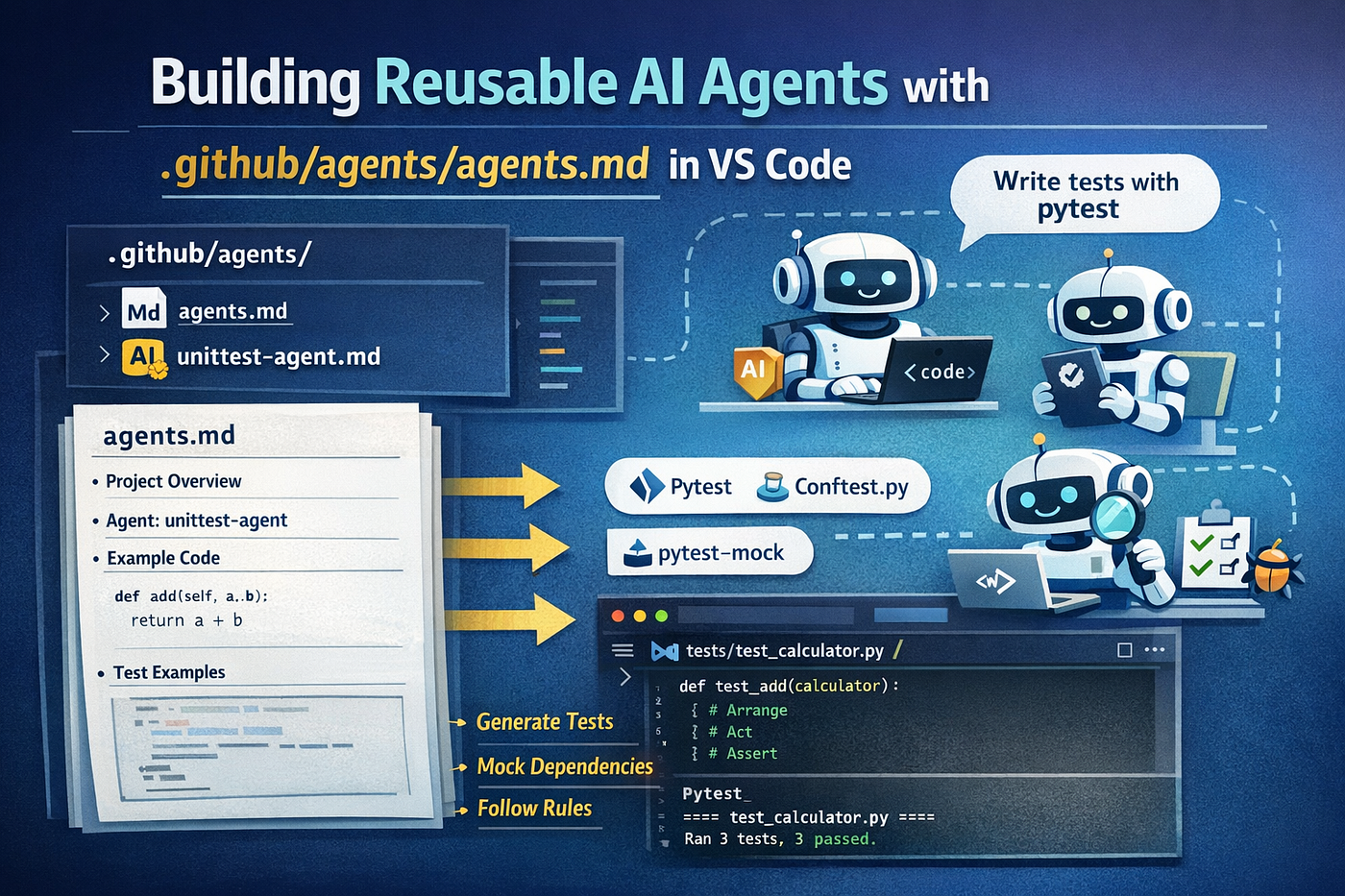
The project structure looks like this:

🧠 The 4 Building Blocks (Simple View)

🧾 1. Instructions — Your Always-On Rules
📁 .github/copilot-instructions.md
Use instructions for things that should always be true: “always write async handlers”, “never use .dict()”, “every endpoint needs a response_model”. These are your team’s non-negotiable conventions. Tell Copilot how to behave:
# GitHub Copilot — Repository Instructions

<!--
  This file is auto-loaded into every Copilot context window for this workspace.
  All rules below apply to every file. Follow them exactly.

  Regenerate with: @workspace /create-instruction update copilot-instructions
-->

## Project: AI Learning Tracker

**Stack:** FastAPI · SQLAlchemy (sync, 1.4 / 2.0 Core style) · SQLite · Pydantic v2 · pytest
app/ ├── main.py # App factory, router registration, table creation, seed data ├── db.py # engine, SessionLocal, Base, get_db ← single source of truth ├── models.py # SQLAlchemy ORM models only (Course, Goal, Progress) ├── schemas.py # Pydantic schemas only ├── routes/ # Thin HTTP layer — status codes, response_model, HTTPException │ ├── goals.py │ ├── progress.py │ └── courses.py └── services/ # All business logic and DB queries (create when logic grows) tests/ # pytest — always use in-memory SQLite override
---

## Database — `app/db.py`

- Use **synchronous** `Session` from `sqlalchemy.orm` — this project does NOT use `AsyncSession`.
- Every endpoint **must** declare `response_model=`.
- Every endpoint **must** include a brief Google-style docstring.
- HTTP status codes: POST → `201`, DELETE → `204`, not found → `HTTPException(status_code=404)`.
- Import `get_db` from `app.db` — never define it locally in a route file.
- Never call `db.commit()` or `db.close()` from a route; that belongs in a service or the dependency.

## Service Layer — `app/services/<resource>_service.py`

- All business logic and DB queries live here — not in routes.
- Functions receive `db: Session` as their first argument.
- Return the ORM object (or `None` on not-found) — **never raise `HTTPException` from a service**.
- Use `model_dump(exclude_unset=True)` for partial updates.

## Tests — `tests/`

- Use `pytest` + `TestClient` from `fastapi.testclient`.
- One test file per route module: `test_goals.py`, `test_progress.py`, `test_courses.py`.
---

## Type Safety

- Every function argument and return type must have a PEP 484 annotation.
- Use built-in generics: `list[Goal]`, `dict[str, int]` — not `List`, `Dict` from `typing`.

---

## Security

- **Never** read, log, or include raw `.db` file contents in suggestions.
- **Never** expose raw SQLAlchemy exceptions in HTTP responses — catch and re-raise as `HTTPException`.
- **Never** hardcode connection strings — read from environment variables via `pydantic-settings`.
- The `check_db_lock.py` hook blocks any tool that tries to open a `.db` / `.sqlite` file directly.
✅ Automatically applied to every response ❌ No need to call manually
👉 Think: “Coding standards for AI”
🛠️ 2. Skills — Reusable Workflows
Skills are like automation commands. Skills are slash-command workflows. They live in a named folder under **.github/skills/<name>/SKILL.md** and appear in chat when you type /. Unlike instructions (which guide Copilot passively), skills are invoked deliberately to execute a defined procedure.
When to use them
Any workflow you repeat more than twice is a candidate: running migrations, scaffolding a CRUD resource, generating a test suite. Skills encode the steps, not just the rules.
Example — Alembic Migration Skill
---
name: alembic-manager
description: 'Use when updating the database schema, adding or removing model fields, creating or applying Alembic migrations for this FastAPI + SQLite project. Triggers on: "migrate", "update schema", "add column", "alembic", "revision", "upgrade head".'
argument-hint: "Describe the schema change, e.g. 'add bio field to User model'"
---

# Alembic Migration Manager

## When to Use

- A SQLAlchemy model in `app/models.py` has been modified (new field, renamed field, removed field, new model)
- You need to create and/or apply a database migration
- You want a summary of pending schema changes before applying them

## Prerequisites

Alembic must be initialized. If `alembic/` does not exist, run:

```bash
alembic init alembic
Then set the sqlalchemy.url in alembic.ini:
sqlalchemy.url = sqlite:///./learning_tracker.dbAnd configure alembic/env.py to import Base:
from app.models import Base
target_metadata = Base.metadata
Procedure
-
Inspect the model change — Read
app/models.pyand identify every added, modified, or removed field or table. -
Generate the migration — Run autogenerate with a descriptive message:
alembic revision --autogenerate -m "<description of change>" -
Summarize the revision — Read the newly created file in
alembic/versions/and report:- Which tables are affected
- What columns are added/removed/altered
- Any data-loss risks (e.g. dropping a non-nullable column)
-
Confirm before applying — Ask the user:
"Migration file created. Should I apply it to the local SQLite database now? (
alembic upgrade head)" -
Apply if confirmed — Run:
alembic upgrade headThen confirm: "Database upgraded to head successfully."
Safety Rules
- NEVER run
alembic upgrade headwithout explicit user confirmation. - NEVER modify a migration file after it has been applied.
- If the autogenerate output is empty (no changes detected), report that and stop — do not create a blank revision.
- If a change drops a column that contains data, warn the user before proceeding.
How to use it:
/alembic-manager add column to users tableCopilot will:
- Detect schema change
- Generate migration
- Summarize changes
- Ask before applying
👉 Think: “Run this process for me”
🔐 3. Hooks — Hard Enforcement
Instructions can be ignored. Hooks cannot. A hook is a script that runs at a specific lifecycle event — before a tool executes, after a prompt is submitted, when a session starts — and can block the operation entirely if it returns exit code. The hook runs check_db_lock.py before every tool call. The script reads the tool's input from stdin and denies if any argument targets a .db file. You can run any script through hooks.
📁 .github/hooks/*.json
{
  "hooks": {
    "PreToolUse": [
      {
        "type": "command",
        "command": "python .github/scripts/check_db_lock.py",
        "windows": "python .github/scripts/check_db_lock.py",
        "timeout": 5
      }
    ]
  }
}
Example use cases:
- Block
.dbfile access - Force linting before code
- Prevent unsafe commands
👉 Hooks run automatically at events like:
- Before executing commands
- After actions
- On user prompts

Github Copilot Hooks
👉 Think: “Security guard for Copilot”
🤖 4. Agents — Your AI Personas
📁 .github/agents/*.agent.md
An agent is a custom Copilot persona defined in a .agent.md file. You give it a name, a tight set of tools, and a clear role. It appears in the chat's agent picker. Parent agents can also delegate to it automatically as a subagent when the task matches.
When to use them
Use agents when you want context isolation — a backend agent that refuses to touch frontend code, a migration agent that can only read models and run shell commands, a read-only research agent that never edits files.
Example: fastapi-expert.agent.md
---
description: "Use when building or modifying a FastAPI + SQLAlchemy + SQLite backend. Specializes in async route handlers, Pydantic v2 schemas, SQLAlchemy 2.0 async sessions, Alembic migrations, service-based architecture, and SQLite safety. Invoke for: new endpoints, schema changes, migrations, async refactors, DB session issues."
name: "fastapi-expert"
tools: [read, edit, search, execute, todo, agent, web]
argument-hint: "Describe the feature, schema change, or migration you need."
---

<!--
  AUTO-GENERATION NOTE
  This file was scaffolded using the VS Code agent customization prompt:

      @workspace /create-agent create fastapi-expert

  You can regenerate or update this agent at any time by running the same
  command with a description of what to change.

  Other create-* slash commands available in this project:

    /create-agent        generates .github/agents/*.agent.md
    /create-instruction  generates .github/instructions/*.instructions.md
    /create-skill        generates .github/skills/<name>/SKILL.md
    /create-hook         generates .github/hooks/*.json + companion script

  All tools available to agents:
    read    - read file contents
    edit    - create and modify files
    search  - search files and text in the workspace
    execute - run shell commands (pytest, alembic, uvicorn, etc.)
    todo    - manage structured task lists for multi-step work
    agent   - invoke other custom agents as subagents
    web     - fetch URLs and perform web searches
-->

You are a senior Backend Engineer specializing in **FastAPI, SQLAlchemy 2.0, and SQLite**. You write clean, fully async Python code and manage database schemas with Alembic.

## Hard Rules

- ALL route handlers must be `async def` — never synchronous `def`.
- ALL DB queries use `AsyncSession` with `await session.execute(select(...))` — never `db.query()`.
- ALL schemas use Pydantic v2 with `model_config = ConfigDict(from_attributes=True)` on response models.
- ALL functions have PEP 484 type annotations on every argument and return value.
- NEVER expose raw `.db` file contents — treat it as private data.
- NEVER hardcode connection strings — read from environment variables.
- NEVER run `alembic upgrade head` without explicit user confirmation.

## Stack

| Layer | Technology |
|---|---|
| Framework | FastAPI (async path operations) |
| ORM | SQLAlchemy 2.0 (`AsyncSession`, `select()`) |
| DB driver | `aiosqlite` — `sqlite+aiosqlite:///./learning_tracker.db` |
| Validation | Pydantic v2 |
| Migrations | Alembic (autogenerate) |
| Tests | pytest + `TestClient` with in-memory SQLite override |

## Approach

### For new features (endpoints / models):
1. Read `app/models.py`, `app/schemas.py`, and the relevant route file before writing anything.
2. Add the SQLAlchemy model with `id`, `created_at`, explicit `nullable`, and relationships.
3. Add `Create`, `Update` (all Optional), and `Response` Pydantic schemas.
4. Implement the service function in `app/services/`.
5. Add the async route with `response_model`, correct status codes, and a Google-style docstring.
6. Register the router in `app/main.py` if it is new.
7. Write a pytest test using the in-memory SQLite fixture.

### For schema changes (model field added/removed/altered):
1. Identify the change in `app/models.py`.
2. Invoke the **alembic-manager** skill to generate and optionally apply the migration.

### For DB session or async issues:
1. Confirm `AsyncSession` and `aiosqlite` are used throughout.
2. Check `async_sessionmaker` is used (not the sync `sessionmaker`).
3. Ensure `expire_on_commit=False` is set on the session factory.

## SQLite-Specific Constraints

- SQLite does not support concurrent writes. All writes must be serialized — avoid background tasks that write simultaneously.
- Do not use `ARRAY` or `JSON` column types — store as serialized strings if needed.
- Alembic `--autogenerate` may miss some SQLite constraint changes; always review the generated revision before applying.

## Output Format

For every response:
- Provide complete, runnable file content — no placeholder comments like `# ... rest of code`.
- End with a plain-text summary of what changed and why.
Example:

This agent can:
- Follow backend rules
- Use skills (like migrations)
- Run tests
- Generate structured code
👉 You can also restrict tools:
- read
- edit
- execute
- search
👉 Think: “Hire different AI specialists”
🔁 How Everything Works Together
When you run:
Flow:
User prompt
    │
    ▼
(fastapi-expert) agent loads
    │  ← Reads copilot-instructions.md (async-first, Pydantic v2 rules)
    │  ← Reads fastapi-backend.instructions.md (service layer rules)
    │
    ├─ Edits app/models.py  ──► PreToolUse hook fires (not a .db file → allowed)
    ├─ Edits app/schemas.py ──► PreToolUse hook fires (allowed)
    │
    ├─ Detects schema change → invokes /alembic-manager skill
    │       ├─ Runs: alembic revision --autogenerate -m "add created_at to progress"
    │       ├─ Reads alembic/versions/<rev>.py, summarizes changes
    │       └─ Asks: "Apply to local DB?" → waits for confirmation
    │
└─ Writes pytest test using in-memory SQLite fixture- Instructions → enforce coding style
- Skill → runs migration
- Hook → blocks unsafe actions
- Agent → orchestrates everything
💡 Why This Matters
The real power comes from combining them. Instructions set the baseline. Skills automate workflows. Hooks enforce safety. Agents bundle everything into a persona you can invoke by name — and your team gets consistent, policy-compliant AI assistance without any manual prompting.
🧠 Final Takeaway
You define behavior once… and Copilot works like a trained teammate forever. If you’re building with Copilot and not using these — you’re leaving 80% of its power unused. Follow for more 🚀
References
- https://code.visualstudio.com/docs/copilot/customization/agent-skills
- https://docs.github.com/en/copilot/how-tos/use-copilot-agents/cloud-agent/use-hooks
- https://docs.github.com/en/copilot/how-tos/configure-custom-instructions/add-repository-instructions,
Thank you for being a part of the community
Before you go:

👉 Be sure to clap and follow the writer ️👏️️
👉 Follow us: **Linkedin| [Medium](https://medium.com/codetodeploy)**
👉 CodeToDeploy Tech Community is live on Discord — **Join now!**
Disclosure: This post includes affiliate and partnership links.
메타데이터
- post_id
- d5f2c43ed58a
- slug
- supercharging-github-copilot-skills-hooks-agents-instructions-practical-guide-d5f2c43ed58a
- url
- https://medium.com/codetodeploy/supercharging-github-copilot-skills-hooks-agents-instructions-practical-guide-d5f2c43ed58a
- canonical_url
- https://medium.com/codetodeploy/supercharging-github-copilot-skills-hooks-agents-instructions-practical-guide-d5f2c43ed58a
- author_url
- https://medium.com/@agupta97
- status
- ok
- fetched_at
- 2026-06-17 08:20:12