[AWS-S3] Event notifications set-up
Step 1: Set Up S3 Bucket
Wiki topics:
☁️ · DevOps & Cloud
[AWS-S3] Event notifications set-up
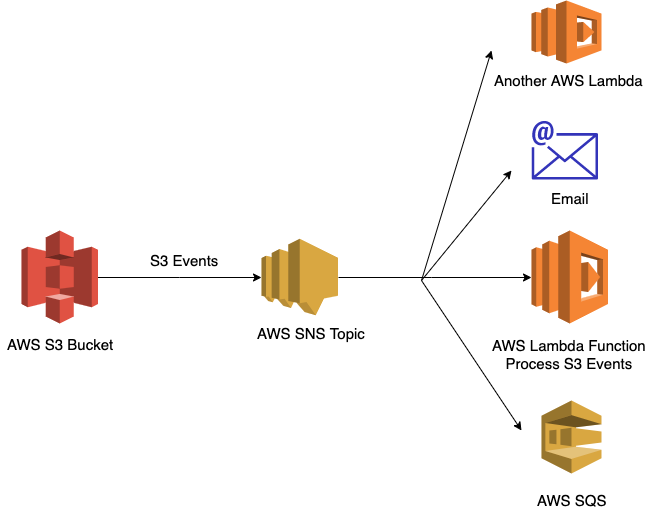
Step 1: Set Up S3 Bucket
- Create an S3 bucket to store your files.
- Configure event notifications for the bucket to trigger on object creation events.
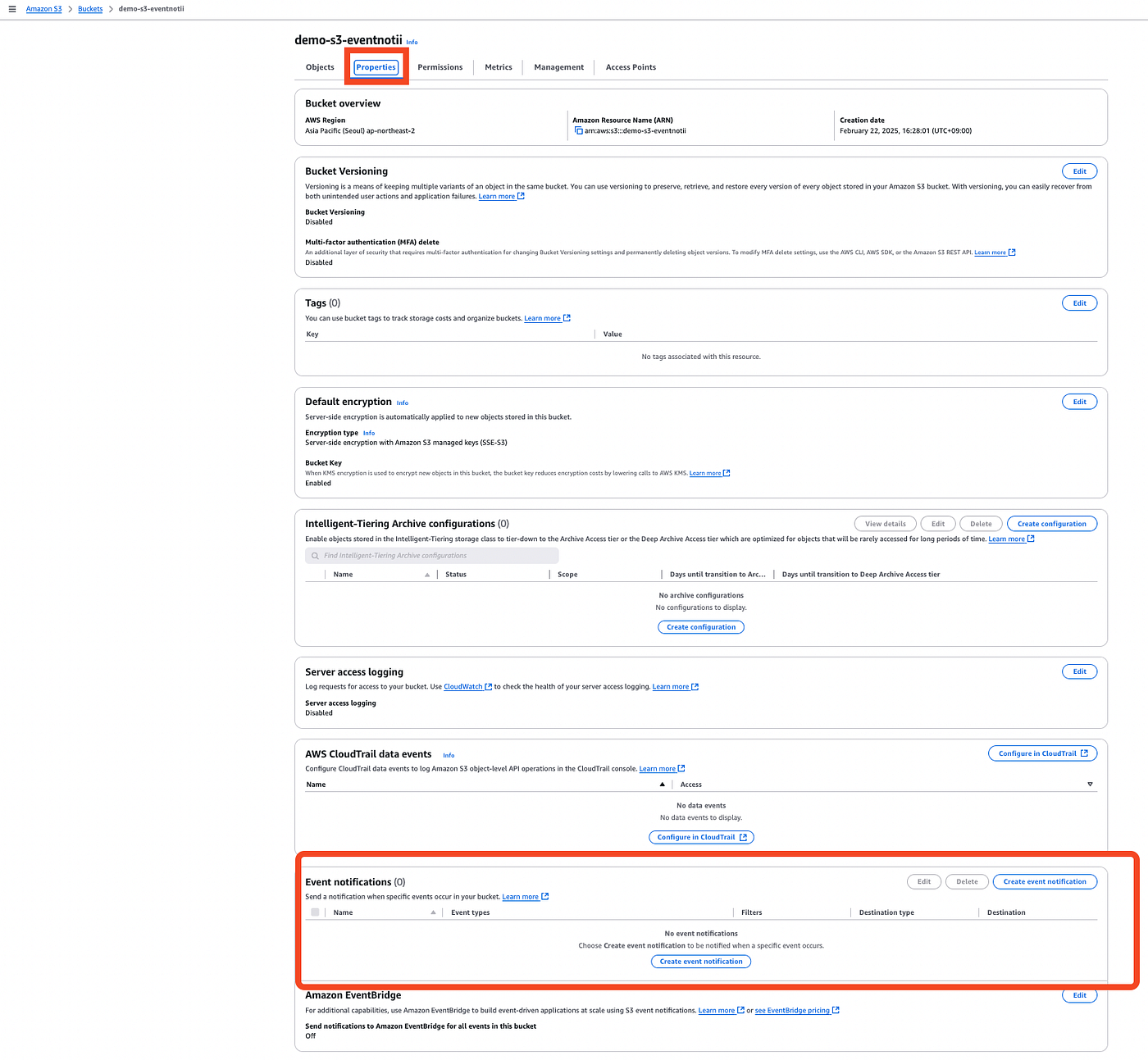
Step 2: Create SNS Topic
- Create an SNS topic to receive events from S3.
- Configure the S3 bucket to send notifications to this SNS topic.
Step 3: Set Up SQS Queue
- Create an SQS queue to buffer messages from SNS.
- Subscribe the SQS queue to the SNS topic.
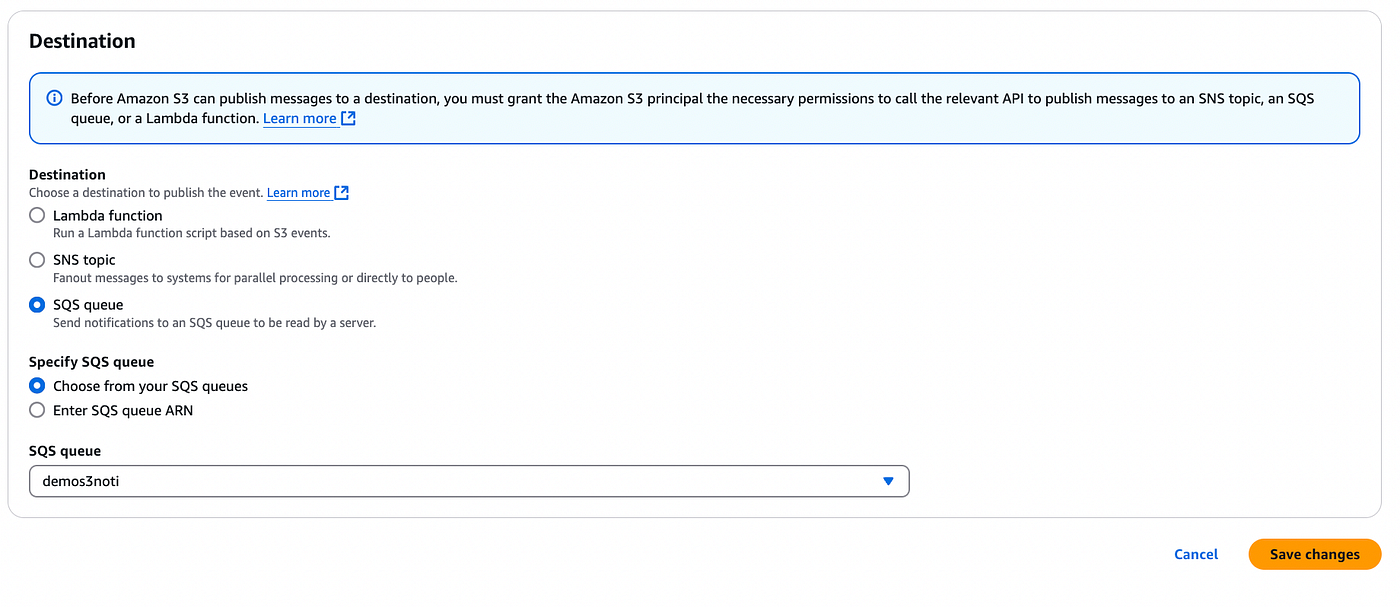
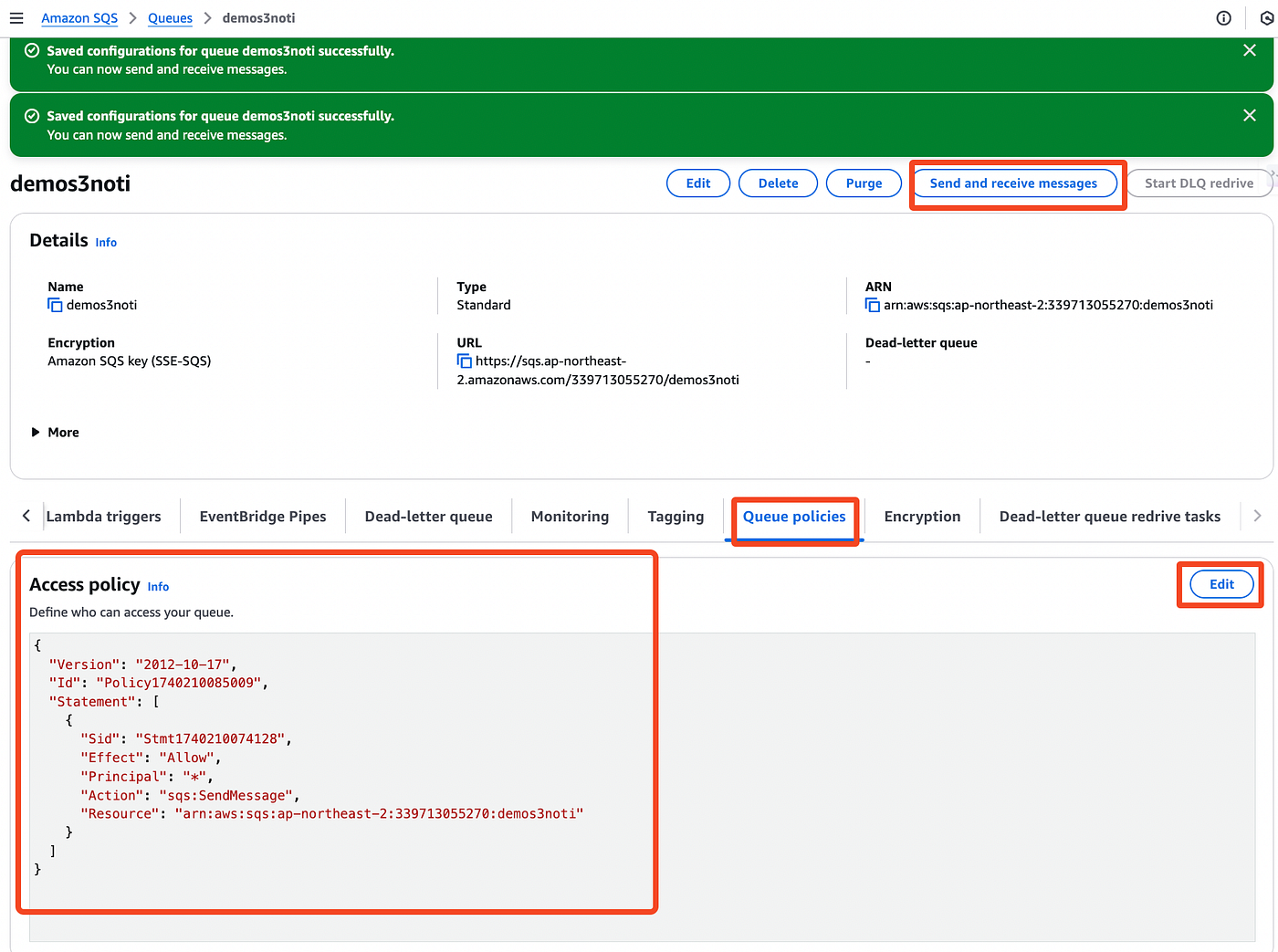
3.1 Queue creation
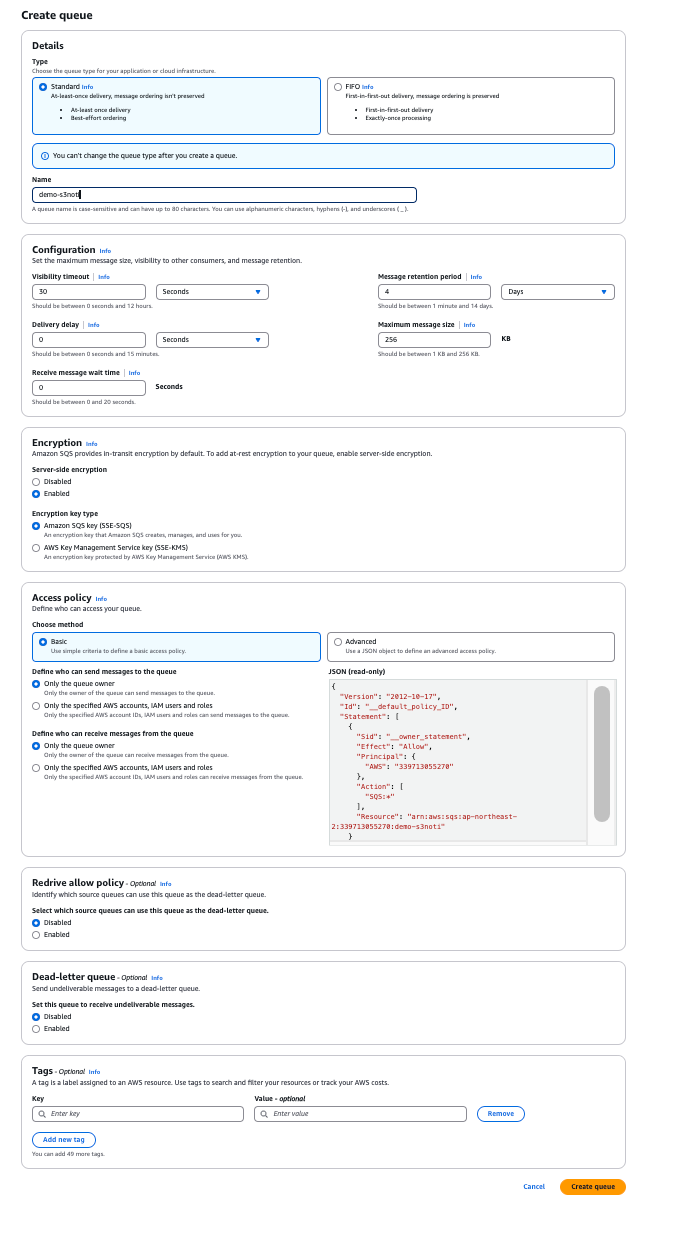
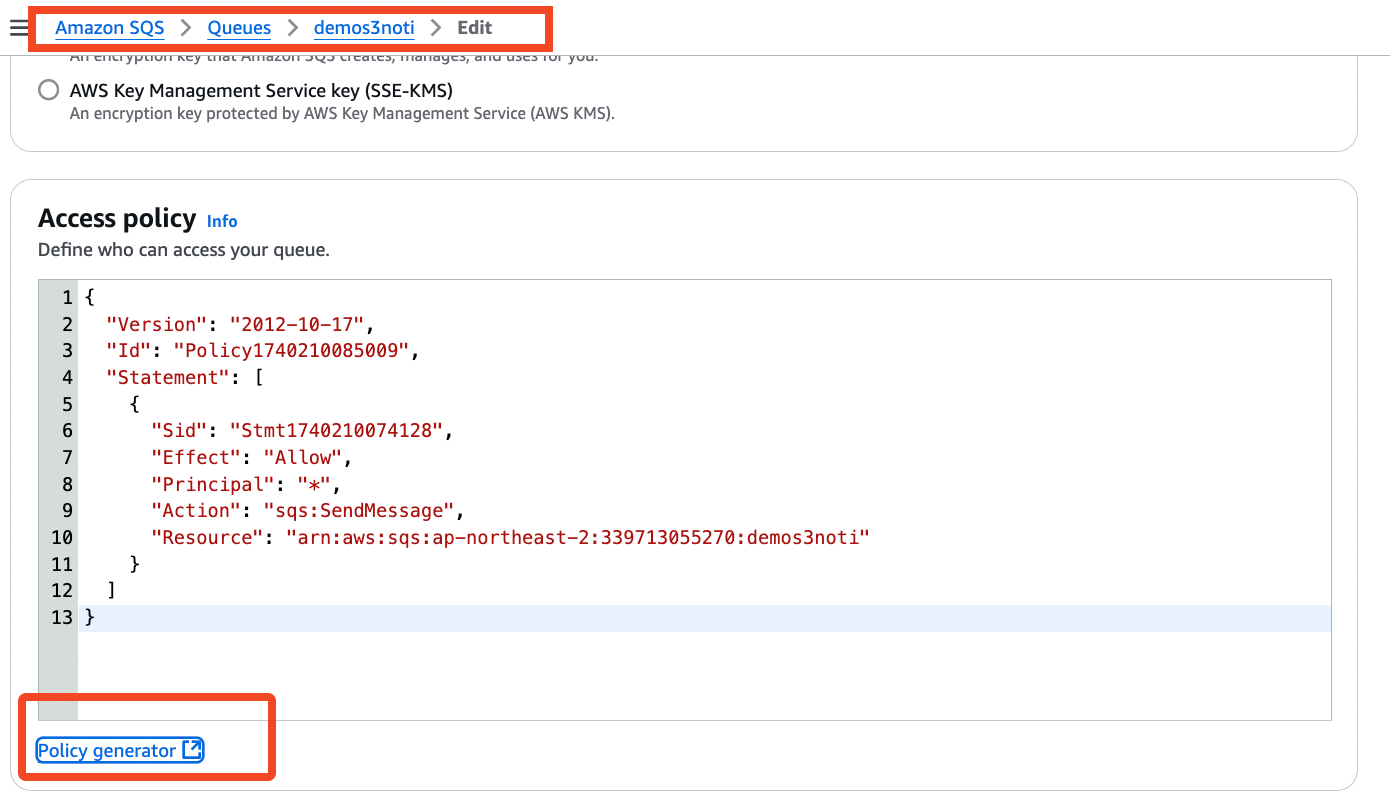
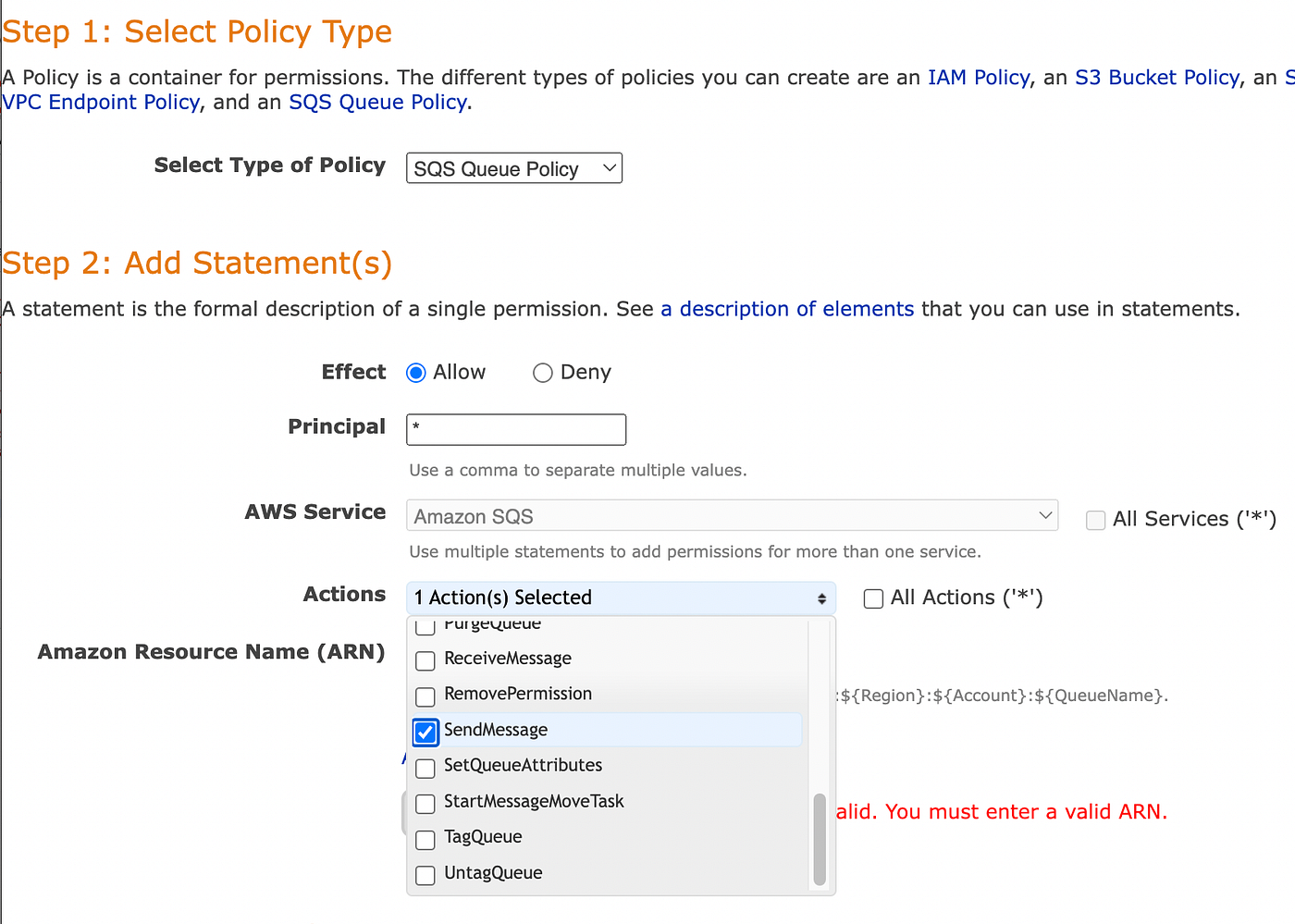
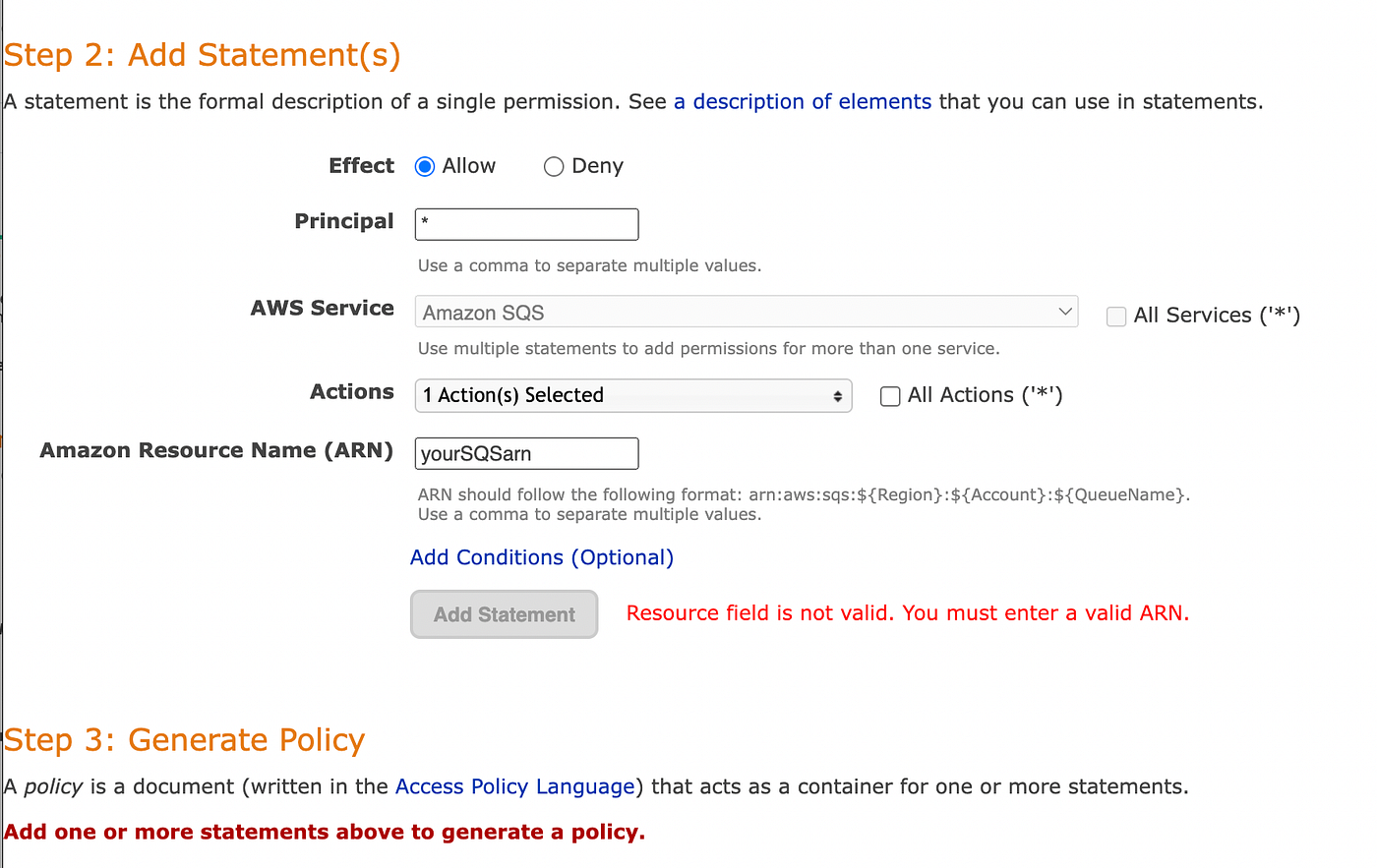
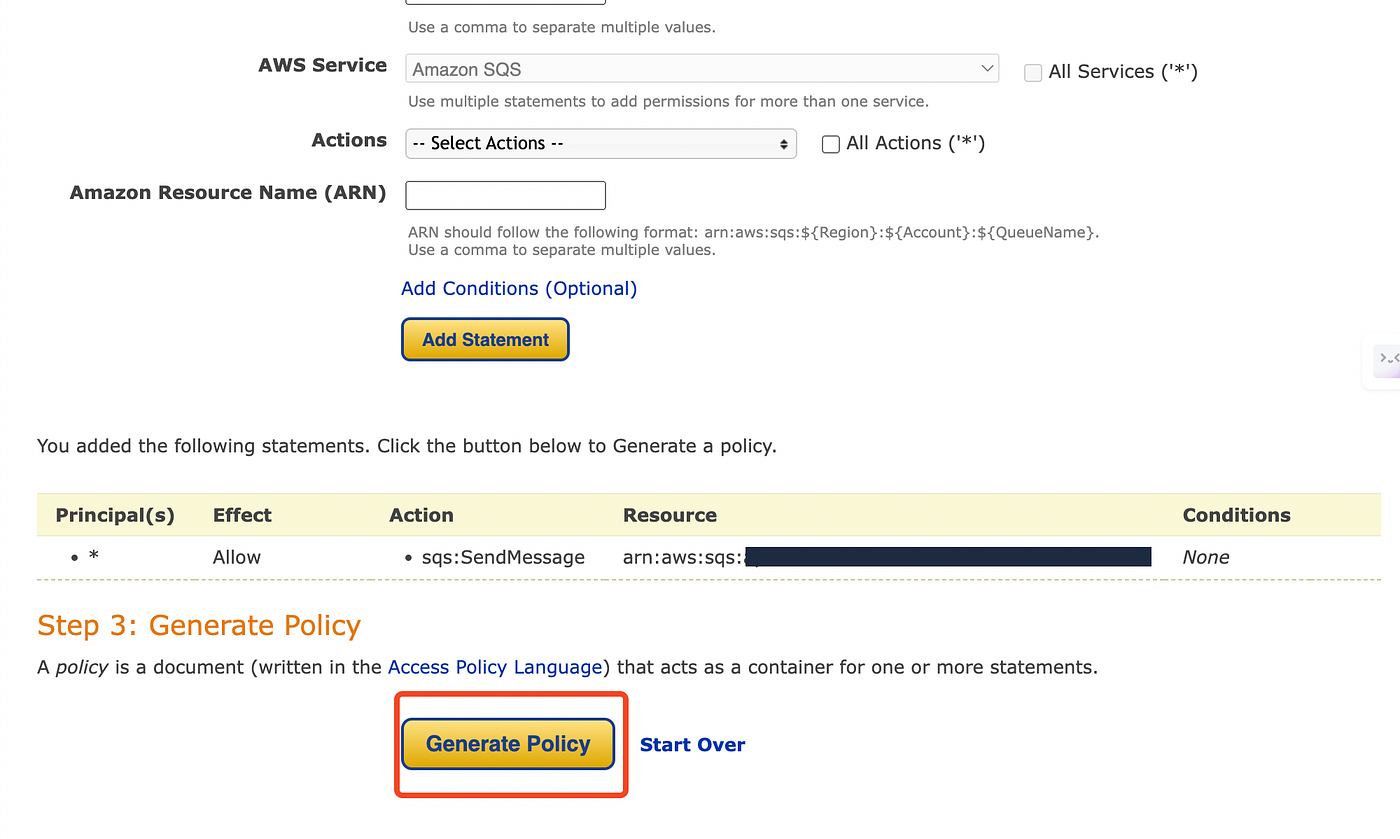
3.2 We need to change the Queue policy in order to send messages.
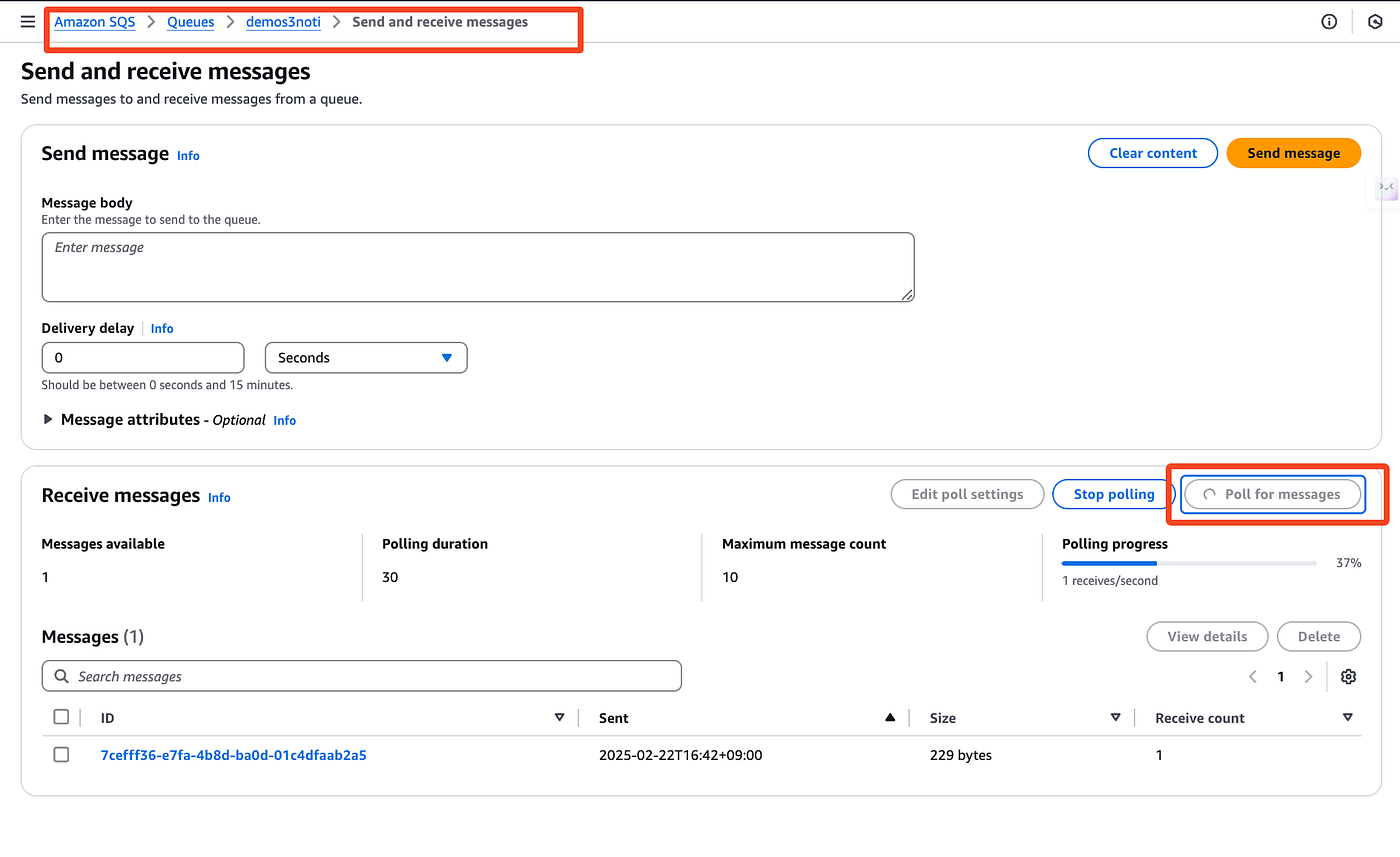
3.3 Test polling
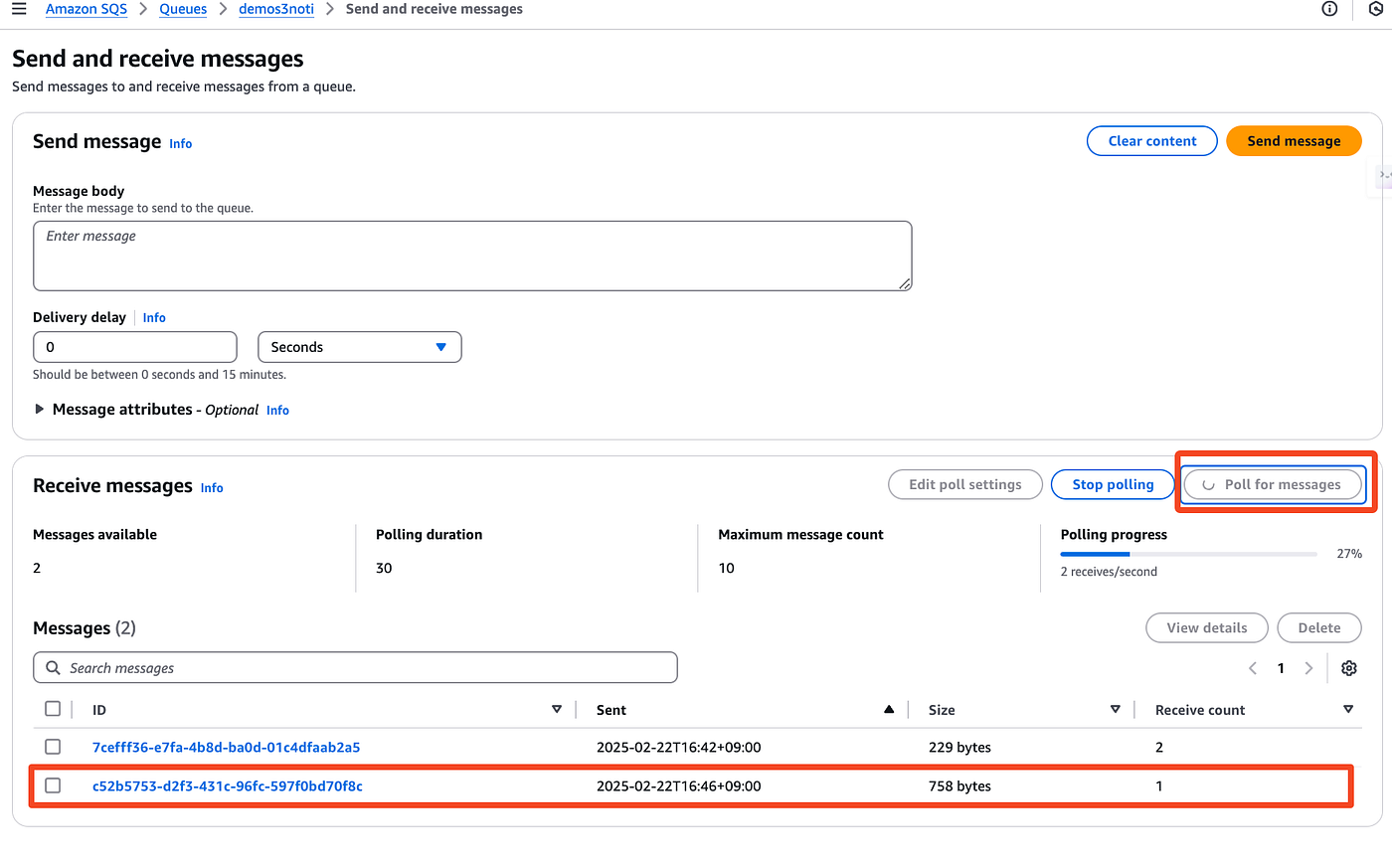
3.4 Upload your object in S3
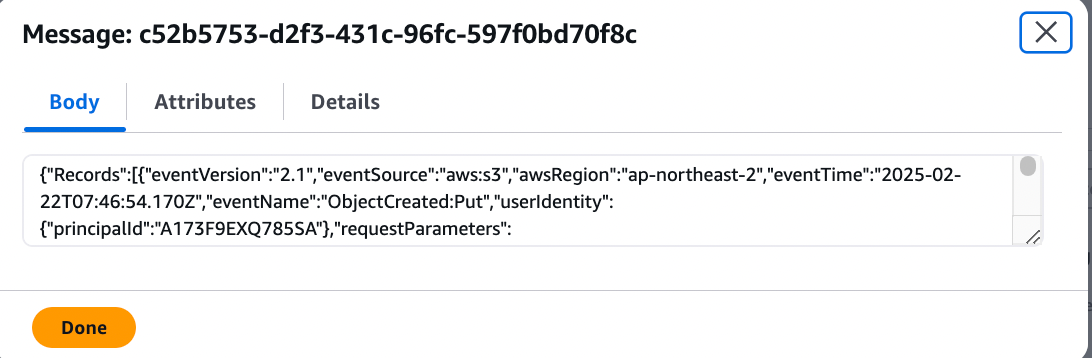
3.5 After uploading an object in S3
메타데이터
- post_id
- d6023b0f4e2e
- slug
- aws-s3-event-notifications-set-up-d6023b0f4e2e
- url
- https://medium.com/@summer12126/aws-s3-event-notifications-set-up-d6023b0f4e2e
- canonical_url
- https://medium.com/@summer12126/aws-s3-event-notifications-set-up-d6023b0f4e2e
- author_url
- https://medium.com/@summer12126
- status
- ok
- fetched_at
- 2026-07-19 08:13:45