Why Your Android Phone Battery Drains So Fast and How to Fix It
Battery life remains one of the most important aspects of the smartphone experience. Few things are more frustrating than watching your…
Why Your Android Phone Battery Drains So Fast and How to Fix It
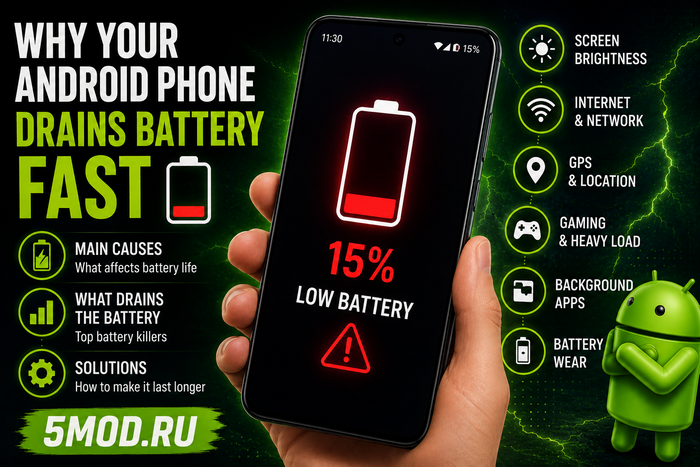
Battery life remains one of the most important aspects of the smartphone experience. Few things are more frustrating than watching your battery percentage drop rapidly throughout the day, especially when your device used to last much longer.
Many users immediately assume that a failing battery is responsible. While battery wear can certainly play a role, there are often several other factors contributing to excessive power consumption.
Understanding these causes can help you significantly improve battery life without replacing your device.
The Display Is Usually the Biggest Battery Consumer
Modern smartphone displays are brighter, sharper, and smoother than ever before.
However, these improvements come at a cost.
Features that increase battery usage include:
- High screen brightness
- Long screen-on time
- Always-On Display
- High refresh rates
Reducing brightness and enabling adaptive brightness can often provide an immediate improvement in battery life.
Background Applications Never Truly Sleep
Many applications continue working even after you close them.
Examples include:
- Messaging apps
- Social media platforms
- VPN services
- Cloud storage apps
- Email clients
These apps frequently sync data, check for notifications, and communicate with servers, all of which consume battery power.
Checking battery usage statistics can help identify the biggest offenders.
Connectivity Features Consume More Power Than You Think
Wireless services are essential, but they also require energy.
Common battery-draining features include:
- Mobile data
- 5G connectivity
- GPS
- Bluetooth
- NFC
Battery drain becomes even more noticeable in areas with poor signal coverage, where the phone constantly searches for a stronger connection.
Gaming and Overheating Accelerate Battery Drain
Mobile games are among the most demanding applications available on Android.
They place significant stress on:
- The CPU
- The GPU
- RAM
- Network connectivity
This increased workload generates heat, and heat is one of the biggest enemies of battery efficiency.
Popular games with advanced graphics can dramatically reduce battery life during long gaming sessions.
Battery Aging Is a Real Factor
Lithium-ion batteries naturally degrade over time.
After two to three years of regular use, users may notice:
- Faster battery drain
- Unexpected shutdowns
- Rapid percentage drops
- Increased device temperatures
At that point, battery replacement may become the most effective solution.
Practical Ways to Improve Battery Life
Several simple adjustments can help extend daily battery life:
✅ Lower screen brightness
✅ Enable battery saver mode
✅ Limit background activity
✅ Disable unused wireless features
✅ Avoid excessive device heat
✅ Monitor battery usage regularly
These changes can often provide significant improvements without affecting the overall user experience.
Final Thoughts
Fast battery drain is not always a sign of hardware failure. In many cases, the issue is related to display settings, background applications, connectivity features, gaming habits, or temporary software behavior.
By understanding what consumes power and making a few adjustments, most Android users can noticeably improve battery life and reduce the need for frequent charging.
👉 Read the full guide here: https://5mod.ru/guide/37295-pochemu-bystro-razrjazhaetsja-telefon-android.html
메타데이터
- post_id
- d69e99d5724a
- slug
- why-your-android-phone-battery-drains-so-fast-and-how-to-fix-it-d69e99d5724a
- url
- https://medium.com/@cvitka2/why-your-android-phone-battery-drains-so-fast-and-how-to-fix-it-d69e99d5724a
- canonical_url
- https://medium.com/@cvitka2/why-your-android-phone-battery-drains-so-fast-and-how-to-fix-it-d69e99d5724a
- author_url
- https://medium.com/@cvitka2
- status
- ok
- fetched_at
- 2026-06-23 17:05:31