iFlow CLI: AI Assistant That Runs in Your Terminal
Every week there’s something new in the AI tools space. Just when you thought you’ve seen it all, another productivity tool drops. But this…
iFlow CLI: AI Assistant That Runs in Your Terminal
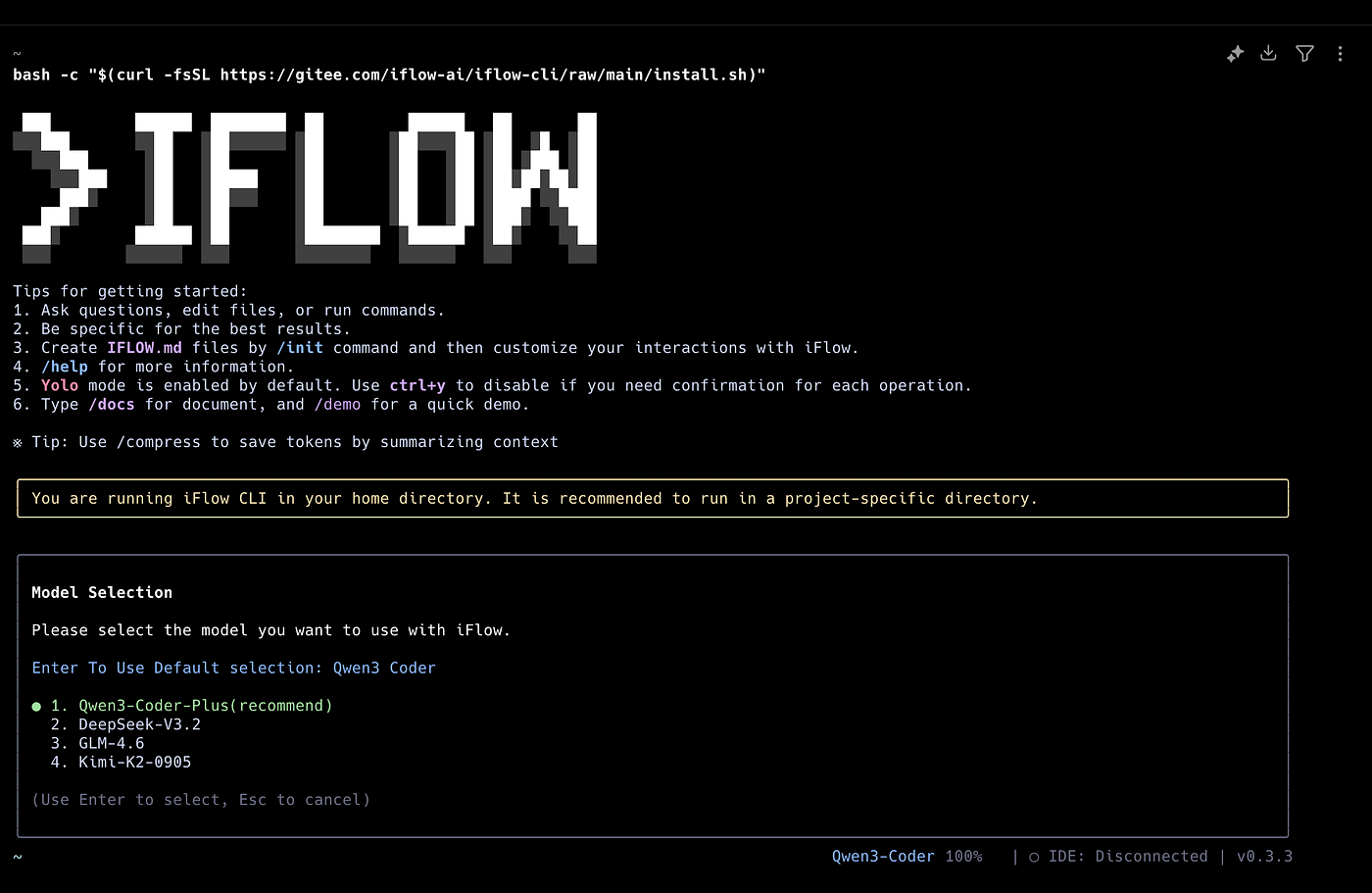
Every week there’s something new in the AI tools space. Just when you thought you’ve seen it all, another productivity tool drops. But this one? iFlow CLI actually caught my attention.
What is iFlow CLI?
iFlow CLI is an AI assistant that runs directly in your terminal, designed to boost developer productivity by analyzing code, executing programming tasks, and automating workflows — from simple file operations to complex automation.
The best part? It’s completely free and gives you access to powerful AI models like Kimi K2, Qwen3 Coder, and DeepSeek v3 through the iFlow platform.
Why It’s Different
Natural Language Interaction
You can literally just talk to it like you’re chatting with a colleague. No need to memorize complex commands or syntax. Just describe what you want in plain English (or your preferred language), and it gets to work.
SubAgent System
This is where it gets interesting. iFlow CLI isn’t just a general-purpose assistant — it can transform into a team of specialized experts through its SubAgent feature. Need architecture advice? There’s a SubAgent for that. Working on a specific framework? Another SubAgent can help.
Four Operating Modes
The tool adapts to how you work with four distinct modes:
- YOLO Mode: Full access automation. The model can execute everything without asking
- Accepting Edits: Only file modifications allowed
- Plan Mode: Plans first, executes after your approval
- Default: Requires permission for actions
This flexibility means you’re always in control of how autonomous you want the assistant to be.
Multimodal Support
You can paste screenshots directly into the terminal with Ctrl+V. This is huge for debugging UI issues or sharing error messages. No more “let me describe what I’m seeing” — just paste and go.
File Management
- “Organize my desktop files by type”
- “Batch download these images from URLs”
- “Find all duplicate files in this directory”
Data Analysis
- “Analyze this Excel file and show me trends”
- “Merge these CSV files and remove duplicates”
- “Convert this JSON to a formatted table”
Development Support
- “Analyze the architecture of this project”
- “Debug this null pointer exception at line 247”
- “Refactor this function to be more efficient”
- “Generate unit tests for this module”
Workflow Automation
- “Create a backup script that runs daily”
- “Set up a stock price monitoring system”
- “Automate my deployment process”
Smart Features Under the Hood
Conversation History: Everything is automatically saved. You can review past interactions and even rollback to previous states if needed.
Auto-compression: When context reaches 70% capacity, it automatically compresses the conversation to keep things running smoothly.
IDE Integration: Plugins available for VS Code and JetBrains IDEs, so you can work seamlessly within your preferred environment.
Open Market: Install additional SubAgents and MCP (Model Context Protocol) tools from iFlow’s open marketplace to extend functionality.
Getting Started
Installation is straightforward:
For Mac/Linux/Ubuntu:
bash -c "$(curl -fsSL https://cloud.iflow.cn/iflow-cli/install.sh)"For Windows:
npm install -g @iflow-ai/iflow-cliThat’s it. No API keys to manage, no credits to buy. Just install and start using.
Final Thoughts
AI coding assistants are becoming table stakes for developers. The question isn’t whether to use one, but which one fits your workflow best.
iFlow CLI stands out by being genuinely free, highly capable, and flexible enough to work how you want to work. Whether you need a careful assistant that asks permission or a YOLO-mode automation machine, it adapts.
Worth trying out? Absolutely.
Want to discuss AI tools, productivity, or development workflows? Feel free to reach out at khmuhtadin/contact — I’d love to hear your thoughts.
Have you tried iFlow CLI or similar tools? What’s your experience been? Drop a comment below.
메타데이터
- post_id
- d6f4ff3ccc94
- slug
- iflow-cli-ai-assistant-that-runs-in-your-terminal-d6f4ff3ccc94
- url
- https://medium.com/@khaisastudio/iflow-cli-ai-assistant-that-runs-in-your-terminal-d6f4ff3ccc94
- canonical_url
- https://medium.com/@khaisastudio/iflow-cli-ai-assistant-that-runs-in-your-terminal-d6f4ff3ccc94
- author_url
- https://medium.com/@khaisastudio
- status
- ok
- fetched_at
- 2026-08-04 07:51:16



