The Ryobi Portable Power Station Guide Nobody Bothered to Write (Until Now)
How I stopped killing my tools and wasting money by finally learning to use my Ryobi portable power station the right way.
The Ryobi Portable Power Station Guide Nobody Bothered to Write (Until Now)
How I stopped killing my tools and wasting money by finally learning to use my Ryobi portable power station the right way.
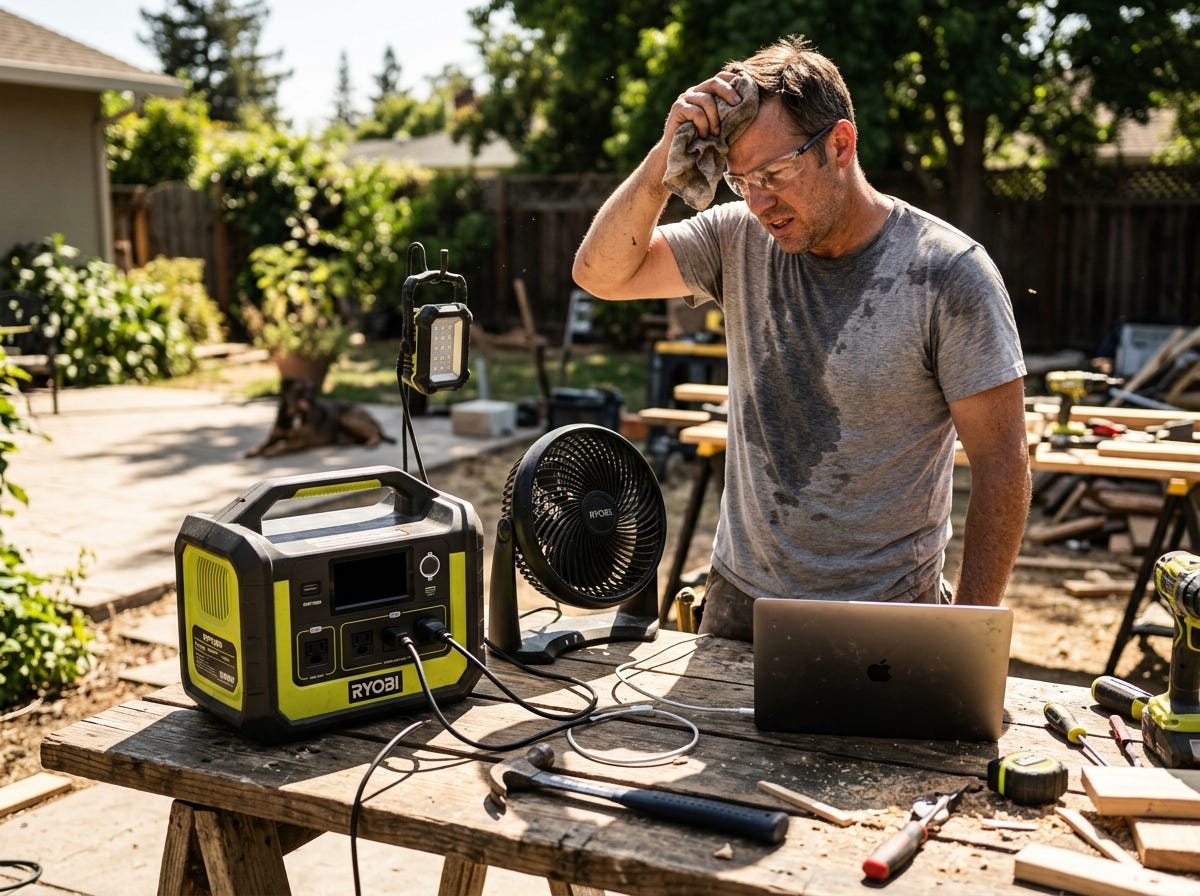
I plugged my laptop, a box fan, and a string of LED work lights into my Ryobi portable power station during a backyard project. Everything ran fine for about twenty minutes. Then it shut off completely and refused to turn back on. I stood there in the August heat, confused and annoyed, convinced I had a defective unit.
Turns out I had overloaded it. I had no idea what “surge wattage” meant versus “continuous wattage.” I didn’t understand how the battery percentage indicator actually works. And I definitely didn’t know that running the unit in direct sunlight was slowly cooking the battery management system.
That afternoon cost me three hours of lost work time and a solid week of second-guessing whether I’d bought a lemon. I hadn’t. I just didn’t know what I was doing. So I read everything I could find, tested it obsessively, and figured out the right way to use this thing. Here’s what I learned.
Before You Start: What You Need to Know
First, understand the difference between continuous watts and surge watts. Continuous watts is how much power the station can deliver steadily. Surge watts is the brief spike of power it can handle when a motor or compressor first kicks on. Most people only look at the continuous number and then wonder why their circular saw trips the unit.
Second, this is not a generator replacement for high-draw appliances. I made that mistake. A portable power station is designed for phones, laptops, lights, fans, CPAP machines, and small tools. It is not meant to run a refrigerator all night or power a 15-amp skill saw for hours.
Third, the battery percentage display can be misleading. It often reads 100% even when the unit hasn’t fully charged. And it can drop fast under heavy load, then recover slightly when the load drops. This is normal lithium battery behavior, not a defect.
Fourth, heat is the enemy. I cannot stress this enough. Running the station in a hot car, in direct sun, or in an enclosed space without airflow will degrade the battery faster than anything else you can do.
Step 1: Charge the Unit Fully Before First Use
Before I ever plugged a single device into my station, I charged it completely using the AC wall adapter. This sounds obvious but I skipped it the first time and paid for it with inconsistent performance.
Why it matters: Lithium batteries in power stations benefit from a full charge cycle before first use. It helps the battery management system calibrate properly.
What can go wrong: You assume it shipped fully charged. It didn’t. Most units ship at around 30–50% capacity to preserve battery health during storage. Plug it in, let the indicator reach 100%, and wait for the charging light to confirm it’s complete before you do anything else.
Step 2: Calculate the Total Wattage of Everything You Plan to Run

I grab a notepad and write down every device I intend to power. Then I look up the wattage for each one. Most devices have it printed on a label near the power cord or in the manual.
Why it matters: This is how I stopped overloading the unit. If my station has a 300-watt continuous output and I want to run a 200-watt device plus a 60-watt laptop charger, I’m already at 260 watts. Adding anything else is pushing my luck.
What can go wrong: People forget to account for surge wattage on motorized devices. A small air compressor might draw 120 watts continuously but spike to 300 watts at startup. If my station’s surge limit is 600 watts, I’m fine. But if I already have other things plugged in when that spike hits, I can trip the overload protection.
Step 3: Connect Your Devices in the Right Order
I always plug in the lowest-draw devices first, then work up to the higher-draw ones. Lights and phone chargers go in first. Laptops next. Power-hungry tools last.
Why it matters: This gives the battery management system a chance to stabilize the output before it has to handle a big load. It also helps me catch any issues with a single device before everything is running at once.
What can go wrong: Plugging in a high-draw device first can cause an immediate voltage sag that triggers the protection circuit and shuts the unit off. Start small and add load gradually.
Step 4: Monitor the Battery Level Actively
I don’t just plug things in and walk away. I check the display every 20–30 minutes when I’m running multiple devices.
Why it matters: The battery drains faster than most people expect under real-world loads. And once it hits the low-battery threshold, the unit shuts down abruptly, which can corrupt files on connected devices or interrupt work.
What can go wrong: Trusting the percentage display too literally. At 20%, the unit can still feel like it’s running fine. Then it drops to 10% and shuts off in minutes. I treat 20% as my “start wrapping up” signal.
Step 5: Use the Right Output Port for Each Device
My Ryobi station has AC outlets, USB-A ports, USB-C ports, and a 12V DC port. Each one is optimized for different devices.
Why it matters: Plugging a USB device into the AC outlet through a cheap adapter wastes energy through conversion loss. Using the dedicated USB port is more efficient and faster.
What can go wrong: Using the AC outlet for everything out of habit. I did this for months. It drains the battery faster and generates more heat inside the unit. Match the port to the device.
Step 6: Store and Recharge at the Right Battery Level
When I’m done using the station, I don’t let it sit at 0% or leave it plugged in at 100% indefinitely. I recharge it to around 80–90% and store it in a cool, dry place.
Why it matters: Lithium batteries degrade faster at the extremes. Storing at full charge or dead charge accelerates capacity loss over time. I want this unit to last.
What can go wrong: Forgetting about it in the garage for months at full charge. I check mine every few weeks if I haven’t used it and top it off if it’s dropped below 50%.
Step 7: Let It Cool Down Between Heavy Use Sessions
If I’ve been running high-draw devices for an extended period, I give the unit 15–20 minutes to cool down before starting another heavy session.
Why it matters: The internal components generate heat under load. Stacking heavy sessions back to back without rest can trigger thermal protection and shut the unit off mid-use.
What can go wrong: Ignoring the warm casing and just pushing through. The unit will protect itself by shutting down, but repeated thermal stress shortens the battery’s overall lifespan.
Troubleshooting: When Things Go Wrong
The unit shuts off immediately after I plug something in. This is almost always an overload. Unplug everything, wait 60 seconds, then reconnect only one device. Check the wattage of that device against the station’s continuous output rating.
The battery percentage jumps around erratically. This happens when the battery management system needs recalibration. I run the unit down to near zero, then charge it fully without interruption. One full cycle usually fixes it.
The unit won’t charge at all. I check the charging cable first, then the outlet. If both are fine, the unit may have gone into deep discharge protection. Some models require a specific reset process, usually holding the power button for 10 seconds.
The AC outlet works but USB ports don’t. This usually means the USB ports have their own protection circuit that tripped independently. I power the unit completely off, wait 30 seconds, and power it back on.
What Good Looks Like
When I’m using my Ryobi portable power station correctly, a few things are true. The fan inside the unit runs quietly but not constantly. The battery percentage drops steadily and predictably based on what I’m running. Nothing gets hot to the touch. And when I’m done, I can recharge it in a reasonable amount of time without it getting warm during charging.
Honestly, once I understood the wattage math and stopped treating it like a wall outlet, everything clicked. This is a genuinely useful piece of equipment. It just requires a little respect for its limits.
메타데이터
- post_id
- d7fd159bd472
- slug
- the-ryobi-portable-power-station-guide-nobody-bothered-to-write-until-now-d7fd159bd472
- url
- https://medium.com/@jake.morrison.power/the-ryobi-portable-power-station-guide-nobody-bothered-to-write-until-now-d7fd159bd472
- canonical_url
- https://medium.com/@jake.morrison.power/the-ryobi-portable-power-station-guide-nobody-bothered-to-write-until-now-d7fd159bd472
- author_url
- https://medium.com/@jake.morrison.power
- status
- ok
- fetched_at
- 2026-06-23 03:48:11



