Cognipeer: A No-Code Platform for Building AI Agents and Workflows
An introduction to what Cognipeer is, how it works, and the kind of business processes it can automate.
Cognipeer: A No-Code Platform for Building AI Agents and Workflows
An introduction to what Cognipeer is, how it works, and the kind of business processes it can automate.
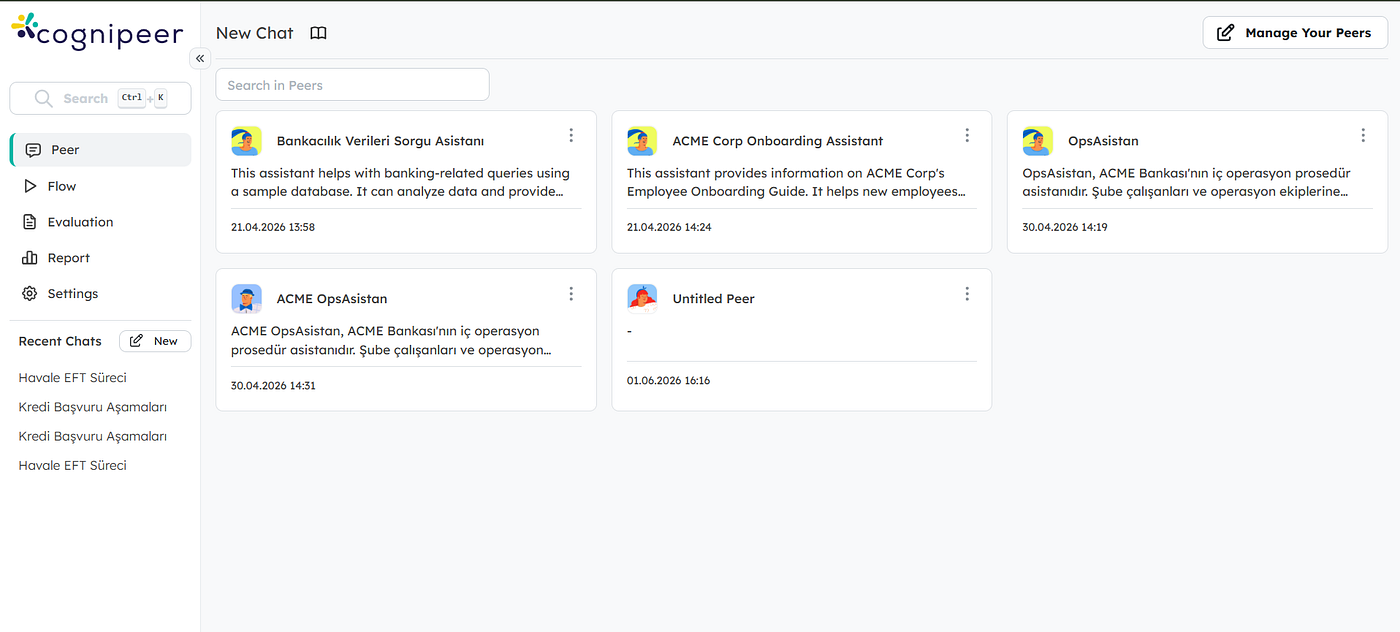
Main Screen
What Is Cognipeer?
Most companies today want to use AI in their daily work, but they hit the same wall: building AI features usually needs engineers, infrastructure, and a lot of time. Cognipeer is built to remove that wall.
In simple terms, Cognipeer is a no-code platform for building AI agents and automated workflows. Instead of writing code, you design your AI solution visually — you describe what it should do, connect it to your data and tools, and publish it. The platform handles the heavy parts (the language models, the orchestration, the integrations) behind the scenes.
It is aimed at enterprises, so it focuses on things that matter in real business settings: connecting to your own data, integrating with existing systems, testing before going live, and keeping everything under control and governed.
You can explore the official documentation here: docs.cognipeer.com
The Big Picture: Four Building Blocks
Before going deep, it helps to understand that almost everything in Cognipeer is built from four core concepts:
- Peers — AI agents with a role, personality, and skills.
- Tools — actions and integrations that let AI do things (not just talk).
- Data Sources — your own knowledge (documents, databases, APIs) that grounds the AI’s answers.
- Flows — visual, step-by-step workflows that automate a whole process.
You can use these together or separately. A simple project might be just one Peer answering questions. A more advanced project might be a Flow with many steps, calling models, reading files, and updating external systems automatically.
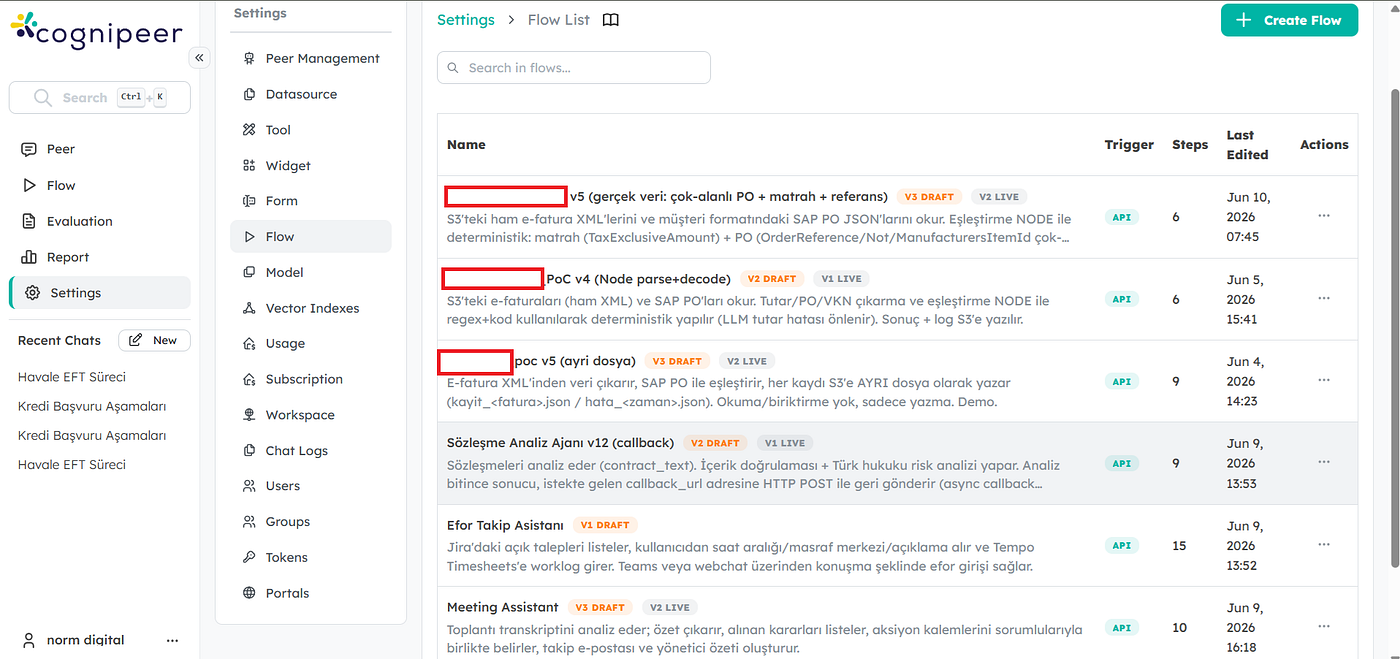
Flows
Peers: Your AI Workforce
A Peer is an AI agent you configure for a specific job. Think of it as a digital team member with a clear role — for example a “Customer Support Peer,” a “Sales Peer,” or an “HR Assistant Peer.”
When you create a Peer, you define:
- Its name and avatar — the identity.
- Its model — you choose which language model powers it (for example GPT, Claude, or open-source models like LLaMA).
- Its instructions — the system prompt that shapes its tone, behavior, and rules.
- Its knowledge — the data sources it can read from.
- Its tools — the actions it can take.
Peers can work autonomously (handle a task from start to finish) or in co-pilot mode (assist a human). They are also adaptive — unlike rigid traditional software, a Peer decides the best way to respond based on the situation and context.
If you don’t want to start from zero, Cognipeer offers a Peer Gallery with ready-made templates for common roles that you can customize.
Read more: Peers documentation.
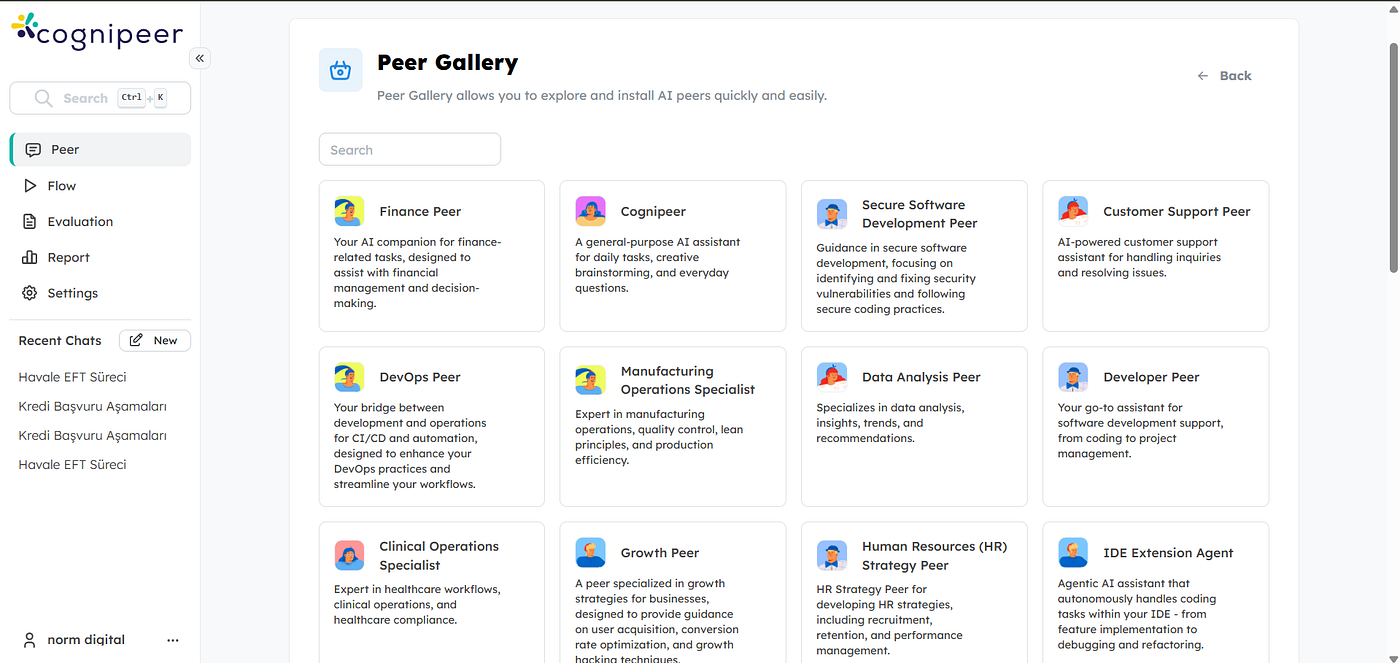
Peer Gallery — Ready to Use Peers
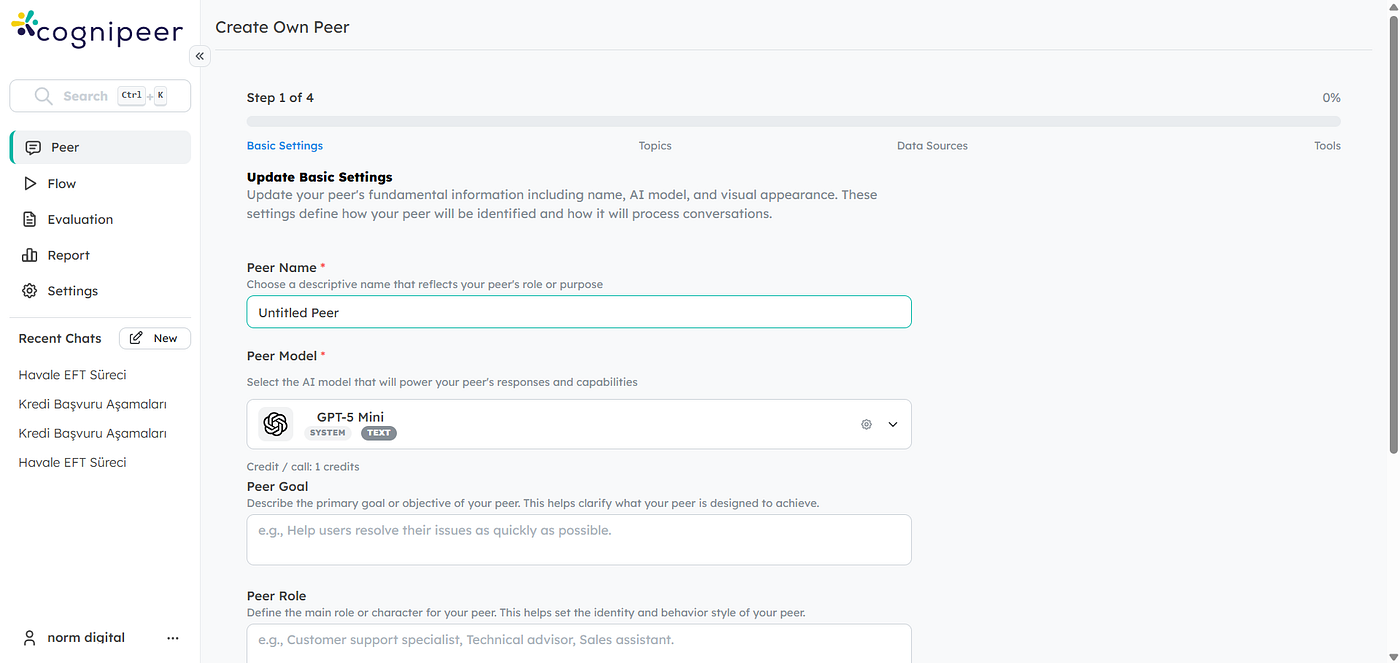
Peer Creation Steps
Tools and Integrations: Letting AI Take Action
A language model on its own can only produce text. The real value comes when AI can act — search a database, send an email, call an API, or update a record. In Cognipeer, this is done through Tools.
There are two main directions here:
- Tool Gallery — ready-to-use tools and connectors for common needs.
- Custom Tools — you can define your own tool that connects to any internal system or third-party service through an API.
This is what turns a “chatbot” into a real assistant. For example, a Peer connected to the right tools could look up an order status, create a support ticket, or pull a report — all during a normal conversation.
Read more: Tools documentation.
Together with Data Sources (which can include documents, vector databases, and APIs), Tools let you ground the AI in your reality — your products, your records, your systems — instead of relying only on the model’s general knowledge and all on-premise.
Flows: Visual Workflow Automation
This is where Cognipeer becomes really powerful for process automation.
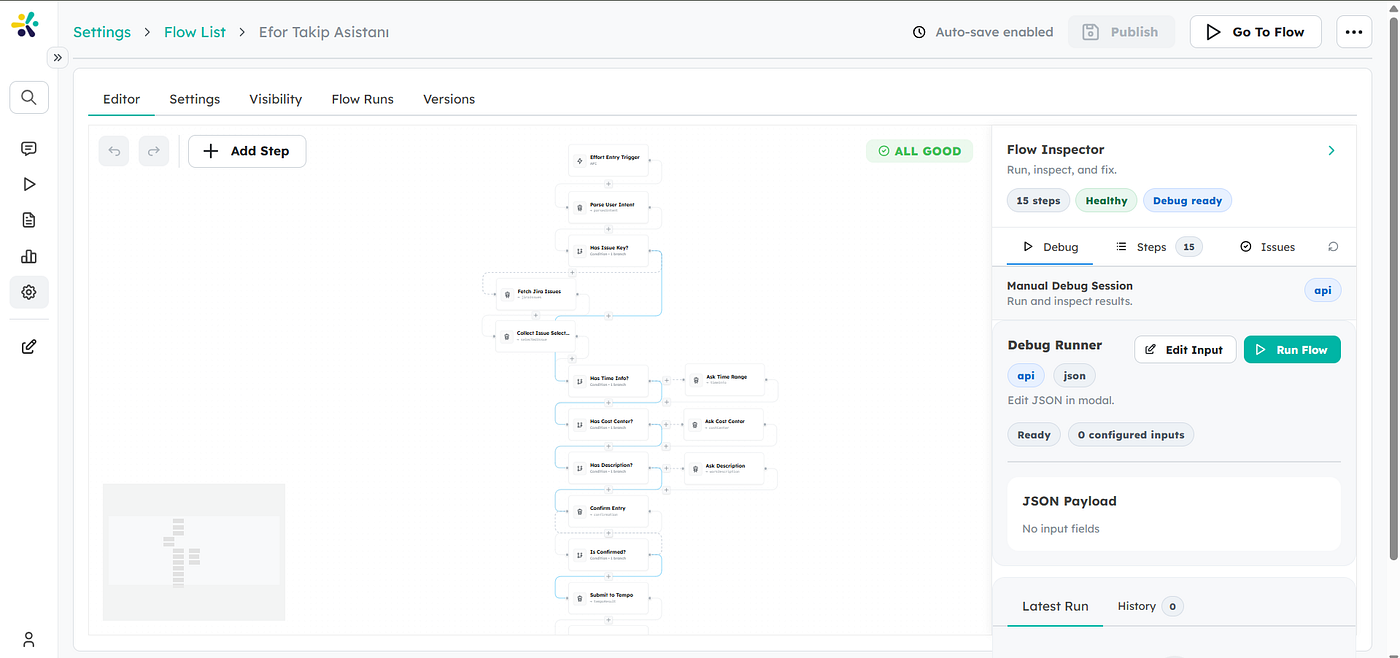
A Flow is a workflow you build visually by connecting steps. Each step does one specific job, and the output of one step can feed into the next. You don’t write code — you arrange blocks on a canvas.
Every Flow has three parts:
- Inputs — what the flow receives to start (text, numbers, files, or selections).
- Steps — the sequence of operations that process those inputs.
- Outputs — the final result (text, structured JSON, files, or success/failure signals).
Read more: Flows introduction.
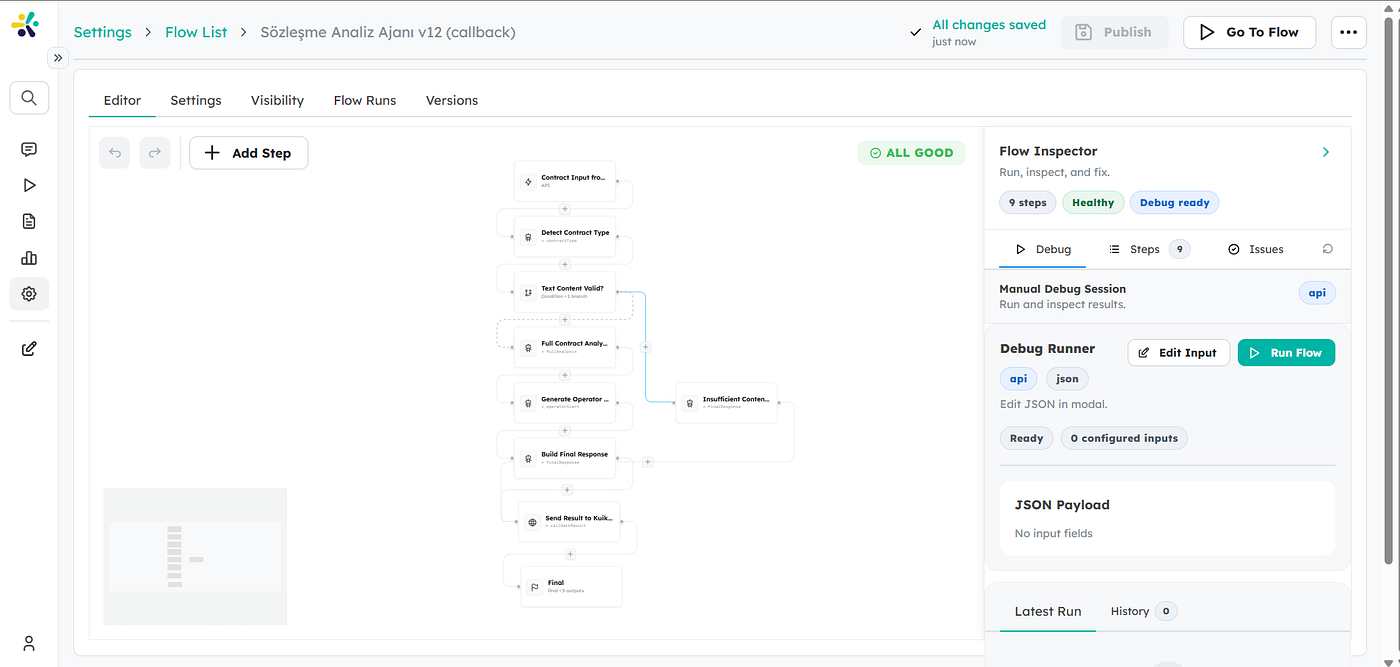
Flow Example
Cognipeer offers a rich set of step types. You don’t need all of them for every project, but it’s useful to know the categories. Here are the main groups (the full list is in the Steps Overview):
AI-powered steps — the “thinking” blocks:
- Agent — an AI step that can use tools and reason through a task.
- Ask to LLM — send a prompt directly to a language model and get a response.
- Ask to Peer — call one of your existing Peers inside the flow.
- Classifier / Intent Parser — understand and categorize user input.
- Extract Data — pull structured information out of unstructured text.
- Guardrail — apply safety and validation rules to AI output.
Logic and control steps — the “decision” blocks:
- Condition — branch the flow based on a rule (if/else).
- Each, While — loop over items or repeat while a condition holds.
- User Approval — pause and wait for a human to approve before continuing.
Data and file steps — the “processing” blocks:
- HTTP Request — call any external API.
- Execute Node.js — run custom JavaScript logic for full flexibility.
- Read File / Read File from URL — load file content into the flow.
- Convert to Markdown, String to JSON, JSON to Excel, Markdown to PDF — transform data between formats.
- Save File / Save Text File — write results out.
- Define / Set / Increment Variable — manage values during the run.
Memory steps — for remembering across sessions:
- Save / Search / Delete User Memory — give your flow long-term memory of a user.
Final — the step that returns the flow’s output.
This mix is what makes Flows flexible: you can combine AI reasoning, business logic, data transformation, and external calls in a single automated process.
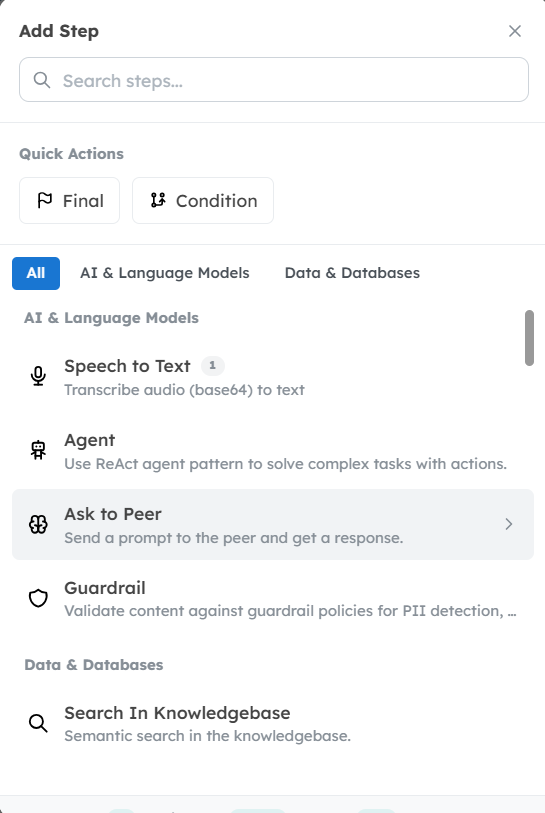
Block List
How a Flow Is Structured Under the Hood (JSON)
One nice detail for technical readers: a Flow is, at its core, a structured JSON definition. This means flows are portable — they can be exported and imported.
Without going into every field, the shape is intuitive. At the top level a flow has a name, description, icon, and a definition that holds a list of steps. Each step typically has:
- an
**id** (a unique identifier), - a
**type** (which kind of block it is — agent, condition, http-request, etc.), - a
**data** object (the step's configuration), - and a
**nextStepId** (which step runs next).
So conceptually a flow is just a connected graph of steps described in JSON. You normally build this visually, but the JSON format means a flow can be shared, version-controlled, or generated programmatically — which is very handy for teams.
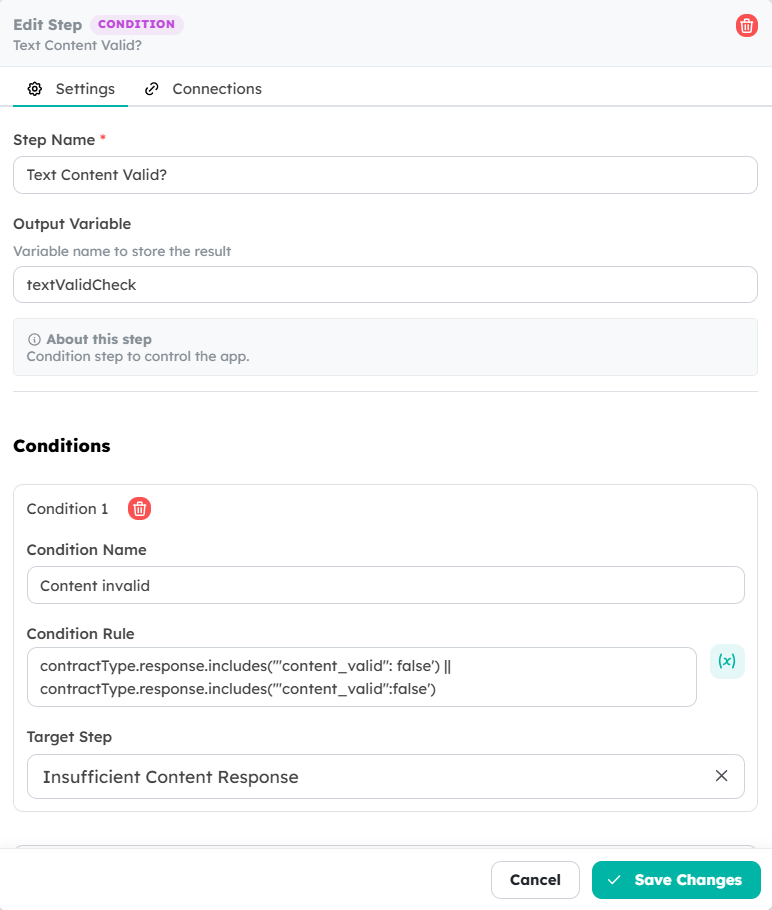
Json Structure
LLM Usage: Peers vs. Flows
A common question is: “If both Peers and Flows can use AI, when do I use which?”
A simple way to think about it:
- Peers are conversation-first. They shine when you need an interactive assistant that talks with a user, remembers context, and decides on the fly. The LLM is the “brain” of the Peer for the whole conversation.
- Flows are process-first. They shine when you have a defined business process with clear steps. Here the LLM is used inside specific steps (Agent, Ask to LLM, Ask to Peer) — only where reasoning is actually needed. The rest of the work (logic, data handling, API calls) is done by non-AI steps.
In practice they complement each other. A Flow can call a Peer (Ask to Peer), and a Peer can use a Flow as a tool. This lets you mix free-form conversation with structured, repeatable automation.
A useful design principle: use the LLM only where it adds value. For tasks like exact calculations, data formatting, or strict rules, deterministic steps (like Node.js or Condition) are more reliable and cheaper than asking a model. Let the AI handle understanding and generation; let the logic blocks handle precision.
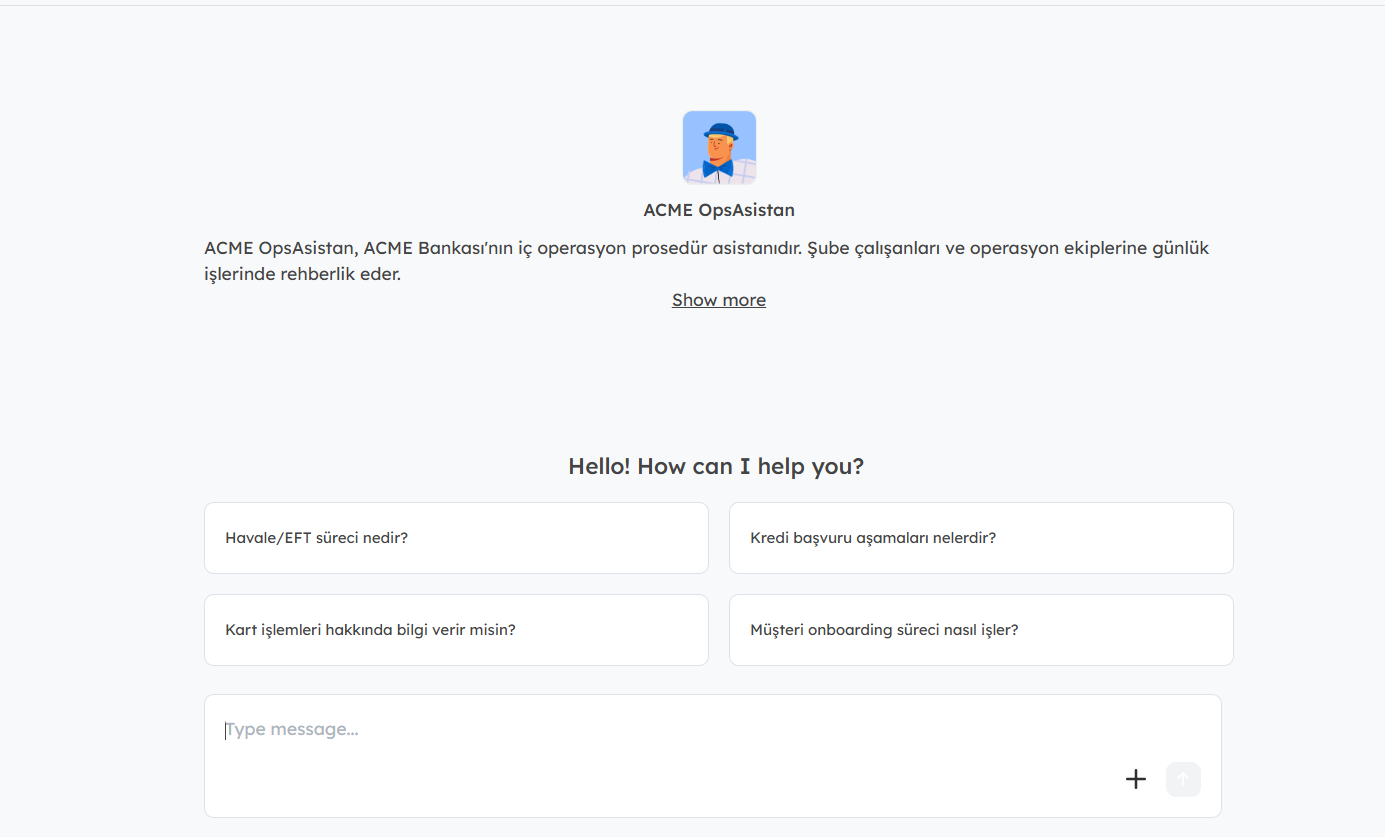
Peer chat interface
Flow rule-set
A Note on Cost and Model Choice
Because Cognipeer runs on language models, it’s worth thinking about cost the same way you would with any AI system.
The main idea: AI steps consume model usage (tokens), and different models have different price and performance profiles. A larger, more capable model gives better quality but costs more and can be slower; a smaller model is cheaper and faster but may be less powerful.
Cognipeer lets you pick the model per Peer and per AI step, so you can balance quality, speed, and cost for each task. Some practical tips:
- Use a smaller/faster model for simple steps (classification, short replies) and reserve a stronger model for complex reasoning.
- Move exact, rule-based work into non-AI steps (logic, code) — this avoids unnecessary model calls.
- Keep prompts focused; sending huge amounts of text into a model increases both cost and the chance of errors.
For exact pricing and plan details, check Cognipeer’s current plans and the documentation — pricing models can change, so it’s best to confirm directly.
Potential Use Cases
To make this concrete, here are examples of what teams could build with Cognipeer. (These are general possibilities to illustrate the platform’s range.)
- Customer support automation — a Peer that answers questions 24/7 using your knowledge base and creates tickets when needed.
- Internal knowledge assistant — let employees ask questions and get grounded answers from company documents.
- Document processing — a flow that reads incoming documents, extracts key fields, and outputs clean structured data.
- Automated reporting — a scheduled flow that gathers data, summarizes it with AI, and sends a report.
- Sales and CRM support — qualify leads, draft follow-ups, and update CRM records automatically.
- System-to-system integration — connect AI reasoning between tools like ERP, CRM, or internal databases through HTTP and custom tools.
- Content generation — produce drafts for marketing, documentation, or product descriptions at scale.
The common thread: wherever a process mixes understanding language, making decisions, and moving data between systems, Cognipeer can likely automate a meaningful part of it.
Final Thoughts
Cognipeer’s strength is that it brings the whole AI-agent lifecycle into one place — build, integrate, automate, and run — without forcing you to write code or manage infrastructure. You start small with a single Peer or Flow, and grow toward more advanced, governed automation as your needs expand.
If you’re exploring how to bring AI into real business processes, it’s a platform worth a closer look.
You can start here:
- 📘 Documentation: docs.cognipeer.com
- 🤖 Peers: Peers guide
- ⚡ Flows: Flows guide
- 🔧 Tools: Tools guide
Thanks for reading. If you found this useful, feel free to share it with your team.
메타데이터
- post_id
- d7ffbf23470e
- slug
- cognipeer-a-no-code-platform-for-building-ai-agents-and-workflows-d7ffbf23470e
- url
- https://medium.com/@enes-bal/cognipeer-a-no-code-platform-for-building-ai-agents-and-workflows-d7ffbf23470e
- canonical_url
- https://medium.com/@enes-bal/cognipeer-a-no-code-platform-for-building-ai-agents-and-workflows-d7ffbf23470e
- author_url
- https://medium.com/@enes-bal
- status
- ok
- fetched_at
- 2026-06-26 06:47:43




