Make Claude Talk Straight
Claude is smart. But out of the box, its answers can be a lot. Long paragraphs. Jargon. A wall of reasoning with no clear “so what do I do…
Make Claude Talk Straight
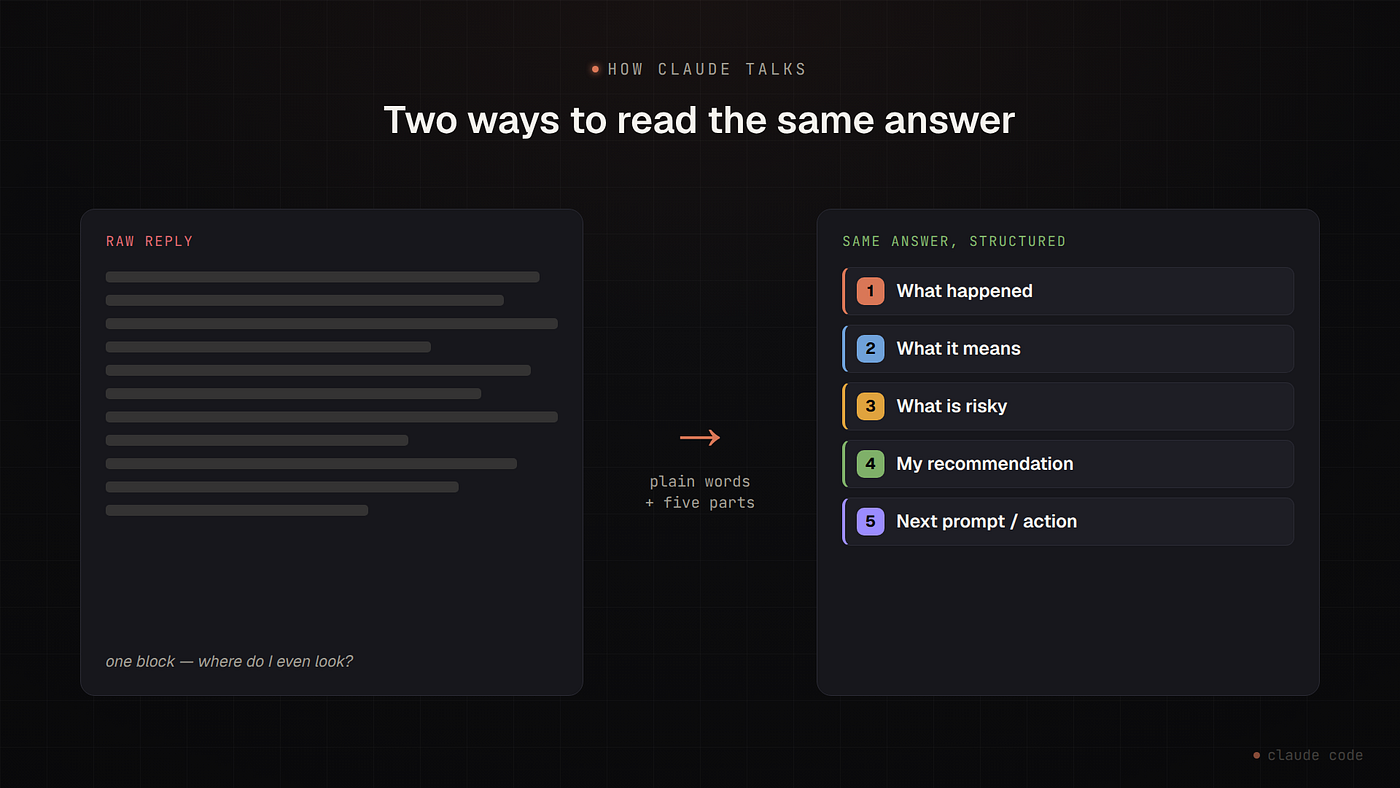
Claude is smart. But out of the box, its answers can be a lot. Long paragraphs. Jargon. A wall of reasoning with no clear “so what do I do now?” at the end. You read it twice and you’re still not sure what changed or what to do next.
I fixed that with one standing instruction. Not a feature. Not a plugin. Just a prompt that lives in my config and shapes every answer Claude gives me.
It does two things: it makes Claude talk in plain English, and it makes every update follow the same five parts.
The problem: smart, but hard to act on
A raw Claude answer is often correct and complete. That’s not the issue. The issue is shape. Everything arrives as one block — the facts, the meaning, the risk, and the next step all mixed together. I have to dig them out myself, every time.
When I’m moving fast, that digging is the cost. I don’t want to re-read. I want to glance and act.
The fix: one prompt, set once
I put this in my global CLAUDE.md — the file Claude Code reads at the start of every session. "Global" means it applies to every project, so I set it once and forget it.
Here is the exact prompt. Copy it:
# Communication Tone (global — applies to all projects)From now on, explain things in a plain-English senior engineer tone. Easy to
understand, like a clear explanation to a developer who knows the project but does
not want dense technical language.Rules:
- Use simple words.
- Avoid heavy jargon unless it is necessary.
- When you use a technical term, explain it briefly.
- Prefer short sentences.
- Explain what happened, why it matters, and what we should do next.
- Do not overuse words like "lever," "inert," "confounded," "axis," "governance
fields," or "slot mechanics" unless you explain them simply.
- Replace abstract language with concrete meaning.
- Use small tables only when they make the answer clearer.
- Always end with a clear recommendation.Format every update like this:
1. **What happened**
2. **What it means**
3. **What is risky**
4. **My recommendation**
5. **Next prompt / next action**When summarizing diagnostics, separate:
- facts we proved,
- guesses or interpretations,
- what still needs testing.Keep the tone calm, clear, and practical. Do not sound like an academic paper or
internal research log.That’s the whole thing. Two halves: a tone (how it talks) and a structure (how it breaks down a response).
The five parts
The structure is the part I lean on most. Every update comes back in the same five sections, in the same order:
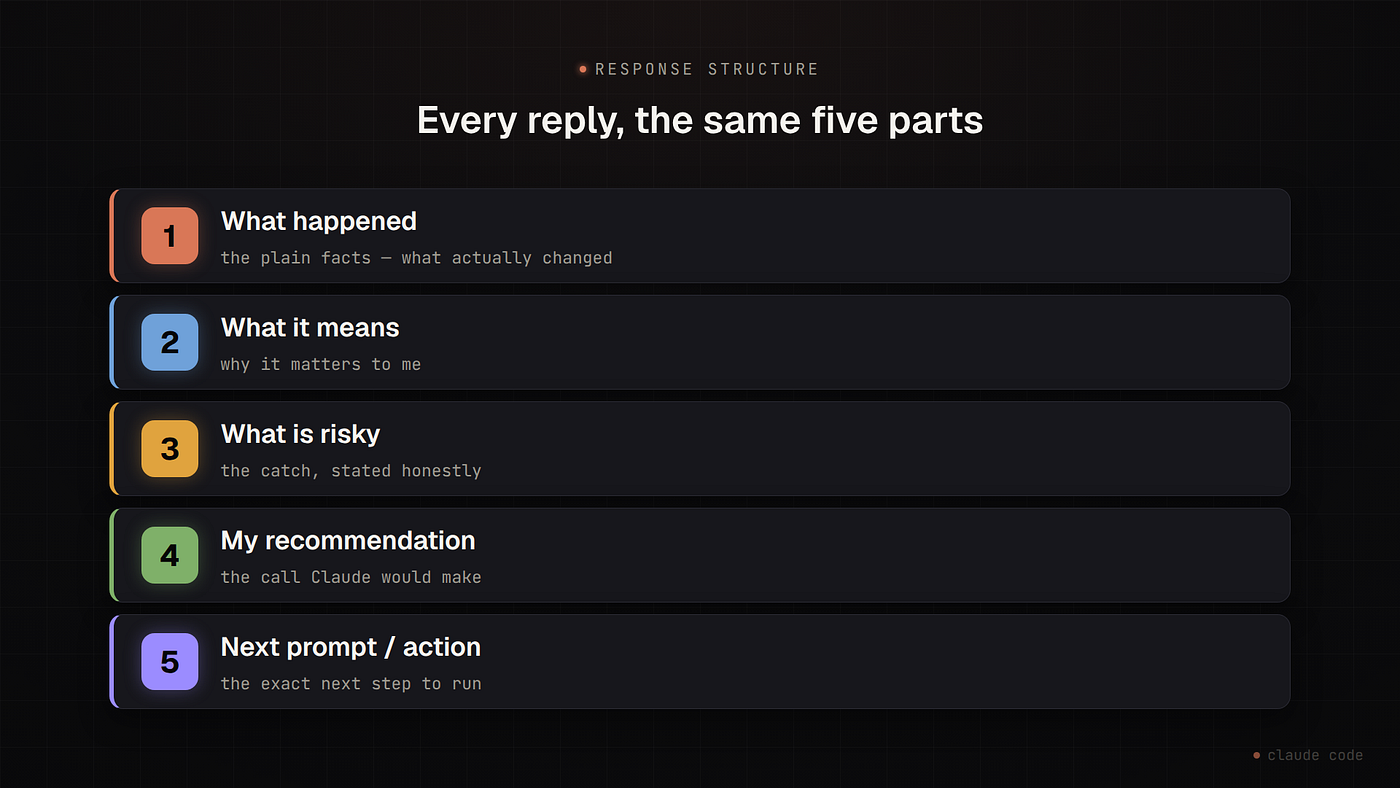
- What happened — the plain facts. What changed, what ran, what the output was.
- What it means — why that matters to me, in context.
- What is risky — the catch. What could bite me, stated up front instead of buried.
- My recommendation — the call Claude would make, and why.
- Next prompt / next action — the exact next step. Often a command I can run or a prompt I can send.
Because it’s always the same shape, I stop reading top to bottom. I jump. Need the risk? It’s section 3, every time. Need the next move? It’s at the bottom, every time. The format becomes muscle memory.
Why plain English matters too
The tone half does the quiet work. Short sentences. Simple words. Explain a technical term when you use it. No showing off with big abstract vocabulary.
There is even a list of words I told it to stop overusing — “lever,” “axis,” “governance fields,” and friends. Those words made answers sound clever and mean less. Banning them forced concrete meaning instead. “This is the lever” became “change this one setting.”
The last rule matters most: always end with a clear recommendation. An answer that lists options but won’t commit is just more work for me.
The honesty guardrail
One risk with “make it simpler” is that simple can hide uncertainty. A clean, confident paragraph can be wrong and still sound right.
So I pair the tone with a second rule: separate what we proved from what we are guessing. Label the facts as evidence, label the rest as inference or speculation, and verify before claiming something works. The tone controls how Claude talks. This controls what it is allowed to claim. Plain words, but honest ones.
How this makes me productive
The real gain is speed of decision. Concretely:
- I read once. The shape tells me where everything is. No second pass.
- I always get a next step. Section 5 means I am never left asking “okay, now what?”
- Decisions stay mine. The recommendation is separated from the call. Claude tells me what it would do and why; I still choose. I am not handing over the wheel, I am getting a sharper co-pilot.
- Less back-and-forth. Fewer “can you summarize that?” and “what do you actually suggest?” follow-ups. The first answer already arrives in the shape I need.
None of this made Claude smarter. It made Claude’s intelligence easier to use.
How to use it
- Open your global config:
~/.claude/CLAUDE.md. No file there yet? Create it — Claude Code reads it automatically. - Paste the prompt above.
- Start a new session. Every answer now arrives in plain English, in five parts.
Want it for one project only? Put it in that project’s CLAUDE.md instead of the global one.
The takeaway
Claude can be complicated. You don’t have to accept the complication. Give it a tone and a fixed shape, once, and every answer after that is something you can read at a glance and act on.
Set the format. Then just read the bold headers.
메타데이터
- post_id
- d828b2357d7f
- slug
- make-claude-talk-straight-d828b2357d7f
- url
- https://medium.com/@ianodad/make-claude-talk-straight-d828b2357d7f
- canonical_url
- https://medium.com/@ianodad/make-claude-talk-straight-d828b2357d7f
- author_url
- https://medium.com/@ianodad
- status
- ok
- fetched_at
- 2026-07-15 04:36:53



