State Management 2025: React, Server State, URL State, Dapr & Agent Sync
Master state management in 2025: React local/global/server/URL state, Dapr persistence, AG-UI agent sync, pitfalls, tools for scalable
State Management 2025: React, Server State, URL State, Dapr & Agent Sync
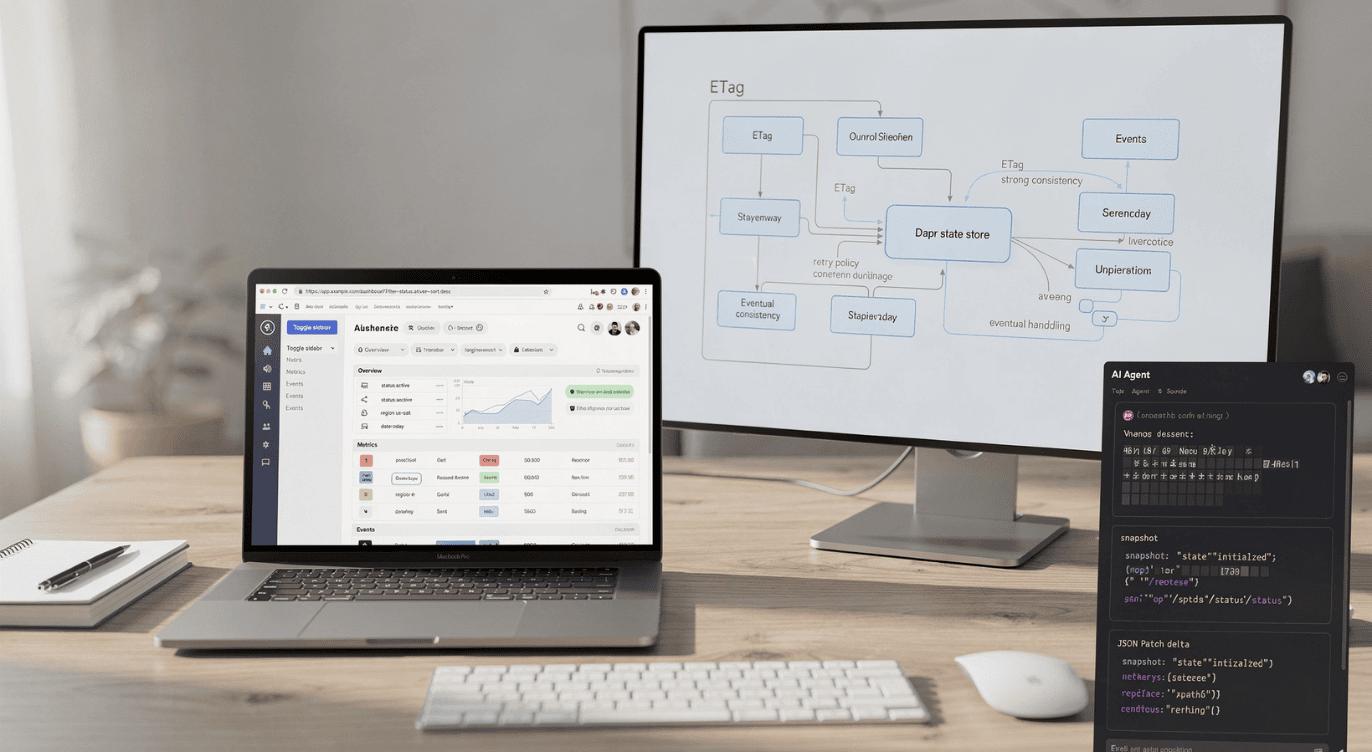
“State management” used to mean one big decision: Which global store library are we using? In 2025, that mindset is usually what creates the most confusion.
A more useful way to think about state is: state is simply data that represents the current condition of a system — and state management is how you store, update, share, and synchronize that data so the app stays correct and predictable.
The trick is that modern applications don’t have one kind of state. They have several kinds, each with its own “best” tools and failure modes:
- UI state that lives inside a component (dropdown open/closed).
- Shared UI state across many components (sidebar open/closed).
- Data fetched from servers (remote/server state).
- State encoded in the URL (search params, filters).
- Durable state that belongs to the backend (shopping carts, game sessions).
- Shared, real-time state that synchronizes between an AI agent and a frontend (agent collaboration experiences).
If you treat all of those as the same problem, you’ll reach for heavy solutions too early — or you’ll fight bugs that look like “state management issues” but are really “the wrong storage + sync strategy.”
Let’s build a modern, layered understanding.
1) What “state management” actually means
From a classic application architecture perspective, state management is about maintaining knowledge of an application’s inputs across related flows that make up a transaction or session, so you can understand what condition the application is in at any moment. In practical terms, that state is represented by the data flowing into and out of the application.
That definition matters because it breaks the “frontend-only” myth. A business transaction (checkout, invoice generation, payment capture) isn’t just UI — it’s a chain of events spanning user inputs, API calls, backend updates, and persistence. Without good state management, you can’t reliably connect “what the user asked for” to “what the system committed.”
At the day-to-day developer level, state management is also described more simply as: handling and maintaining application data across components, user interactions, and updates — so the app stays consistent and synchronized.
Both views are correct. One zooms out (transactions, sessions); the other zooms in (components, UI, data flows).
2) The 2025 state “map”
Here’s a practical way to categorize state. The goal isn’t to memorize categories — it’s to stop mixing problems that should be solved differently.

This grouping aligns strongly with how modern guidance splits state: local vs global/shared vs server/remote vs URL state.
3) React in 2025: “State management” is usually three smaller decisions
A standout idea in modern React thinking is: you often don’t need a single “state management library” at all — because most apps actually have multiple state concerns that deserve specialized solutions.
A pragmatic breakdown looks like this:
- Remote/server state → use a data-fetching/caching library
- URL state → let the router manage it, or use a URL-state helper
- Local + shared UI state → use React state patterns first; only then consider a store
That approach is powerful because it reduces the amount of “global store” state you have to maintain in the first place.
Let’s walk through each.
4) Remote (server) state: the hard part you shouldn’t rebuild
Fetching data from a server sounds simple: “fetch and render.” But even the basic version has at least three UI states (no data yet, loading, data available), plus failure handling.
Then reality arrives:
- Multiple components might need the same data (avoid duplicate requests).
- You usually want caching (reuse data across pages).
- You need strategies to refresh or invalidate stale cache.
- You want to avoid “request waterfalls” (when one request blocks another unnecessarily).
- User-triggered fetching introduces race conditions.
- Writes introduce a new universe of complexity, especially if you want optimistic updates while keeping data consistent.
This is why modern React guidance often treats “server state” as its own category — separate from local UI state.
A key recommendation in the React ecosystem is to use a React-first data management library that handles these concerns (caching, deduplication, retries, optimistic updates, etc.) rather than reinventing it inside a global UI store.
One example called out as a default choice is TanStack Query (formerly React Query), with SWR noted as a comparable alternative.
The bigger point isn’t “pick this library.” It’s: treat remote data as its own managed system, because it has constraints that ordinary UI state doesn’t.
5) URL state: when the address bar becomes part of your data model
In modern web apps, the URL isn’t just navigation — it often stores meaningful UI state. When the URL changes, the UI changes; when the UI changes, you often want the URL to change too (so the state is shareable, bookmarkable, and back-button friendly).
A concrete example is query-string state like:
- search=…
- tab=…
- sidebar=open
- page=2
Everything after ? becomes a lightweight state container that can represent what the user is looking at.
Some routers make this two-way sync straightforward. For instance, React Router provides hooks to read and update search params. But other setups may give you a read API without a clean write/sync story — leading to brittle “manual syncing” code that can produce subtle bugs.
One solution recommended for this situation is using a dedicated URL-state utility (for example, nuqs) rather than building your own synchronization layer.
6) Local state: the simplest state is the one that never escapes a component
A lot of UI state does not need to be shared:
- Is this dropdown open?
- Is the tooltip visible?
- Is this dialog mounted?
- What’s typed into this local input (until submit)?
That’s “local state,” and it’s often best handled with React primitives like useState (and in more complex cases, useReducer).
A major source of accidental complexity is using a global store for state that could have remained local. Older patterns — especially in Redux-heavy codebases — sometimes pushed everything into a single store. Newer guidance encourages the opposite: keep state as local as possible, and only share when sharing is truly needed.
7) Shared UI state: start with simple patterns before grabbing a library
Shared UI state is the kind of state that multiple, loosely related components need to read and/or update — like a collapsible sidebar that can be toggled via buttons, drag interactions, keyboard shortcuts, or layout mode changes.
Option A: Lift state up + pass props (aka prop drilling)
The most direct approach is “lift state up” to a common ancestor and pass the value/setter down via props.
This works… until it doesn’t.
If you have to pass state through many layers that don’t actually care about it, the component tree fills up with “plumbing props.” Refactoring becomes painful, and everything re-renders whenever the value changes because props are changing throughout the chain.
Option B: Context (to bypass intermediate layers)
React Context can solve the “props plumbing” problem by letting descendants access shared data without threading props through each component.
This is a big improvement for readability and containment: you can expose a clean API (like a toggleSidebar() function) and keep implementation details inside the provider.
The important caveat: Context can create performance and scalability issues
Context has a well-known behavior: when the context value changes, every consumer re-renders — even consumers that don’t use the part of the value that changed.
If you respond by adding more and more providers (to split concerns), you can end up in “provider hell,” and still fight unnecessary re-renders as the app grows.
8) When an external state library is actually useful
The “2025” position is not “never use a state library.” It’s: use one for the part that remains after you’ve solved server state and URL state properly.
A practical selection checklist looks like this:
- Simplicity: the remaining shared state should not require a “new way of thinking” to manage.
- Avoid provider hell: ideally one provider or none.
- Selective updates: components should not re-render if the slice of state they use didn’t change (e.g., selectors or subscriptions).
- Compatibility with modern React direction: updated patterns, hooks-based usage, and behavior that works in modern rendering environments.
From a broader industry perspective, state management libraries exist to make state code easier to maintain, enforce common practices, and help stateful components work together — front or back end. The key is to evaluate tools based on the needs of your application, both now and as it evolves.
Even the library list itself is big (Redux, MobX, Zustand, Jotai, Recoil, etc.), and different libraries emphasize different goals — for example, Zustand is described as a simplified, pared-down option for React.
9) Backend and distributed systems: state management is also about correctness guarantees
So far we’ve talked about state inside and around a frontend. But “state management” becomes even more critical when the state is durable and shared across services.
A good example of modern backend-oriented state management is Dapr’s state management API, which provides a standardized way for applications to save, read, and query key/value pairs across a range of supported state stores.
The key idea: your app talks to Dapr’s API, and Dapr talks to the underlying datastore through a component. That makes the datastore pluggable — you can swap state store components without changing your service code.
Why this matters: stateful apps need concurrency and consistency decisions
Dapr explicitly calls out that state management often requires features that are complicated and error-prone to implement yourself, including:
- Configurable choices for concurrency control and data consistency
- Bulk update operations (including multiple transactional operations)
- Querying and filtering key/value data
Dapr supports optimistic concurrency control (OCC) using ETags. When you fetch state, Dapr attaches an ETag; when you write or delete, you include that ETag to ensure you’re updating the version you think you’re updating. If the ETag doesn’t match, the write fails — so you typically need a retry strategy to handle conflicts.
It also supports strong and eventual consistency, with eventual consistency described as the default behavior.
And it goes further with practical features like querying via a generic query API (filter/sort/paginate), state TTL (expiration), and an outbox pattern integration for transactional messaging scenarios.
The important takeaway: backend state management isn’t just “where do we store it?” It’s also about: What guarantees do we need when multiple clients/services update the same state?
10) Agent apps and real-time collaboration: state synchronization becomes a first-class feature
A newer “2025” wrinkle is that some apps now have AI agents that collaborate with humans through a UI. This introduces a different kind of state problem: not just “store data,” but keep the agent and frontend synchronized in real time.
The AG-UI protocol treats state management as a core feature specifically for this purpose: real-time synchronization between agents and frontend applications.
In AG-UI, state is described as a structured data object that:
- Persists across interactions
- Is accessible by both agent and frontend
- Updates in real time as interaction progresses
- Provides context for decision-making on both sides
Two complementary sync strategies: snapshots and deltas
AG-UI provides two key mechanisms:
- State snapshots: a full representation of current state (STATE_SNAPSHOT), often used at the start of an interaction, after interruptions, or when a full refresh is needed. The frontend replaces its model with the snapshot.
- State deltas: incremental updates (STATE_DELTA) using JSON Patch (RFC 6902) operations, which are bandwidth-efficient for frequent small updates and large state objects where most fields don’t change.
AG-UI also notes that frontends should apply patch operations in sequence, and if inconsistencies are detected, the frontend can request a new snapshot.
Practical implementation detail: patch application and error handling
In the AG-UI implementation example, deltas are applied with the fast-json-patch library, using a “apply patch without mutating original state” approach and catching errors to avoid corrupting state.
Best practices (agent ↔ UI state)
AG-UI’s best practices are a useful checklist even outside that protocol:
- Use snapshots only when needed to establish a baseline
- Prefer deltas for small incremental changes
- Structure state to support partial updates and reduce patch complexity
- Plan for conflicts (agent and frontend may both update state)
- Provide resynchronization mechanisms if inconsistencies occur
- Avoid putting sensitive data in shared state
11) Putting it all together: a 2025 decision checklist
If you want one simple workflow for state management decisions, use this:
Step 1: Classify the state
Is it local UI state, shared UI state, server state, URL state, backend durable state, or agent-synced state?
Step 2: Pick the source of truth
- If the backend owns it (server state), treat the frontend as a cache/view.
- If it’s navigation/shareable UI state, put it in the URL.
- If it only matters inside a component, keep it local.
- If it needs to persist across services and time, use a durable store or a state API layer like Dapr.
- If it must synchronize between agent and UI, design snapshots/deltas and conflict recovery.
Step 3: Choose tools based on the category — not habit
- Use specialized server-state tools for caching, retries, optimistic updates, etc.
- Use router or URL-state utilities for query-string state.
- Use Context carefully; understand the “every consumer re-renders” behavior.
- Reach for external shared-state libraries when Context becomes a scalability/performance trap.
- In distributed systems, treat concurrency/consistency as requirements — not afterthoughts.
Conclusion: The “best” state management is a decomposition, not a library
In 2025, state management becomes much easier when you stop looking for one universal solution.
- Remote/server state is its own discipline (caching, dedupe, race conditions, optimistic updates).
- URL state is real state, and syncing it manually is often where subtle bugs breed.
- Local UI state stays best when it stays local.
- Shared UI state should start with simple patterns, then move to stronger tools when you can justify them.
- Backend state adds concurrency and consistency as first-class concerns.
- Agent apps introduce real-time synchronization problems that look a lot like distributed systems — snapshots, deltas, conflict handling, recovery.
When you treat each state category according to its nature, you usually end up with less global state, fewer mysterious bugs, and a system that’s easier to explain to your teammates — because the “where” and “why” of each state choice becomes obvious.
References
https://www.developerway.com/posts/react-state-management-2025
https://www.techtarget.com/searchapparchitecture/definition/state-management
https://dev.to/farhatsharifh/state-management-in-software-development-4cli
메타데이터
- post_id
- d8a1f6c59288
- slug
- state-management-2025-react-server-state-url-state-dapr-agent-sync-d8a1f6c59288
- url
- https://medium.com/@QuarkAndCode/state-management-2025-react-server-state-url-state-dapr-agent-sync-d8a1f6c59288
- canonical_url
- https://medium.com/@QuarkAndCode/state-management-2025-react-server-state-url-state-dapr-agent-sync-d8a1f6c59288
- author_url
- https://medium.com/@QuarkAndCode
- status
- ok
- fetched_at
- 2026-06-15 20:49:13