Process-Driven Refresh in Power BI: XMLA and the REST API
Scheduled refresh works until it doesn’t until you need to refresh one table instead of the whole model, chain a refresh to another…
Process-Driven Refresh in Power BI: XMLA and the REST API
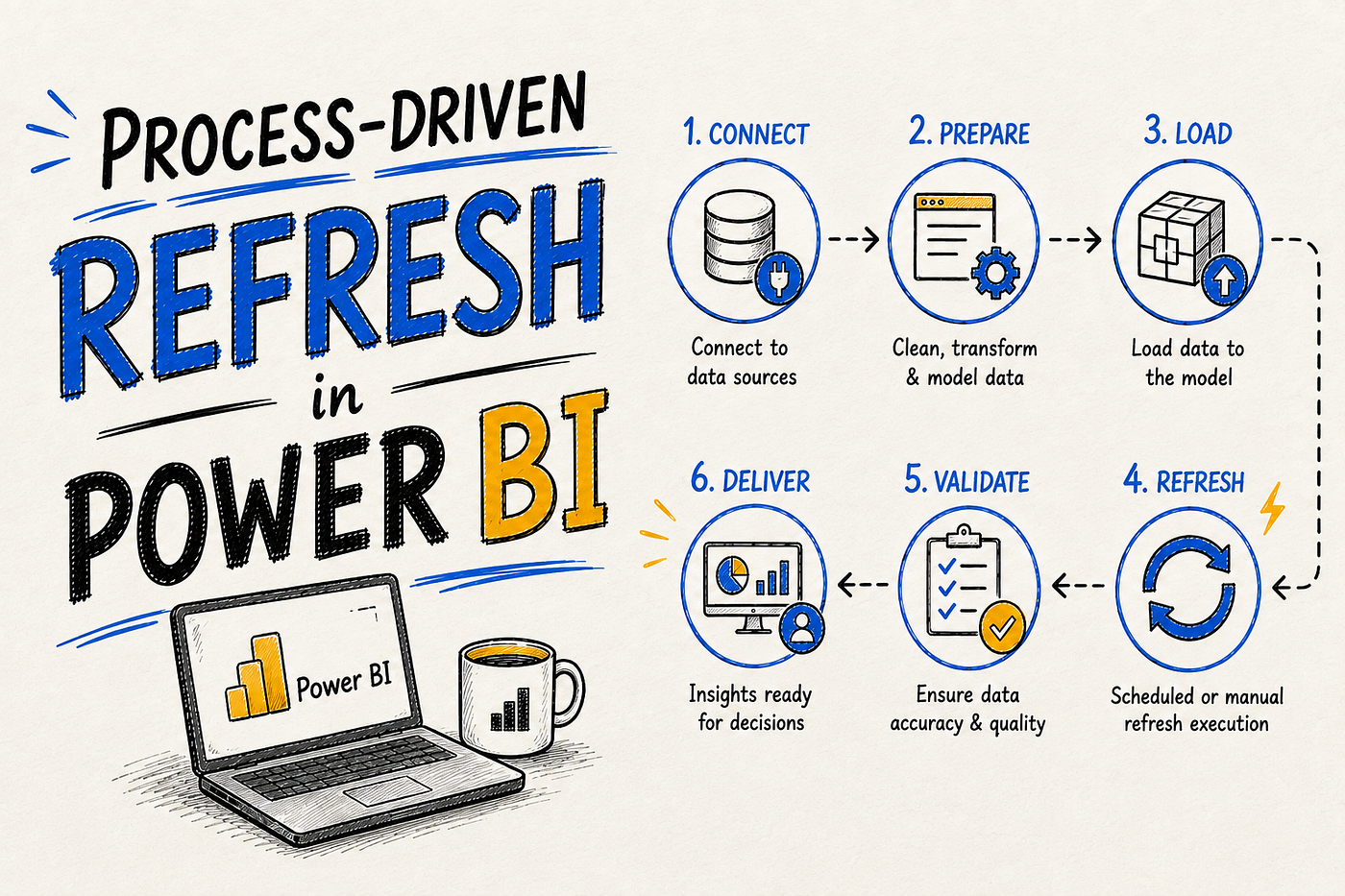
Scheduled refresh works until it doesn’t until you need to refresh one table instead of the whole model, chain a refresh to another system’s completion event, or run more than 48 refreshes a day. That’s the gap process-driven refresh fills.
Key Takeaways
- Process-driven refresh trades scheduled refresh’s simplicity for customization via the REST API and XMLA endpoint, at the cost of more setup (Tabular Editor, 2026).
- On Premium, PPU, or Fabric capacity with the XMLA endpoint enabled for read-write, refresh operations are effectively unlimited, governed by capacity resources rather than a fixed daily count (Microsoft Learn, 2026).
- The shared-capacity limit of 8 daily refreshes applies to both scheduled refreshes and refreshes triggered through the REST API it isn’t just a UI restriction (Microsoft Learn, 2026).
Why Move Past Scheduled Refresh at All
Scheduled refresh is convenient precisely because it has no special requirements pick times, done. Process-driven refresh adds real customization: refreshing specific tables or partitions instead of the whole model, chaining refresh to an external trigger like a data pipeline completing, or scripting refresh logic that a fixed daily schedule simply can’t express (Tabular Editor, 2026).
The tradeoff is genuine setup overhead. Where scheduled refresh is a form in the Power BI service, process-driven refresh means working with the REST API or XMLA endpoint directly, usually orchestrated from an external tool.
Triggering Refresh via the REST API
The Power BI REST API exposes a refresh endpoint that can be called from Power Automate, Azure Data Factory, a Fabric Data Pipeline, or any scripting environment capable of making an authenticated HTTP request. A typical pattern uses a POST request to the dataset’s refreshes endpoint, triggered as a step in a broader pipeline for example, firing only after an upstream ETL job confirms all source tables have finished loading, rather than on a fixed clock time regardless of upstream state.
This is also where the daily refresh cap becomes visible in a way many teams don’t expect: on shared capacity, API-triggered refreshes count toward the same 8-per-day quota as UI-scheduled refreshes, unlike manual UI-triggered “Refresh now” clicks, which don’t count against that limit (Microsoft Learn, 2026).
Triggering Refresh via XMLA and TMSL
The XMLA endpoint offers a level of control the REST API doesn’t: refreshing individual tables or specific partitions rather than the entire semantic model, using Tabular Model Scripting Language (TMSL) commands sent from tools like SQL Server Management Studio, PowerShell, or Tabular Editor. This is the same access layer that lets advanced users configure custom incremental refresh partitions beyond what the standard Power BI UI supports (see Incremental Refresh Explained).
Crucially, on Premium, PPU, or Fabric capacity with the XMLA endpoint enabled for read-write, refresh operations through this path are effectively unlimited governed by available capacity resources and concurrency rather than any fixed numeric daily count (Microsoft Learn, 2026). That’s the primary reason large enterprises with high-frequency refresh needs move to XMLA-based orchestration rather than trying to stretch scheduled refresh’s 48-per-day ceiling.
Direct Lake and Process-Driven Refresh
Process-driven triggering isn’t unique to Import mode. Direct Lake models can be reframed on demand through the refreshes API or a Semantic Model Refresh Pipeline activity in Fabric, which is useful specifically when a team wants new data to appear only after every upstream table has finished populating rather than exposing partial updates the moment any single Delta table changes. See How Direct Lake and Composite Models Handle Refresh for the framing mechanism this triggers.
Scheduled vs. Process-Driven: The Decision
/**
 * Category                     |  Scheduled Refresh                          |  Process-Driven Refresh
 * ------------------------------|----------------------------------------------|------------------------------------------------
 * Setup complexity              |  Low — configured in the service UI          |  Higher — requires API/XMLA scripting
 * Granularity                   |  Whole semantic model                        |  Whole model, specific tables, or partitions (XMLA)
 * Daily limit                   |  8 (shared) / 48 (Premium/PPU/Fabric)        |  Effectively unlimited on Premium/PPU/Fabric via XMLA
 * Can chain to external events? |  No                                          |  Yes — trigger from pipeline completion, file arrival, etc.
 * Best fit                      |  Standard, predictable refresh cadence       |  High-frequency, conditional, or table-level refresh needs
FAQ
Do API-triggered refreshes count against my daily scheduled refresh limit?
Yes, on shared capacity. The 8-per-day limit applies to both UI-scheduled refreshes and REST API-triggered refreshes; only manual UI-triggered “Refresh now” clicks are excluded from that count.
Can I refresh just one table using the REST API?
Not with the standard REST API refresh endpoint, which operates at the dataset level. Table- and partition-level refresh requires the XMLA endpoint with TMSL commands instead.
Is there really no daily limit with XMLA on Premium?
There’s no fixed numeric limit, but it isn’t truly unlimited in practice refresh operations are governed by the capacity’s available resources and concurrency, so heavy XMLA-based refresh activity can still queue or compete with other workloads on the same capacity (Microsoft Learn, 2026).
Do I need Fabric capacity to use process-driven refresh?
The REST API is available broadly, but unrestricted XMLA read-write access and effectively unlimited refresh counts require Premium, PPU, or Fabric capacity rather than shared/Pro capacity.
Related Reading
For the standard, lower-overhead alternative, see How to Set Up Scheduled Refresh. For the partition-level use case this pairs with most often, see types of refresh in power bi.
메타데이터
- post_id
- da0f7e091fff
- slug
- process-driven-refresh-in-power-bi-xmla-and-the-rest-api-da0f7e091fff
- url
- https://medium.com/@hasantheanalyst/process-driven-refresh-in-power-bi-xmla-and-the-rest-api-da0f7e091fff
- canonical_url
- https://medium.com/@hasantheanalyst/process-driven-refresh-in-power-bi-xmla-and-the-rest-api-da0f7e091fff
- author_url
- https://medium.com/@hasantheanalyst
- status
- ok
- fetched_at
- 2026-08-08 17:43:13