One Ollama Is Not Enough: Multi-Instance Ollama + Open WebUI Gateway for Text and Vision Models
How to run task-specialised Ollama instances on one GPU, hide them behind Open WebUI as an API gateway, and never expose port 11434 again.
One Ollama Is Not Enough: How I Run Text and Vision Models Side-by-Side on a Single GPU — and Lock Them Behind a Real API Gateway
How I went from one cranky ollama serve container that silently choked on context limits to a properly tuned two-instance setup, transparently fronted by Open WebUI with real API-key access control — turning my DGX Spark into something I can actually expose to the internet without losing sleep.
If you’re running Ollama in a container with the defaults and you’re happy, congratulations — you’re either running one tiny model on a beefy box, or you haven’t looked at the logs yet.
I was in the second camp for a long time. A single ollama container, a couple of models pulled, docker compose up -d, done. The chats worked. Most of the time. Until they didn’t. Until a 35B coding model started replying in slow motion. Until a vision model OCR’d a screenshot and produced beautiful, confident nonsense. Until I pulled the debug logs and saw the same line I’ve seen a hundred times since:
context limit hit - shifting kv cache removal unsupported,
clearing cache and returning inputs for reprocessing
If that line looks familiar, this post is for you. If it doesn’t — pull your Ollama logs with OLLAMA_DEBUG=1 set and we’ll meet back here in five minutes. Bet you’ll find one.
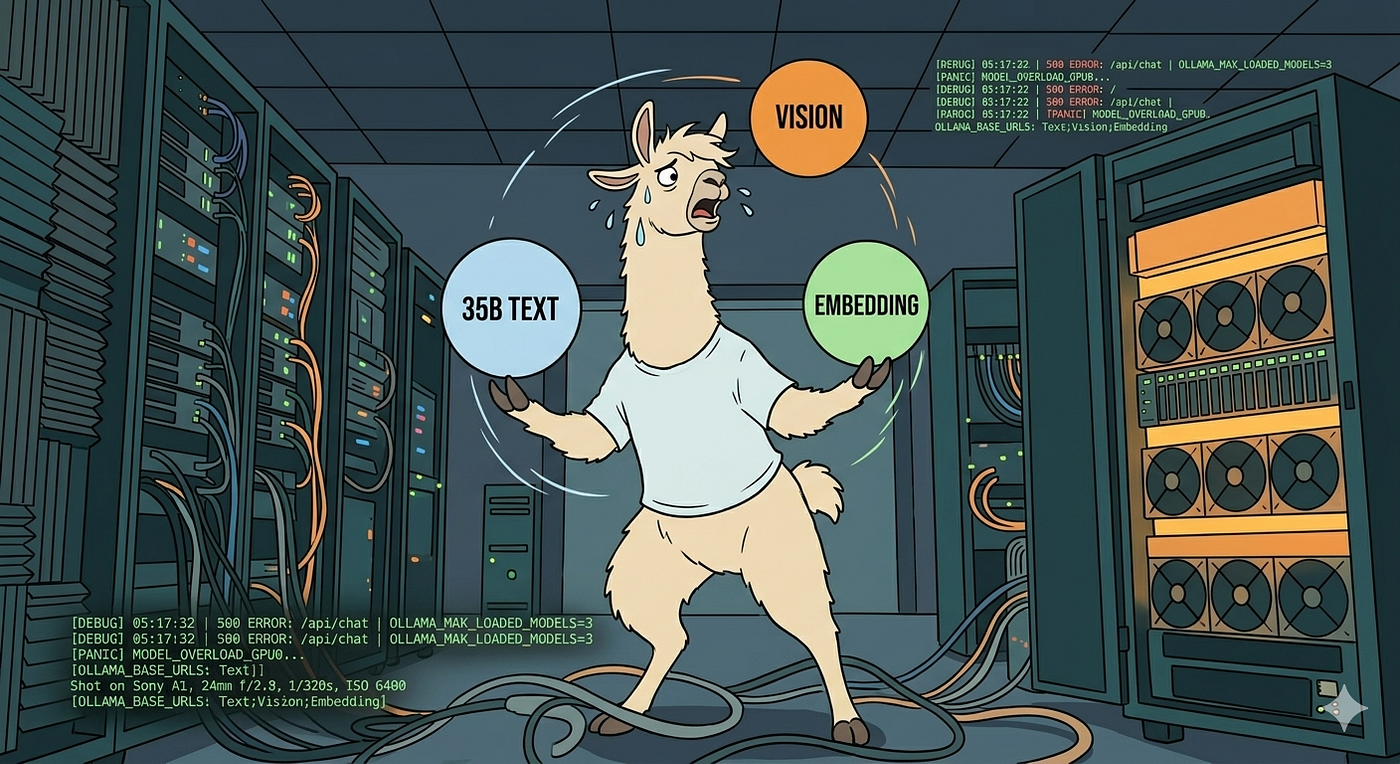
Overloaded ollama — image generate via Nano banana
The problem nobody tells you about single-instance Ollama
Ollama gives you one server. That server has one set of environment variables. Which means: one OLLAMA_CONTEXT_LENGTH, one OLLAMA_KV_CACHE_TYPE, one OLLAMA_KEEP_ALIVE, one OLLAMA_NUM_PARALLEL. Whatever you put there applies to every model that container loads.
Sounds fine, until you actually look at what a “35B Qwen-class text model” and a “7B vision model” want from life. They want completely different things.
Here’s the awkward reality, side by side:

Typical settings for different kind of models on a DGX Spark
Now pick one of those columns. Apply it to both models. Watch the other model suffer.
That’s the whole pitch. One Ollama is not enough.
“But can’t I just OLLAMA_MAX_LOADED_MODELS=2 and call it a day?”
You can. And it’ll “work”. And it’ll be subtly bad in a way that’s hard to debug.
Loading two models in one Ollama process means they share the process-level environment. Your KV cache quantisation is one global value. Your context length is one global value. Your keep-alive policy is one global value. Ollama will happily juggle two models in VRAM if they fit — but it’ll juggle them with one set of tuning parameters, picked by you, on a single planet where text and vision models have wildly different appetites.
You’ll also discover, the hard way, that with OLLAMA_NUM_PARALLEL greater than 1 the effective context size for every request multiplies. From the official Ollama docs: “Parallel request processing for a given model results in increasing the context size by the number of parallel requests.” So 4 parallel × 16K context = a 64K-token VRAM allocation. Per model. Per request. Surprise.
The cleanest fix isn’t cleverer config. It’s two Ollama containers, sharing the same GPU, each tuned for one job.
The setup: two Ollama instances, one GPU, no drama
I’m running this on a DGX Spark (DG10). One GPU, lots of unified memory, NVLink doing its thing in the background. The two containers share the GPU via the NVIDIA runtime — they don’t fight over it because at any given moment only one of them is actively running inference, and the vision instance unloads aggressively when it’s idle — this is my demand though, as vision models are used less frequently (by me).
A quick prerequisite: the Docker network
You’ll notice at the bottom of the compose that mydocker_network is declared as external: true. That means Docker Compose expects this network to already exist — it won’t create it for you. The reason I run it this way is so the same network can be shared across multiple compose stacks (Ollama here, Open WebUI later, plus anything else I want to drop in front of the gateway) without each stack creating its own isolated bridge. If you skip this step, your first docker compose up greets you with network mydocker_network declared as external, but could not be found and we don’t want that.
Create it once, ahead of time:
docker network create \
  --driver bridge \
  --subnet 172.30.1.0/24 \
  --gateway 172.30.1.1 \
  mydocker_network
The subnet is yours to pick — I went with 172.30.1.0/24 because it doesn’t clash with anything else on my LAN. Then create the .env file in the same directory as your compose with the static IPs you’ll reference:
# .env
OLLAMA_IP=172.30.1.10
OLLAMA_VISION_IP=172.30.1.11
OLLAMA_WEBUI_IP=172.30.1.12
Static IPs aren’t strictly necessary — Docker’s built-in DNS would resolve ollama and ollama-vision by container name just fine — but pinning them makes the Open WebUI config later (OLLAMA_BASE_URLS=http://172.30.1.10:11434;http://172.30.1.11:11434) explicit and copy-pasteable, and saves debugging time when something doesn’t resolve the way you expect.
services:
  ollama:
    container_name: ollama
    hostname: ollama
    image: ollama/ollama:latest
    restart: unless-stopped
    # No port exposure — access happens via Open WebUI on the Docker network
    # ports:
    #   - "8888:11434"
    environment:
      - NVIDIA_DRIVER_CAPABILITIES=compute,utility
      - NVIDIA_VISIBLE_DEVICES=all
      - CUDA_VISIBLE_DEVICES=0
      - OLLAMA_VULKAN=0
      # --- Concurrency & Memory Management ---
      - OLLAMA_MAX_LOADED_MODELS=1
      - OLLAMA_NUM_PARALLEL=1
      - OLLAMA_KEEP_ALIVE=-1
      # --- Grace-Blackwell Native Acceleration ---
      - OLLAMA_NUMA=1
      - OLLAMA_NVFP4=1
      - OLLAMA_FLASH_ATTENTION=1
      # --- Bandwidth & VRAM Optimization ---
      - OLLAMA_KV_CACHE_TYPE=q4_0
      - OLLAMA_CONTEXT_LENGTH=131072
      # --- Performance Monitoring ---
      - OLLAMA_DEBUG=1
    volumes:
      - ./ollama_data/:/root/.ollama
    runtime: nvidia
    networks:
      mydocker_network:
        ipv4_address: ${OLLAMA_IP}

  # --- Instance 2: Vision Engine (On-Demand) ---
  ollama-vision:
    image: ollama/ollama:latest
    container_name: ollama-vision
    hostname: ollama-vision
    restart: unless-stopped
    # No port exposure — access happens via Open WebUI on the Docker network
    # ports:
    #   - "8889:11434"
    environment:
      - NVIDIA_VISIBLE_DEVICES=all
      - CUDA_VISIBLE_DEVICES=0
      - OLLAMA_MAX_LOADED_MODELS=1
      - OLLAMA_KEEP_ALIVE=10m         # Unloads after 10 mins to free Spark RAM
      - OLLAMA_NUMA=1
      - OLLAMA_NVFP4=1                # Better accuracy for image OCR/analysis
      - OLLAMA_KV_CACHE_TYPE=q4_0     # Essential for high-token visual inputs
      - OLLAMA_FLASH_ATTENTION=1
      - OLLAMA_CONTEXT_LENGTH=32768   # Large enough for high-res image tokens
    volumes:
      - ./ollama_vision_data:/root/.ollama
    runtime: nvidia
    networks:
      mydocker_network:
        ipv4_address: ${OLLAMA_VISION_IP}

networks:
  mydocker_network:
    external: true
A few things worth pointing at:
- No
ports:exposure on either Ollama container. This is deliberate, and it’s arguably the single most important security decision in this whole stack. Neither Ollama is reachable from your host’slocalhost, let alone your LAN or the internet. They live entirely on the Docker networkmydocker_network, where only other containers on the same network can talk to them. The only door into this castle is Open WebUI — which we’ll add in a minute — and that’s the only door that gets a lock. - Both containers point at
CUDA_VISIBLE_DEVICES=0. Same physical GPU. They don’t fight becauseOLLAMA_MAX_LOADED_MODELS=1on each side means only one model lives in VRAM per instance, and the vision side actively unloads after 10 minutes and expected to be small <10B models. - Separate volumes (
ollama_dataandollama_vision_data). Yes, you’re duplicating model storage if you happen to pull the same model twice. Worth it. You don’t want two Ollama processes scribbling into the same blob directory and racing on lock files. Trust me on this one. - The text instance pins models forever (
OLLAMA_KEEP_ALIVE=-1), because your IDE plugin, your agent, and your terminal sidekick are going to hit it constantly. Cold-loading a 35B (or bigger) model every 5 minutes is its own special kind of suffering. - The vision instance unloads aggressively (
OLLAMA_KEEP_ALIVE=10m). Vision requests are bursty — you OCR a receipt, you go away for an hour. No point pinning 8GB of weights in VRAM waiting for the next screenshot. **OLLAMA_KV_CACHE_TYPE=q4_0everywhere.** Yes, there’s a small quality cost. Yes, especially on high-GQA-count models like Qwen, you should test it. But on a single GPU running a 35B-class model with 128K context, the math says: you don’t have a choice.f16KV cache will eat your VRAM before the weights even load. Even Ollama’s own docs warn that 4-bit may degrade very-long-context quality — but for everyday coding and chat, the trade is worth it.
A note for the multi-GPU folks: if you’re running this on something more exotic — say an 8×H200 NVLink monster instead of a Spark — you’ll want to add
ipc: hostto each Ollama container. Cross-GPU peer-to-peer communication through CUDA IPC requires the shared host IPC namespace, and without it your multi-GPU inference quietly falls back to slower paths. On a single-GPU box like the Spark, you don’t need it.
Cool, two Ollamas. Now I have two problems.
Inside the Docker network, life is great — both Ollamas chat happily on mydocker_network, no ports leaking anywhere. But the moment you want to use this from outside that network, the problems begin.
Two endpoints to remember. Two IPs to plumb through. Wire up your IDE plugin to one IP for code, then re-wire it to a different IP for vision, then back again. If you ever expose this remotely, that’s two reverse-proxy entries, two subdomains — ollama.mydomain.com and ollama-vision.mydomain.com — two TLS configs, two sets of someone-finding-them-on-Shodan worries. Even worse: you have to know, before sending a request, which instance hosts the model you want. The user has to be aware of the architecture. That’s leaky abstraction at its finest.
And here’s the part that should make every security-minded reader twitch: Ollama has no authentication. None. Zero. Zilch. The moment you punch a port out of that Docker network — for LAN access, for a reverse proxy, for any kind of remote use — anyone who can reach that port can:
- List your models
- Pull new models (eating your disk)
- Run inference (eating your GPU)
- Delete models (eating your weekend)
Ollama was built for localhost. It was never designed to be on the public internet. The official position is roughly: don’t do that. Which is fine until you’ve got your beefy box in the basement server room and you want to chat with your 122B model from the sofa in the living room. Or worse — from a coffee shop.
The naive answer is to slap nginx mTLS in front of it (which I covered in Part 16 of the Pi self-hosting series) and call it done. That works. But it’s clunky for daily use, it doesn’t give you per-user access, and it means every script that talks to your models has to ship a client certificate. And it still doesn’t solve the two-endpoints problem — you still need to know which Ollama hosts which model.
There’s a better way. One that hides the architecture, adds real auth, and lives entirely on your Docker network alongside the Ollamas.
Enter Open WebUI: the ChatGPT clone that quietly became an API gateway
If you’ve heard of Open WebUI (formerly Ollama WebUI), you probably know it as the slick, self-hosted ChatGPT-style interface for local models. Multi-user, conversation history, RAG, prompts library, the works. That was the original pitch and it’s genuinely lovely — I’d use it for that alone.
But spend an hour with it and you realise it’s grown into something much more interesting: a fully-fledged API gateway in front of your Ollama cluster.

Open WebUI used as an API gateway — image generated with nano banana
Here’s the trick. Open WebUI doesn’t just connect to one Ollama. It supports multiple Ollama backends via a single environment variable:
- OLLAMA_BASE_URLS=http://${OLLAMA_IP}:11434;http://${OLLAMA_VISION_IP}:11434Tiny gotcha worth knowing: the canonical name is
**OLLAMA_BASE_URLS** (plural, with theS) for the multi-URL semicolon-separated form. Some examples online — and yes, my own first draft of this compose — use the singularOLLAMA_BASE_URL. The plural form is the one the Open WebUI codebase looks for when you pass multiple backends. If you’re troubleshooting why only one of your instances shows up, that trailingSis the first thing to check.
Once you wire that in, Open WebUI queries both instances, merges their model lists, and presents you with a single dropdown. You pick qwen3.5:122b — it routes to the text instance. You pick llama3.2-vision:11b — it routes to the vision instance. You, the user, never know there are two backends. You don’t care. The dropdown just works.
Here’s the Open WebUI compose. I run it as a separate file from the Ollama compose, and that’s deliberate — when I update Open WebUI (which happens often, the project ships fast), I don’t want my Ollama instances reloading along with it. Reloading a pinned 122B model is a multi-minute cold start I’d rather not pay just because I bumped the WebUI image tag.
services:
  ollama-webui:
    container_name: ollama-webui
    hostname: ollama-webui
    restart: unless-stopped
    image: ghcr.io/open-webui/open-webui:latest
    ports:
      - "3000:8080"
    volumes:
      - ./open-webui-data:/app/backend/data
    environment:
      - OLLAMA_BASE_URLS=http://${OLLAMA_IP}:11434;http://${OLLAMA_VISION_IP}:11434
      - UI_ENABLE_METRICS=true
      - UI_ENABLE_TOKEN_COUNT=true
    networks:
      mydocker_network:
        ipv4_address: ${OLLAMA_WEBUI_IP}

networks:
  mydocker_network:
    external: true
Two things worth flagging in this compose, because they’re the bits a copy-paster will miss:
- The
networks:block at the bottom withexternal: true. This is what we set up the shared bridge network for back at the top of the post. Every compose file that wants to usemydocker_networkneeds to declare it as external — otherwise this stack would try to spin up its own isolated network called<compose-project-name>_mydocker_networkand Open WebUI would have no idea how to find the Ollama containers. Samedocker network createcommand, same network name, just re-declared in each compose file that joins it. - No
depends_on:here. You can’t depend on a service that lives in a different compose file —depends_ononly sees services in the same file. In practice it doesn’t matter: Open WebUI handles unreachable Ollama backends gracefully, andrestart: unless-stoppedmeans if you accidentally start the WebUI before Ollama, it’ll just keep retrying the model list until both Ollamas are up.
The same .env file from earlier (with OLLAMA_IP, OLLAMA_VISION_IP, OLLAMA_WEBUI_IP) is shared by both compose files — just keep them in their own directories, each with a symlink or a copy of .env. Or, if you like to keep things tidy, put both compose files in the same directory and run them as docker compose -f ollama.yml up -d and docker compose -f webui.yml up -d.
Three containers across two compose files, one Docker network, one entry point on port 3000. The Ollama containers never expose a port to the host at all — they listen on their internal 11434 on mydocker_network and nowhere else. Only Open WebUI’s 3000 talks to the outside world.
That’s the architectural pivot. Stop exposing Ollama. Expose Open WebUI. Because Open WebUI has the one thing Ollama refuses to grow: real access control.
The part that makes this actually safe: API keys
Open WebUI ships with proper user accounts. Email, password, role-based permissions (admin / user / pending). You can lock the WebUI down so new sign-ups need admin approval. You can restrict which models a given user is allowed to see in their dropdown. You can — and you absolutely should — verify each of these in your own deployment before trusting them with anything sensitive, because the feature set moves fast and what’s true today may be more (or less) granular tomorrow.
But the killer feature for an exposed cluster is persistent API keys. Once those are enabled, your external scripts, your Cursor instance, your curl one-liners, and your agents all authenticate to Open WebUI with a bearer token — and Open WebUI is the only thing that ever talks to Ollama.
Three Admin Settings matter here, and they’re less obvious than they look:
1. Enable API Keys — keep this ON. This is the master switch. Without it, you can’t generate the sk-... keys at all. Flip it on, save.
2. API Key Endpoint Restrictions — leave this OFF for personal use. This one is a whitelist. It lets you say “this API key can only call /api/chat/completions, but not /api/models, not /api/files, not anything else.” Useful when you’re giving a key to a friend, an automated script, or a third-party tool whose blast radius you want to contain. For your own coding setup where you want full access? Off.
3. JWT Expiration — keep at 4w or 1w. This is the lifetime of your browser session token, not your API keys. Units are w (weeks), d (days), h (hours). Setting -1 means “never expire”, which is the dev-machine equivalent of leaving your front door open because you’re tired of finding your keys. Don’t. Your persistent sk- API keys are unaffected by this setting — they live until you delete them.
Once those are saved, generating a key takes about ten seconds:
- Click your profile icon (bottom left)
- Account → API Keys → Create New Key
- Copy it. You won’t see it again. Put it in your password manager.
Now your curl looks like this:
curl http://your-spark-ip:3000/api/chat/completions \
  -H "Authorization: Bearer YOUR-KEY-HERE" \
  -H "Content-Type: application/json" \
  -d '{
    "model": "qwen3.5:122b",
    "messages": [{"role": "user", "content": "Hello!"}],
    "chat_id": "api-call-001"
  }'
And — this is the bit that should make you grin — the request goes to Open WebUI on port 3000, Open WebUI authenticates the bearer token, Open WebUI sees that qwen3.5:122b lives on the text instance at 172.30.1.x:11434, Open WebUI forwards the request internally, gets the response, and returns it to you. Your Ollama instances never saw your token. They never saw your IP. They never even saw the request format — Open WebUI translated it for them.
You just turned two unauthenticated Ollama servers into one authenticated OpenAI-compatible endpoint. Without writing a single line of glue code.

Fine-grained API-based management to multiple ollama instances — image generated via nano banana
The chat_id middleware crash that breaks every Copilot-style integration
This is the part where I have to be honest about a real, current, open issue — because the entire stack we just built has a sharp edge that bites the moment you point a third-party tool at it.
The first time I sent a bearer-authenticated curl to /api/chat/completions, I got this:
{"detail":"'NoneType' object has no attribute 'startswith'"}Beautiful error message. Really tells you what’s wrong. Top marks for clarity.
What’s actually happening: Open WebUI exposes two different chat completion endpoints, mounted at different paths. **/api/chat/completions is the stateful endpoint that drives the web UI — it manages chat sessions, runs filters, persists messages, fires WebSocket events, and assumes every request includes a chat_id because the web frontend always sets one. `/v1/chat/completions`** is documented as the stateless OpenAI-compatible layer for external integrations.
So in theory you just point your tools at /v1/ and skip the stateful side entirely. In theory.
In practice, on the current :latest Open WebUI build, it does not work. If you’re hand-rolling your own curl or Python scripts, the workaround is trivial — just include chat_id in your payload.
Where this gets painful: GitHub Copilot, Cursor, Cline, and friends
The problem is that you don’t always control the JSON payload. Most OpenAI-compatible client tools — and that’s a list that includes GitHub Copilot’s Bring-Your-Own-Key feature, Cursor, Cline, Continue.dev, Aider, and probably whatever you’re using by the time you read this — send strictly OpenAI-spec-shaped payloads. They have model, messages, temperature, stream, maybe tools. They do not have, and offer no way to inject, a chat_id. Because OpenAI's actual API has never had such a field. Which means: point any of these tools at your Open WebUI gateway as written today, and the first chat request returns HTTP 400 with the 'NoneType' object has no attribute 'startswith' error. Not a wishlist item, not an edge case — the basic happy-path fails for every third-party tool.

github copilot in vs code dies after prompting
I went down this road properly with GitHub Copilot’s BYOK provider (specifically the OAI Compatible Provider for Copilot extension by JohnnyZ93, since the built-in OpenAI provider in stable VS Code doesn’t yet let you set a custom base URL).
First thing to note is the base URL, which must end with /api, e.g., https://mydgx-open-webui.mydomain.com/api
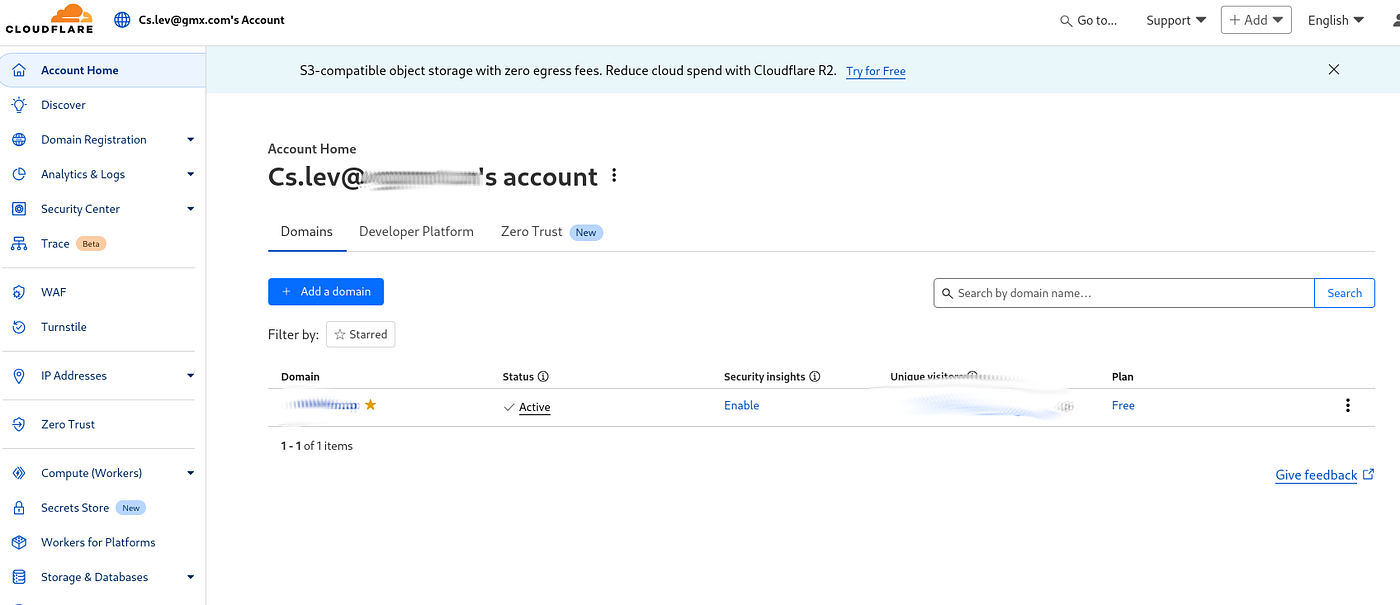
Second fix need is the Cloudflare’s Bot Fight Mode blocking the extension’s “non-browser” requests (because my remote access is based on cloudflared).
In a nutshell, we need to create a rule, which makes certain type of request to be skipped by the WAF (Web Application Firewall). Add one rule to match exactly on the main domain or you can specify it to the /api if you want to have the WAF to be working for the main domain.

Cloudflare’s one dashboard -> Security -> Security rules
Then, select the components to be skipped, and viola’.
Got the model list working. Sent the first chat prompt. Hit exactly the same startswith error. The issue is clear and added to the issue tracker quite fast (https://github.com/open-webui/open-webui/issues/24550). The main latest version is not yet patched, but if you migrate from the latest tag to dev tag for the containerized webui image, then everything works!
The lesson buried in this whole mess
Running your own infrastructure means owning the gap between what tools expect and what your backend gives them. Cloud services paper over these gaps with armies of engineers; self-hosted stacks expose every seam. That’s the cost of control, and most of the time it’s worth paying — but every once in a while, the seam is sharp enough to draw blood. The Worker fix is exactly the kind of thing you have to be willing to write when you opt out of the managed-service ecosystem.
It also tells you something about Open WebUI’s history. The chat_id middleware exists because the project grew up as a browser frontend, with chat sessions as a first-class concept. Treating it as a general-purpose API gateway is a more recent use case, and the assumptions baked into the original design — like "of course every request has a chat_id, it came from our frontend" — don't survive contact with OpenAI-spec clients that have never heard of such a field.
This will get fixed. The whole point of writing it up is that someone reading this in three months might already be on a version where none of this applies. Which would be great.
What you’ve actually built
Step back for a second and look at what this stack now is.
Two Ollama instances, each tuned for the job it’s doing. The text engine pinned to VRAM, 128K context, ready for agentic multi-step work without going silent mid-task. The vision engine on a short leash, unloading after ten minutes, optimised for OCR and image reasoning. Both sharing one GPU politely, neither stepping on the other.
One Open WebUI in front. Single port. Single subdomain. Real authentication via API tokens. Per-user model access if you want it. Audit trail of who used what model when. And — crucially — a transparent abstraction: your IDE, your scripts, your agents, your friends, none of them ever need to know there are two backends. They send a request, they get a response, the routing happens invisibly.
The Ollama ports stay closed to the world. They’re Docker-internal. The only thing reachable from outside your machine is Open WebUI on 3000 — which you can put behind nginx + Let’s Encrypt + mTLS if you really want to be a Part-16 overachiever, or just a Cloudflare tunnel if you’re behind NAT, or just leave on the LAN if you only ever access it from home. Whatever you do, Ollama itself never gets exposed. That’s the win.

Simplified architecture — image generated via nano banana
And here’s the part I didn’t expect when I started: I’m spending way less time tuning configs. Because the two profiles are now isolated, when I want to bump context on the text instance I just edit one container’s .env. The vision side doesn’t care. The vision side keeps doing vision things. Nothing leaks across.
What I’d still like to fix
Open WebUI isn’t perfect. The load-balancing between multiple Ollama instances that happen to serve the same model is still pretty basic — historically it picks at random, and the smart-routing work that polls /api/ps to prefer instances where the model is already loaded is a fairly recent (and ongoing) discussion in the project. For my setup it doesn’t matter, because my two instances host different models, so there’s no routing decision to make. But if you’re scaling out for concurrent users hitting the same big model, that’s a known sharp edge — keep an eye on it.
The per-user model visibility feature is real, but the wording in the admin UI hides some surprises. “User can’t select this model” isn’t the same as “User can’t see this model exists.” Do the homework. Test it with a non-admin account from an incognito window before you hand out keys to anyone you don’t fully trust.
And — this should go without saying, but I’ve seen too many home labs to assume — please use a real password on the admin account. Disable open sign-ups. Set WEBUI_AUTH=true (it is by default in current builds, but verify). The whole point of putting Open WebUI in front is that it becomes the only thing facing the internal network or the internet. If the only thing facing the internet has admin/admin, you have built an extremely sophisticated foot-gun.
The biggest open item, of course, is the chat_id middleware issue from the section above. I hope when you read this, it is already solved, but as of writing, every OpenAI-compatible client that doesn't let you inject custom body fields — which is most of them, including GitHub Copilot — needs a workaround to reach this stack. The Cloudflare Worker fix is fine for now and probably for the next few months, but the right fix is upstream: either making /v1/chat/completions actually accept POSTs the way the docs describe, or relaxing the /api/chat/completions middleware so a missing chat_id doesn't crash it. I'm watching for both. If you're reading this and Open WebUI has shipped the fix, please go disable your Worker — leaving in working patches forever is how technical debt is born.
Where to go from here
If you’ve been running a single Ollama and squinting at confusing logs, copy the compose above, tweak the IPs in your .env, point your tools at port 3000 instead of 11434, and watch the difference. The combination of task-specialised Ollama instances and Open WebUI as access-control gateway is one of those setups where the first time you use it you wonder how you ever did without it.
Some ideas already sitting in my backlog:
- A third instance for embeddings. RAG workflows want a tiny model with massive throughput and
OLLAMA_NUM_PARALLEL=4or higher. That’s a completely different tuning profile again — three instances, three tunings, one gateway. - Per-user rate limiting at the Open WebUI layer. Right now any valid API key can hammer the cluster as hard as it likes.
- Auditing the routing. I’d love proper logs showing which Ollama backend served which request — partly for debugging, partly because watching the gateway do its thing is genuinely satisfying.
For now though, this is the stack I run every day. One GPU. Two brains. One door. One key per person (even if the number of persons is just one now).
Your models. Your hardware. Your gateway. Your keys. Your call who gets to use them.
Tags: #Ollama #OpenWebUI #SelfHosted #LocalLLM #DGXSpark
메타데이터
- post_id
- da276cbbe0ba
- slug
- one-ollama-is-not-enough-multi-instance-ollama-open-webui-gateway-for-text-and-vision-models-da276cbbe0ba
- url
- https://medium.com/codex/one-ollama-is-not-enough-multi-instance-ollama-open-webui-gateway-for-text-and-vision-models-da276cbbe0ba
- canonical_url
- https://medium.com/codex/one-ollama-is-not-enough-multi-instance-ollama-open-webui-gateway-for-text-and-vision-models-da276cbbe0ba
- author_url
- https://medium.com/@cslev
- status
- ok
- fetched_at
- 2026-06-09 15:37:30