Have Fun With Styles You Create in AI Art
Building reusable styles from images, prompts, and trial and error
Have Fun With Styles You Create in AI Art
Building reusable styles from images, prompts, and trial and error
I love AI art. I love seeing it and creating it. On Facebook, I’m mostly an anti-Trump keyboard warrior and, when there’s a protest nearby, a protester. That means there isn’t much interest in the artwork I make right now. Instead of forcing it, I’ve focused on learning. Eventually this stretch will end, and I’ll be able to share art again instead of arguments.
Using Styles Can Really Improve Your AI Art Game
If you break styles down to their most basic part, it is as easy as saying “I want you to reproduce my dog’s photo (see photo) in the style of Leonardo Da Vinci.” But like many things, they are as simple or complex as you make them.
This image that you see right here was created by asking for grass and rocks with mushrooms on it. Then I asked for a background in that style. I really had no idea what to expect from it, but I really like it!!
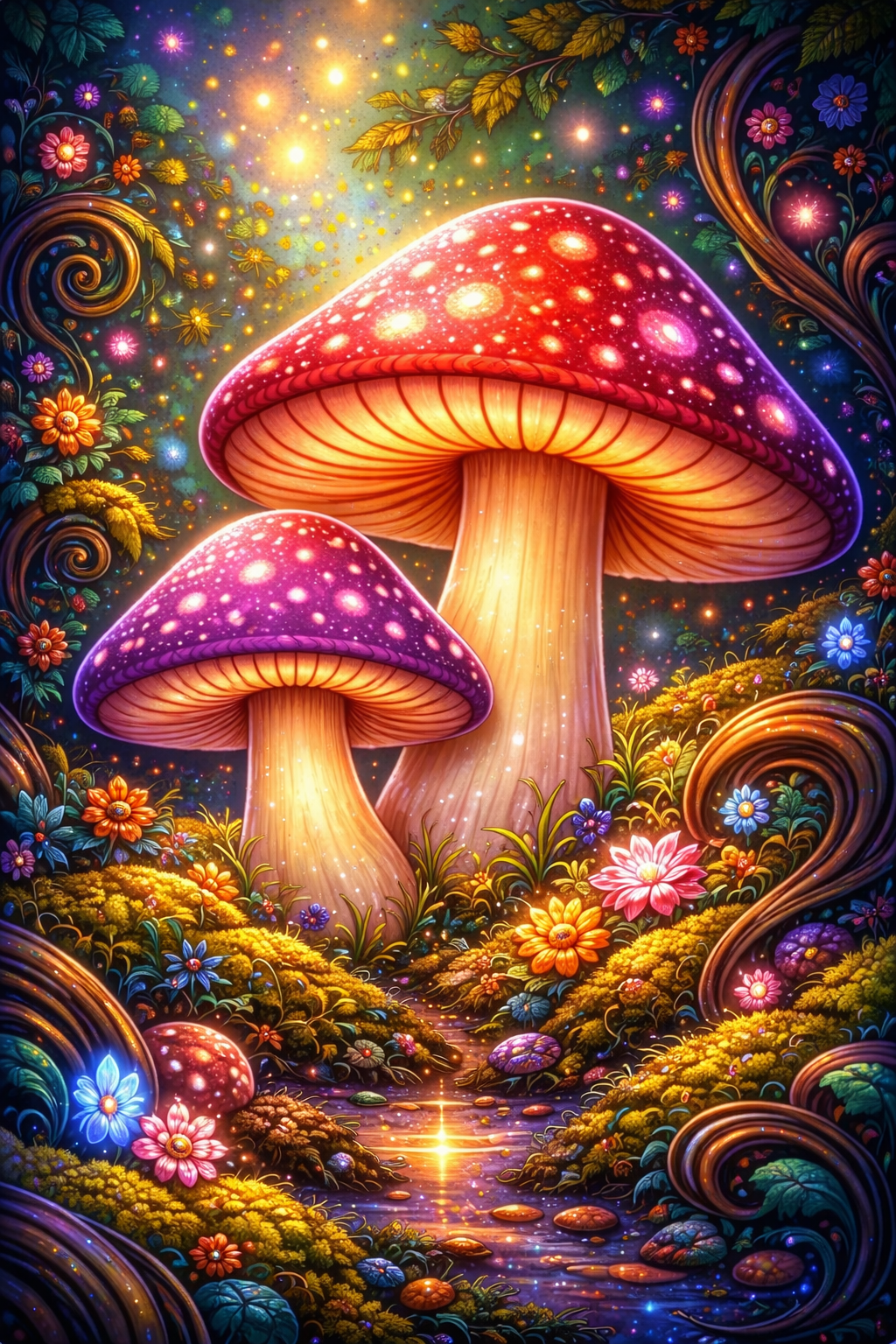
A field of grass and rocks with several mushrooms on it. The background is done in this style. Create a whimsical psychedelic folk illustration filled with joyful surreal characters and dense ornamental details. Use vibrant saturated colors, rounded sculpted forms, spiral patterns, and smooth illustrative textures. The scene should feel like a lively fantasy diorama, playful, decorative, and richly detailed with no empty space.
Until then — and probably after — I’ll keep building GPTs, making AI art, and entering challenges on NightCafe.
Creating a style from an image is straightforward. I use a GPT that analyzes a photo and generates a style prompt. If I like the result, I save it in a Word document for later use. Over time, this builds a personal library of styles I can reuse and refine.
You don’t need anything complicated to start. A prompt can be as simple as: “Create a fish swimming through multicolored swirls of water in the style of this image,” or “Create a style from this image,” referring to the photo you uploaded. Save the outputs somewhere searchable — Word or Excel works fine.

A Betta Splendens with colorful swirls By TandA
Create a background of multi-color surreal twirls in a multi-color background with a resplendent Betta Splendens swimming over it.
Another approach is replication. Some artists share their prompts. Others don’t, which means you study the image and try to reverse-engineer it. My first attempt at duplicating another artist’s work produced an image I genuinely liked. That was enough to keep going.
If you have ChatGPT Pro or Plus, check out the GPT that’s linked as Visual Style System Builder. It really simplifies creating styles. I’d like to know what you think of it. If you have any suggestions.
메타데이터
- post_id
- da5e83d33f51
- slug
- have-fun-with-styles-you-create-in-ai-art-da5e83d33f51
- url
- https://medium.com/creating-custom-gpts/have-fun-with-styles-you-create-in-ai-art-da5e83d33f51
- canonical_url
- https://medium.com/creating-custom-gpts/have-fun-with-styles-you-create-in-ai-art-da5e83d33f51
- author_url
- https://medium.com/@ttrimm
- status
- ok
- fetched_at
- 2026-06-21 12:17:11