OpenClaw Error -control ui requires device identity (use https or localhost secure context)
I hit this error while hosting OpenClaw on a VPS, and the fix was not inside the app code.
OpenClaw Error -control ui requires device identity (use https or localhost secure context)
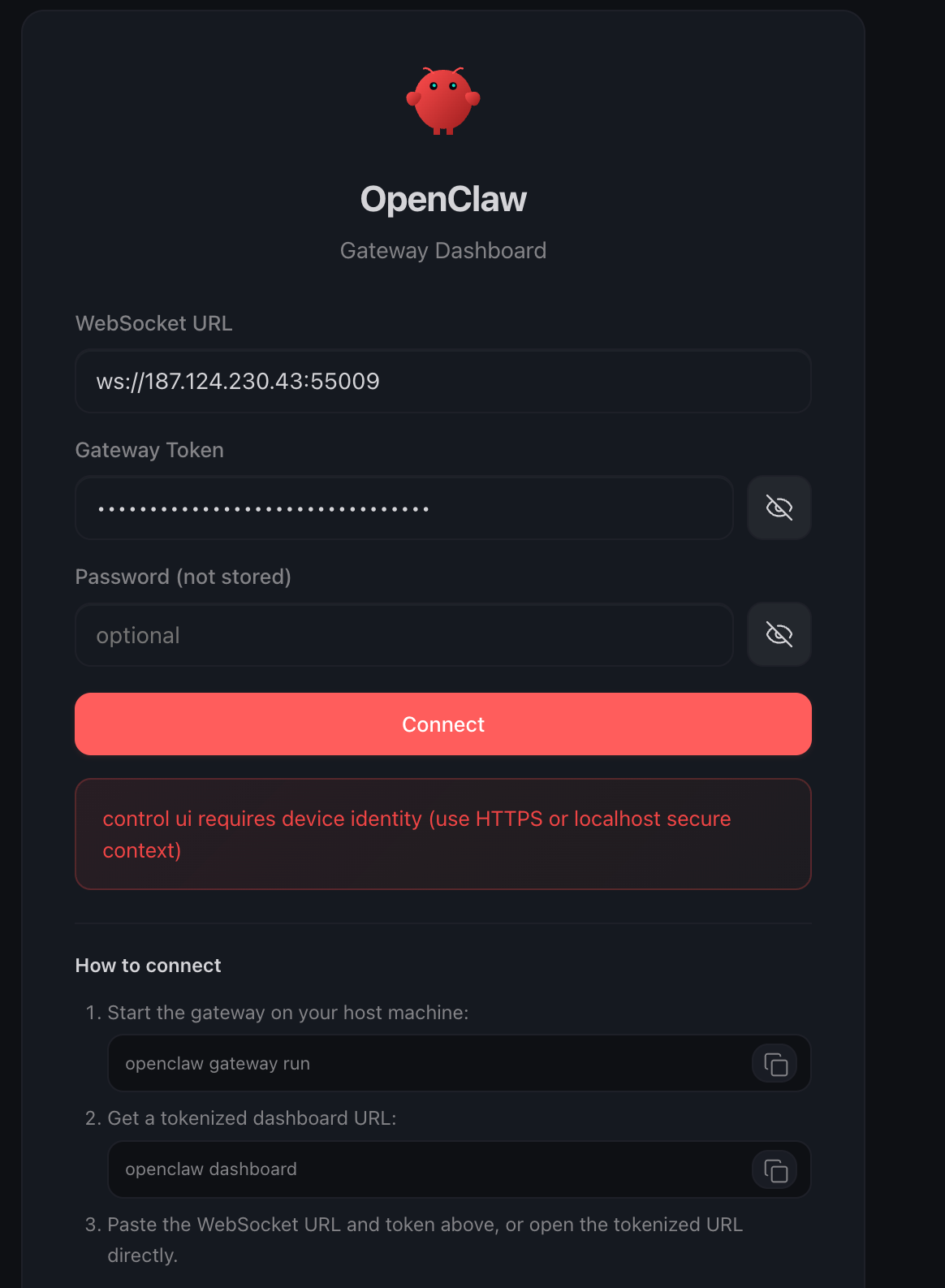
I hit this error while hosting OpenClaw on a VPS, and the fix was not inside the app code.
The issue was infrastructure.
If you’re seeing:
control ui requires device identity (use https or localhost secure context)
this post will save you from wasting hours debugging the wrong layer.
The actual reason this error happens
This error usually appears when the browser is trying to access a feature that requires a secure context.
That means the app must be opened through either:
https://- or
localhost
If you open the app like this:
http://your-vps-ip:55009The browser treats it as insecure.
And when a UI needs browser features tied to device identity / secure APIs, those features will fail.
So the problem is not necessarily OpenClaw itself.
The real problem is:
- The app is being served over plain HTTP or It is being accessed directly by IP + port instead of through a proper HTTPS reverse proxy
Deploy Traefik as a reverse proxy
Instead of exposing OpenClaw directly on a raw port, I put it behind Traefik.
Once OpenClaw was served through HTTPS, the error disappeared.
Why Traefik fixes it
Traefik sits in front of your app and handles:
- Incoming web traffic
- SSL / TLS certificates
- Routing requests to the right container
So instead of this:
http://your-vps-ip:55009you serve it like this:
https://your-domain.comThat one change matters a lot.
Because now the browser sees the app as a secure origin, which unlocks the APIs the Control UI depends on.
That’s the entire difference.
Important lesson: the app was not the real problem
This is where people waste time.
When they see this error, they start debugging:
- Frontend code
- CORS
- Auth settings
- Environment variables
- Docker container logs
- Browser cache
Most of that is noise.
If your app needs a secure browser context, and you are opening it via:
http://IP:PORTyou are already losing.
The browser is doing exactly what it is supposed to do.
The extra issue I hit while deploying Traefik
When I first deployed Traefik, it kept crashing.
The logs showed:
listen tcp :80: bind: address already in useRoot cause:
Nginx was already running on port 80
So Traefik could not start because both were trying to use the same port.
That meant I had two reverse proxies fighting each other:
- Nginx
- Traefik
That is bad architecture unless you intentionally designed for it.
Fix:
I stopped and disabled Nginx so Traefik could own ports 80 and 443.
After that, Traefik started normally and OpenClaw worked correctly behind HTTPS.
Conclusion
If you are hosting OpenClaw on a VPS and you get:
control ui requires device identity (use https or localhost secure context)
the fix is:
Put it behind HTTPS using Traefik (or another proper reverse proxy).
That’s what actually solved it for me.
✨ If this article helped you in fixing similar issues , follow me on Medium, LinkedIn, Github to stay updated with more content! 🚀
메타데이터
- post_id
- dad04df4f784
- slug
- openclaw-error-control-ui-requires-device-identity-use-https-or-localhost-secure-context-dad04df4f784
- url
- https://medium.com/@mikhela65/openclaw-error-control-ui-requires-device-identity-use-https-or-localhost-secure-context-dad04df4f784
- canonical_url
- https://medium.com/@mikhela65/openclaw-error-control-ui-requires-device-identity-use-https-or-localhost-secure-context-dad04df4f784
- author_url
- https://medium.com/@mikhela65
- status
- ok
- fetched_at
- 2026-07-15 00:52:38




