How to Remotely Access your EC2 Instance(or any servers)
Have you ever needed to control a remote server from your own machine? This is where SSH comes in.
How to Remotely Access your EC2 Instance(or any servers)
Have you ever needed to control a remote server from your own machine? This is where SSH comes in.

Not that😅 Secure Shell (or SSH) is a network protocol that provides a secure, encrypted connection between two computers over an unsecured network.
In other words, I could use your system from my system. There are several authentication methods in SSH, but in practice, the two commonly used ones are:
- Password Authentication
- The user logs in using a username and password.
- If the server password is weak, there is a higher chance of it to be hacked
- Public Key Authentication
- The user has a private key, and the server stores the corresponding public key.
- This method is more secure compared to password-based authentication, as the private key is not shared and cannot be easily guessed.
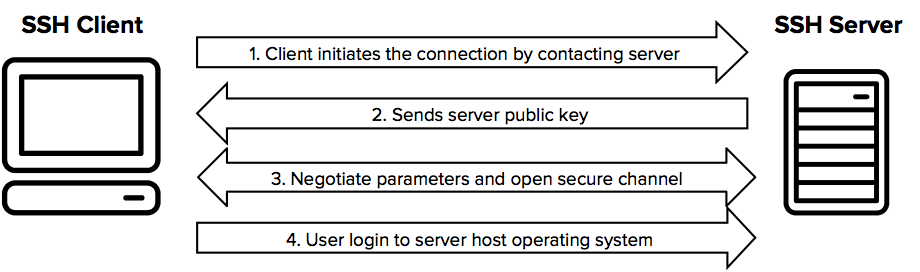
How to Connect with the Server
Method 1: Requirements:
- pem file path(or Password)
- username
- IP address
General Format:
ssh [options] [user@]hostname [command]
Public Key Authentication:
Example: ssh -i “clipNote.pem” ubuntu@13.238.42.132 Password Authentication:
Example:ssh user@example.com
Method 2: Using the AWS Console (Beginner-Friendly)
- Go to EC2 in your AWS console
- Select your instance
- Click Connect
- Choose the “SSH client” tab and follow the instructions displayed.
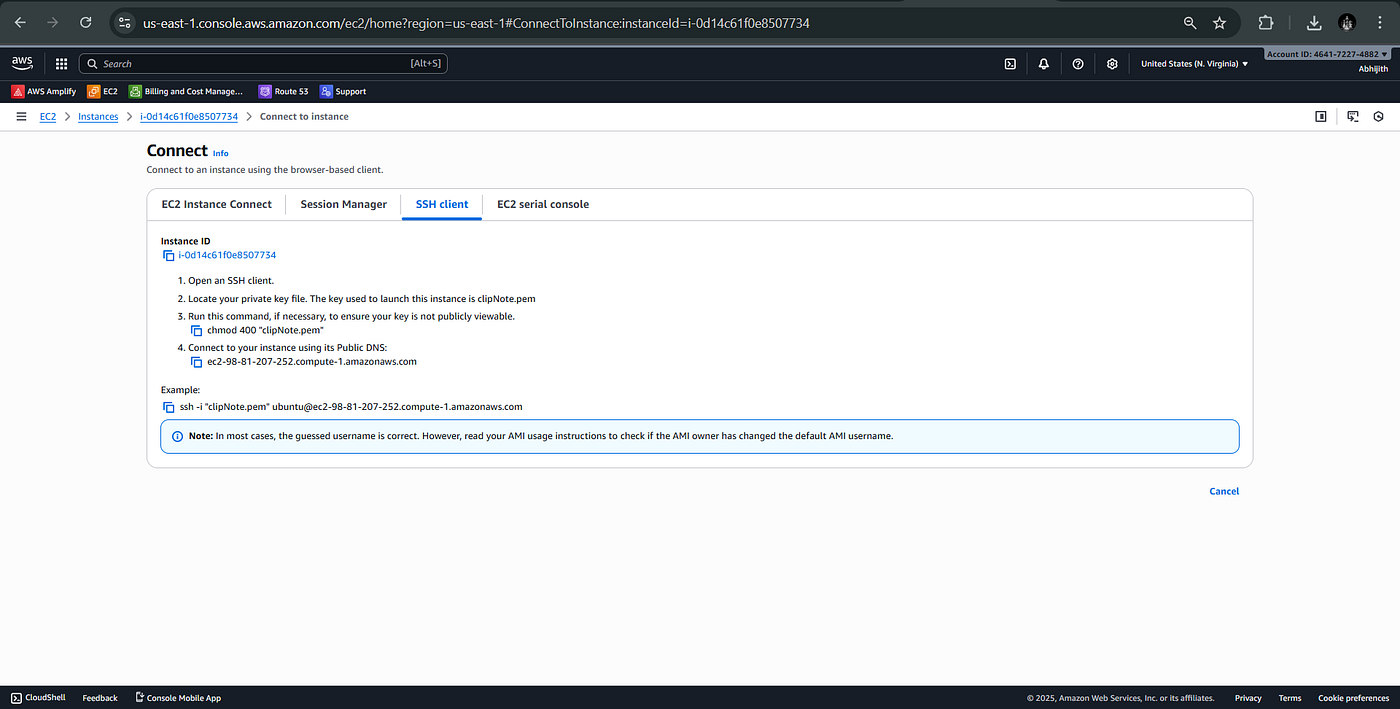
You could use the example:
ssh -i “clipNote.pem” [ubuntu@ec2–98–81–207–252.compute-1.amazonaws.com](mailto:ubuntu@ec2-98-81-207-252.compute-1.amazonaws.com) Before running this command, ensure your terminal is in the directory where the .pem file is stored.
The .pem key should be generated at the time you launch the EC2 instance.
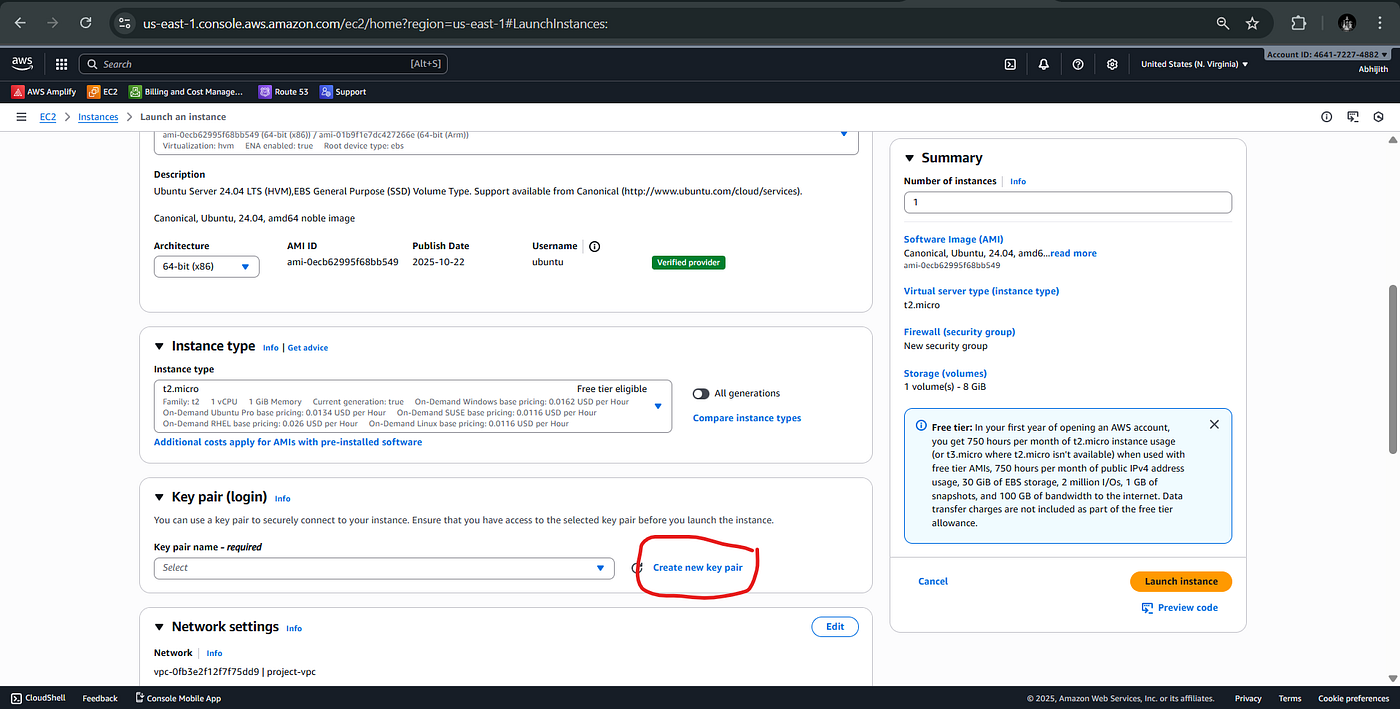
(I’ll explain how to create and add SSH keys to an existing server in the next post.)
메타데이터
- post_id
- dbb4c8bfae7d
- slug
- how-to-remotely-access-your-ec2-instance-or-any-servers-dbb4c8bfae7d
- url
- https://medium.com/@abhijithmr581/how-to-remotely-access-your-ec2-instance-or-any-servers-dbb4c8bfae7d
- canonical_url
- https://medium.com/@abhijithmr581/how-to-remotely-access-your-ec2-instance-or-any-servers-dbb4c8bfae7d
- author_url
- https://medium.com/@abhijithmr581
- status
- ok
- fetched_at
- 2026-06-21 19:25:17


