Network Footprinting
This guide contains activity-based examples of network footprinting using Nmap, Tracert, and Netcat. It deals only with practical commands…
Wiki topics:
🥊 · Combat Sports
Network Footprinting
This guide contains activity-based examples of network footprinting using Nmap, Tracert, and Netcat. It deals only with practical commands and their outputs and, therefore, assumes we have permission to scan the target network. Under no circumstance should one proceed without adherence to the law and ethics. Nmap: Host Discovery, Port Scanning, and Service Detection
Host Discovery
nmap -sn ip
- Scans the ip/ subnet to find live hosts.

Port Scanning
nmap -p 1–1000 ip
- Scans ports 1–1000 on ip

Service and Version Detection
nmap -sV 192.168.1.10
- Detects services and their versions on open ports.

OS Detection
nmap -O 192.168.1.10

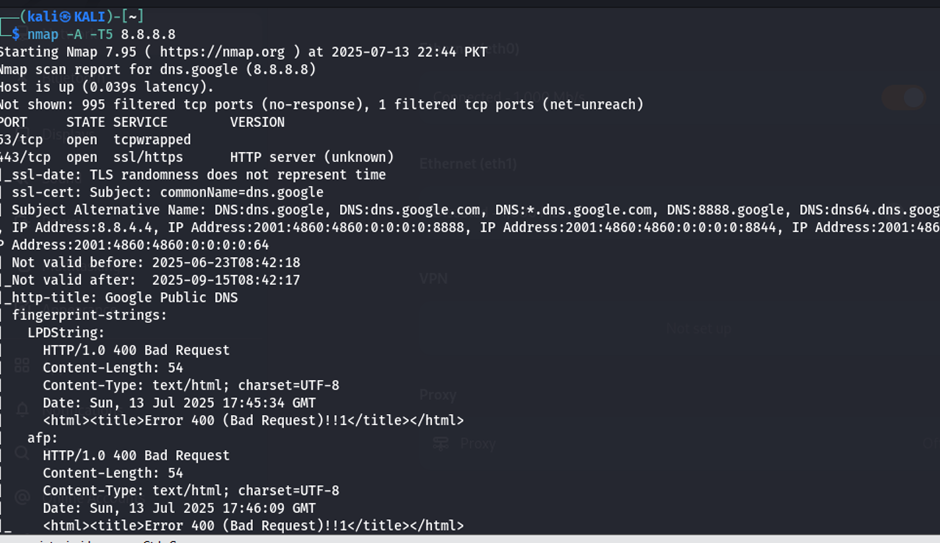
Comprehensive Scan
nmap -A -T4 192.168.1.10
- Performs aggressive scan (OS, version, script, traceroute).
Tips:
- Use -T4 for faster scans, -T5 for very fast (but noisier).
- Scan specific ports: nmap -p 22,80,443 192.168.1.10.

2. Traceroute: Mapping Network Paths
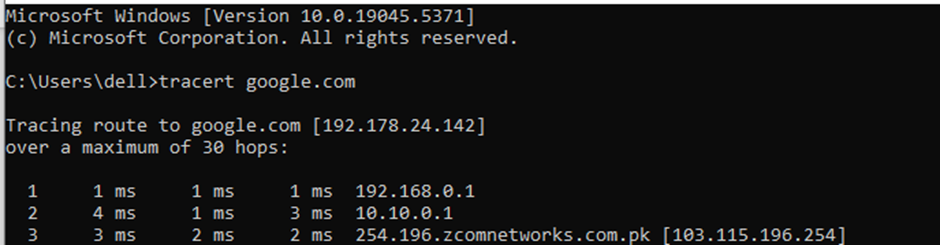
Basic Path Tracing
traceroute google.com
- On Windows: tracert google.com.
- Traces the route to google.com, showing each hop.
Limit Hops
traceroute -m 10 google.com
- Limits trace to 10 hops.

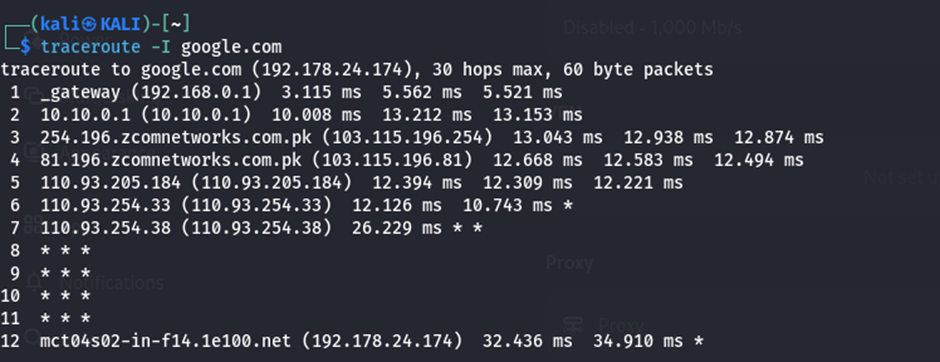
Specify Protocol
traceroute -I google.com
- Uses ICMP instead of UDP for tracing (may bypass some firewalls).
- Output similar to basic traceroute but with ICMP packets.
Tips:
- Use -n to skip DNS resolution: traceroute -n google.com.

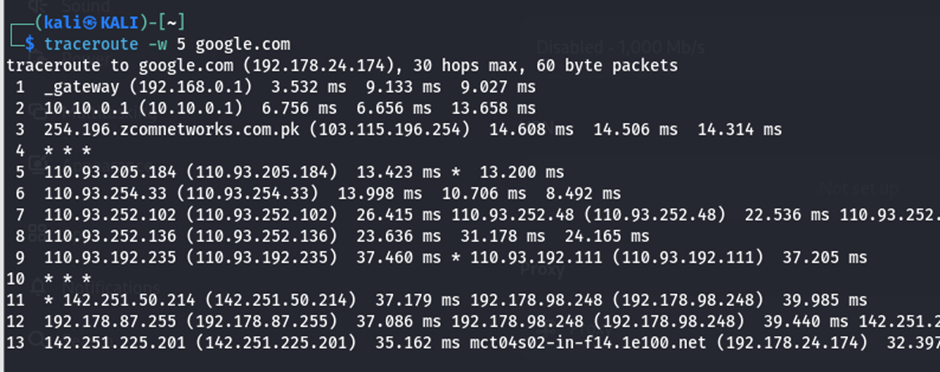
- Increase timeout for slow networks: traceroute -w 5 google.com.
Practical Workflow
- Discover Hosts: Use nmap -sn 192.168.1.0/24 to find live devices.
- Scan Ports and Services: Run nmap -sV -p- 192.168.1.10 for detailed service info.
- Map Network Paths: Use traceroute 192.168.1.10 to understand network topology.
- Interact with Services: Use nc 192.168.1.10 80 to grab banners or test connectivity.
- Save Results: Store Nmap output (-oN) and Netcat interactions for analysis.
메타데이터
- post_id
- dbdcd2af0d35
- slug
- network-footprinting-dbdcd2af0d35
- url
- https://medium.com/@mazherimran6/network-footprinting-dbdcd2af0d35
- canonical_url
- https://medium.com/@mazherimran6/network-footprinting-dbdcd2af0d35
- author_url
- https://medium.com/@mazherimran6
- status
- ok
- fetched_at
- 2026-08-02 21:32:20