Why I modified JVM to get more information from the thread dump.
Hi, from the past couple of days, I was working on an issue where the Java process used to become too slow and unresponsive sometimes and…
Why I modified JVM to get more information from the thread dump.
Hi, from the past couple of days, I was working on an issue where the Java process used to become too slow and unresponsive sometimes and used to go back to the normal state after some time.
So I took multiple thread dumps and everything was fine. There was no deadlock. Since the issue was happening in production, I was not supposed to attach any JVM monitoring tools like VisualVM. Also, these tools run as a separate application, So this can’t monitor the thread status close to micro/nanoseconds precision. When there is a context switch at the CPU level for this (monitoring) application, I lose the information related to any changes JVM has undergone.
You can see that from the attached sample thread dump, Thread-1 is sleeping. But I don't know for how long? and what was its previous state?
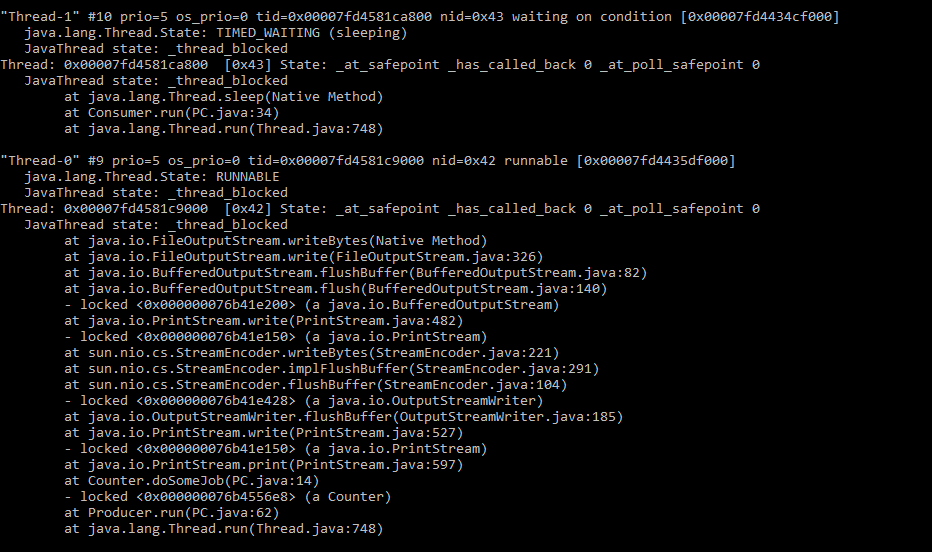
Basically I wanted to know what each thread was doing till the point I take thread dump. Whether it was running, blocked, waiting? If yes, how long? So, I thought what if I make each java thread to keep track of its own state. This level of precision I won't get from any other tools.
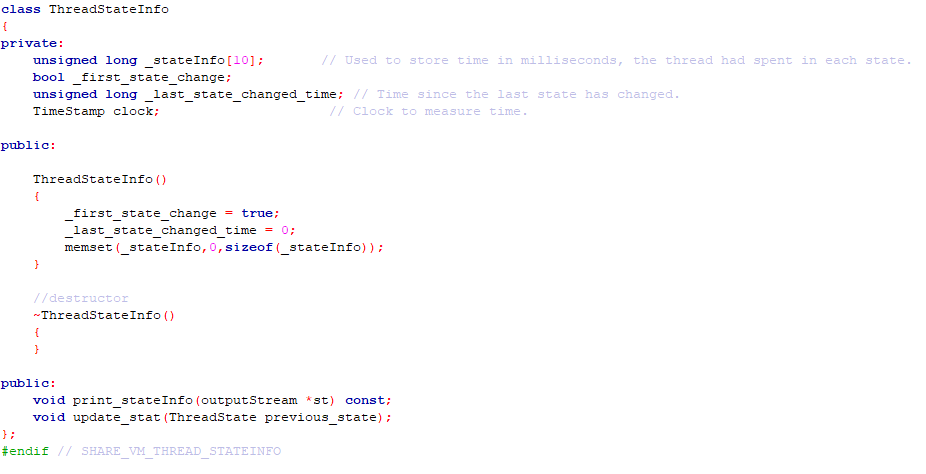
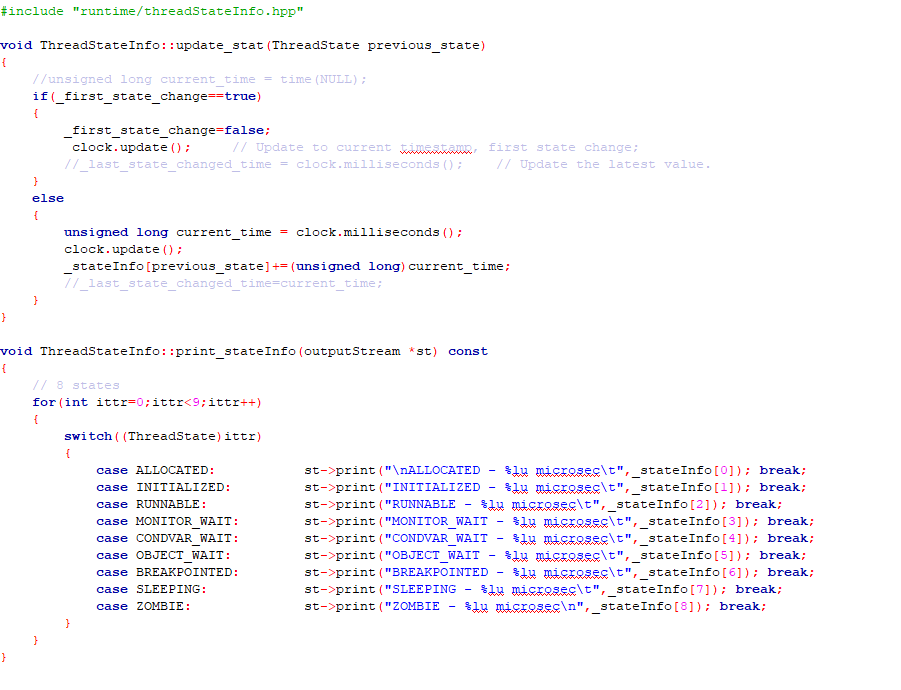
So I downloaded the open-source version Java source code from ( https://hg.openjdk.java.net/jdk8). Then I created a custom structure to store the information and I called it “threadStateInfo.cpp”. This class will store the previous state and for how long it was in the state. When the native thread state changes, the “update_stat()” function is called which updates the information. The “print_stateInfo()” function dumps the information.
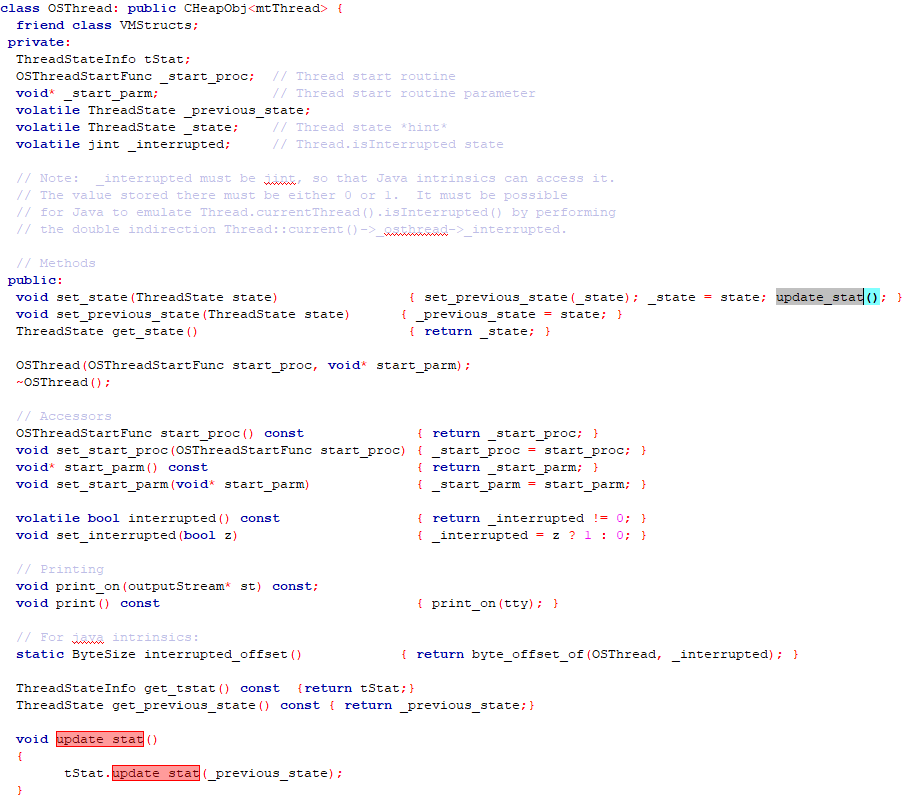
I need each thread to maintain the above information, So modified “runtime/osThread.hpp” which is responsible for creating native OS thread for each Java thread. Whenever the native thread wants to change its state, “set_state()” function is called, So I modified this function which will store the state and then call “update_stat()”.
So with these changes, I built the code, and then after running my program. Boom, I got the information I needed from thread dump.
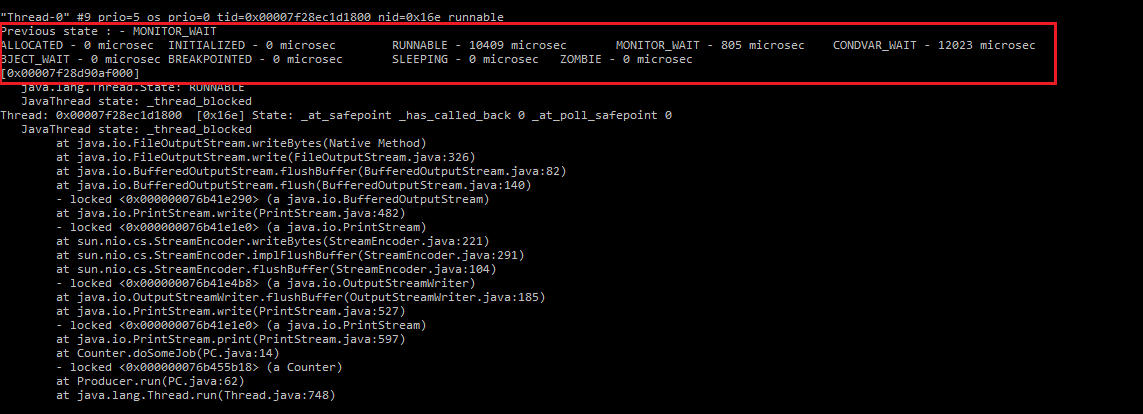
With this, I was able to figure out what the thread was doing and how long the thread spent in each state and what was its previous state. This helped me in troubleshooting the slowness issue easily.
메타데이터
- post_id
- dbfaef5df791
- slug
- why-i-modified-jvm-to-get-more-information-from-the-thread-dump-dbfaef5df791
- url
- https://medium.com/@karthikkalaghatgi123/why-i-modified-jvm-to-get-more-information-from-the-thread-dump-dbfaef5df791
- canonical_url
- https://medium.com/@karthikkalaghatgi123/why-i-modified-jvm-to-get-more-information-from-the-thread-dump-dbfaef5df791
- author_url
- https://medium.com/@karthikkalaghatgi123
- status
- ok
- fetched_at
- 2026-07-29 08:30:22