Qubits and Superposition — What the Math Actually Means
A practical guide to understanding quantum states through bra-ket notation and code
Qubits and Superposition — What the Math Actually Means
A practical guide to understanding quantum states through bra-ket notation and code

In this article, we’ll bridge the gap between the abstract mathematics of quantum computing and its practical implementation. We’ll explore bra-ket notation, create superposition states, and visualise them using Python. By the end, you’ll have a clear understanding of how quantum states are represented mathematically and computationally.
Setting Up Your Environment
Before diving into the code, let’s set up a proper Python environment. I’ll be using a virtual environment called medium_quantum_venv.
Environment Setup for Windows, Linux, and macOS
Windows:
python -m venv medium_quantum_venv
medium_quantum_venv\Scripts\activate
pip install numpy matplotlib qiskit
Linux/macOS:
python3 -m venv medium_quantum_venv
source medium_quantum_venv/bin/activate
pip install numpy matplotlib qiskit
Launch Jupyter Notebook:
jupyter notebookUnderstanding Bra-Ket Notation
Bra-ket notation is the standard mathematical language of quantum mechanics. Here’s what you need to know:
- Ket |ψ⟩ represents a quantum state as a column vector
- Bra ⟨ψ| represents the conjugate transpose (row vector)
- Inner product ⟨φ|ψ⟩ gives probability amplitudes
- Outer product |ψ⟩⟨ψ| represents operators
The simplest quantum state is the qubit, which can be in state |0⟩ or |1⟩:

Creating Basic State Vectors
Let’s implement our first quantum states in Python.
import numpy as np

# Define basis states
ket_0 = np.array([1, 0])
ket_1 = np.array([0, 1])

print("|0⟩ =", ket_0)
print("|1⟩ =", ket_1)
Expected Output:

The Power of Superposition
A qubit in superposition exists as a linear combination of both basis states:

Where α and β are complex numbers satisfying |α|² + |β|² = 1. The squared magnitudes represent probabilities of measuring the qubit in state |0⟩ or |1⟩.
Creating Superposition States
Let’s create the famous |+⟩ state: (|0⟩ + |1⟩)/√2
# Create superposition state |+⟩
alpha = 1/np.sqrt(2)  # Amplitude for |0⟩
beta = 1/np.sqrt(2)   # Amplitude for |1⟩

ket_plus = alpha * ket_0 + beta * ket_1

print("|+⟩ =", ket_plus)
print(f"\nProbability of |0⟩: {(np.abs(alpha)**2):.1f}")
print(f"Probability of |1⟩: {(np.abs(beta)**2):.1f}")
Expected Output:

Visualising Quantum States
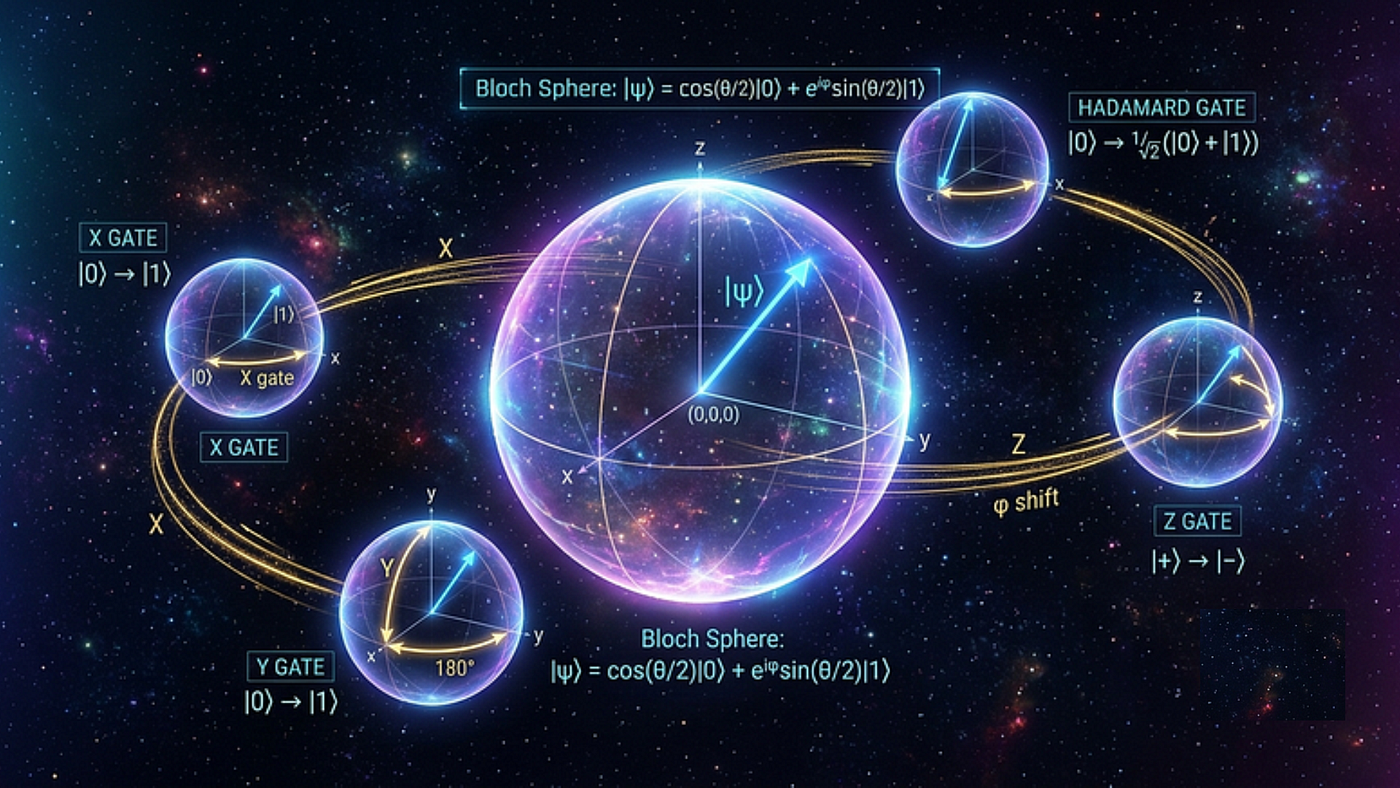
The Bloch sphere is the standard visualisation for single-qubit states. Let’s plot our superposition state on it.
Bloch Sphere Visualisation:
from qiskit.visualization import plot_bloch_multivector
from qiskit.quantum_info import Statevector

# Create the |+⟩ state
state = Statevector([1/np.sqrt(2), 1/np.sqrt(2)])

# Plot on Bloch sphere
plot_bloch_multivector(state)
Expected Output:

Creating Different Superposition States
Let’s explore multiple superposition states and their visual representations:
from qiskit.quantum_info import Statevector
from qiskit.visualization import plot_bloch_multivector

# Define several states
states = {
    '|+⟩': [1/np.sqrt(2), 1/np.sqrt(2)],
    '|-⟩': [1/np.sqrt(2), -1/np.sqrt(2)],
    '|i⟩': [1/np.sqrt(2), 1j/np.sqrt(2)],
    '|-i⟩': [1/np.sqrt(2), -1j/np.sqrt(2)]
}

# Plot each state
for name, amps in states.items():
    state = Statevector(amps)
    formatted = [f"{a:.2f}" for a in amps]
    print(f"{name}: {formatted}")
    plot_bloch_multivector(state)
Expected Output:

Mathematical Deep Dive: Understanding the Amplitudes
The complex amplitudes encode both magnitude and phase information. Let’s see how relative phase affects superposition:
import numpy as np
import matplotlib.pyplot as plt

# Create states with different phases
angles = [0, np.pi/4, np.pi/2, 3*np.pi/4, np.pi]
phase_states = []

for theta in angles:
    # State: (|0⟩ + e^(iθ)|1⟩)/√2
    amp = [1/np.sqrt(2), np.exp(1j*theta)/np.sqrt(2)]
    phase_states.append(amp)

    # Calculate measurement probabilities
    prob_0 = np.abs(amp[0])**2
    prob_1 = np.abs(amp[1])**2
    print(f"θ = {theta:.2f}: P(0) = {prob_0:.2f}, P(1) = {prob_1:.2f}")

# Visualize phase evolution
fig, ax = plt.subplots(figsize=(6, 6))
for i, state in enumerate(phase_states):
    ax.scatter(np.real(state[1]), np.imag(state[1]),
               label=f'θ = {angles[i]:.2f}', s=100)
ax.set_xlabel('Real Part of β')
ax.set_ylabel('Imaginary Part of β')
ax.set_title('Phase Evolution of |1⟩ Amplitude')
ax.grid(True)
ax.legend()
plt.show()
Expected Output:


Full Implementation Example
Here’s a complete notebook that puts everything together. You can find the full code at:
The notebook contains:
- All the code snippets above
- Additional examples of quantum operations
- Interactive visualizations
- Explanation of measurement and collapse
Conclusion
We’ve explored the mathematical foundations of quantum superposition through bra-ket notation and implemented it in Python. The key takeaways:
- Bra-ket notation provides a clean framework for quantum states
- Superposition is a linear combination of basis states
- Complex amplitudes encode both probability and phase information
- Visualisation tools help us understand abstract quantum states
The code we’ve written demonstrates these concepts practically, showing that quantum computing, while mathematically sophisticated, can be explored with relatively simple Python code.
Next Steps
To deepen your understanding:
- Implement quantum gates (X, H, Z) as matrices
- Create multi-qubit systems using tensor products
- Simulate quantum circuits with Qiskit
- Explore entanglement and Bell states
The complete notebook is available at the GitHub link above. Clone it, run the cells, and start experimenting with your own quantum states!
메타데이터
- post_id
- dc824f2e326f
- slug
- qubits-and-superposition-what-the-math-actually-means-dc824f2e326f
- url
- https://medium.com/@rahul.techarticles/qubits-and-superposition-what-the-math-actually-means-dc824f2e326f
- canonical_url
- https://medium.com/@rahul.techarticles/qubits-and-superposition-what-the-math-actually-means-dc824f2e326f
- author_url
- https://medium.com/@rahul.techarticles
- status
- ok
- fetched_at
- 2026-09-08 08:48:39