Linux Privilege Escalation for Beginners Part 3, NETOWRK ENUMERATION:
In the last blog, we explored user enumeration, learning how to identify who we are on the system and what permissions we have. Now, let’s…
Linux Privilege Escalation for Beginners Part 3, NETOWRK ENUMERATION:

In the last blog, we explored user enumeration, learning how to identify who we are on the system and what permissions we have. Now, let’s move forward to network enumeration. Network enumeration is very important because it helps us understand the IP architecture we are operating in, what devices we are interacting with, and what ports are open internally that might not be exposed externally. Essentially, it gives us the “lay of the land.” Here are a couple of basic commands to begin with:ifconfig
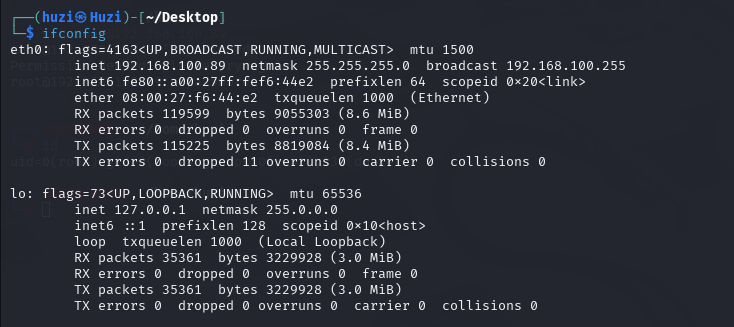
ip a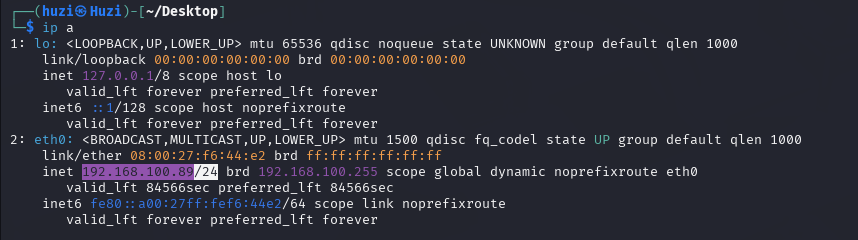
Sometimes, machines can be dual-homed, meaning they have more than one IP address — for example, one public and one private IP like 10.10.100.82. This allows the machine to communicate on two different networks simultaneously because it has multiple network interfaces configured.
This can also be true if the machine has multiple routes configured. To check the routes, you can run:
ip route
While there might only be one route visible here, there is the potential for other routes as well.
Another useful way to understand network communication is by checking the ARP (Address Resolution Protocol) tables, which tell us which devices we are communicating with on the local network. This can reveal machines that are talking to ours. You can check the ARP table using either of these commands:
arp -a
OR
ip neigh
Next, let’s take a look at the netstat command:
netstat -ano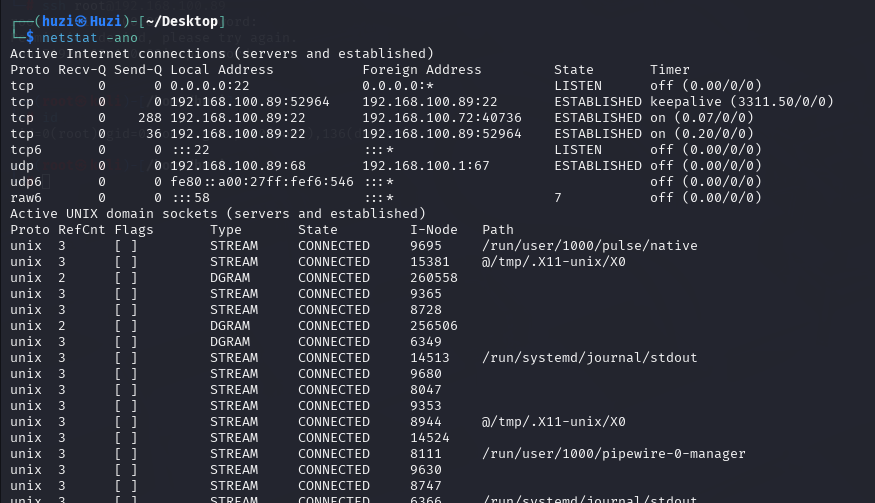
This command helps identify what ports are open and what active network connections exist. Imagine you have a shell on the machine and you run this command. You may see other machines connected to yours over different ports with established connections. This information can help you identify potential vulnerabilities or attack vectors between these machines — maybe there’s something you can exploit in the communication between them.
That’s it for this blog! Let’s move on to Password Hunting next. Please find the link below for the Password Hunting blog.
메타데이터
- post_id
- dcbbbc8aabfc
- slug
- linux-privilege-escalation-for-beginners-part-3-netowrk-enumeration-dcbbbc8aabfc
- url
- https://medium.com/@huzi093/linux-privilege-escalation-for-beginners-part-3-netowrk-enumeration-dcbbbc8aabfc
- canonical_url
- https://medium.com/@huzi093/linux-privilege-escalation-for-beginners-part-3-netowrk-enumeration-dcbbbc8aabfc
- author_url
- https://medium.com/@huzi093
- status
- ok
- fetched_at
- 2026-07-10 14:51:46


