pyenv install 3.6.6 でエラーが発生する。
macOS Mojave に pyenv install 3.6.6 でPython3系をインストールしようとしたらエラーが発生した。
pyenv install でエラーが発生する。
macOS Mojave に pyenv install 3.6.6 でPython3系をインストールしようとしたらエラーが発生した。
~ $ pyenv install 3.6.6
python-build: use openssl from homebrew
python-build: use readline from homebrew
Downloading Python-3.6.6.tar.xz...
-> https://www.python.org/ftp/python/3.6.6/Python-3.6.6.tar.xz
Installing Python-3.6.6...
python-build: use readline from homebrew
BUILD FAILED (OS X 10.14 using python-build 20180424)Inspect or clean up the working tree at /var/folders/d4/2z2crny959n4sbybccx45jhm0000gn/T/python-build.20181001145113.76758
Results logged to /var/folders/d4/2z2crny959n4sbybccx45jhm0000gn/T/python-build.20181001145113.76758.logLast 10 log lines:
File "/private/var/folders/d4/2z2crny959n4sbybccx45jhm0000gn/T/python-build.20181001145113.76758/Python-3.6.6/Lib/ensurepip/__main__.py", line 5, in <module>
sys.exit(ensurepip._main())
File "/private/var/folders/d4/2z2crny959n4sbybccx45jhm0000gn/T/python-build.20181001145113.76758/Python-3.6.6/Lib/ensurepip/__init__.py", line 204, in _main
default_pip=args.default_pip,
File "/private/var/folders/d4/2z2crny959n4sbybccx45jhm0000gn/T/python-build.20181001145113.76758/Python-3.6.6/Lib/ensurepip/__init__.py", line 117, in _bootstrap
return _run_pip(args + [p[0] for p in _PROJECTS], additional_paths)
File "/private/var/folders/d4/2z2crny959n4sbybccx45jhm0000gn/T/python-build.20181001145113.76758/Python-3.6.6/Lib/ensurepip/__init__.py", line 27, in _run_pip
import pip._internal
zipimport.ZipImportError: can't decompress data; zlib not available
make: *** [install] Error 1解決方法
xcode-select --installをやると良いらしい。しかし、ウチの環境では同じエラーとなった。 pyenv installの前に環境変数の設定が必要の模様。
CFLAGS="-I$(brew --prefix readline)/include -I$(brew --prefix openssl)/include -I$(xcrun --show-sdk-path)/usr/include" \
LDFLAGS="-L$(brew --prefix readline)/lib -L$(brew --prefix openssl)/lib" \
PYTHON_CONFIGURE_OPTS=--enable-unicode=ucs2 \
pyenv install -v 3.6.6
これで、ビルドができるようになった。
python-build: use openssl from homebrew
python-build: use readline from homebrew
/var/folders/d4/2z2crny959n4sbybccx45jhm0000gn/T/python-build.20181001145414.90277 ~
Downloading Python-3.6.6.tar.xz...
-> https://www.python.org/ftp/python/3.6.6/Python-3.6.6.tar.xz
/var/folders/d4/2z2crny959n4sbybccx45jhm0000gn/T/python-build.20181001145414.90277/Python-3.6.6 /var/folders/d4/2z2crny959n4sbybccx45jhm0000gn/T/python-build.20181001145414.90277 ~
Installing Python-3.6.6...
python-build: use readline from homebrew
configure: WARNING: unrecognized options: --enable-unicode
checking build system type... x86_64-apple-darwin18.0.0
checking host system type... x86_64-apple-darwin18.0.0
checking for python3.6... no
checking for python3... no
checking for python... python
・
・
・
Installed Python-3.6.6 to /Users/XXXXX/.pyenv/versions/3.6.6
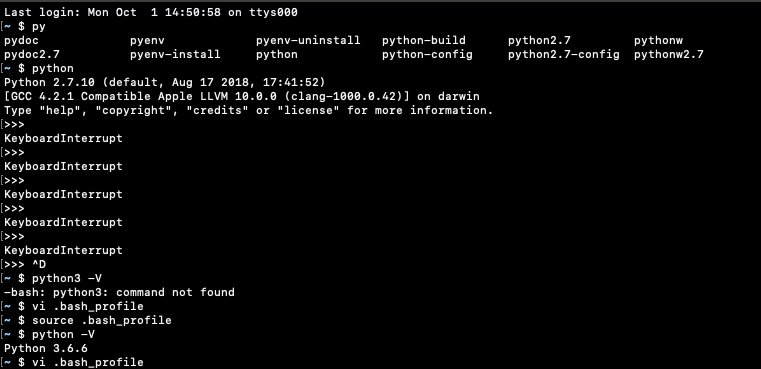
その後、次の手順で、python3系が使えるようになった。
$HOME/.pyenv/shims にパスを通す。
~ $ vi .bash_profile
export PATH=$HOME/.pyenv/shims:$PATH
.bash_profile を再読込する。
~ $ source .bash_profile最後にpython バージョン確認。
~ $ pyenv global 3.6.6
~ $ python -V
Python 3.6.6
参考
Can’t compile any versions of python on El Capitan · Issue #451 · pyenv/pyenv
메타데이터
- post_id
- dcbd28fdc9db
- slug
- pyenv-install-error-mac-dcbd28fdc9db
- url
- https://medium.com/@hdk2200/pyenv-install-error-mac-dcbd28fdc9db
- canonical_url
- https://medium.com/@hdk2200/pyenv-install-error-mac-dcbd28fdc9db
- author_url
- https://medium.com/@hdk2200
- status
- ok
- fetched_at
- 2026-06-15 20:49:13