How Server-Side Tracking Fixes iOS 14+ Data Loss for Meta Ads
You’re running a Meta Ads campaign. The ad account shows 34 purchases this week. Your Shopify dashboard shows 61. The difference is not a…
How Server-Side Tracking Fixes iOS 14+ Data Loss for Meta Ads

You’re running a Meta Ads campaign. The ad account shows 34 purchases this week. Your Shopify dashboard shows 61. The difference is not a glitch. iOS 14 broke client-side tracking in 2021 and the data gap has been widening ever since. Here is exactly why it happens and how to fix it.
This Is Not a Meta Ads Problem
Meta did not break your tracking. Apple did, and Meta had no choice but to comply. The iOS 14 App Tracking Transparency (ATT) framework forced Apple users to opt out of cross-app tracking by default. Since most people tapped “Ask App Not to Track,” the Meta Pixel lost the ability to fire on a huge portion of your audience.
The problem is not that Meta cannot track conversions. The problem is that your current setup relies entirely on a browser-based pixel that iOS 14+ users block at the device level. Until you move tracking off the browser and onto your server, you will keep flying blind on a significant portion of your buyers.
Why Meta Ads Lose Conversion Data After iOS 14
Reason 1: ATT opt-out blocks pixel fires. When an iOS user taps “Ask App Not to Track,” the Meta Pixel in the browser cannot collect or send any event data. The conversion happens, but Meta never sees it.
Reason 2: Safari Intelligent Tracking Prevention (ITP). Even iOS users who do not see the ATT prompt are protected by Safari ITP, which deletes first-party cookies in as little as 24 hours. If a user clicks your ad on Monday and buys on Tuesday, the attribution chain is broken.
Reason 3: Ad blockers and browser extensions. Roughly 40% of desktop users and a growing share of mobile users run some form of ad blocker. These tools kill pixel requests before they leave the browser.
Reason 4: Client-side pixel fires on page load, not on actual conversion. If a buyer closes the confirmation page before it fully loads, the pixel never fires. The sale happens, the pixel misses it.
Reason 5: Aggregated Event Measurement limits reporting. Meta’s AEM solution was built as a workaround for iOS 14, but it caps you at 8 conversion events per domain, delays reporting by up to 72 hours, and still cannot recover data that was never sent.
How to Diagnose Your Data Gap
Step 1: Compare Meta Events Manager to your backend. Open Events Manager and filter by the Purchase event for the last 30 days. Compare that number against actual orders in your store or CRM for the same period.
Step 2: Check your Event Match Quality score. In Events Manager, click on your Purchase event and find the Event Match Quality (EMQ) score. Anything below 6.0 means Meta cannot reliably match events back to real people.
Step 3: Look at your Pixel health. In Meta Business Suite, go to Events Manager and check for “Browser Only” next to your Purchase event. If you see no server label, you have no Conversions API setup at all.
Step 4: Run a deduplication check. If you recently added CAPI, check whether browser and server events are both firing for the same conversion. Duplicate events inflate your numbers just as much as lost events deflate them.
The Fix: Server-Side Tracking with Meta Conversions API
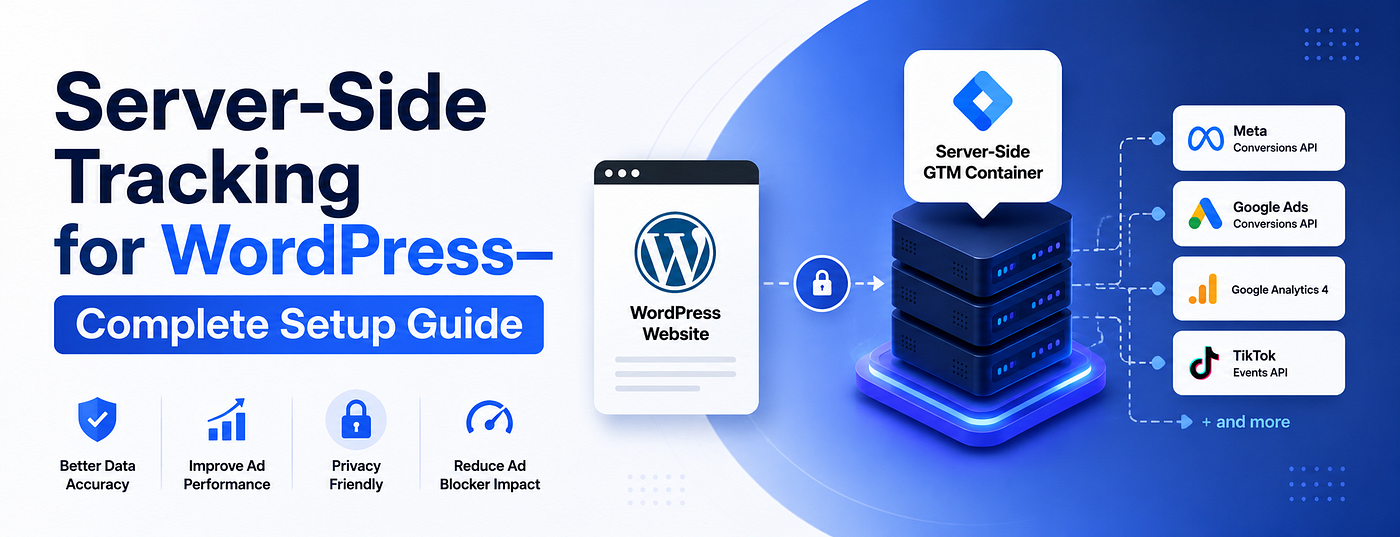
Step 1: Set up a server-side GTM container. Instead of firing the Meta Pixel from the user’s browser, you fire conversion events from your own server. The user’s browser never touches Meta directly. iOS restrictions cannot block a server-to-server call.
Step 2: Configure the Meta Conversions API tag in your server container. Using GTM server-side, create a Meta CAPI tag. Set it to trigger on the same events as your browser pixel: Purchase, Lead, AddToCart. Pass the event_id parameter to enable deduplication.
Step 3: Send hashed customer data with every event. Server-side tracking lets you pass email, phone number, first name, last name, and city with each event. Meta hashes this data and uses it to match conversions back to real user accounts, even without a cookie. This is what pushes your Event Match Quality score above 8.0.
Step 4: Set up deduplication between browser and server. Both the pixel and CAPI should fire for every conversion, but they must share the same event_id. Meta uses this to count the conversion once, not twice.
Step 5: Verify in Test Events. Use Meta’s Test Events tool in Events Manager to confirm your server is sending events correctly. Check that customer data fields are arriving as hashed values, not plain text.
Full step-by-step guide here: Meta Pixel and Conversions API Setup
Client-Side vs Server-Side: What You Actually Recover
SignalBrowser Pixel OnlyBrowser + Server CAPIiOS 14+ opt-out usersNot trackedTracked via serverSafari ITP usersPartial (24hr cookie)Tracked via hashed dataAd blocker usersNot trackedTracked via serverEvent Match Quality4.0 to 6.0 typical7.5 to 9.0 typicalConversion recoveryBaseline20% to 40% more events
Real Use Case
A DTC skincare brand running Meta Ads came to me with a 2.1x reported ROAS and a 61% data gap between Meta purchases and Shopify orders. Their pixel was browser-only, no CAPI, Event Match Quality of 4.8.
After setting up server-side GTM with Meta CAPI, passing hashed email and phone with every Purchase event, and enabling proper deduplication, their Event Match Quality climbed to 8.6 within two weeks. Meta’s reported purchases went from 34 per week to 57 per week on the same ad spend. ROAS moved from 2.1x to 3.4x. The conversions were always happening. Meta just could not see them.
The lesson: your Meta Ads are probably performing better than the dashboard shows. You just need the infrastructure to prove it.
Pro Tips
Do not rely on Meta’s native CAPI integration from Shopify or other platforms. These integrations are often misconfigured, send duplicate events without proper deduplication, and do not let you control exactly what data gets passed. A proper GTM server container gives you full control over every event, every parameter, and every trigger.
Always pass at least 5 customer data fields with your Purchase event: email, phone, first name, last name, and country. Each additional field you pass increases your Event Match Quality score. A score above 8.0 is the threshold where Meta attribution becomes reliable again.
For the server container hosting, use Stape.io. It handles the infrastructure so you do not need a developer, and setup takes under 30 minutes.
I help marketing agencies and businesses build reliable tracking systems that capture accurate conversion data across the full funnel, from server-side tracking to full attribution fixes.
→ Full guides and tutorials: zubayerislam.com → Book a free consultation: zcal.co/zubayerislam01/consultation → Connect on LinkedIn: linkedin.com/in/zubayerislam01 → WhatsApp me directly: wa.me/8801735749155
메타데이터
- post_id
- dcd9ebf61aac
- slug
- how-server-side-tracking-fixes-ios-14-data-loss-for-meta-ads-dcd9ebf61aac
- url
- https://medium.com/@zubayerislam/how-server-side-tracking-fixes-ios-14-data-loss-for-meta-ads-dcd9ebf61aac
- canonical_url
- https://medium.com/@zubayerislam/how-server-side-tracking-fixes-ios-14-data-loss-for-meta-ads-dcd9ebf61aac
- author_url
- https://medium.com/@zubayerislam
- status
- ok
- fetched_at
- 2026-06-09 15:37:30