No coding — effortlessly replicate popular 3D studio applications
Recently, the AIGC community was once again captivated by a visually stunning application: the “3D Camera Control” app, built on the…
No coding — effortlessly replicate popular 3D studio applications
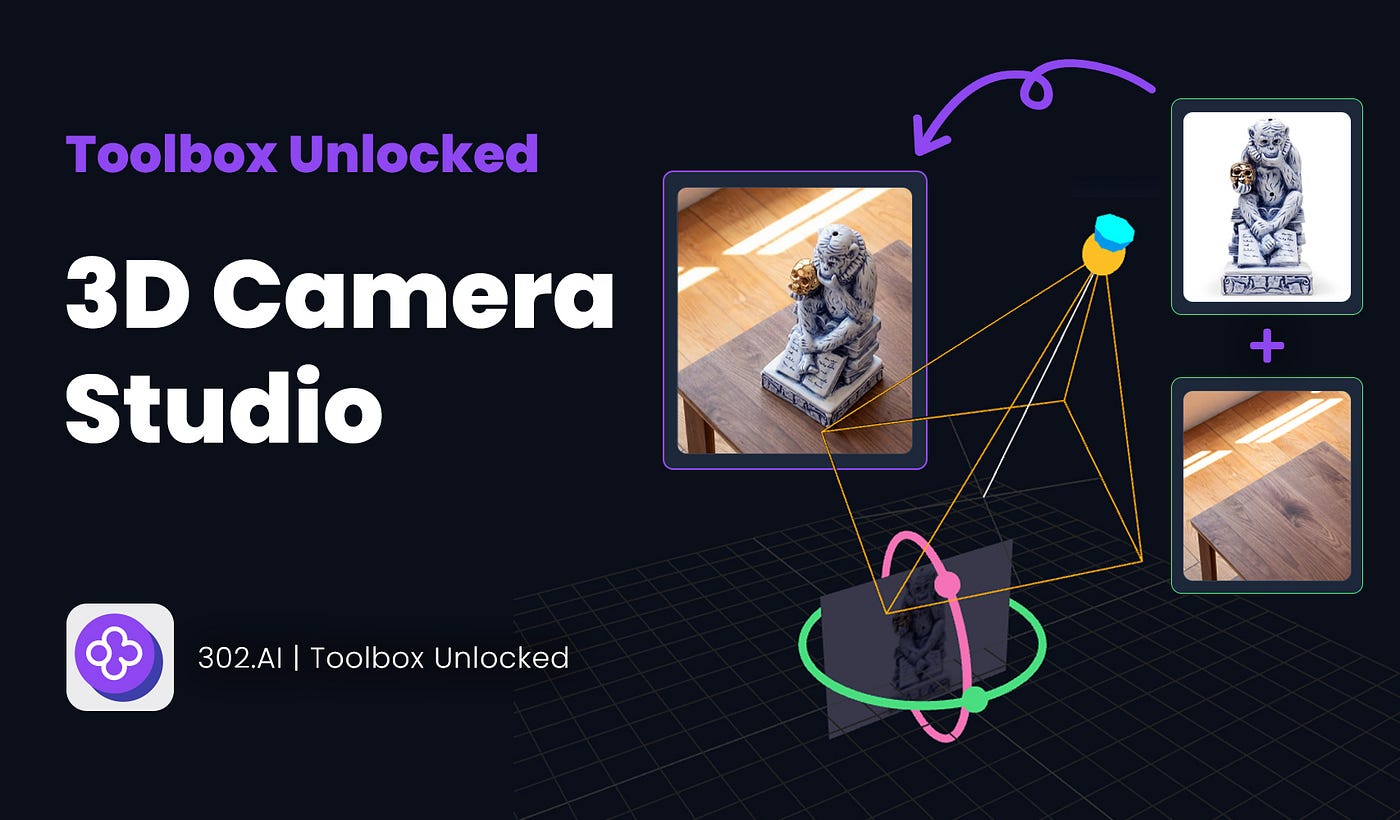
Recently, the AIGC community was once again captivated by a visually stunning application: the “**3D Camera Control” app, built on the underlying model of Qwen Image Edit 2511*, has gradually entered the public eye, sparking widespread admiration: “We can now freely move the camera in the AI world just as we operate a real camera.*”

For a long time, AIGC has been hindered by an anti-intuitive barrier: to adjust an angle, we need to first form a spatial concept in our minds and then write prompts. Want a high-angle view? You need to input “High angle view”; Or a side profile? You have to emphasize “Side profile”. This text-based blind box adjustment is not only inefficient but also extremely imprecise.

And this brand-new **3D Camera Control component completely breaks down this barrier. **It introduces a game engine-like visual interaction — users simply drag the mouse, rotate the virtual camera’s position, and lock the frame perspective. This WYSIWYG convenience has won praise from countless users accustomed to tedious prompts.
Visualised operations undoubtedly lower the user’s entry barrier. However, to achieve flawless, commercial-grade multi-angle rendering, the following core challenges must be addressed:
- Consistency and stability;
- Accurate spatial logic;
- World knowledge completion.
In summary, what we need is not just a rotatable virtual camera but, more importantly, a “visual magician” that can perfectly reconstruct the subject and maintain highly consistent details within this rotating perspective. When it comes to the above points, there is no doubt that the SOTA model **Nano Banana Pro** comes to mind.
So, can we combine the excellent UI interaction of the Qwen 3D Camera Control component with the more capable logic of the Nano Banana Pro model to achieve a strong synergy?
The answer is definitely, and the barrier to implementation is much lower than you think. No need for complex local deployment, no need to master any code. With the powerful and user-friendly Vibe programming model of the **302.AI Studio** client, we can easily achieve this requirement.
In this practical tutorial, we will skip the boring theory and guide you through hands-on operations with 302.AI Studio. We will demonstrate how to use the unique “Vibe” feature of the 302.AI client, using Claude Code in a cloud sandbox, to perfectly replicate a more powerful 3D Camera Control application.
First, let us view the results of several replicated 3D Camera Control applications.
Case 1: Product Image + Change Background
Test Objective: High-frequency needs of e-commerce designers, using a white background image to generate product photos with different angles and high realism.
Original Image: Ceramic incense burner product image x1, wooden table image x1

Use image model: Nano Banana Pro
Interface: Since the shooting angle of the table image is from a top-down view, in the camera control interface, match the lens angle with it and adjust it to a relatively reasonable angle range.

Finished image:

Comparison View: It once again makes me marvel at the power of Nano Banana Pro

Continue testing, switch to a background image taken from a relatively eye-level angle.

Finished image: Fully meets the level of direct delivery for use.

Case 2: Portrait + Change Background
For this round, we’re conducting a portrait test: place a white-background model photo into a real-life scene to create OOTD street-style photos.
Original image: White background model image x1, real scene background image x1


Finished image: High consistency, such as the ring on the person’s finger, the text content of the background shop, reaching the level of direct delivery for use.

Case 3: World Knowledge Ability Test
Test Point: Large-angle transformation, requiring AI to complete the unknown scene information in the original image, such as the rear of the car.


Final Effect: it accurately reproduces the details of the rear of the car, taillights, large spoiler, and the engine hood with openings.

Required Tools
Only: 302.AI Studio client.

The detailed tutorial from installation and registration to enabling the Vibe mode can be read in the previous article titled “The Beginner-Friendly Vibe Coding Tool: Zero Config, Any Model”
Start Vibe Coding: Project Recreation
1. Prepare the project’s prompt

Often, what hinders beginners from starting Vibe Coding is this step: How do I describe the application/website I want to create to the AI? But in fact, this step is particularly simple: let the AI provide it for you.
Here, I used GPT-5.2, providing the model screenshots of the website I needed to replicate and specific requirements (such as using the 302.AI Nano Banana Pro API for image generation), and after a moment, I received the complete and usable prompt.
2. Start AI Coding with Vibe Mode

First, select the LLM model you wish to use for programming. I’m using GLM-4.7 here. It’s affordable and smart.
Copy the complete prompt you just obtained; the rest is just waiting for the AI to notify you that it’s done. After normal testing, you can deploy and launch with one click.
Finished application: https://302.ai/product/detail/302ai-3D-Camera-Stuido
Now deployed and online, providing a convenient experience for 302.AI users.

Summary
Through this hands-on session, we have witnessed firsthand that with the assistance of 302.AI Studio, replicating an industrial-level “3D studio” application no longer requires a lengthy development cycle, and you don’t even need to write a single line of complex code.
As OpenAI co-founder Andrej Karpathy mentioned, Vibe Coding is fundamentally restructuring the paradigm of software development — the core concept is “fully immerse in the atmosphere, forget the existence of code.”
In the AI era, what can hold you back is no longer obscure syntax or complex environment deployments. You just need a versatile tool that can fully unleash your creativity, such as the 302.AI client.
메타데이터
- post_id
- dd7626dbbd65
- slug
- no-coding-effortlessly-replicate-popular-3d-studio-applications-dd7626dbbd65
- url
- https://medium.com/@302.AI/no-coding-effortlessly-replicate-popular-3d-studio-applications-dd7626dbbd65
- canonical_url
- https://medium.com/@302.AI/no-coding-effortlessly-replicate-popular-3d-studio-applications-dd7626dbbd65
- author_url
- https://medium.com/@302.AI
- status
- ok
- fetched_at
- 2026-06-22 05:41:33