Apple’s Unlisted App Distribution
Recently, I got the opportunity to distribute an iOS application using Apple’s Unlisted App Distribution, and I can say, it was an…
Apple’s Unlisted App Distribution
Recently, I got the opportunity to distribute an iOS application using Apple’s Unlisted App Distribution, and I can say, it was an interesting experience. While most developers are familiar with the standard methods — App Store, TestFlight, and Enterprise distribution — this relatively lesser-known option serves a unique purpose. If you’re in a situation where your app isn’t meant for the general public but still needs broader access that TestFlight allows, unlisted app distribution can be a good solution.
Why I Chose Unlisted App Distribution
In my case, we needed to distribute an internal app to employees and selected partners across different organizations, but we didn’t want it to appear publicly on the App Store. We also didn’t want the hassle of managing UDIDs or MDM solutions required for an Enterprise distribution. That’s where Apple’s unlisted app distribution came into play.
Here’s the workflow I went through
Preparing the App
- Before anything else, the app had to comply with Apple’s guidelines as it still goes through Appstore review.
- Application was built, tested, and signed just like a standard App Store submission.
Submitting the Request
- Apple requires you to submit a special request for unlisted distribution. This involves filling out a form explaining why your app needs to be unlisted and how it will be used.
- I had to provide details about the target audience, distribution method, and why a public App Store listing wasn’t suitable.
Approval & Link Generation
- Once approved, Apple converted the app to Unlisted status.
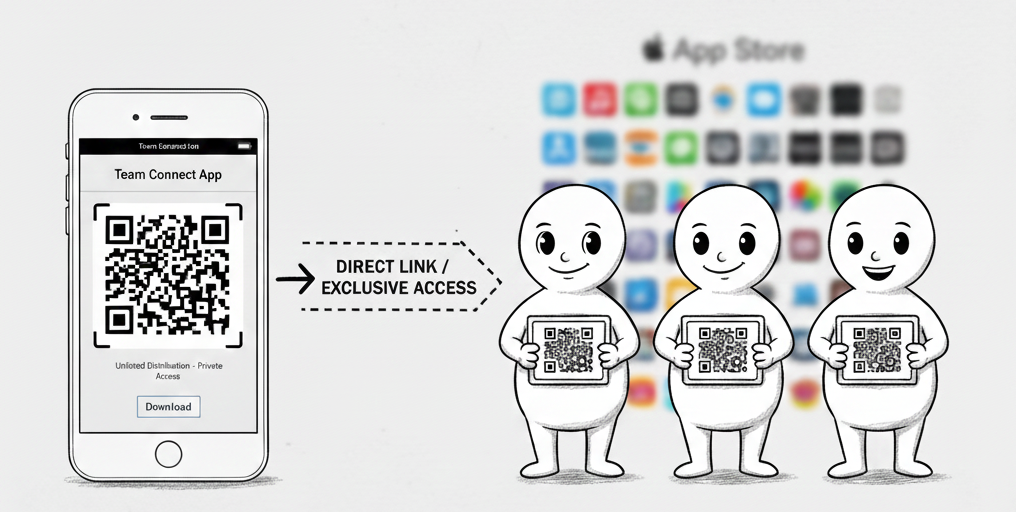
- Apple then provided a direct link to the app that could be shared with users.
- The app was not discoverable via search, categories, or recommendations in the App Store.
Challenges and Observations
- App Review Still Matters: Even though the app is unlisted, it still needs to pass Apple’s review process. Any issues or guideline violations can still lead to rejection.
- Link Access Control: While the app won’t show up in searches, anyone with the link can download it.
- Updates Work Like a Normal App Store App: Users receive updates just like any other app from the App Store, which is a big advantage over Enterprise distribution.
- Limited Use Cases: Apple is quite strict about approving unlisted apps only for certain scenarios — like limited audiences, event-based apps, or internal company use. It’s not a workaround for avoiding App Store scrutiny.
Final Thoughts
Overall, unlisted app distribution was an efficient way to share our app without going fully public. If you’re in a similar situation where TestFlight isn’t enough, but Enterprise distribution is too complex, this is definitely an option worth considering.
메타데이터
- post_id
- dda7cffbf3a2
- slug
- apples-unlisted-app-distribution-dda7cffbf3a2
- url
- https://medium.com/@davidjose_65648/apples-unlisted-app-distribution-dda7cffbf3a2
- canonical_url
- https://medium.com/@davidjose_65648/apples-unlisted-app-distribution-dda7cffbf3a2
- author_url
- https://medium.com/@davidjose_65648
- status
- ok
- fetched_at
- 2026-07-11 17:13:33




