Don’t Touch That Terminal Until You Understand This Git Workflow!
Let’s be real: Most people know how to use Git.
Don’t Touch That Terminal Until You Understand This Git Workflow!
Let’s be real: Most people know how to use Git.
Few know how to think with Git.
Whether you’re managing infrastructure code, triggering CI/CD pipelines, or collaborating across a globally distributed engineering team – understanding Git is no longer optional.
Let’s take this beyond surface-level and explore the kind of knowledge that separates “just another Dev” from a DevOps decision-maker.
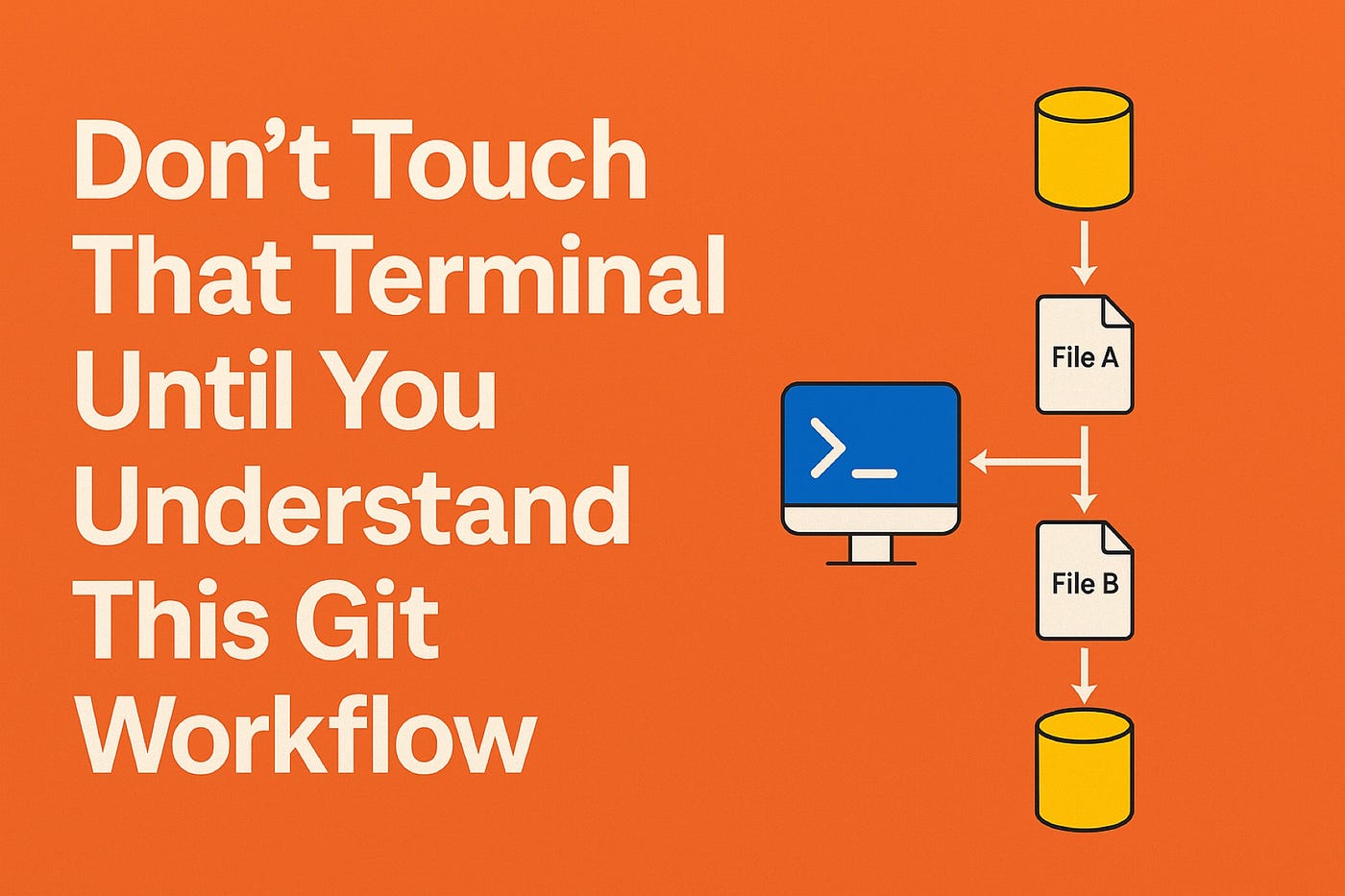
✨What You Should Be Able to Reason Through at Each Stage
🔸git clone: What Are You Actually Copying?
📍You’re pulling down a full commit graph, not just files.
📍This means you now have a complete local database of change history – every bug introduced and fixed, every feature born and buried.
📍In multi-repo systems (e.g., microservices), cloning isn’t just about code – it’s about dependency awareness and understanding the scope of what you’re maintaining.
⚡️Think about:
🔺If you’re debugging a failed deployment, could you trace it back to a specific commit, PR, or tag?
🔺Do you clone with shallow history in CI ( – depth=1)? Why might that break some audit or rollback tools?
🔸git add: What Are You Choosing to Reveal?
📍The staging area isn’t just a buffer – it’s a declaration of intent.
📍Knowing how to selectively stage chunks (git add -p) shows that you’re thinking about code ownership, reviewability, and audit granularity.
⚡️Think about:
🔺Could you explain why staging only parts of a file is important in regulated environments or secure codebases?
🔺Can you commit a Kubernetes manifest change without accidentally pushing secrets?
📌Pro tip: Tools like pre-commit and git-secrets can be integrated right after git add to enforce hygiene before anything gets committed.
🔸git commit: Is Your Change Reversible, Atomic, and Traceable?
📍Each commit becomes part of a chain of trust – not just history.
📍A well-crafted commit:
✅ Is atomic (one purpose, one change)
✅ Has context in its message
✅ Can be reverted without breaking others
📍In production environments, especially GitOps, a commit triggers deployment. That means you’re not just versioning – you’re potentially launching containers, infrastructure, or even cost changes.
⚡️Think about:
🔺Could someone audit your change 6 months later and understand why it was made?
🔺Is your commit reversible without unexpected side effects on infrastructure or CI state?
⭐️Use git commit -S to sign commits in environments where traceability and trust are mandated (e.g., financial, healthcare, or multi-tenant SaaS).
🔸git push: You’re Broadcasting Your Intent to the World
📍A push doesn’t just sync – it triggers systems.
📍In DevOps pipelines, it may:
✅ Kick off a build pipeline (e.g., GitHub Actions, CodeBuild, Jenkins)
✅ Trigger linting, scanning, security checks
✅ Deploy container images or Terraform plans
✅ Initiate a pull request workflow
⚡️Think about:
🔺Do you understand what automatically runs when you push to main, dev, or release?
🔺Could your push accidentally trigger a prod deploy because of a misconfigured branch filter in the CI/CD pipeline?
📌Tip: Use branch naming conventions and protection rules.
e.g. feature/, hotfix/, release/*, combined with required status checks in GitHub/GitLab.
✨Advanced Concepts You Should Be Comfortable With
Here’s where knowledge of Git goes from practical to strategic:
🔹Rebasing vs. Merging: Choosing the Right Path for Team Velocity
Merging preserves full history, while rebasing creates a linear, cleaner log.
⚡️Use merge when:
📍You want to preserve the historical context of when and how a branch was integrated.
📍You’re collaborating and want to avoid rewriting published history.
⚡️Use rebase when:
📍You want a clean, linear history for review.
📍You’re preparing feature branches before merging to main.
📌Key concept: Rebasing published branches can cause downstream problems. Force pushes can cause team-wide regressions if not coordinated.
⚡️Think about:
🔺Can you design a branching strategy for a team of 30 developers with weekly releases?
🔺When would you recommend squashing commits, and why?
✨Git and Security: Secrets, Access, and Audits
Security isn’t just about gitignore. It’s about policy, hygiene, and detection.
🔹Know how to:
📍Use tools like GitLeaks or TruffleHog to detect leaked credentials.
📍Enforce commit message standards with commitlint for clarity and traceability.
📍Tag and sign releases with annotated tags (git tag -a) to integrate with artifact verification tools.
⚡️Think about:
🔺Could someone with access to a commit accidentally deploy a credential via git push?
🔺Is there a rollback mechanism for a bad IaC commit in Git?
✨Git in Monorepos, Microservices & CI/CD Systems
Your Git workflow has to scale with your architecture.
🔸Monorepo challenges:
🔺Commit granularity – Do you commit entire folder changes, or use sparse checkouts?
🔺CI optimizations – Can you run tests only for changed services using git diff paths?
🔹Microservices:
Git becomes the single interface to manage dozens of services – so branching, tagging, and changelogs must be automatable and meaningful.
⚡️Think about:
🔺Can your CI pipeline automatically version each microservice based on Git tags?
🔺How does a Git commit trigger container versioning for ECS/EKS/Fargate deployment?
⭐️Tools like Nx, Lerna, or Turborepo in JS world, or custom CI path filters in Bash/Make are key here.
✨Real Situations to Explore and Be Prepared For
Ask yourself:
📌What happens if a pipeline is triggered by a branch that was just force-pushed?
📌How would you use Git tags to version Docker images in a production-grade ECR setup?
📌Could you use Git history to identify when a Terraform variable was changed and cost estimates increased?
📌If a rollback is required, would you use git revert, git reset, or a re-deployment of a previous tag?
These aren’t hypothetical. These are everyday scenarios in modern platform engineering.
✨Think in Commits, Design in Branches, Deliver in Pushes
Git is not just a source control tool – it’s a command center for modern software delivery.
Every commit you make, every push you trigger, is an instruction to systems and a signal to your team.
When you fully understand Git:
📍You collaborate cleaner
📍You deploy safer
📍You recover faster
So don’t memorize. Understand.
Think in diffs. Think in intent.
And most importantly – think about the impact of every commit, every branch, and every merge you make.
✅ Did this take your Git understanding from casual to confident? Hit that clap, drop a tricky Git situation you’ve faced, or share this with someone who thinks git push -f is harmless.
Let’s build strong, clean, deploy-ready Git habits together.
Git #GitWorkflow #DevOps #CloudEngineering #AWS #Kubernetes #CI_CD #InfrastructureAsCode #PlatformEngineering #GitOps #GitTips #DeveloperExperience #GitBestPractices #IaC #SRE #ModernEngineering #MediumTech
메타데이터
- post_id
- ddebf57c841a
- slug
- dont-touch-that-terminal-until-you-understand-this-git-workflow-ddebf57c841a
- url
- https://medium.com/devpulse/dont-touch-that-terminal-until-you-understand-this-git-workflow-ddebf57c841a
- canonical_url
- https://medium.com/devpulse/dont-touch-that-terminal-until-you-understand-this-git-workflow-ddebf57c841a
- author_url
- https://medium.com/@rsprasangi
- status
- ok
- fetched_at
- 2026-06-10 08:17:25