Spark: How to parse a text file containing Array data
Arrays are an efficient method of sharing 1 to many data in a single row without creating duplicate entries.
Spark: How to parse a text file containing Array data
Arrays are a very efficient method to share 1 — many relations in a single row without creating duplicate entries.
For Example:
id,name,courses,grades
1,Rachel Green,['DB','BIG Data','Web'],['A','A-','B+']
2,Monica Geller,['DB','BIG Data','Web'],['A-','A','A']
Instead of storing data in multiple tables and using JOINS, the entire dataset is stored in a single table.
Let me demonstrate this with a sample TSV (tab-separated file). The sample file is available here for your convenience.
Step 1: Upload the file to your Databricks workspace.
Step 2: Preview the file
%python
spark.read.format("text").load('/FileStore/tables/movie_titles_metadata_tsv.bz2').show(truncate=False)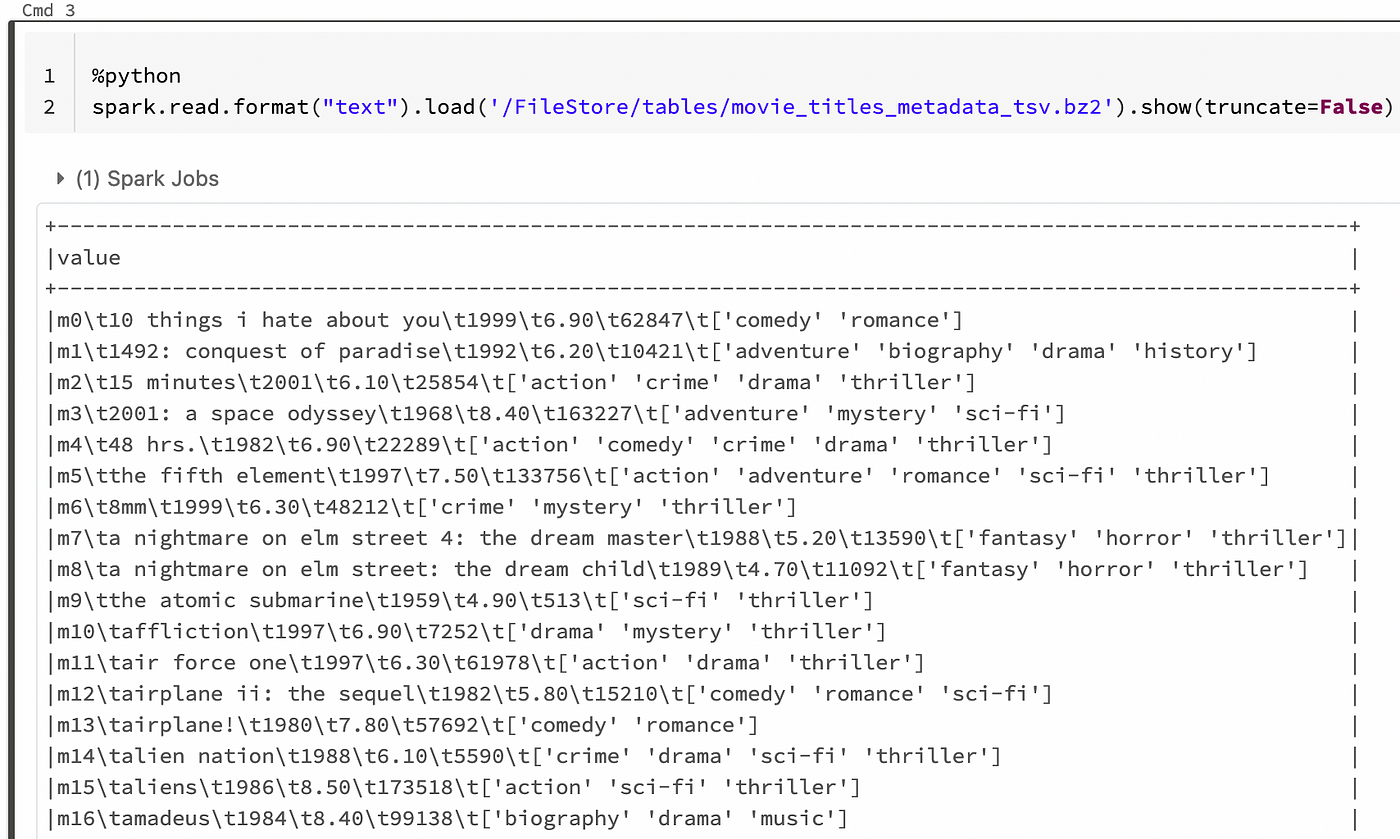
Step 3: Create a table around this dataset. Note the last column ‘Category’. Even though it looks like an Array, but actually a String/Text data.
drop table if exists moviedata;
create table moviedata
(
  id string
  ,name string
  ,year int
  ,rating float
  ,views int
  ,category string
)
using csv
options(path='/FileStore/tables/movie_titles_metadata_tsv.bz2',delimiter='\t')
Step 4: Preview the data
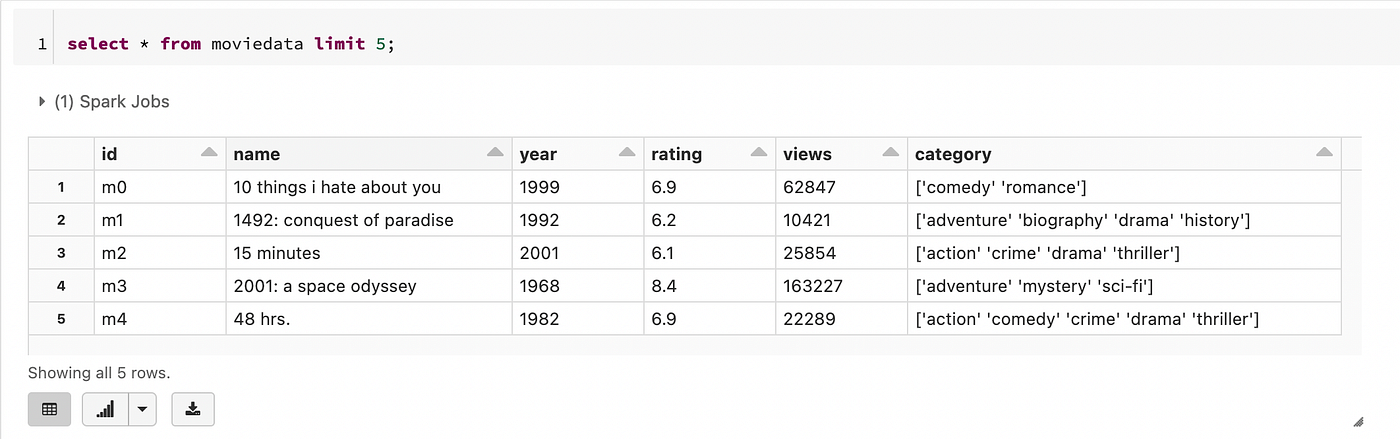
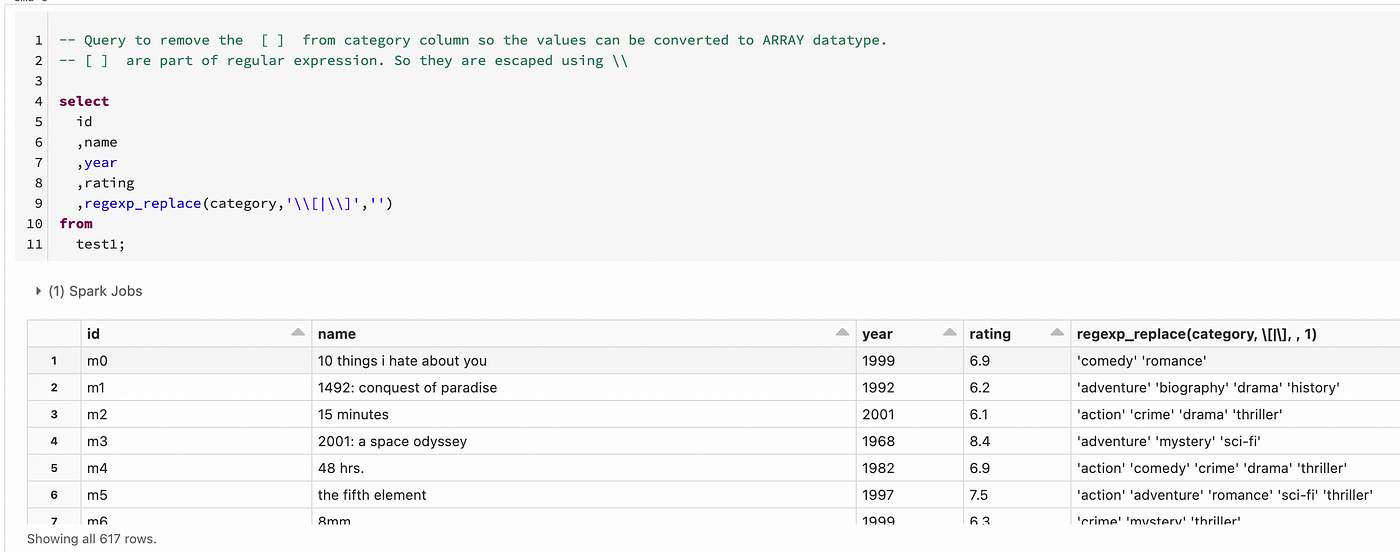
Step 5: Using Regular expression replace the [ ] characters with nothing. As the square brackets are part of Regular expression they need to be escaped with \ (double backslashes)
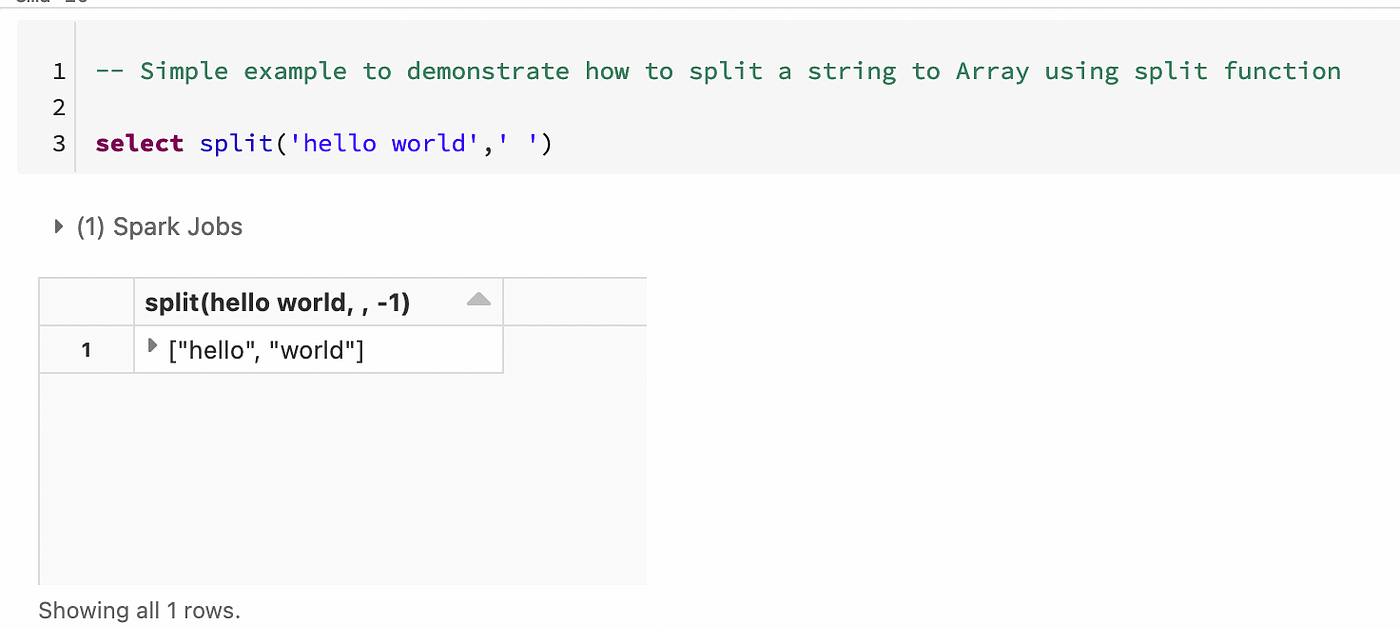
Step 6: Quick demonstration of converting string to Array using Split function
Step 7: Using Split and Regular Expression converting the string Category column to Array
-- Creating a view with new Category array
create or replace view vw_movie
as
select
  id
  ,name
  ,year
  ,rating
  ,split(regexp_replace(category,'\\[|\\]|\'',''),' ') as category
from
  moviedata ;
Step 8: Describe the vw_movie View

Step 9: Select the data. Notice the category column is of type array.
select * from vw_movie
Query 1: Performing some array operations
Query to list the second array element
-- Query to list second value of the arrayselect id,name,element_at(category,2) from vw_movie
Query 2: Query to find out all the movies that belong to the Romance category.
select * from vw_movie where array_position(category,'romance') > 0;
Query 3: Find the number of categories, the movie is categorized as

Query 4: Get the distinct list of all the categories.
select distinct explode(category) as cate from vw_movie order by cate;
[embed]Get an email whenever Ganesh Chandrasekaran publishes. Edit descriptionganeshchandrasekaran.com
Schedule a DDIChat Session in **Data Science / AI / ML / DL:**
Apply to be a DDIChat Expert here. Work with DDI: https://datadriveninvestor.com/collaborate Subscribe to DDIntel here.
메타데이터
- post_id
- de4e80195ce3
- slug
- spark-how-to-parse-a-text-file-containing-array-data-de4e80195ce3
- url
- https://medium.datadriveninvestor.com/spark-how-to-parse-a-text-file-containing-array-data-de4e80195ce3
- canonical_url
- https://medium.datadriveninvestor.com/spark-how-to-parse-a-text-file-containing-array-data-de4e80195ce3
- author_url
- https://medium.com/@gchandra
- status
- ok
- fetched_at
- 2026-06-14 11:28:49