Serverless Orchestration: Moving from Stateless Azure Functions to Durable Functions
How to build resilient, stateful workflows without falling into the “Serverless Spaghetti” anti-pattern
Serverless Orchestration: Moving from Stateless Azure Functions to Durable Functions
How to build resilient, stateful workflows without falling into the “Serverless Spaghetti” anti-pattern
Introduction
Serverless and Event-Driven architectures have become the default choice for cloud workloads: automatic scaling, costs tied to actual usage. Azure Functions is Microsoft’s tool for exactly this.
The trouble starts when systems grow. Pure serverless is stateless by design, and that constraint becomes painful the moment a business process requires coordinating multiple steps, waiting on external events, or running parallel tasks with a final aggregation. Standard Azure Functions start showing their limits pretty quickly at that point.
This article walks through the architectural shift to Durable Functions: how they work under the hood, and a concrete orchestration example.
The Core Tension: Stateless vs Stateful
Standard Azure Functions were built as pure FaaS: isolated, fast, trigger-driven (HTTP, Queue, Event Grid). They’re great for atomic tasks. The problem comes when a process needs multiple sequential steps.
If you try to wire that flow using standard functions, you end up chaining them through queues (Azure Storage Queues or Service Bus). It works — until it doesn’t. The system grows into what the community has started calling “Serverless Spaghetti”: tracking global state becomes messy, timeouts require manual handling, and implementing rollback logic like the Saga Pattern means writing control code that has nothing serverless about it.
Durable Functions solve this. They’re an extension of the Azure Functions runtime that brings native state management into the programming model. You define complex workflows directly in code, with no external databases or intermediate queues needed to track where the process stands.
Three Actors, One Orchestration
The Durable Functions architecture relies on three components.
The Client Function is the entry point: a regular stateless function (an HTTP endpoint, for example) that receives the request and spins up an orchestrator instance.
The Orchestrator Function is the director. It defines the business logic: sequential steps, loops, conditional branches. One important constraint for developers: orchestrator code must be deterministic. No direct database calls, no DateTime.Now, no random numbers. The reason becomes clear in a moment.
Activity Functions are the actual workers. They write to databases, call external APIs, do the concrete work. They’re standard stateless functions, called by the orchestrator.
How Does It Stay Cheap if It Runs for Hours?
This is where it gets interesting. The answer is Event Sourcing.
When the orchestrator hits an await on an Activity, it doesn't block and wait. It saves its current state to a storage table (the History Table) and goes to sleep, releasing compute resources. No CPU, no cost.
When the Activity finishes, it drops the result into an internal queue. The runtime wakes the orchestrator, replays it from the beginning, reads the History Table to reconstruct the previous state (without re-running already completed Activities), and continues to the next await.
This is exactly why orchestrator code must be deterministic: it runs multiple times, once every time it wakes up. If the code produces different results between executions, the history table no longer matches the current state, and the framework throws a NonDeterministicOrchestrationException.
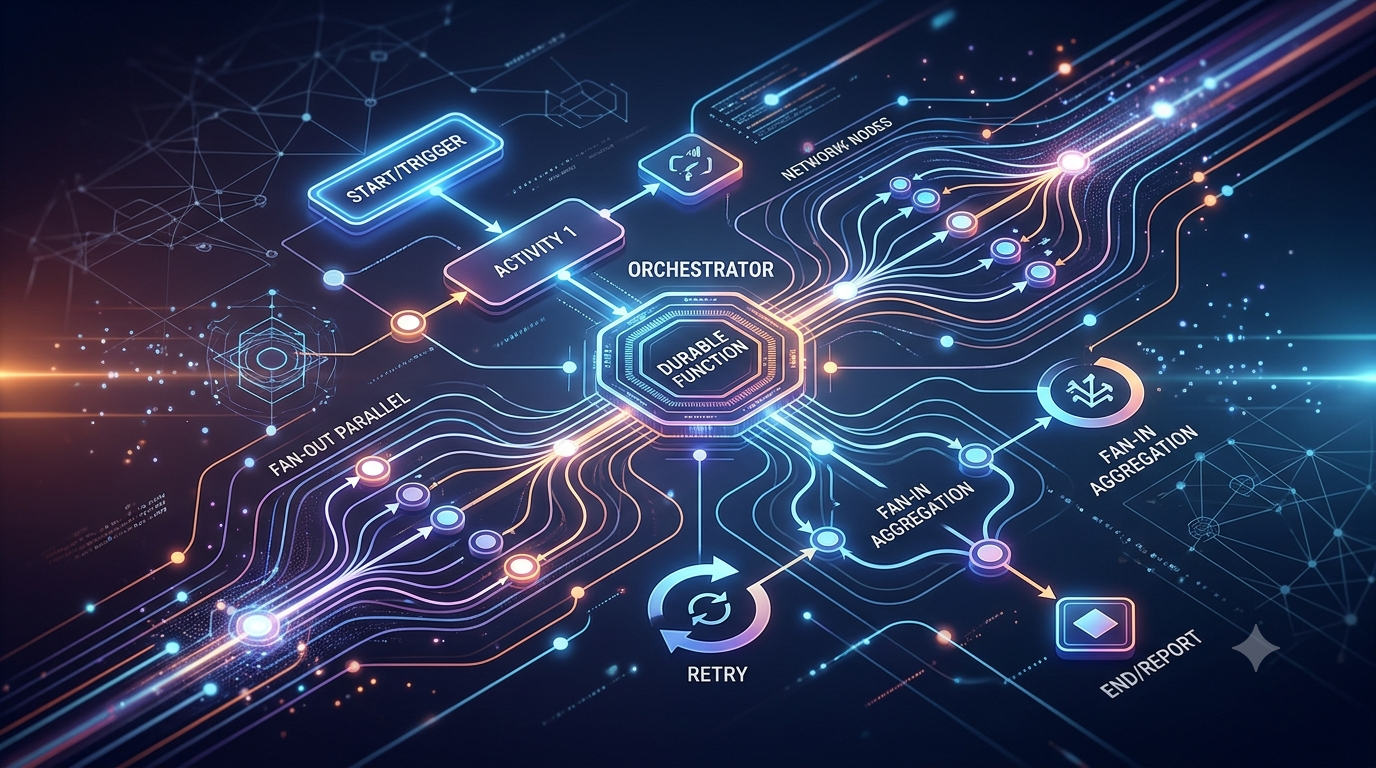
A Practical Example: Fan-Out / Fan-In for Batch File Processing
A scenario common in DevOps: every night a legacy system drops a large batch file into Blob Storage. You need to read it, split it into 100 chunks, process them in parallel to maximize throughput, then aggregate the results and send a final report.
With standard functions, you’d need to build tracking logic on a database to know when “the last of the 100 processes” has finished. With Durable Functions, the code is straightforward:
using System.Collections.Generic;
using System.Threading.Tasks;
using Microsoft.Azure.WebJobs;
using Microsoft.Azure.WebJobs.Extensions.DurableTask;
using Microsoft.Extensions.Logging;

namespace Company.Function
{
    public static class BatchProcessingOrchestrator
    {
        [FunctionName("O_ProcessLargeBatch")]
        public static async Task<List<ProcessingResult>> RunOrchestrator(
            [OrchestrationTrigger] IDurableOrchestrationContext context, ILogger log)
        {
            var outputs = new List<ProcessingResult>();

            // Step 1: Get the list of chunks to process (Activity 1)
            log.LogInformation("Avvio scomposizione del file batch...");
            var chunks = await context.CallActivityAsync<List<string>>("A_SplitBlobIntoChunks", "nightly-batch-file.csv");

            // Step 2: FAN-OUT - Start parallel processing of all chunks
            var parallelTasks = new List<Task<ProcessingResult>>();
            foreach (var chunkId in chunks)
            {
                // Start the task but do NOT await immediately -> parallel execution
                Task<ProcessingResult> task = context.CallActivityAsync<ProcessingResult>("A_ProcessSingleChunk", chunkId);
                parallelTasks.Add(task);
            }

            // Step 3: FAN-IN - The runtime suspends (pauses) the orchestrator until ALL tasks are completed
            log.LogInformation("In attesa del completamento di tutti i chunk in parallelo...");
            ProcessingResult[] results = await Task.WhenAll(parallelTasks);

            // Step 4: Aggregate results and send notification (Activity 3)
            log.LogInformation("Elaborazione parallela conclusa. Generazione del report...");
            await context.CallActivityAsync("A_SendFinalReport", results);

            return outputs;
        }
    }
}
The orchestrator suspends the instance until all parallel tasks are done, without holding any compute resources in the meantime.
When Not to Use Them
Durable Functions aren’t the answer to everything.
The determinism constraint is real and requires discipline. If your team isn’t used to reasoning about it, it’s easy to introduce subtle bugs that only surface under replay.
There’s also a latency consideration: every state transition involves writes to Azure Storage. For workflows with very high throughput and millisecond-level latency requirements, that persistence overhead can become a bottleneck. In those cases it’s worth evaluating in-memory solutions on Kubernetes or pure streaming architectures. That said, Microsoft has introduced alternative backends like Netherite and MSSQL specifically to reduce this limitation.
The Short Version
Standard Azure Functions remain the right choice for atomic, isolated, event-driven tasks. Fast to write, easy to reason about.
Durable Functions come into play when business logic requires coordination: multiple sequential steps, parallel processing, waiting on external events, structured retries. They let you centralize workflow governance in code, keep all the operational benefits of serverless, and avoid manually orchestrating complex middleware infrastructure.
Azure #Serverless #CloudArchitecture
메타데이터
- post_id
- deb7c5d9fe38
- slug
- serverless-orchestration-moving-from-stateless-azure-functions-to-durable-functions-deb7c5d9fe38
- url
- https://medium.com/@andycpx/serverless-orchestration-moving-from-stateless-azure-functions-to-durable-functions-deb7c5d9fe38
- canonical_url
- https://medium.com/@andycpx/serverless-orchestration-moving-from-stateless-azure-functions-to-durable-functions-deb7c5d9fe38
- author_url
- https://medium.com/@andycpx
- status
- ok
- fetched_at
- 2026-06-10 08:17:25


