Document Management System Implementation: A Practical Checklist for Indian Businesses
Buying a Document Management System is easy.

Document Management System Implementation: A Practical Checklist for Indian Businesses
Buying a Document Management System is easy.
Implementing one successfully across an organization is much harder.
Many businesses begin with a simple goal:
“We want all our documents in one place.”
But once implementation starts, bigger questions appear.
Which documents should be migrated first?
Who should have access?
How should files be classified?
What happens to old physical records?
How will employees search for documents?
Who approves sensitive files?
How long should records be retained?
These decisions determine whether a Document Management System becomes a useful business platform or simply another digital folder.
This practical checklist can help businesses plan a smoother DMS implementation.
1. Identify the Business Problem First
Before selecting software, define what problem you actually want to solve.
Different organizations may need a DMS for very different reasons.
For example:
- Employees cannot find documents quickly
- Physical files are consuming too much space
- Sensitive documents are being shared over email or WhatsApp
- Multiple versions of documents are creating confusion
- Audit preparation takes too much time
- Documents are scattered across different departments
- Approval processes are manual
- Old scanned PDFs are not searchable
- Access permissions are difficult to control
Your implementation strategy should begin with the problem, not the software.
A company struggling with physical records may prioritize digitization and OCR.
A company struggling with security may prioritize role-based access.
A company struggling with approvals may focus first on document workflows.
Knowing the primary problem makes the rest of the implementation much easier.
2. Decide Which Department Should Go First
Trying to migrate the entire company at once can make implementation unnecessarily complicated.
A better approach is to begin with one department or document category.
Good starting points often include:
Finance
Invoices, purchase orders, payment records, vouchers, quotations and vendor documents.
Human Resources
Employee documents, joining records, policies, appraisal documents and confidential HR records.
Legal
Contracts, agreements, notices and compliance documents.
Administration
Licences, insurance records, certificates and company documents.
Projects
Drawings, reports, approvals, project files and technical documents.
Start with a department where document problems are visible and measurable.
Once the process works well, the same structure can gradually be extended across the organization.
3. Audit Your Existing Documents
Before migrating anything, understand what you already have.
Documents may currently exist across:
- shared drives
- Google Drive
- OneDrive
- local computers
- employee laptops
- email inboxes
- physical files
- external hard drives
- old servers
An initial document audit should answer questions such as:
What types of documents exist?
How many documents are there?
Where are they currently stored?
Which documents are active?
Which documents are duplicates?
Which records must be retained?
Which documents can be archived or removed?
Migrating everything without reviewing it first may simply move the existing disorder into a new platform.
4. Create a Document Classification Structure
One of the most important parts of DMS implementation is deciding how documents should be classified.
A simple classification structure might include:
Department
Finance
HR
Legal
Operations
Sales
Projects
Document Type
Invoice
Purchase Order
Agreement
Employee Document
Quotation
Certificate
Report
Additional Metadata
Vendor Name
Customer Name
Employee ID
Project Name
Financial Year
Document Date
Reference Number
Location
Metadata makes documents much easier to retrieve.
Instead of remembering:
Finance → Vendors → FY26 → Ahmedabad → Supplier A → Invoice
an employee can search:
Supplier A + Invoice + FY 2026–27
The system can locate the document based on metadata rather than folder memory.
5. Define Your Naming Rules
File names may seem like a small issue.
At scale, they become important.
Without standardized naming, businesses often end up with files like:
Invoice_Final.pdf
Invoice_New.pdf
Invoice_Final2.pdf
Scan00127.pdf
Document(4).pdf
Create a consistent naming convention.
For example:
VendorName_DocumentType_Date_ReferenceNumber
Example:
ABCIndustries_Invoice_2026-08-10_INV4821.pdf
Good naming conventions improve clarity even when documents are downloaded outside the DMS.
6. Define Access Permissions Before Migration
Not every employee should have access to every document.
Access should normally depend on:
- department
- role
- designation
- project
- location
- document category
- confidentiality level
For example:
HR employees may access employee records.
Finance may access invoices and payment files.
Senior management may access sensitive financial documents.
Project teams may access only documents related to their assigned projects.
Permissions should be defined before large volumes of documents are uploaded.
This prevents the common mistake of giving broad access first and trying to restrict everything later.
7. Identify Sensitive Document Categories
Some records require additional control.
Examples may include:
- salary records
- employee KYC documents
- financial statements
- contracts
- customer information
- legal notices
- intellectual property
- board documents
- internal reports
- confidential project files
These categories may require stricter permissions, controlled sharing or additional monitoring.
A DMS should help organizations manage sensitive documents through structured access rather than relying entirely on individual employees to decide who can view each file.
8. Decide What Should Be Scanned
Many organizations implementing a DMS still have large physical archives.
Not every physical page necessarily needs immediate digitization.
Prioritize records based on:
Frequency of use
Documents accessed regularly should usually be digitized first.
Business importance
Contracts, financial documents and operational records may deserve priority.
Compliance requirements
Certain documents may need long-term retention.
Physical deterioration risk
Older or fragile documents may need digital preservation.
Search difficulty
Large archives that consume employee time can provide immediate value when digitized.
This prioritization helps control both implementation time and scanning costs.
9. Use OCR for Searchable Scanned Documents
Scanning converts paper into a digital image.
OCR makes the content inside that image machine-readable.
Without OCR, a scanned invoice may simply be an image stored inside a PDF.
Users may still need to open the file manually to identify it.
With OCR and indexing, businesses can extract or search information such as:
- invoice number
- customer name
- vendor name
- dates
- amounts
- reference numbers
- contract details
This makes historical archives significantly more useful.
Digitization should therefore focus not just on creating PDF files but on creating searchable business records.
10. Define Document Version Control Rules
Documents frequently change.
Contracts are revised.
Policies are updated.
Project drawings receive new revisions.
Quotations change.
Without proper version control, employees may accidentally use outdated files.
Define how versions should work.
For example:
Draft → Reviewed → Approved → Final
Employees should clearly understand which version is current and which older versions are retained only for historical reference.
Version control becomes especially important for:
- policies
- SOPs
- contracts
- drawings
- price lists
- legal documents
- technical specifications
11. Map Your Approval Workflows
Documents often follow predictable approval processes.
An invoice might move through:
Received → Verified → Department Approval → Finance Approval → Payment
A contract might follow:
Draft → Legal Review → Management Approval → Signature → Archive
An employee document might follow:
Submission → HR Verification → Approval → Employee File
These processes should be mapped before configuring automation.
Avoid automating a broken process.
First determine how the business should operate.
Then configure the DMS to support that process.
12. Create a Document Retention Policy
Businesses often store documents forever simply because deleting anything feels risky.
This creates unnecessary clutter.
Different document categories may require different retention periods.
For example:
- financial documents
- employee records
- contracts
- tax records
- project documentation
- customer records
Organizations should define:
How long should this document remain active?
When should it move to archive?
When can it be deleted?
Does legislation or internal policy require longer retention?
A structured retention policy helps keep the document repository organized over time.
13. Plan the Migration Carefully
Once the structure is ready, migration can begin.
Avoid uploading everything into one massive repository.
A staged migration works better.
For example:
Phase 1
Active documents from one department.
Phase 2
Historical documents from the same department.
Phase 3
Second department.
Phase 4
Physical archive digitization.
Documents should ideally be cleaned, categorized and indexed during migration.
Otherwise the organization may simply recreate its previous file-storage problems inside the new system.
14. Train Employees on Search, Not Just Uploading
Most DMS training focuses on how to upload documents.
Employees also need to understand how to retrieve them.
Training should cover:
- document search
- metadata filters
- access permissions
- version history
- document sharing
- workflow actions
- document naming
- indexing rules
The easier employees can find documents, the more likely they are to use the system consistently.
15. Assign Ownership
Every DMS implementation needs internal ownership.
Someone should be responsible for maintaining standards around:
- metadata
- folder structures
- permissions
- document types
- retention
- user access
- workflow rules
Without ownership, organizational standards may gradually disappear.
Different teams begin creating their own categories.
Metadata becomes inconsistent.
Permissions accumulate.
The DMS eventually starts resembling the shared-drive environment it was supposed to replace.
16. Measure Whether the DMS Is Actually Helping
After implementation, measure results.
Useful indicators may include:
Document Retrieval Time
How long does it take employees to find a document?
Audit Preparation Time
How quickly can requested records be produced?
Duplicate Documents
Has duplication reduced?
Physical Storage
How much paper storage has been eliminated?
Approval Time
Are document-based processes moving faster?
Search Success
Can employees retrieve information without asking colleagues?
User Adoption
Are teams actually using the DMS consistently?
A successful implementation should create measurable operational improvement.
A Simple DMS Implementation Roadmap
A practical implementation sequence may look like this:
Step 1: Identify business problems
↓
Step 2: Select the first department
↓
Step 3: Audit existing records
↓
Step 4: Create document categories and metadata
↓
Step 5: Define access permissions
↓
Step 6: Configure workflows
↓
Step 7: Digitize and OCR physical records
↓
Step 8: Migrate documents
↓
Step 9: Train employees
↓
Step 10: Measure and continuously improve
This approach helps organizations avoid treating document management as simply a software installation.
Where DocuForte Fits
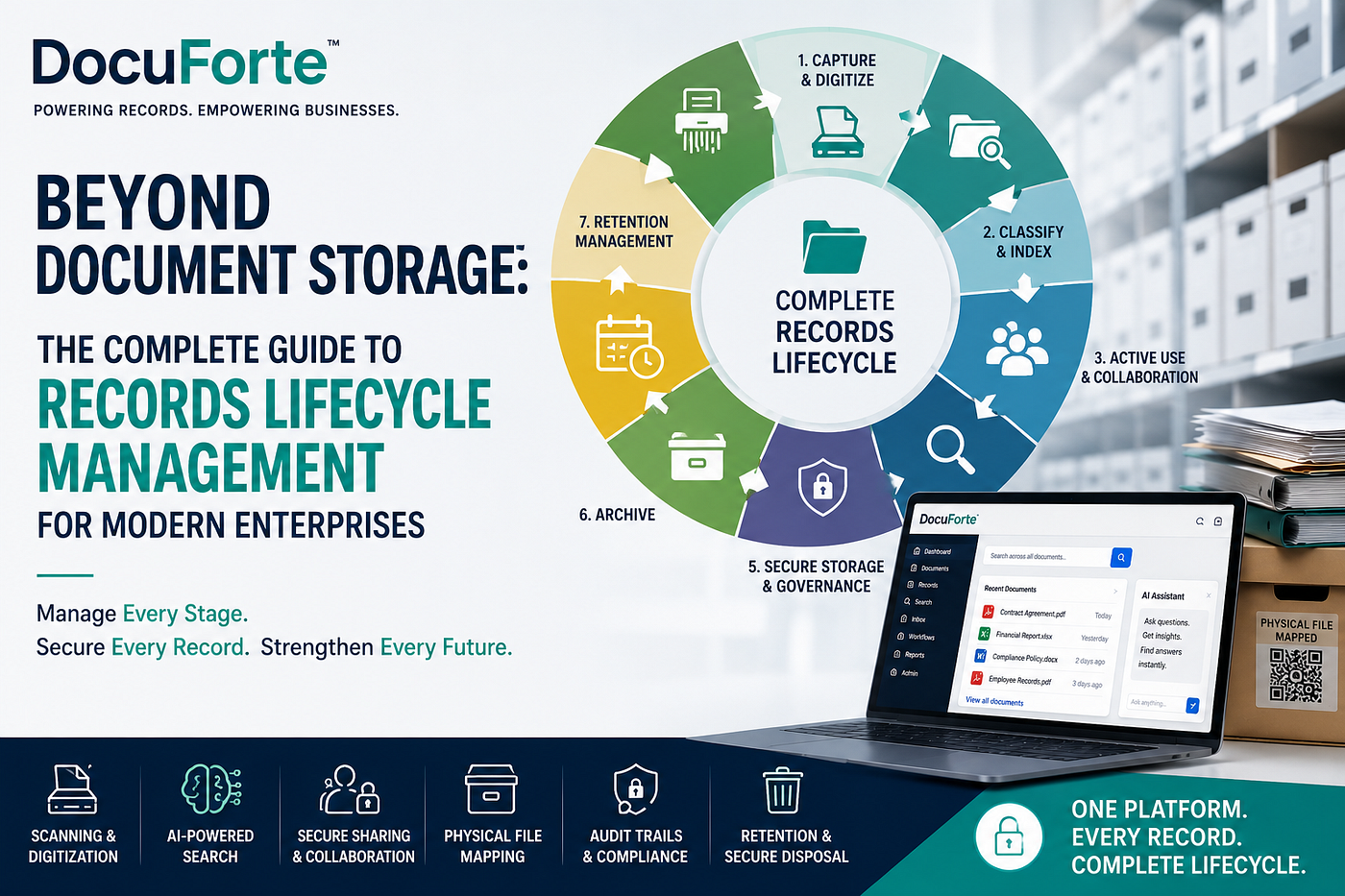
DocuForte helps businesses create a structured environment for managing documents across their lifecycle.
Organizations can use DocuForte to move away from scattered folders, physical archives and fragmented document processes toward centralized digital document management.
Depending on the organization’s requirements, document management may include capabilities around:
- centralized document storage
- structured indexing
- OCR
- fast document retrieval
- controlled access
- workflow-based processes
- document organization
- secure digital document management
For businesses with existing paper archives, digitization and document management can also be combined so that historical records become organized, searchable and easier to access.
The objective is not simply to scan documents.
It is to create a system where business information can be reliably found and controlled.
Before You Implement a DMS, Ask These 10 Questions
- What document problem are we trying to solve?
- Which department should be implemented first?
- What document types do we manage?
- What metadata should each document contain?
- Who should have access?
- Which physical records should be digitized?
- Which processes require approvals?
- How should versions be controlled?
- How long should records be retained?
- Who will own document governance internally?
If your organization can answer these questions clearly, your DMS implementation is already far more likely to succeed.
Final Thought
A Document Management System should not become another location where employees dump files.
Its purpose is to bring structure to business information.
The most successful implementations combine:
technology + process + people + governance.
When these elements work together, documents become easier to retrieve, safer to manage and more useful across the organization.
For growing businesses, that can turn document management from an administrative burden into reliable business infrastructure.
메타데이터
- post_id
- dedc2aacd417
- slug
- document-management-system-implementation-a-practical-checklist-for-indian-businesses-dedc2aacd417
- url
- https://medium.com/@DocuForte/document-management-system-implementation-a-practical-checklist-for-indian-businesses-dedc2aacd417
- canonical_url
- https://medium.com/@DocuForte/document-management-system-implementation-a-practical-checklist-for-indian-businesses-dedc2aacd417
- author_url
- https://medium.com/@DocuForte
- status
- ok
- fetched_at
- 2026-08-27 19:23:56