The Grammar of the Web: Demystifying REST APIs
One of the most fascinating milestones in my journey as a web developer was the first time I successfully connected a frontend to a…
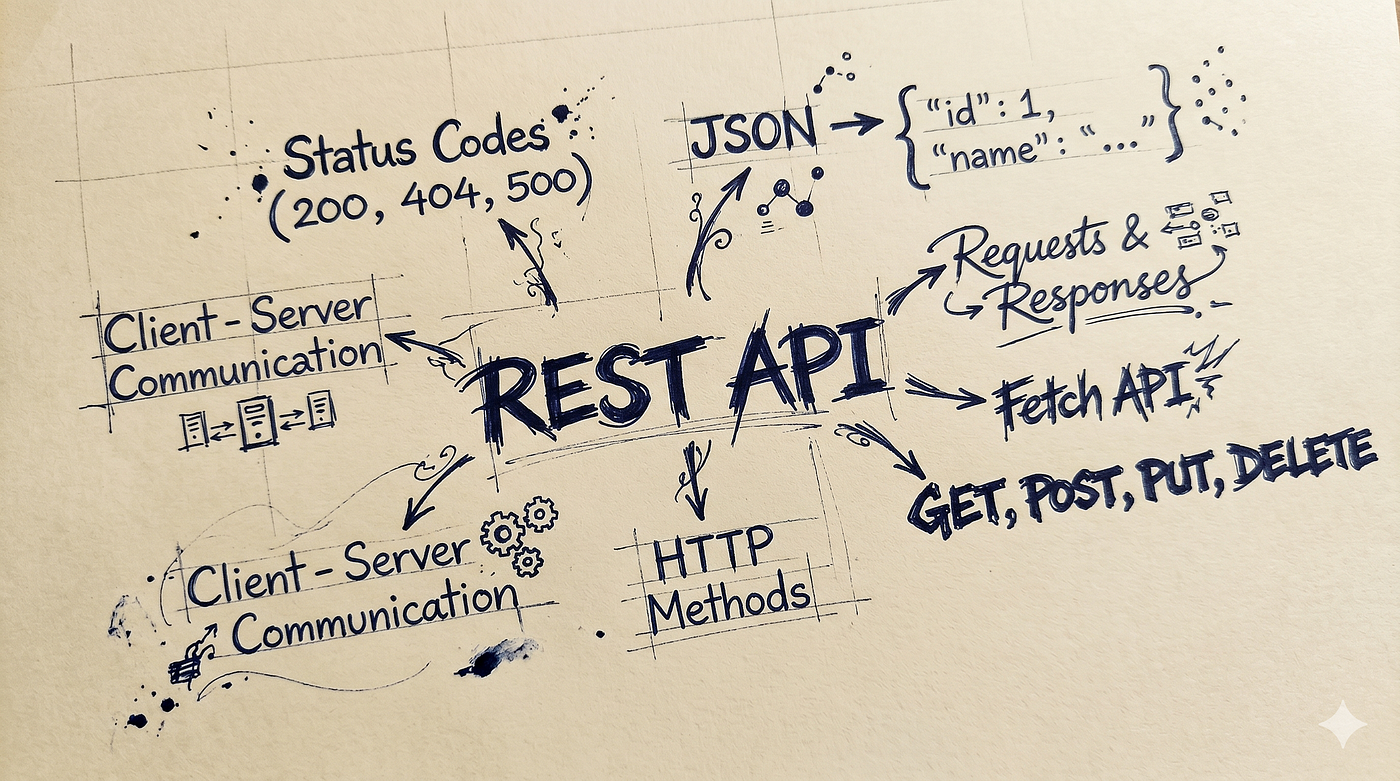
The Grammar of the Web: Demystifying REST APIs
One of the most fascinating milestones in my journey as a web developer was the first time I successfully connected a frontend to a backend. It was a true “aha!” moment. Before that, it felt like magic: how could a frontend built in one language seamlessly communicate with a backend written in an entirely different language?
The bridge that made this connection possible is called a REST API.
But what exactly is a REST API, and how does it work? In this blog, we will break down the core concept of REST and unpack the essential terminologies you need to know to master client-server communication.
What are APIs?
API stands for Application Programming Interface. At its core, an API is a contract between two systems — such as a client (your frontend) and a server (your backend). This contract explicitly dictates exactly how you must request information and what kind of response you should expect in return.
Why do we need this contract? Without an API, client-server communication would be chaotic. The frontend would have no standard way to request data, and the backend would have no idea how to interpret incoming messages. An API bridges this gap, establishing a shared language so that both sides can successfully interact and exchange data.
What is REST? and What are REST APIs?
When I first started studying these concepts, two terms always bothered me: REST and RESTful. What do they actually mean?
REST stands for Representational State Transfer. While it sounds incredibly academic and complicated, it is actually a highly logical name for a concept we use every day. Let’s break down the three words:
1. Representational
The frontend cannot directly interact with the raw data stored in your database; that job is strictly reserved for the server. Instead, the frontend asks the server to fetch, change, or update data. The frontend never touches the physical database. Because of this, the server takes the database data, processes it, and sends the frontend a stylized “representation” of that data — usually formatted as a JSON object. The frontend only sees the representation the server allows it to see.
2. State
“State” simply refers to the current condition or snapshot of a piece of data at any exact moment. For example, whether a user is logged in or logged out is a state. Whether a shopping cart has zero items or three items is its current state.
3. Transfer
This is the actual act of movement. Once the server processes a request, the current state of that data is physically transferred over the internet from the server back to the frontend so it can be displayed to the user.
What is “RESTful” then?
Once you understand REST, understanding RESTful is easy. Think of REST as the legal code, and RESTful as the person who obeys the law.
- REST is the structural architecture and set of rules.
- RESTful is the adjective used to describe an API that actually obeys those rules.
If your backend server exposes endpoints that strictly follow the REST design patterns, then you have successfully built a RESTful API.
Some common HTTP methods/verbs :
If you have ever built a basic backend or worked with databases, you have almost certainly encountered the acronym CRUD: Create, Read, Update, and Delete. These are the four foundational operations that a server performs on a database.
It makes complete sense, then, that almost every request a frontend sends to a server falls into one of these four categories. While client-server communication can technically involve other complex actions, CRUD operations make up the vast majority of daily web traffic.
To map these four database actions to the web, REST relies on specific HTTP methods (often called HTTP verbs). These verbs act as commands, telling the server exactly what it is expected to do with a given resource.
In the REST architecture, the four most common HTTP methods serve as the direct equivalents to CRUD:
POST: Whenever this type of request hits the server the server knows it needs to create a DB entry/Create a completely new resource. One big issue withPOSTis that it’s not idempotent meaning if you send a post request 3 times it’s gonna hit the server 3 times as well so it’s the servers responsibility to take care of that.DELETE: As the name suggests this is the instruction to server to remove/delete a specific entry from the DB/ remove a entry from any of it’s storages.PUT / PATCH: Both of these are used for updating a already existing recourse on the server.PUTthis is used when we completely want to replace a already existing resource with a new resource andPATCHis used when we want to update some information inside an already existing resource without totally removing/replacing it.GET: This is the read operation, whenever a get request comes to the server it’s generally means that the frontend needs to access some pre existing information on the server.
Those 4 are the most common type of HTTP verbs we use regularly now there are some more as well that are not that common but I will mention them here once.
HEAD: Exactly likeGET, but it only requests the response headers and skips the actual body data. It's perfect for checking if a large file exists or has changed before wasting bandwidth downloading it.OPTIONS: Asks the server which HTTP methods are supported for a specific URL. It is heavily used by browsers for security checks (CORS) before making actual cross-origin API requests.
The server’s response:
Once the client sends its request using the correct HTTP method. It becomes the server’s responsibility to process that request and return the data in a well-structured format.
While APIs can technically return data in various formats like XML or HTML, the undisputed king of the modern web is JSON (JavaScript Object Notation). JSON is a lightweight, human-readable format that allows servers to package complex data payloads cleanly, making it incredibly easy for the frontend to parse and display.
{
  "status": "success",
  "statusCode": 201,
  "message": "Warrior of Sunlight successfully registered.",
  "data": {
    "user": {
      "id": 101,
      "email": "solaire@astora.com",
      "name": "Solaire of Astora",
      "covenant": "Warriors of Sunlight"
    },
    "session": {
      "token": "bearer_praise_the_sun_999",
      "expiresIn": 3600
    }
  }
}
That is how a normal JSON payload might look like. Now you might be wondering what is that status code well you see, sending the raw data payload isn’t enough. The server also needs a quick, standardized way to tell the frontend exactly how the request went. Did it succeed? Was there a validation error? Did the server crash?
To communicate this instant status update without forcing the frontend to guess, REST APIs rely on HTTP Status Codes. These are standardized, three-digit numerical codes that tell the client the exact outcome of its request.
Remember: these status codes are structural conventions. No one will arrest you for sending successful data inside a 404 Not Found code—the server will execute it perfectly. However, doing so will alienate your team and break the web's universal grammar. Frontend developers write code that explicitly relies on these numbers to handle UI behavior; wrapping a success payload in an error code violates the API contract and introduces chaos. To keep your codebase stable, you must stick to the standardized families:
- 2xx (Success): Everything went exactly as planned. The server successfully understood, processed, and accepted the request (e.g.,
200 OKfor data retrieval or201 Createdfor database entries). - 3xx (Redirection): The resource has moved. The server uses this family to tell the client, “What you are looking for is no longer here; you need to automatically look at this other URL instead” (e.g.,
301 Moved Permanently). - 4xx (Client Error): The frontend messed up. This means the request contained bad data, lacked proper authentication, or pointed to a resource that doesn’t exist (e.g.,
400 Bad Request,401 Unauthorized, or the infamous404 Not Found). - 5xx (Server Error): The backend crashed. The client sent a perfectly valid request, but your server-side code or database encountered a critical error, blew up, and failed to handle it (e.g.,
500 Internal Server Error).
Bringing It All Together: What It Looks Like in Code
For the server we will be using ExpressJS for this demo
import express from 'express';
app=express();

// POST request to create a new resource: /api/v1/users
app.post('/api/v1/register', (req, res) => {
    const { email, password, firstName } = req.body;

    // Validation: Did the client mess up? (4xx Error)
    if (!email || !password) {
        return res.status(400).json({ error: "Email and password are required." });
    }

    try {
        // Database logic to save the user happens here...

        // Success: Resource created! (2xx Success)
        return res.status(201).json({
            message: "Warrior of Sunlight successfully registered.",
            user: { email, firstName, covenant: "Warriors of Sunlight" }
        });
    } catch (error) {
        // Server crashed: Something went wrong internally (5xx Error)
        return res.status(500).json({ error: "Internal Server Error. Praise the Sun anyway." });
    }
});
from the above example we can see that the server exposed the registration API at /api/v1/register and then the server does the internal logic of validating and saving the data onto the database and sends a response to the frontend/client with proper formatting and status code.
Now from the frontends side:
// Making the API call to register Solaire
fetch('https://api.example.com/api/v1/users', {
    method: 'POST',
    headers: { 'Content-Type': 'application/json' },
    body: JSON.stringify({
        email: "solaire@astora.com",
        password: "PraiseTheSun",
        firstName: "Solaire"
    })
}).then(response => {
    // The universal contract in action: Checking status codes
    if (response.status === 201) {
        return response.json().then(data => {
            showSuccessToast(data.message);
            navigateToDashboard(data.user);
        });
    } else if (response.status === 400) {
        showValidationError("Please fill out all required fields.");
    } else if (response.status === 500) {
        showCrashScreen("Something went wrong on our end. Try again later.");
    }
});
Because the backend uses standard status codes, the frontend doesn’t have to guess or read complex error messages to know what happened. It reads the three-digit number and instantly knows whether to show a success message, a validation warning, or a crash screen.
Conclusion
Connecting your frontend and backend for the first time feels like magic, but under the hood, it’s just excellent organization. By treating data as Resources, using HTTP Verbs as actions, transferring data via JSON payloads, and communicating results with Status Codes, REST APIs provide a flawless, standardized grammar for the entire web. Master these core rules, and you can confidently build, consume, and talk about APIs with any developer in the industry. Now go forth, build your endpoints, and praise the sun!
메타데이터
- post_id
- e02a79d2fa18
- slug
- the-grammar-of-the-web-demystifying-rest-apis-e02a79d2fa18
- url
- https://medium.com/@ayandip.contact/the-grammar-of-the-web-demystifying-rest-apis-e02a79d2fa18
- canonical_url
- https://medium.com/@ayandip.contact/the-grammar-of-the-web-demystifying-rest-apis-e02a79d2fa18
- author_url
- https://medium.com/@ayandip.contact
- status
- ok
- fetched_at
- 2026-07-12 02:09:52