DockerFile Python Flask
Dockerlize a Python Flask Application
DockerFile Python Flask
Dockerlize a Python Flask Application
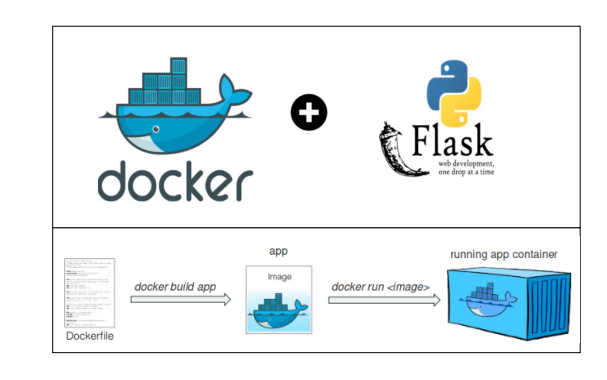
We will show, how to do write a docker file for a flask application and run a container for Flask.
Github link — https://github.com/bikramatmedium/docker/tree/main/Dockerfile/python
- Create a server.py flask file
$ vi server.pyfrom flask import Flask # importing the flask classapp = Flask(__name__) # creating an instance of the Flask class
@app.route('/') # The primary url for our application
def hello_world(): # This method returns Flask Dockerized'
return 'Flask Dockerized' if __name__ == '__main__':
app.run(debug=True, host='0.0.0.0') # This statement starts the server on your local machine.**2. Create **requirements.txt file
$ vi requirements.txtclick==8.0.1
colorama==0.4.4
Flask==2.0.1
itsdangerous==2.0.1
Jinja2==3.0.1
MarkupSafe==2.0.1
Werkzeug==2.0.13. Create a Dockerfile that contains instructions to build the flask application.
$ vi DockerFile# Base Image
FROM python:3.8# MAINTAINER of the Dockerfile
MAINTAINER Bikram <bikramatmedium@gmail.com># Working directory inside app
WORKDIR /app#Copy the index.html file /usr/share/nginx/html/
COPY . /app# Install app dependecy
RUN pip install -r requirements.txt#Expose Nginx Port
EXPOSE 5000#Start NginxService
ENTRYPOINT ["python"]CMD ["app.py"]
Now we have three files dockerfile, app.py, and requirement.txt files.
Create Docker Image now
$ docker build -t flask-app .
4. Create a Container with the docker image created.
$ docker run -d -p 5000:5000 --name flask-app flask-app:latestAn explanation of this command is as below
- docker run is used for creating a docker container.
- -d option is used to run a container in the background and print container ID.
- -p option is used for port mapping between container and Host machine.
- — name option is used to assign a name to the container.
- In the end, we provide the name of the docker image from which we wish to run our container.

This will start the Python flask app on port 5000. If you visit http://ip:5000 in your browser.

메타데이터
- post_id
- e03a3c0dfe65
- slug
- dockerfile-python-flask-e03a3c0dfe65
- url
- https://medium.com/@mrdevsecops/dockerfile-python-flask-e03a3c0dfe65
- canonical_url
- https://medium.com/@mrdevsecops/dockerfile-python-flask-e03a3c0dfe65
- author_url
- https://medium.com/@mrdevsecops
- status
- ok
- fetched_at
- 2026-07-22 09:41:37


