Frontend System Design: A Practical Guide to High-Level Design (HLD)
The five aspects of HLD that separate a senior engineer from a strong junior — requirements, scoping, tech choices, component architecture…
Frontend System Design: A Practical Guide to High-Level Design (HLD)
The five aspects of HLD that separate a senior engineer from a strong junior — requirements, scoping, tech choices, component architecture, and APIs.
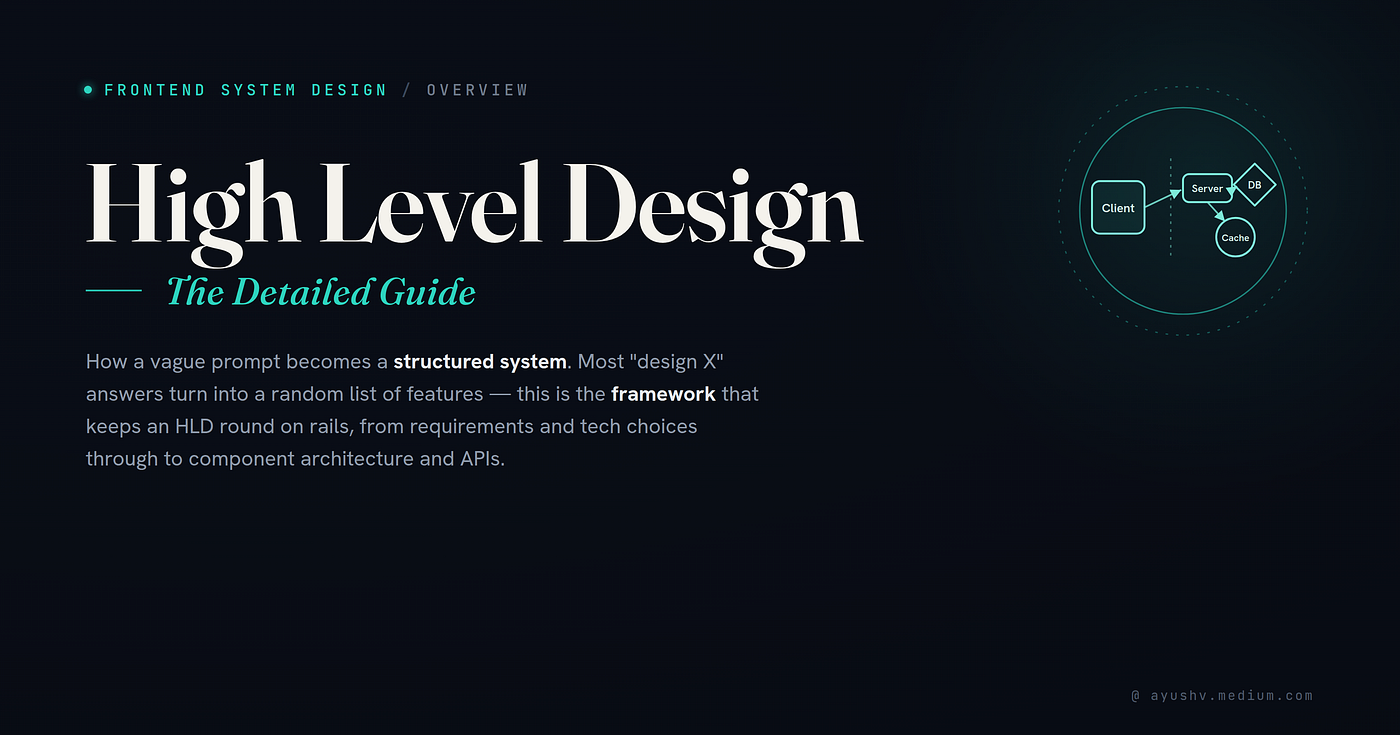
Most frontend interviews don’t go wrong because of bad code. They go wrong because engineers skip the design step entirely — jumping straight into components, hooks, and implementation before anyone has agreed on what’s actually being built.
High Level Design (HLD) is the phase in the software development life cycle (SDLC) where the overall architecture and structure of a system are planned and documented before a single line of code is written. It bridges the gap between requirements and implementation — giving your team a shared blueprint of how the system will function and how its components will interact.
For frontend engineers, HLD is often underestimated. We’re wired to build. But the ability to think architecturally, ask the right questions, and map out a system at scale is precisely what separates a senior engineer from a strong junior. In interviews, it’s often the deciding factor.
The Villa Analogy
Think about building a luxury villa. Before any construction begins, there’s an enormous amount of work that happens on paper:
- Your client arrives with a vision — they want a four-bedroom villa with a pool and smart home features. They know what they want, but not how to build it. In software, this is your Product Manager.
- The architect takes that vision and translates it into a blueprint — structural decisions, load-bearing walls, room layouts, utility routing. In software, this is your Tech Lead or Architect.
- The interior designer focuses on how it looks and feels — materials, lighting, flow between spaces. In software, this is your UI/UX Designer.
- The project manager coordinates timelines, dependencies, and delivery. Same role exists in software.
- And then there are the utility stakeholders — the electricity board, water supply, internet provider. These are external dependencies your system relies on but doesn’t control. In software, these are your third-party services: Stripe for payments, Twilio for SMS, Azure or AWS for infrastructure, a video streaming provider for media.
Nobody starts laying bricks before the blueprint is ready. HLD is your blueprint.
Types of Frontend System Design Interviews
Before diving into HLD itself, it’s worth understanding that not all frontend system design interviews look the same. Depending on the company and role, you’ll encounter one of four types:

System Design (common at Microsoft, large product companies) The broadest interview type. You’re expected to cover the full spectrum: Requirements, Scoping, Tech Choices, Component Architecture, and Data API & Implementation. Think of this as designing an entire product like an e-commerce platform or a social feed from scratch.
Product Sense (common at Flipkart, startups, product-led companies) More focused on the product thinking layer. You’ll cover Requirements and Scoping deeply, and then jump to Data API & Implementation. The emphasis is on demonstrating that you understand the business context, not just the technical execution.
UI Architecture (common across mid-to-large frontend teams) Similar scope to System Design but with stronger emphasis on how the UI is structured. You’ll cover Requirements, Scoping, Tech Choices, Component Architecture, and APIs. The interviewer wants to see how you think about rendering, state, routing, and component hierarchy.
Machine Coding / Component Design (common at all levels) The most implementation-focused type. You’re expected to go deep on Component Architecture and Data API & Implementation — often writing actual code. Think “design and build a reusable autocomplete component” or “implement an infinite scroll feed.”
Knowing which type you’re in helps you calibrate depth vs. breadth. In a System Design interview, a shallow pass across all areas beats going deep on one. In Machine Coding, depth is the point.
The 5 Key Aspects of HLD

1. Requirement Analysis
This is where HLD begins, and where seniority shows most clearly. Junior engineers wait for complete specs. Senior engineers surface ambiguity by asking the right questions before committing to any architecture.
Think of requirement analysis in two layers:
Functional Requirements — What should the system do?
These are driven by the Product Manager and define the features and modules. For a typical e-commerce platform, you’d think in two dimensions:
Demand/Supply context (B2B vs B2C) changes everything. A B2B platform serving procurement managers needs bulk ordering, invoice management, and role-based access. A B2C platform serving consumers needs a frictionless checkout, wishlist, and personalised recommendations. Clarify this first.
Module-level thinking helps you see the full landscape before zooming in:
- User Management (login, signup, profile)
- Help & Support (chat, FAQs, tickets)
- Payment Gateway (checkout, refunds)
- Pricing & Subscription (plans, billing cycles)
- Product Listing Page
- Cart Page
- Account Management
Non-Functional Requirements — How should the system behave?
These are typically driven by the Tech Lead or Architect and are just as important as functional requirements — sometimes more so. They’re also the ones most likely to be skipped in a rushed interview.
- Mobile/Desktop First — which is the primary experience?
- Responsive vs Adaptive — fluid layouts vs device-specific breakpoints
- Accessibility (a11y) — WCAG compliance level, screen reader support
- Asset Optimisation — image formats (WebP, AVIF), lazy loading, code splitting
- Performance — define targets: LCP < 2.5s, FCP < 1.8s, TTI < 3.5s. These aren’t just metrics; they’re constraints that influence every tech choice downstream.
- Rendering Strategy — CSR, SSR, SSG, or ISR (more on this below)
- Authentication & Authorization — session management, OAuth, role-based access
- Security — CSRF protection, XSS prevention, Content Security Policy
- SEO — meta tags, structured data, server-side rendering requirements
- Caching — browser cache, CDN, service worker, stale-while-revalidate
- Offline Support — Progressive Web App, background sync
- Micro-frontend — is this a monolith or a federated multi-team architecture?
- Logging & Monitoring — error tracking (Sentry), analytics (Mixpanel), real user monitoring
- A/B Testing — feature flags, experimentation infrastructure
- Testing — unit, integration, E2E strategy
- Internationalisation (i18n) & Localisation (l10n) — multi-language, RTL support, date/currency formatting
- Versioning — API versioning, release strategy
- CI/CD Pipeline — deployment cadence, environment strategy (dev/staging/prod)
In an interview, you won’t cover all of these in depth. But listing them shows architectural awareness. Then ask: “Which of these should we prioritise given our scope?” That question alone signals seniority.
2. Scoping (Prioritisation)
Gathering requirements is one skill. Knowing what to cut is another — and arguably more important in both interviews and real projects.
The mental model: prioritise by user impact × implementation complexity. High impact, low complexity ships first. A search bar on a product listing page unlocks more user value than a subscription billing module and is likely simpler to scope. Start there.
For our e-commerce example, a scoped functional requirement might look like:
Modules in scope: Product Listing, Cart Page
Features in scope:
- Search
- Product Listing (grid/list view)
- Product Detail Page
- Add to Cart / Add to Wishlist
- Cart List
- Price Breakdown
- Add/Remove Cart Items
Scoped non-functional requirements:
- Desktop-first, responsive
- Accessibility (WCAG 2.1 AA)
- Asset Optimisation (images, JS bundle)
- Performance (LCP, FCP targets)
- CSR with SSR for product pages (SEO)
- Caching (CDN for static assets, browser cache for API responses)
In a 45-minute interview, you cannot design all eight features. Saying “I’ll focus on Search and Product Detail for depth, and briefly sketch the rest” is the right move — and the interviewer will respect it. Attempting everything produces a shallow, unconvincing answer.
3. Technology / Tech Choices
Tech choices in HLD aren’t about picking your favourite framework. They’re about making deliberate, reasoned decisions that align with the requirements you’ve just defined.
- Library / Framework: React remains the dominant choice for large, component-driven UIs with big teams. Vue suits smaller teams or projects needing a gentler onboarding curve. Angular is strong in enterprise contexts with strict structure requirements. If SSR and SEO are non-negotiable, Next.js (React) or Nuxt (Vue) are the pragmatic defaults in 2025.
- State Management For simple apps: React’s built-in
useStateanduseContextare enough. For complex shared state: Zustand for lightweight needs, Redux Toolkit for large teams needing strict patterns, TanStack Query for server state (it eliminates most of what Redux was solving). Don't over-engineer this — pick the simplest tool that solves the actual problem. - Folder Structure This is an HLD-level decision often made too late. Two dominant patterns:
- Feature-based:
features/productListing/,features/cart/— scales well for large teams, boundaries are clear - Layer-based:
components/,hooks/,services/— simpler for smaller apps, harder to navigate at scale - Packages & Monorepo Strategy For multi-team platforms, a monorepo (Turborepo, Nx) with shared packages for design system, utilities, and API clients significantly reduces duplication. For micro-frontends, Module Federation (Webpack 5) or single-spa are worth evaluating.
- Dependencies Call out any non-standard dependencies at HLD time — Canvas/SVG rendering libraries, WebRTC for real-time features, WebSockets, video streaming SDKs. These have significant build and performance implications.
- Design System Own vs. adopt: building a custom design system has long-term value but upfront cost. For most teams, starting with Material UI, Ant Design, or Radix UI as a base and customising tokens is faster and more maintainable.
- Build Tools
- Vite is the sensible default for new projects in 2025 — fast dev server, modern output.
- Webpack remains relevant for complex Module Federation setups.
- Rollup for library builds.
- Rendering Strategy Decision
This is one of the most important HLD-level calls and is often treated as an implementation detail — it isn’t.
ScenarioRecommended Strategy SEO-critical, content-heavy (blogs, product pages)SSR or SSGHighly interactive, auth-gated (dashboards, SaaS)CSRMostly static with some dynamic sectionsSSG + CSR hydrationHigh traffic, content changes infrequentlyISR (Incremental Static Regeneration)Real-time data (feeds, trading, collaboration)CSR + WebSocket/SSE
Define this at HLD time. Your caching strategy, infrastructure cost, and Time to First Byte all follow from it.
4. Module / Component Architecture
This is where frontend HLD gets specific, and where many engineers underinvest. Component architecture at HLD means defining the shape of your component tree, the ownership of state, and the routing structure — before writing any code.
Component Hierarchy
For a Product Listing Page, the component tree might look like:
App
└── Layout
    ├── Header
    │   ├── Logo
    │   ├── SearchBar
    │   └── CartIcon
    └── ProductListingPage
        ├── FilterPanel
        ├── SortDropdown
        └── ProductGrid
            └── ProductCard
                ├── ProductImage
                ├── ProductInfo (title, brand, rating)
                ├── PriceDisplay
                └── AddToCartButton
Sketching this out answers critical questions early:
- Who owns the filter state? (ProductListingPage, not ProductGrid.)
- Where does cart state live? (Global store, not AddToCartButton.)
- How does search interact with the product list? (URL params, not internal component state — making it shareable and bookmarkable.)
Container vs Presentational Components
An HLD-level decision: separate components that fetch/manage data (containers) from components that just render (presentational). ProductGrid is presentational — it receives a list and renders it. ProductListingPage is the container — it fetches, filters, and passes data down. This separation makes components reusable and testable.
Routing
Define your URL structure at HLD time:
/— Homepage/products— Product Listing/products/:id— Product Detail/cart— Cart/checkout— Checkout
Also define: protected routes (require auth), nested layouts (shared Header/Footer), and loading/error boundaries at each route level.
Data Sharing Strategy
How will state flow through the app? Define this upfront:
- Props — for closely related parent-child components
- Context — for cross-cutting concerns like theme, locale, auth state
- Global Store (Zustand/Redux) — for cart, user session, shared UI state
- URL State — for filters, search queries, pagination (makes state shareable and bookmarkable)
- Server State (TanStack Query) — for fetched data with caching, revalidation, and loading states
5. Data API & Protocols & Implementation
This is the layer where frontend meets backend, and defining it clearly at HLD time prevents a huge category of integration bugs.
Protocols
Choose based on your use case:
- REST — standard CRUD operations, well-understood, easy to cache
- GraphQL — when the client needs flexible querying, or multiple data shapes from one endpoint
- SSE (Server-Sent Events) — one-way real-time updates (notifications, live scores)
- WebSockets — bidirectional real-time (chat, collaborative editing, trading)
- RPC / Protocol Buffers — high-performance internal services, mobile APIs
Data format: JSON for most web APIs. Protocol Buffers for high-throughput scenarios where payload size and parse speed matter.
API Design
Define your APIs by name and contract at HLD time — don’t wait for implementation:
getProductList(filters, pagination)   → { products[], totalCount, page }
getProductDetail(productId)           → { product, images[], reviews[] }
addProductToCart(productId, qty)      → { cart, itemCount }
removeProductFromCart(cartItemId)     → { cart, itemCount }
searchProducts(query, filters)        → { results[], suggestions[] }
Data Modeling (Frontend-Backend Contract)
For each API, define the contract:
GET /api/v1/products

Request:
  Query params: category, priceMin, priceMax, sort, page, limit
Response (200):
  {
    data: {
      products: Product[],
      totalCount: number,
      currentPage: number,
      totalPages: number
    },
    error: null
  }
Response (4xx/5xx):
  {
    data: null,
    error: {
      code: string,
      message: string
    }
  }
Defining the error shape at HLD time means your frontend error boundaries, toast notifications, and retry logic can be implemented consistently — not ad-hoc per API call.
Implementation Details
HLD is also where you decide how you’ll handle common frontend implementation patterns:
- Pagination vs Infinite Scroll — pagination for catalogues where users need to jump to a specific page; infinite scroll for feeds and discovery-led browsing
- Debouncing — search input, resize handlers (typically 300–500ms delay)
- Throttling — scroll handlers, mousemove events (rate-limit to 60fps or lower)
- Optimistic Updates — for actions like Add to Cart or Like, update the UI immediately and reconcile on server response for a snappy feel
- Error Handling Strategy — global error boundary for catastrophic failures, component-level error states for partial failures, retry logic for transient network errors
Component Contract (for Design System / Shared Components)
When defining reusable components at HLD, document their contract:
- Props — what data does the component need?
- State — what does it manage internally vs. receive externally?
- Events — what does it emit upward? (
onAddToCart,onWishlistToggle) - Theming — does it support CSS custom properties / design tokens?
- Data Source — does it fetch its own data or receive it via props? (Prefer props for reusability)
HLD vs LLD: Where to Stop
A common mistake in interviews is drifting into Low Level Design territory during HLD. Here’s how to tell the difference:
HLD answers: What are we building? How are the pieces connected? What are our architectural constraints?
LLD answers: How exactly does this component work? What’s the internal state machine? How do we handle this specific edge case?
In an interview context: finish HLD before touching LLD. Define the full system shape first, then drill into one or two areas in depth if time permits. Jumping to implementation early signals that you struggle with ambiguity — exactly the opposite of what the interviewer is assessing at this level.
HLD is not about writing code. It’s about making architectural decisions with enough clarity that a team of engineers could execute independently.
Tools for HLD
Good system design doesn’t require expensive software — but having the right tool in front of you during a whiteboarding session, remote interview, or team planning meeting makes a real difference. Here’s a breakdown of the most commonly used tools, and when each one shines.
Draw.io (diagrams.net)
- Draw.io is the go-to free diagramming tool for most engineers. It runs entirely in the browser, requires no account, and integrates directly with Google Drive, GitHub, and Confluence. For HLD work, it gives you everything you need: flow connectors, component boxes, custom shapes, and clean export to PNG or SVG.
- Best for: solo diagramming, technical documentation, embedding diagrams into wikis or PRDs. If you’re not sure which tool to use, start here.
- Free. No sign-up required. Available at diagrams.net.
Gliffy
- Gliffy lives inside Atlassian’s ecosystem — it’s a native plugin for Confluence and Jira, which makes it the natural choice for teams already working in that stack. You can embed live, editable diagrams directly into Confluence pages, meaning your HLD diagrams stay alongside your documentation rather than in a separate tool.
- Best for: teams using Confluence for documentation, keeping architecture diagrams version-controlled alongside sprint planning.
- Paid (free tier available). Strongest value inside Atlassian workflows.
Lucidchart
- Lucidchart is the most polished dedicated diagramming product in this list. It offers real-time collaboration (multiple cursors, comments, version history), a large shape library including AWS and GCP infrastructure icons, and tight integrations with Google Workspace and Microsoft 365. For teams doing serious architecture documentation, it’s worth the subscription.
- Best for: collaborative architecture sessions, cross-functional diagrams that non-engineers also need to read, anything that needs to look presentation-ready.
- Paid (limited free tier). Strong team collaboration features.
Miro
- Miro is less a diagramming tool and more an infinite digital whiteboard. Where Draw.io and Lucidchart are structured around shapes and connectors, Miro is freeform — sticky notes, freehand drawing, images, frames, templates, and embedded content all live on the same canvas. For early-stage HLD brainstorming where the structure isn’t yet clear, Miro’s flexibility is a genuine advantage.
- Best for: remote collaborative brainstorming, workshops, early-stage system exploration where you’re still discovering the shape of the problem. Not ideal once you need clean, shareable diagrams.
- Paid (generous free tier for up to 3 boards). Widely used in product and design teams.
OneNote (Microsoft)
- OneNote isn’t a diagramming tool — it’s a notebook. But in the context of HLD, it’s surprisingly useful for engineers working within a Microsoft/Azure ecosystem. You can sketch rough system diagrams with the draw tool, annotate requirements inline, and keep everything in one searchable notebook alongside meeting notes and decision logs. On a Surface or iPad with a stylus, it’s genuinely good for hand-drawn architecture sketches.
- Best for: personal note-taking and rough sketching during meetings, keeping HLD notes alongside other project documentation in Microsoft 365 environments.
- Free with Microsoft 365. Best experienced with a stylus on a touch device.
Jamboard (Google)
- Google’s Jamboard is the simplest collaborative whiteboard in this list — sticky notes, basic drawing, image import, and a clean interface designed for touchscreens. It’s deeply integrated with Google Workspace (Meet, Drive, Classroom) which makes it frictionless for teams already in that ecosystem. However, Google announced Jamboard will be discontinued in late 2024, so it’s worth migrating to Miro or a similar tool if you’re currently relying on it.
- Best for: quick team brainstorms within Google Workspace, educational settings. Not recommended for new workflows given the deprecation.
- Free with Google account. Being discontinued — plan accordingly.
In a remote interview, Excalidraw (not listed above but worth knowing) is increasingly popular — it’s instant, has a hand-drawn aesthetic, and zero friction. Many interviewers actively prefer it over polished tools because it keeps the focus on thinking, not presentation.
Interview Mindset & Tips
- Calibrate to your level
Straightforward, well-defined problems (e.g. “Design a search bar”) are typically given to junior engineers. Open-ended, ambiguous problems (e.g. “Design the frontend for an e-commerce platform”) are for seniors. Don’t assume the problem is simpler than it is — an open-ended prompt is an invitation to demonstrate breadth.
- Ask before you assume
The single most impactful habit in any system design interview. Before drawing anything, ask:
- “Is this B2B or B2C?”
- “What’s the primary device target?”
- “Are there existing APIs, or are we defining contracts from scratch?”
- “Is SEO a concern for this product?”
These questions don’t just clarify the problem — they signal to the interviewer that you think like an architect, not just a developer.
- Drive the interview
Don’t wait to be led. After requirements, say: “I’d like to scope down to Product Listing and Cart — does that work?” After tech choices, say: “I’ll move into component architecture now — let me know if you’d like to spend more time on rendering strategy.” The ability to drive an ambiguous conversation toward a structured output is a core senior engineering skill.
- Keep talking
Silence is expensive in a design interview. Narrate your thinking out loud: “I’m considering SSR here because we have SEO requirements — CSR alone wouldn’t give us the crawlability we need.” Interviewers are assessing your reasoning process, not just your conclusion.
- Don’t rush to implementation
HLD done well naturally leads to LLD. If you rush to components and code before the architecture is clear, you’ll either need to backtrack or produce something architecturally shallow. Slow down at requirements. Speed up at implementation — the sequence matters.
- Check back regularly
Mid-discussion, validate: “Does this component hierarchy make sense given what we’ve scoped?” or “Are we aligned on REST here, or would GraphQL be a better fit for this use case?” Checking back signals collaborative instinct — critical for senior roles.
The mantra: Discuss → Think → Take an Approach → Repeat
System design is iterative, not linear. You’ll revisit requirements when tech choices surface constraints. You’ll adjust your component hierarchy when API contracts get defined. That iteration is the work — embrace it.
Key Takeaways
- HLD is a blueprint, not a backlog. It defines the system’s shape — what it does, how it’s structured, and what constraints it operates under — without prescribing implementation detail. Think of it as the contract between architecture and engineering.
- Seniority shows in the questions you ask, not just the answers you give. The best HLD discussions start with ambiguity and end with clarity. Your job is to drive that transition.
- Every tech choice should trace back to a requirement. Choosing Next.js because of SSR needs for SEO is a reasoned decision. Choosing it because it’s popular is not. Be able to justify every architectural call.
- HLD ends before the first component is sketched. When you find yourself thinking about internal state management, event handlers, or conditional rendering logic — you’ve crossed into LLD. That’s fine, but be deliberate about the transition.
- The best engineers treat system design as a conversation, not a performance. You’re not trying to impress with a perfect diagram. You’re trying to collaboratively arrive at the best architecture for a given set of constraints. The diagram is a by-product of that thinking.
메타데이터
- post_id
- e0a385d6e5df
- slug
- frontend-system-design-a-practical-guide-to-high-level-design-hld-e0a385d6e5df
- url
- https://medium.com/@ayushv/frontend-system-design-a-practical-guide-to-high-level-design-hld-e0a385d6e5df
- canonical_url
- https://medium.com/@ayushv/frontend-system-design-a-practical-guide-to-high-level-design-hld-e0a385d6e5df
- author_url
- https://medium.com/@ayushv
- status
- ok
- fetched_at
- 2026-06-12 22:02:08