Figma Weave — The AI Media Platform That Wants to Replace Your Entire Toolkit
Let’s be honest — if you’ve been doing any kind of AI-generated media work in the last year, you know the pain. You’ve got Midjourney open…
Figma Weave — The AI Media Platform That Wants to Replace Your Entire Toolkit

Let’s be honest — if you’ve been doing any kind of AI-generated media work in the last year, you know the pain. You’ve got Midjourney open in one tab for images. Runway in another for video. Maybe Sora for something experimental. Each tool has its own interface, its own credits, its own quirks. You’re constantly downloading, re-uploading, and losing track of which prompt gave you that perfect result three iterations ago.
Sound familiar?
I’ve been juggling these tools for months, and it’s exhausting. So when Figma launched Weave — a single platform that brings all these AI models together in one place — I had to try it. Here’s what I found.
What Is Figma Weave?
Figma Weave is an AI-native, node-based creative platform for generating and editing media. It lives at weave.figma.com as a completely standalone product — separate from Figma Design, separate billing, separate everything.
The backstory is interesting. In October 2025, Figma acquired an Israeli startup called Weavy (around 20 employees) for over $200 million. That acquisition became the foundation for what we now know as Figma Weave.
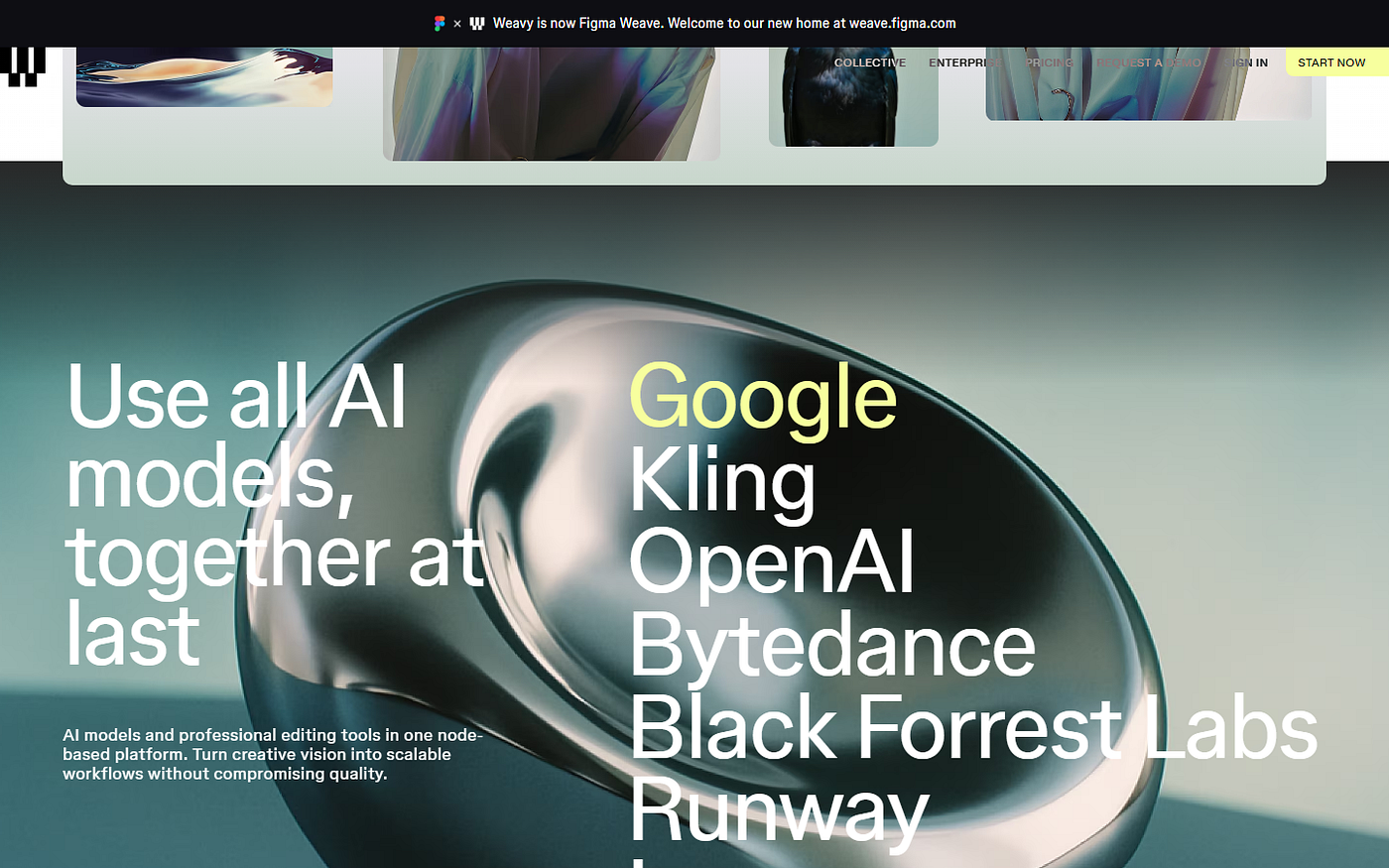
Here’s the thing — this isn’t just another AI image generator. It’s an orchestrator. Instead of being locked into one AI model, Weave gives you access to multiple models and lets you chain them together in visual workflows. Think of it as a creative pipeline builder for AI media.
How It Works — The Node-Based Approach
If you’ve ever used Blender’s node editor or Unreal Engine’s Blueprints, you’ll feel right at home. Everything in Weave is a node on a canvas. You connect nodes together to build workflows.
A simple workflow might look like this:
- Text prompt node — you write your prompt
- Model node — you pick which AI model processes it (Flux, Ideogram, Recraft, etc.)
- Edit node — you apply post-processing (upscale, crop, relight)
- Output node — your final result
The beauty of this approach is that every step is visible, documented, and reproducible. You can branch off at any point, try a different model, tweak a parameter, and compare results side by side. No more “what prompt did I use for that one?” — it’s all there on the canvas.

There are already 20+ community templates available on figma.com/community/weave to get you started. Five official workflows cover the most common use cases:
- Multi-aspect ratio generation
- Style comparison across models
- Image-to-video pipeline
- Distortion and effect comparison
- Brand-consistent asset generation
The AI Models
This is where Weave really stands out. Instead of building their own AI model, Figma took the platform approach. You get access to a seriously impressive roster:

- Image generation: Flux, Ideogram, Recraft, Bria, Grok
- Video generation: Sora, Veo, Kling, Runway, Luma, Wan
Each model has its strengths. Ideogram is brilliant for text in images. Flux handles photorealism well. Sora and Veo are pushing the boundaries of AI video. Having them all in one place means you can run the same prompt through three different models and pick the best result — without leaving the platform.
Key Features
Professional Editing Tools
Weave isn’t just about generation. It includes a proper set of editing tools that you’d expect from a professional pipeline:
- Basic edits: blur, invert, crop, mask
- AI-powered edits: inpaint, outpaint, upscale, relight
- Advanced: Z-depth extraction for 3D-aware compositing
The inpainting and outpainting tools are particularly useful. Generate an image, mask out the bit you don’t like, and let the AI regenerate just that area. It’s non-destructive and you can always go back to any previous state in the node graph.

App Mode
This is my favourite feature and honestly the one that could make Weave a real team tool. App Mode lets you take a complex node workflow and convert it into a simplified UI — basically a form with inputs and a “Generate” button.
Why does this matter? Because your art director or marketing manager doesn’t need to understand nodes. They just need to type a prompt, pick a style, and hit go. You build the workflow once, publish it as an “app”, and your whole team can use it without touching the node editor.
Artist Collective
Figma has also set up a curated community of leading AI creators called the Artist Collective. They share workflows, templates, and techniques. It’s still early days, but it’s a smart move to build community around the platform.
Figma Weave vs Figma Make
I’ve seen some confusion about this, so let me clear it up.
- Figma Make is prompt-to-UI prototyping. It lives inside Figma Design. You describe a component or layout and it generates Figma layers. It’s for designers building interfaces.
- Figma Weave is prompt-to-media generation. It’s a separate product at weave.figma.com. You generate images, videos, and creative assets. It’s for anyone working with AI-generated media.
Different products, different billing, different target users. The only thing they share is the Figma name and your account login.
Pricing Breakdown

Weave uses a credit-based system. Here’s what you’re looking at:
- Free: $0/month — 150 credits, up to 5 workflows
- Starter: $19/month — 1,500 credits
- Professional: $36/month — 4,000 credits
- Team: $48/user/month — 4,500 credits per user
- Enterprise: custom pricing
The free tier is enough to explore and build a few workflows. But here’s my concern — the credit system penalises experimentation. AI creative work is inherently iterative. You need to generate dozens of variations to find the right one. When every generation costs credits, you start second-guessing instead of exploring.
My Take — Honest Opinion
I’ve been using Weave for a couple of weeks now, and I have mixed feelings.
What I love:
- The multi-model approach is genuinely useful. Running the same prompt through Flux and Ideogram side by side saves me so much time.
- The node-based workflow is excellent for reproducibility. I can share a workflow with a colleague and they get the exact same pipeline.
- App Mode is a game-changer for teams. Building once and letting non-technical people use it is exactly what production teams need.
- Chase Jarvis called it “the most transformational tool since Photoshop” — and while that’s a bit much, I understand the sentiment.
What concerns me:
- The learning curve is steep. If you’ve never worked with node-based editors, you’ll need time to get comfortable.
- The credit system, as I mentioned, discourages the kind of free exploration that leads to creative breakthroughs.
- Separate billing from Figma Design feels like a miss. If I’m already paying for Figma, adding another subscription stings.
How does it compare?
- vs ComfyUI: ComfyUI is free and open-source with unlimited local generation — but you need a powerful GPU and technical knowledge. Weave is polished and cloud-based but costs money. Pick your trade-off.
- vs Midjourney: Midjourney is still the aesthetic king for single-image generation. Weave is the orchestrator — it’s about pipelines, not individual images.
- vs Adobe Firefly: Adobe’s approach is a walled garden with their own models. Weave is an open platform connecting multiple models. I prefer the open approach.
Wrapping Up
Figma Weave is an ambitious product. It’s trying to be the hub for all AI-generated media — the place where you build, iterate, and produce creative assets using whatever AI models work best for the job.
Is it perfect? No. The learning curve and credit system are real barriers. But the core idea — a visual, node-based orchestrator for multiple AI models with professional editing tools — is exactly what the creative industry needs right now.
If you’re currently juggling three or four AI tools and losing track of your workflows, give the free tier a try at weave.figma.com. The 150 free credits won’t last long, but they’ll be enough to tell you whether this fits your workflow.
Happy designing!
If you want to go deeper and learn how to build real, production-ready CSS design systems step by step, check out my full course here: CSS Design Systems Course
If you found this helpful, I’d love to connect! Follow me on Twitter/X @alexandersstudi or LinkedIn for more CSS and design system tips.
메타데이터
- post_id
- e12cabe41b4f
- slug
- figma-weave-the-ai-media-platform-that-wants-to-replace-your-entire-toolkit-e12cabe41b4f
- url
- https://medium.com/@alexdev82/figma-weave-the-ai-media-platform-that-wants-to-replace-your-entire-toolkit-e12cabe41b4f
- canonical_url
- https://medium.com/@alexdev82/figma-weave-the-ai-media-platform-that-wants-to-replace-your-entire-toolkit-e12cabe41b4f
- author_url
- https://medium.com/@alexdev82
- status
- ok
- fetched_at
- 2026-07-16 18:08:31