Typography Scanner: Figma Plugin Every Design Team Needs
Typography Scanner helps designers audit an entire Figma file in seconds — making design systems cleaner and developer handoff much easier…
Typography Scanner: Figma Plugin Every Design Team Needs
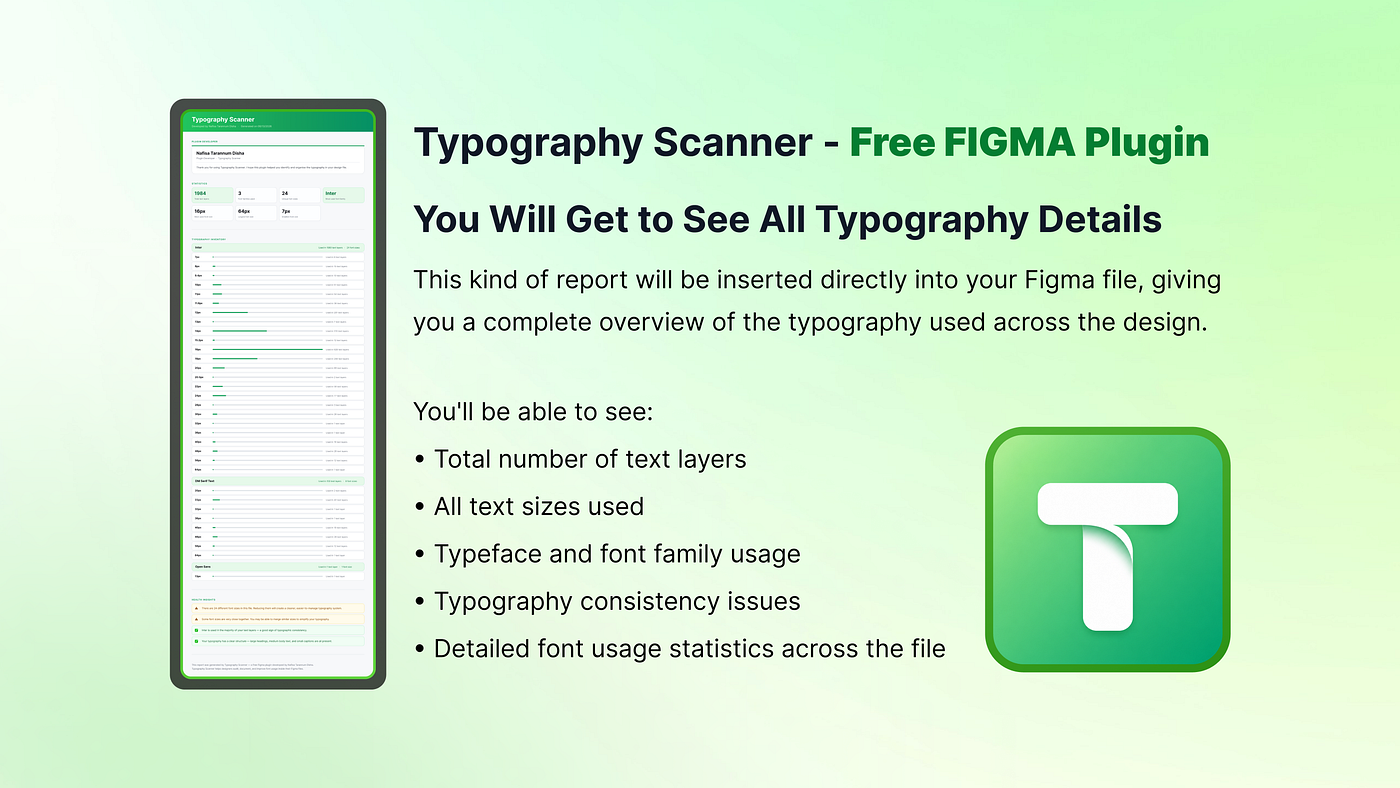
Typography Scanner Free Figma Plugin — Built by Nafisa Tarannum Disha
Typography Scanner helps designers audit an entire Figma file in seconds — making design systems cleaner and developer handoff much easier. Hi, I’m Nafisa Tarannum Disha, a Product UI/UX Designer and Researcher. 🙋♀️
There’s a moment almost every product designer experiences. I’m a Product Designer who spends most of my day inside Figma.
After working on 350+ UX/UI projects across SaaS products, CRMs, LMS platforms, and enterprise applications, I noticed one problem appearing over and over again. Thats “Typography”.
Every product starts clean. Months later… Different font sizes appear. Someone changes a heading. Someone duplicates an old screen. Another designer adds a quick fix. Eventually, the typography inside the file no longer matches the design system. That’s exactly why I built Typography Scanner.
Typography Scanner helps designers audit every text layer inside a Figma file within seconds.
Figma Approved — Typography Scanner Plugin Link:
https://www.figma.com/community/plugin/1647511031609297546/typography-scanner
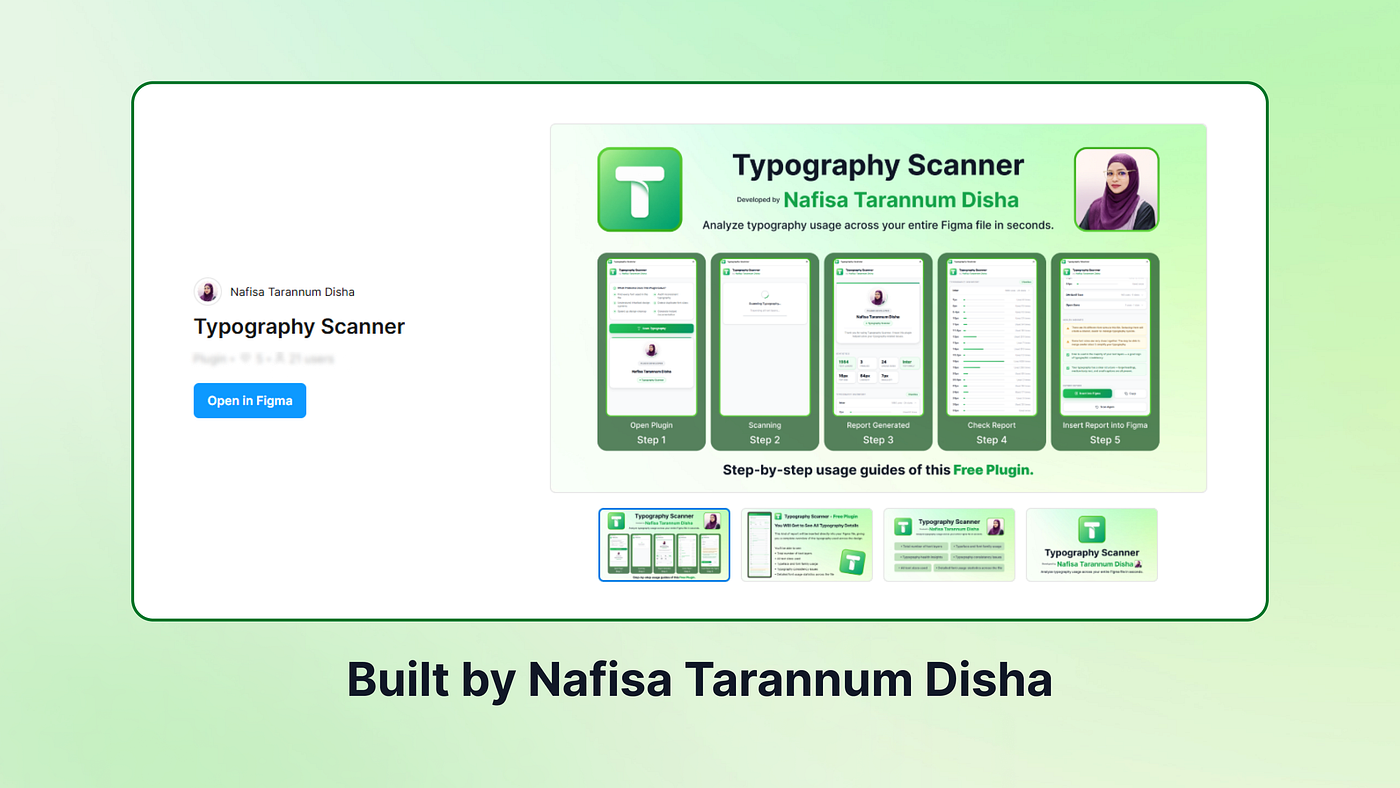
Why Typography Becomes a Problem
Most typography problems aren’t visible. A screen may look perfectly consistent. But behind the scenes you might find : 16px / 15px / 15.5px / 17px — all being used as body text. Developers don’t know which one is correct. Designers don’t know which ones are legacy. And reviewing thousands of text layers manually becomes nearly impossible. This becomes even more challenging when working with:
- Enterprise products
- Design systems
- CRM platforms
- LMS dashboards
- Large mobile applications
- Multi-designer teams
The Question That Started Everything
While reviewing one of our product files, I asked myself a simple question. Can Figma show me every font family and every font size used across the entire file? The answer was… “Not really”. Existing plugins solved parts of the problem, but none gave me exactly the typography overview I wanted. So instead of continuing to search — I decided to build it myself.
Typography Scanner Free Figma Plugin is now — Officially Approved by Figma
Meet Typography Scanner
Typography Scanner is designed with one goal. Make typography audits effortless. Instead of checking text layers one by one, the plugin scans the entire Figma file and generates a complete typography report in seconds.
**Here’s what it provides:
**✅Scan Every Text Layer ✅One click. ✅No setup. ✅No frame selection.
Simply press Scan Typography, and the plugin analyzes every accessible text layer in your file.
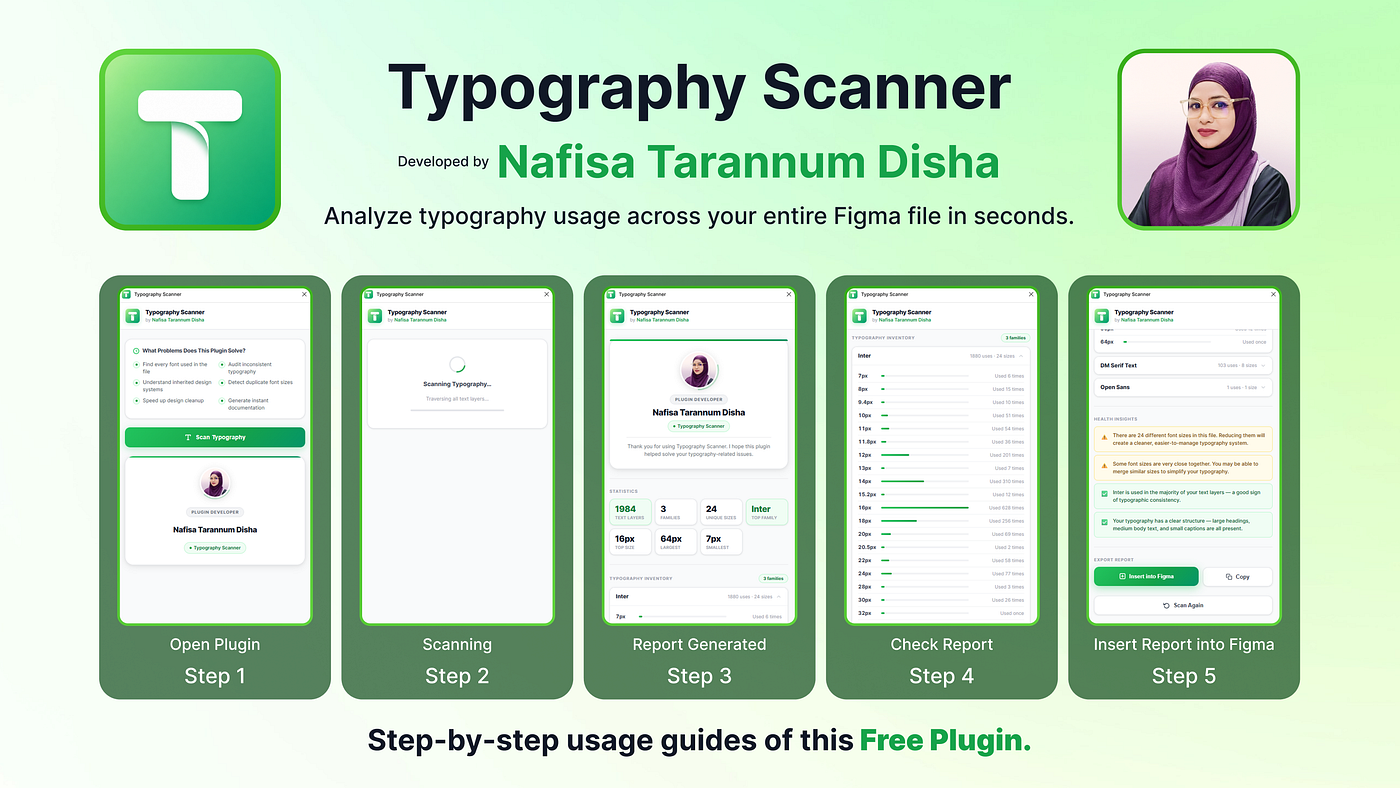
Understand Your Typography System
The report includes ☑️ Total text layers ☑️ Font families ☑️ Font weights ☑️ Font sizes ☑️ Usage frequency ☑️ Largest & smallest text sizes ☑️ Rare typography values Instead of guessing, you instantly understand how typography is being used throughout your product.
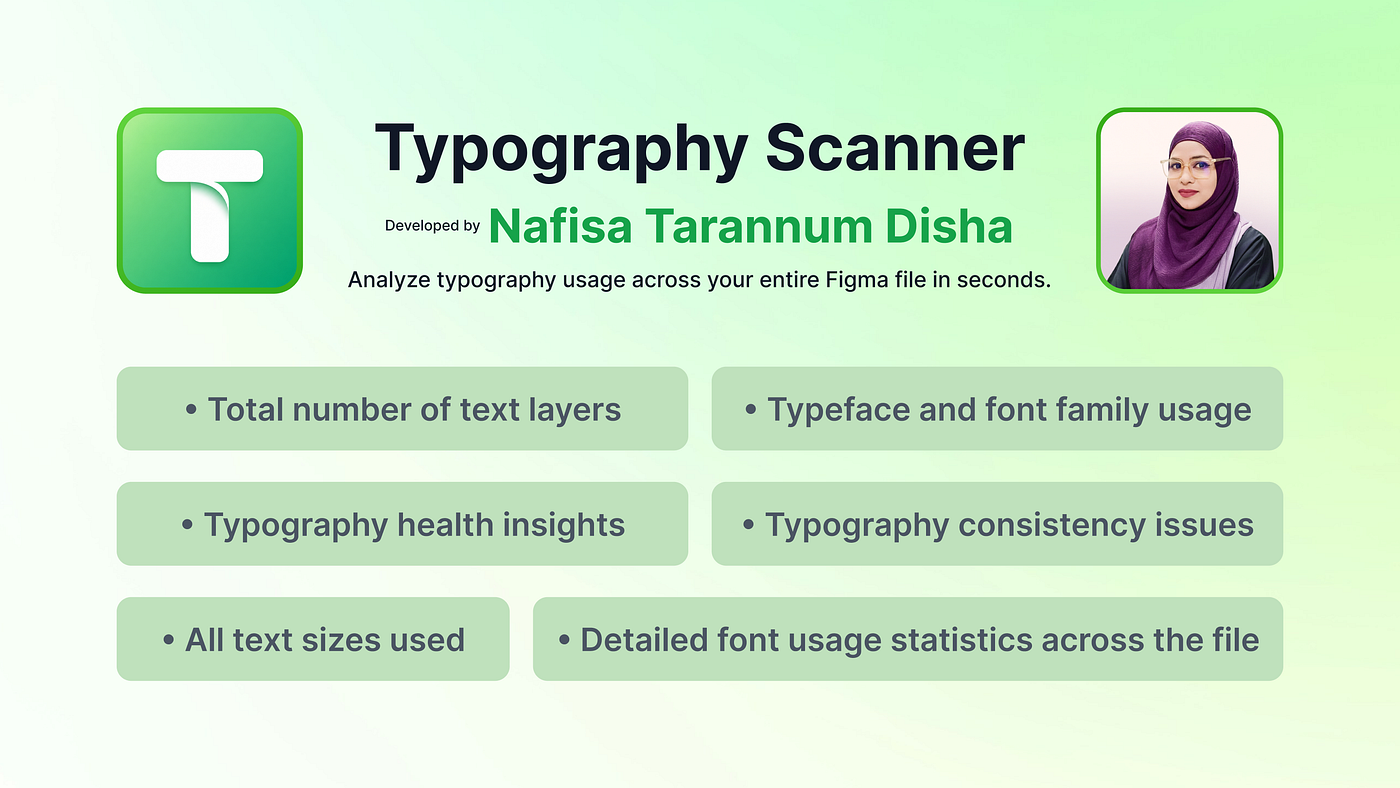
Full Typography Scan Report of the Design File
My Favorite Feature: Typography Health Insights
Numbers alone don’t tell the whole story.
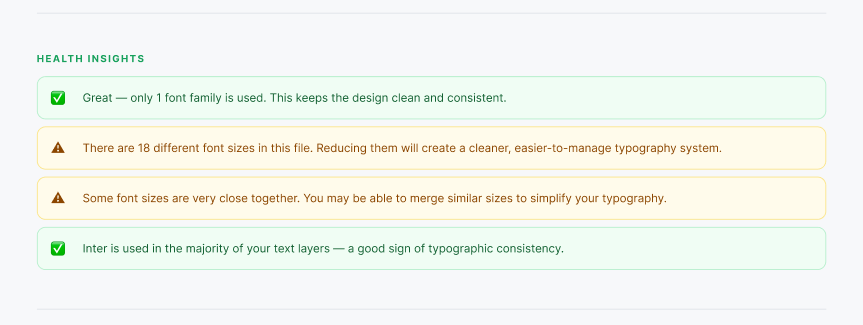
Typography Health Insights
That’s why I built Typography Health Insights. Instead of only listing typography values, the plugin explains what they mean.
For example, it can highlight:
- Too many unique font sizes
- Similar font sizes that could be merged
- Potential typography outliers
- Cleanup opportunities
- Design system consistency issues
It doesn’t replace designers. It simply points your attention to areas worth reviewing.
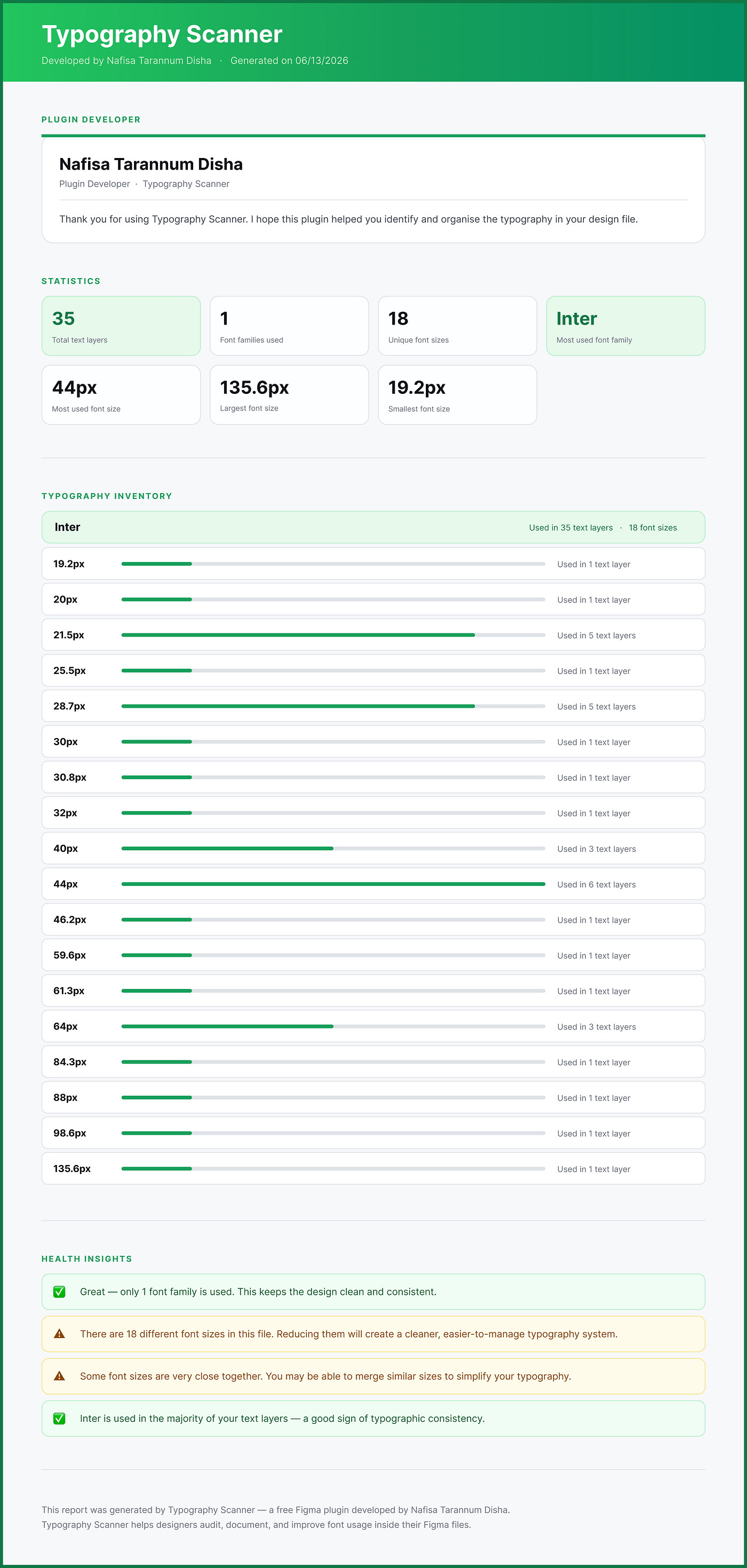
Report View After Scanning with The Typography Scanner Free Figma Plugin
Testing It on a Real Product
I wanted to test the plugin on an actual production file instead of a demo project. The result surprised me. The file contained nearly 2,000 text layers. After scanning for only a few seconds, the report showed: ✔ Excellent font-family consistency ✔ Mostly Inter throughout the product ✔ More than 20 different font sizes ✔ Several font sizes used only once Those one-off values immediately became our cleanup checklist. Instead of spending hours searching manually, we knew exactly where to start.
Built for Better Developer Handoff
Typography isn’t only a design problem. It’s a development problem too. Imagine a developer opening a design file and finding: 16px / 15px / 15.5px / 17px — all representing body text. Which one should they implement? Every inconsistency creates another question. Every question slows development. Typography Scanner helps teams reduce those conversations before handoff even begins.
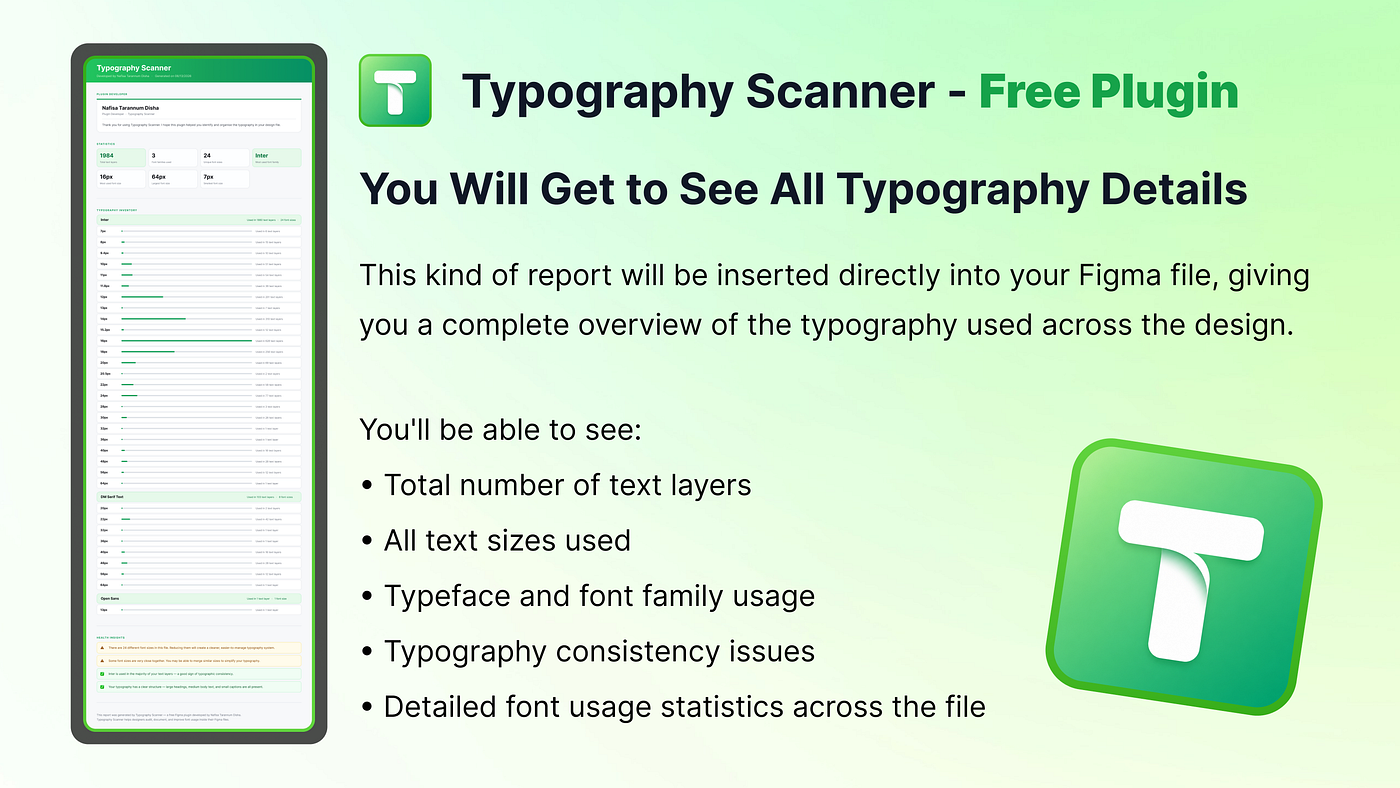
Typoraphy Scanner by Nafisa Tarannum Disha
Why I Kept It Free??
I built Typography Scanner because I genuinely needed it during my daily work. If a small plugin can save hours of manual auditing, I don’t think it should sit behind a subscription. That’s why it’s completely free. ✔️No locked reports. ✔️No scan limits. ✔️No premium version. ✔️Just a useful tool for the design community.
Final Thoughts
Good typography isn’t just about choosing beautiful fonts. It’s about consistency. And consistency starts with visibility.
Typography Scanner gives designers that visibility in seconds.
If you work with large Figma files, inherited projects, or growing design systems, I hope this plugin saves you as much time as it has saved mine. Happy Designing 💚

Nafisa Tarannum Disha — Product UXUI Designer | UX Researcher | Figma Approved Plugin Developer
✍🏻Nafisa Tarannum Disha
Product Designer • UX Researcher • Figma Approved Plugin Developer 💚
My other Profile links are given below 💚
My Linkedin Profile: *https://www.linkedin.com/in/nafisatdisha/*
My Behance Profile: https://www.behance.net/nafisatdisha
My X (Twitter) Profile: *https://twitter.com/NafisaTDisha*
My Instagram Profile: *https://www.instagram.com/nafisatdisha*
Thank You for your time. 💚
Let me know if my article provided you with valuable insights! 💚
메타데이터
- post_id
- e14bd4059132
- slug
- typography-scanner-figma-plugin-every-design-team-needs-e14bd4059132
- url
- https://medium.com/design-bootcamp/typography-scanner-figma-plugin-every-design-team-needs-e14bd4059132
- canonical_url
- https://medium.com/design-bootcamp/typography-scanner-figma-plugin-every-design-team-needs-e14bd4059132
- author_url
- https://medium.com/@nafisatdisha
- status
- ok
- fetched_at
- 2026-07-11 14:03:14






