Brie.io Review: A Simple Way to Make Bug Reports Less Painful
Bug reports should be simple, but in most teams they are not.
Brie.io Review: A Simple Way to Make Bug Reports Less Painful
Bug reports should be simple, but in most teams they are not.
The usual flow is painful. Someone finds a bug and sends a short message like, “The checkout button does not work.” Maybe they add a screenshot. Then the developer has to ask the same questions again: What browser were you using? What did you click before it broke? Are there any console errors? Did the API request fail? Can you record a video?
This back-and-forth wastes time for everyone.
I have seen this happen in small teams, agencies, QA handoffs, and even good engineering teams. The problem is not that people are lazy. The problem is that collecting a useful bug report takes effort. Most people do not want to open DevTools, check the Network tab, copy console errors, write clear steps, and attach all the right details.
So the bug report ends up incomplete.
Why screenshots and tickets are not enough
A screenshot shows what the page looked like, but it does not show what happened before the issue. A screen recording helps, but it still misses console logs, failed requests, browser details, and user actions. A Jira or Linear ticket is useful for tracking the work, but it does not magically collect the debugging context.
Where Brie.io fits
That is where Brie.io is interesting.
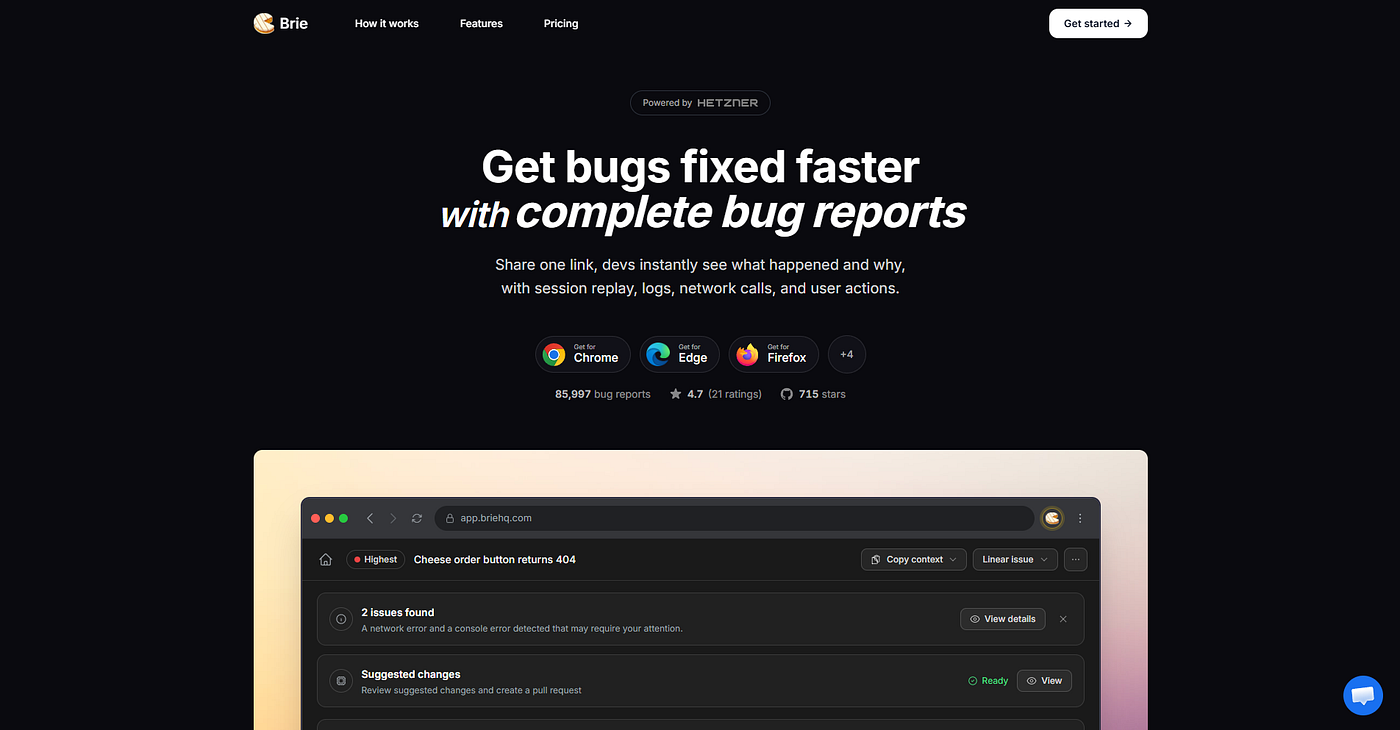
Brie.io
Brie is a bug capture browser extension. The idea is simple: capture the issue from the browser and share a report with the useful context already included.
A Brie report can include things like screenshots, video, session replay, console logs, network requests, device details, and user actions. Instead of sending a vague message to a developer, you can send one report that shows what happened and gives more clues about why it happened.
This is not a replacement for Jira, Linear, GitHub Issues, or your support tool. It fits before those tools. You use Brie to capture the bug properly, then attach the report to your ticket or share it with the person who needs to fix it.
Best use case
The best use case is when bugs are hard to reproduce. For example, a user clicks through a few steps, an API call fails, the page gets stuck, and the developer cannot see the same issue locally. In that case, having the user actions, network call, and console error in one place is much more useful than another screenshot.
Who may find it useful
Brie can be helpful for QA testers, frontend developers, product managers, support teams, web agencies, and early-stage startups. It is especially useful when non-technical people need to report technical issues.
Final thoughts
It is not magic, and it will not fix a broken process by itself. Teams still need clear ownership, good priorities, and clean issue tracking.
But if your team often says, “I can’t reproduce this,” Brie.io is worth trying.
It solves a boring problem, but a real one: making bug reports easier to understand before they reach the developer.
메타데이터
- post_id
- e185f3ecacef
- slug
- brie-io-review-a-simple-way-to-make-bug-reports-less-painful-e185f3ecacef
- url
- https://medium.com/@sshaktirai/brie-io-review-a-simple-way-to-make-bug-reports-less-painful-e185f3ecacef
- canonical_url
- https://medium.com/@sshaktirai/brie-io-review-a-simple-way-to-make-bug-reports-less-painful-e185f3ecacef
- author_url
- https://medium.com/@sshaktirai
- status
- ok
- fetched_at
- 2026-08-06 03:04:31




