How to improve your app’s ratings in the Microsoft Store
Having published apps to the Microsoft Store for the past 9 years, I’ve learned these strategies for improving ratings for Windows apps.
How to improve your app’s ratings in the Microsoft Store
Having been publishing Windows apps to the Microsoft Store for the past 9 years, I’ve developed my own best practices when it comes to app ratings. And applying this knowledge to Ambie has led it to be the top-rated health app on Windows, at 4.8 stars with 1700+ international ratings.
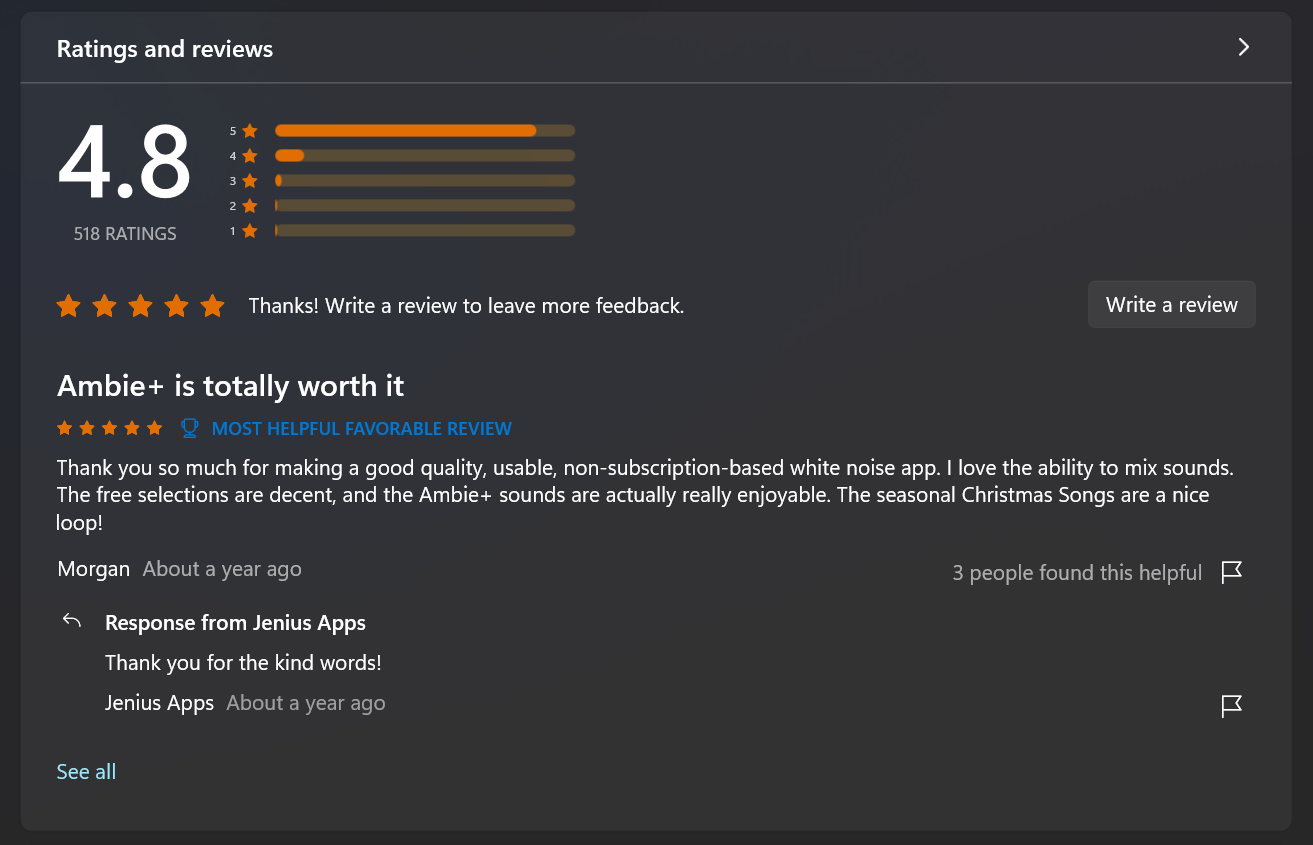
Ambie ratings in the U.S. market.
Don’t rely solely on the Microsoft Store app
First and foremost, don’t expect the Microsoft Store app to be the primary avenue for users to rate your app. The Store app has vastly improved over the years, but its experience is not the problem. It’s simply unintuitive for a user to think “I will launch the Store so I can rate this app”. What I have learned over the years is that the mental effort required for a user to open the Store app to specifically review your app is high. This means a few things:
- Only users with extremely strong intent to rate your app would go out of their way to go to the Store
- That extremely strong intent is often a strong negative or strong positive emotion.
- Everyone else with low or medium emotion/intent won’t go to the Store to rate your app, even if they like it
So if your reviews solely rely on users launching the Store to rate your app, you’re only capturing reviews from a small slice of your audience. And that slice is not an accurate representation of what the average person thinks about your app.
Meet your customers where they are and when they’re happy
You need to prompt users for ratings while they are in your app. And for best effect, only prompt when they did something in your app that would have made them happy.
In Ambie, the user is prompted to rate only if
- The current session is NOT the first session.
- And the user has been playing a sound non-stop for 30 minutes.
In Disney+, based on my own experience encountering their prompt, it seems like the user is prompted if:
- The user has just finished playing a second episode in a row for a show.
For both scenarios, the idea is that we try to prompt users who seem to be enjoying the app. This ensures you capture the ratings of people at their happiest moment, which would increase the likelihood of them providing a positive rating.
Make the prompt convenient and optional
You might be wondering, “You keep talking about prompting, but what does prompting mean exactly? Redirect them to the Store?”
No, you need to use the Microsoft Store’s in-app ratings API. Here is documentation on how to integrate with the in-app ratings API: https://learn.microsoft.com/en-us/windows/uwp/monetize/request-ratings-and-reviews#show-a-rating-and-review-dialog-in-your-app. Here’s how the in-app ratings dialog looks like:

Once you determine the best time for users to be prompted, you should show a Teaching Tip or some other UI that invites the user to give your app a rating. For best effect, this UI should not disrupt the user’s flow and users should be able to dismiss this message. If they proceed with rating, trigger the in-app ratings API. In Ambie, here’s how my prompt looks:

Notice that the prompt is unobtrusive and can be dismissed. This helps avoid annoying the users. If you annoy them, they may give you a negative rating.
Lastly, build a good app
At the end of the day, the strategies I laid out above will help increase the volume of your ratings and will increase the chance of the submitted scores being positive. But if you don’t address user feedback or if your app doesn’t solve the problems that users are trying to solve, then users will rate your app poorly.
If your app is still new and you don’t think users should really be evaluating your app yet, I recommend not performing any rating prompts. For example, my Beeskie app (a Windows app for Bluesky) is still in Beta, so I am not prompting any users to rate it.
Using the strategies above, I’ve managed to capture positive reviews from many of Ambie’s customers. To put things in perspective, I compared the performance of a simple “Rate me” button (that always lives in the settings page) to this “Rate me” prompt. The numbers are below. The prompt vastly outperforms a simple button.

Over 30 days. Pink = rate me button clicks. Blue = rate me prompt clicks.
So strategic prompting works. Give it a try, and let me know what you think.
메타데이터
- post_id
- e2a50f7af05d
- slug
- how-to-improve-your-apps-ratings-in-the-microsoft-store-e2a50f7af05d
- url
- https://medium.com/@kidjenius/how-to-improve-your-apps-ratings-in-the-microsoft-store-e2a50f7af05d
- canonical_url
- https://medium.com/@kidjenius/how-to-improve-your-apps-ratings-in-the-microsoft-store-e2a50f7af05d
- author_url
- https://medium.com/@kidjenius
- status
- ok
- fetched_at
- 2026-07-19 09:39:08