Home Office Solution during the COVID-19 Pandemic using Microsoft Azure VPN Gateway
Please follow the instructions for the creation and update on the Portfolio module
Home Office Solution during the COVID-19 Pandemic using Microsoft Azure VPN Gateway
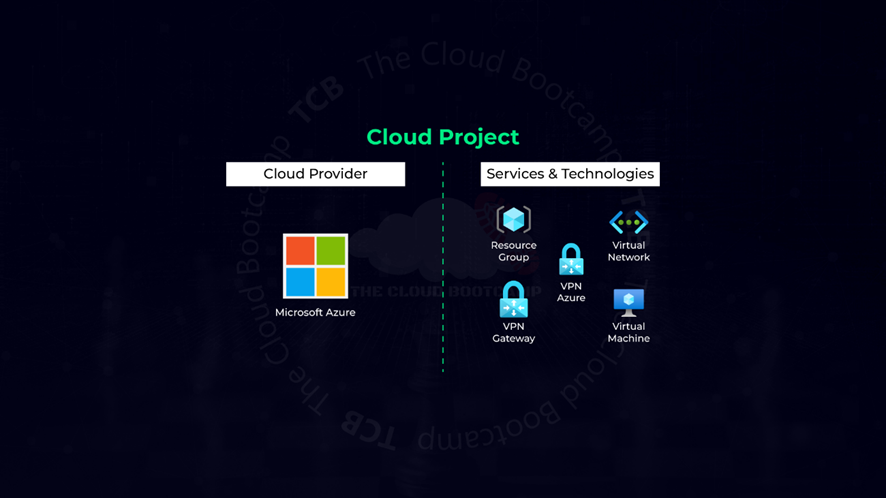
Involved Technologies or Cloud Services (Azure)
Please follow the instructions for the creation and update on the Portfolio module
In this real world-based project, I acted as a Cloud Specialist to create a solution for people who were working in the office to start working from home, normally accessing the environment in Microsoft Azure, and without exposing the entire environment to the internet.
To solve this business problem and come up with a solution compatible with the requirements, I defined that it was necessary to implement Point-to-Site (P2S) VPNs, so that employees who were working from home would close an encrypted tunnel between their computer and the Microsoft Azure environment.

Solution Architecture
The implementation of this solution follows the steps below:
-
Creating a Resource Group (RG): This will group all solution components together, making management easier.
-
Setting up a Virtual Network (VNET): The VNET is associated with the Resource Group created in the previous step. In this exercise, we kept the default IP range and subnet settings.
-
Creating the Virtual Machine(s) (VMs) to host the application:
- For this example, we deployed a single VM to validate the concept. However, the same procedure can be repeated for multiple VMs if needed.
- The VM was created using Ubuntu Server 24.04 LTS with the Standard_B1s size, which is the minimum required for this experiment.
- It is crucial to associate the VM(s) with the Resource Group created in step 1.
- Access to the VM was secured via Key Pair authentication, and all inbound ports were kept closed (Public Inbound ports: none), with no public IP assigned. The VM was designed to be accessed exclusively via VPN tunneling.
- Deploying a Virtual Network Gateway (VNG):
- The VNG was associated with the VNET created in step 2.
- It’s important to note that VNET provisioning takes time (approximately 20 to 25 minutes), so careful monitoring is necessary.
- A Public IP address was assigned and named accordingly.
- Both Active-Active mode and BGP were disabled, as they require additional resources and costs that were not necessary for this exercise. However, in a real-world scenario, these features could be enabled if required.
-
Generating VPN access certificates (root and client certificates).
-
Configuring a Point-to-Site (P2S) VPN:
- Defined the IP address pool.
- Selected the tunneling type as IKEv2 and SSTP (SSL).
- Chose Azure certificate as the authentication method.
- Uploaded the root certificate generated in step 5.
- Downloading and installing the VPN Client on a consumer workstation:
- The client certificate generated in step 5 was registered on the workstation.
- Testing the VPN connection:
- A connectivity test was performed by pinging the private IP address of the Virtual Machine, which was successful.
- Deploying the application on the VM:
- Installed Apache on the VM.
- Successfully accessed the Apache default page via a web browser.

Apache Welcome Page
- Monitoring network traffic:
- Used Virtual Network Gateway monitoring to track tunnel connections and network consumption.

Vitual Network Gateway Monitoring Page
This structured approach ensured secure, controlled access to the cloud environment while validating the VPN and application deployment process.
메타데이터
- post_id
- e2a8f2ec6945
- slug
- home-office-solution-during-the-covid-19-pandemic-using-microsoft-azure-vpn-gateway-e2a8f2ec6945
- url
- https://medium.com/@lfpadrao/home-office-solution-during-the-covid-19-pandemic-using-microsoft-azure-vpn-gateway-e2a8f2ec6945
- canonical_url
- https://medium.com/@lfpadrao/home-office-solution-during-the-covid-19-pandemic-using-microsoft-azure-vpn-gateway-e2a8f2ec6945
- author_url
- https://medium.com/@lfpadrao
- status
- ok
- fetched_at
- 2026-08-17 15:42:18




