How to Setup SmartInsight AI for your Salla Store
As an eCommerce business, your store generates tons of valuable data — sales, customer behavior, marketing stats, and more. But data is…
How to Setup SmartInsight AI for your Salla Store
As an eCommerce business, your store generates tons of valuable data — sales, customer behavior, marketing stats, and more. But data is only useful when it helps you make smart decisions, like managing stock levels, increasing revenue, cutting costs, and keeping customers happy.
Normally, extracting insights from your data requires learning complex dashboards or analytics tools. But with SmartInsight AI, you can simply chat with your data on WhatsApp and instantly get the insights, analysis, and reports you need to drive better business outcomes.
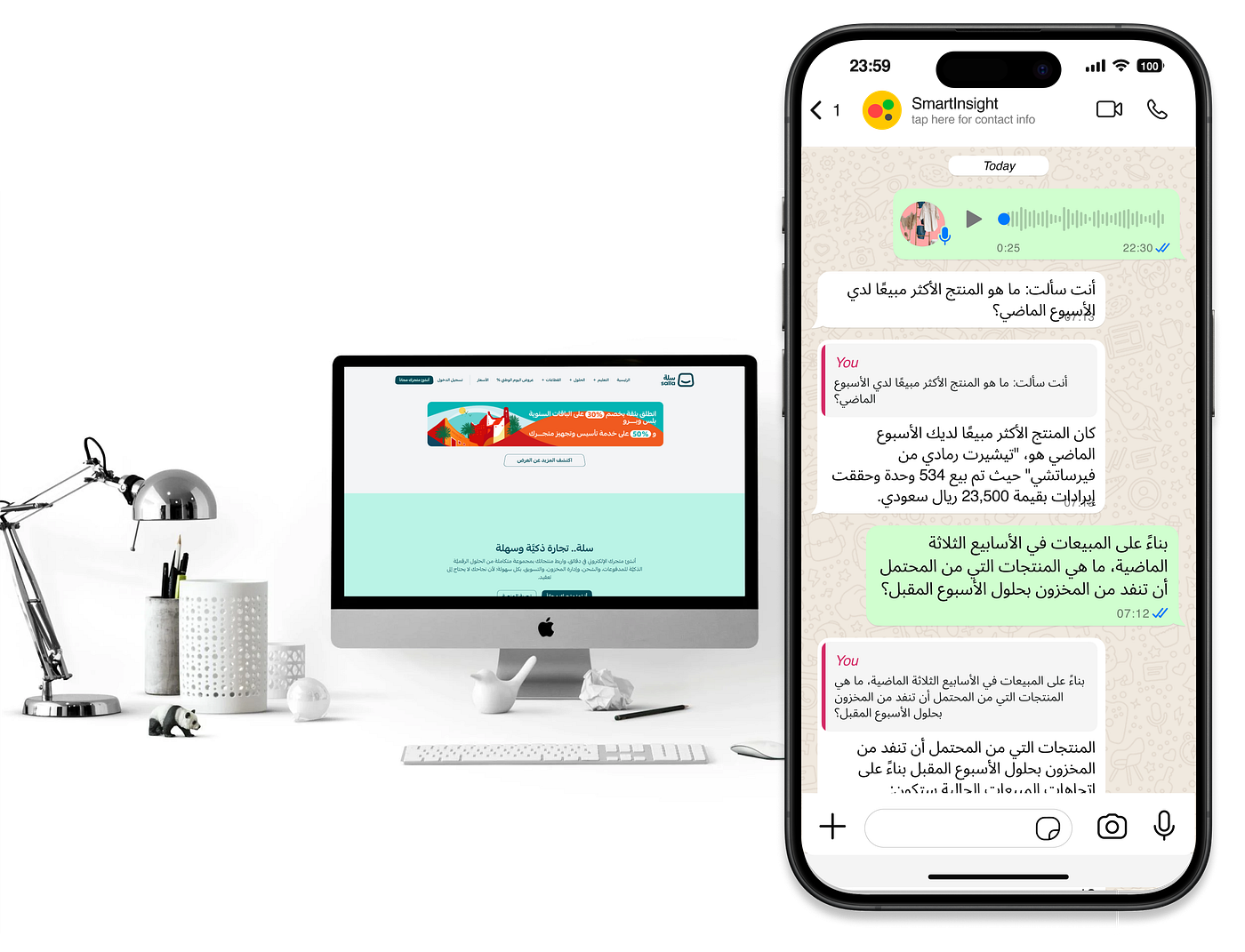
Interacting with SmartInsight AI on WhatsApp for insights about a Salla store
Getting Started with SmartInsight for Your Salla Store: How to Install.
- Install SmartInsight: Head to the Salla app store and install SmartInsight from here.
- Free Trial: You’ll have a 7-day free trial.
- Email Confirmation: After installation, you’ll receive two emails — one confirming that the app is installed, and another with login details for SmartInsight’s web app.
- Activate SmartInsight: After installation, the activation popup should appear automatically. If it doesn’t, click the ‘eye’ icon (see below) to bring up the activation popup.
the eye icon
5. Permissions and WhatsApp Setup: Read the permissions for data access, enter your WhatsApp number, agree to the terms, and activate the app.
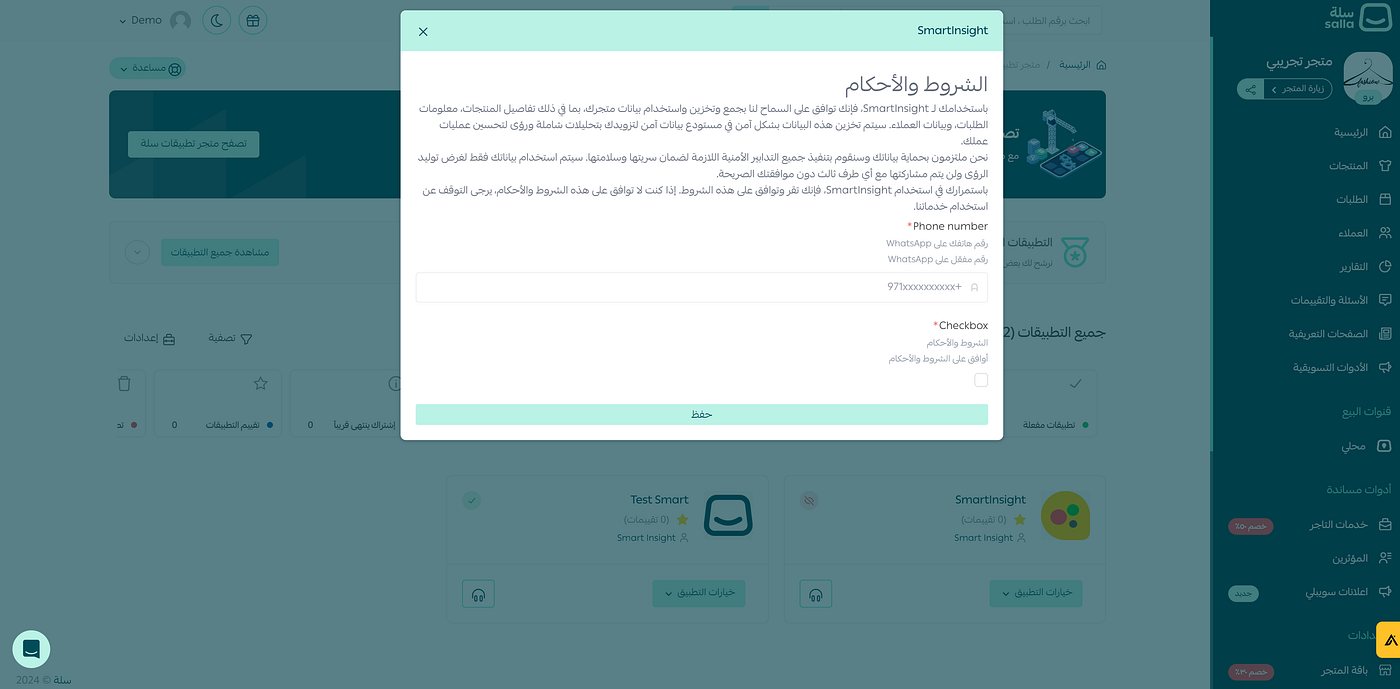
The activation popup
-
Store Setup: Once activated, you’ll get an email confirming that we’ve started setting up your store’s data on SmartInsight. Depending on the volume of your data, this process might take some time.
-
Progress Check: You can monitor setup progress through the SmartInsight web app.
-
Setup Completion: When setup is finished, you’ll receive an email letting you know it’s time to start chatting with your store’s data.
-
Start Chatting: Click the button in the email, and you’ll be directed to WhatsApp where you can start chatting with SmartInsight AI.
-
Congratulations! You’re now ready to get real-time insights, analysis, and reports about your Salla store, all from the ease of WhatsApp.
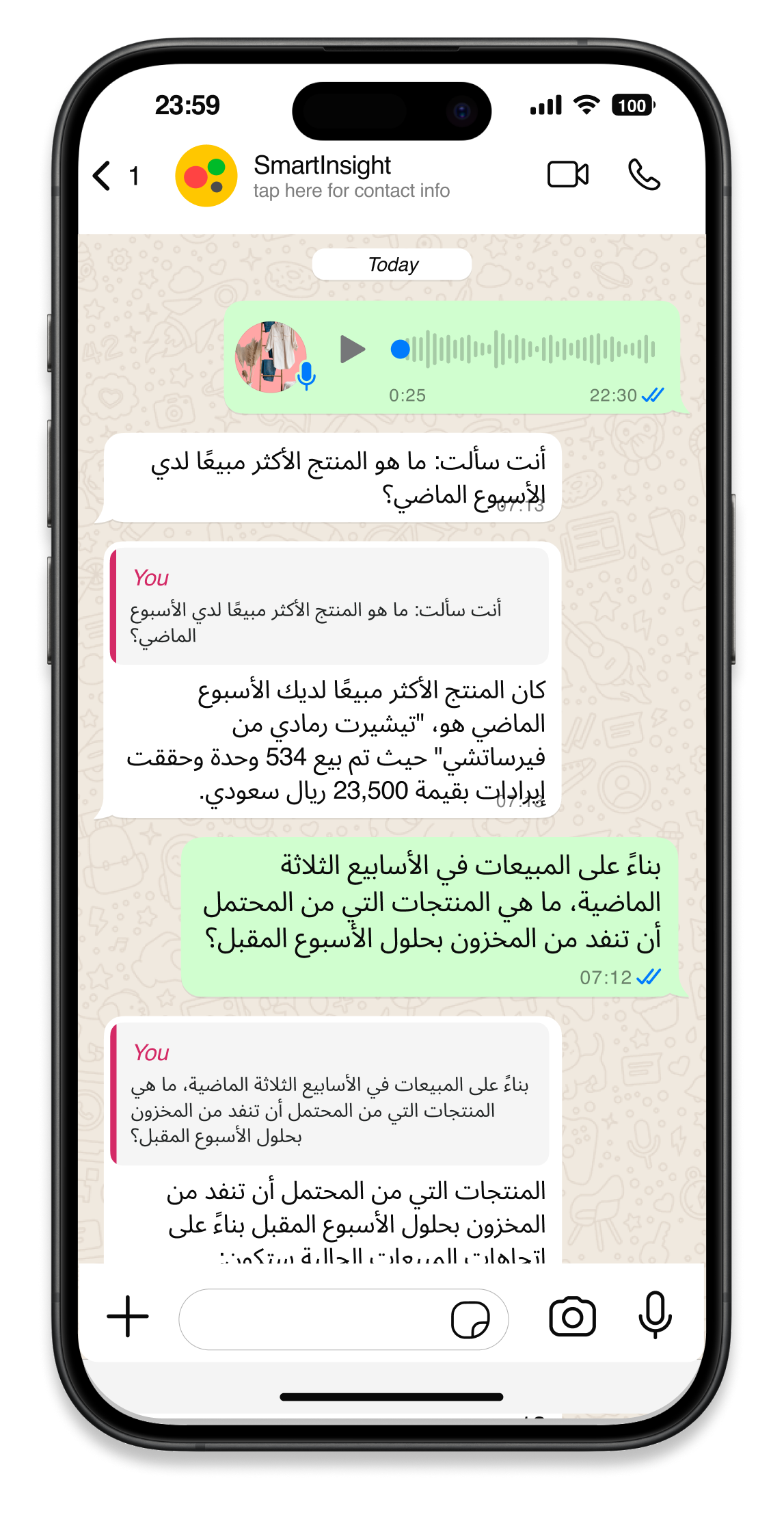
Chatting with your store data via SmartInsight on WhatsApp
메타데이터
- post_id
- e2fb9a97fa4a
- slug
- how-to-setup-smartinsight-ai-for-your-salla-store-e2fb9a97fa4a
- url
- https://medium.com/@dev_23781/how-to-setup-smartinsight-ai-for-your-salla-store-e2fb9a97fa4a
- canonical_url
- https://medium.com/@dev_23781/how-to-setup-smartinsight-ai-for-your-salla-store-e2fb9a97fa4a
- author_url
- https://medium.com/@dev_23781
- status
- ok
- fetched_at
- 2026-07-22 19:30:19



