Review of the SwitchBot Pan/Tilt Cam Plus 3K
Improving the SwitchBot Ecosystem
Review of the SwitchBot Pan/Tilt Cam Plus 3K
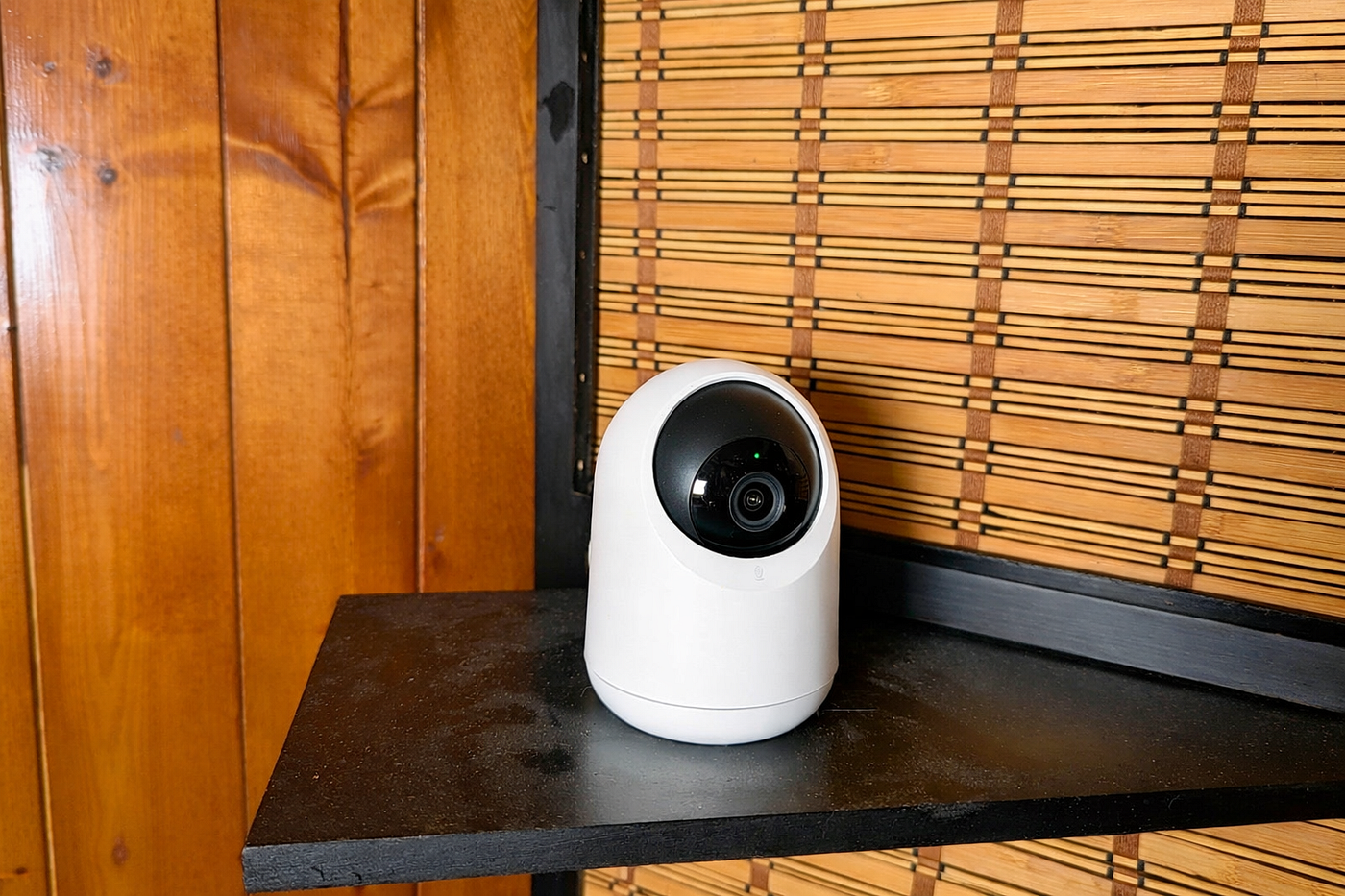
View of a SwitchBot Pan/Tilt Cam Plus 3K indoor camera
Improving the SwitchBot Ecosystem
When SwitchBot sent over their new AI Hub for testing, they also included two of their Pan/Tilt Cam Plus 3K indoor cameras. Since I was already knee-deep in SwitchBot’s ecosystem, I decided to put these cameras through the same kind of real‑world, day‑to‑day use that I apply to everything I review. No staged lighting, no perfect setups — just the cameras living in my home, watching me, my cat, and the occasional kitchen disaster.
Full disclosure: SwitchBot provided a sample for testing. No payment was received, and no affiliate links were used. All photos were taken with a Google Pixel 7.

The camera and its accessories
Setup and Installation: A Surprisingly Smooth Start
I installed the first camera in my living room, perched on a shelf of my room divider. The second camera went into the kitchen, where space is at a premium. In that case, I used the included mounting bracket and attached it to the underside of a shelf near the kitchen door. The camera ended up mounted upside-down, something these cameras handle gracefully, thanks to an orientation toggle in the app.
Both cameras paired to my Wi-Fi without any fuss. The SwitchBot app walked me through the process, and aside from a single firmware update, everything was ready to go in minutes.

I mounted the camera upside-down in my kitchen
Video Quality and Motion Tracking
Once online, both cameras delivered clear, crisp video. The 3K resolution isn’t just a marketing number: it genuinely helps when you’re trying to see what’s happening in a room, especially in mixed lighting. Motion detection worked well, and the cameras’ ability to track movement is both impressive and occasionally comedic.
When I walk into a room, the camera smoothly turns to follow me. Most of the time, this works exactly as intended. But every so often, the tracking enthusiasm goes a little too far, and the camera ends up staring directly at a wall. In those moments, I find myself waving my fingers in front of the lens like I’m trying to lure a shy pet out from behind the couch. It’s not a dealbreaker, but it’s something SwitchBot could refine, or something users can mitigate by setting up the four available preset positions.

Screenshot showing an image from the kitchen camera
Notifications, Events, and a Surprise Appearance in the AI Hub
With motion detection enabled, the cameras reliably sent event notifications to the SwitchBot app. Human detection worked without requiring any subscription, which is a nice touch. Pet and vehicle detection, however, fall under the AI Guard Plan — a paid add-on that applies per camera.
During my broader testing of the SwitchBot AI Hub, something interesting happened: for the first time, an event from my living room camera appeared inside the AI Hub interface. It included a timestamp and a thumbnail image. This was unexpected because these cameras are not RTSP‑capable, and up until that moment, they hadn’t been sending event data to the AI Hub at all.
Video from the Pan/Tilt Cam Plus 3K cameras still doesn’t make its way into the AI Hub, but the fact that events are beginning to appear suggests SwitchBot is actively working on deeper integration. Given how quickly their ecosystem has been evolving, I wouldn’t be surprised to see full event syncing arrive in a future update.

Although video is not yet available, system upgrades now allow these cameras to send event data and thumbnail images to the AI Hub.
Storage Options: Cloud, Hub, or Local
SwitchBot offers several methods to store recorded footage. At first, I used a cloud subscription for one camera and the AI Hub’s microSD card for the other. However, I eventually opted for a simpler, more cost-effective solution: I installed a 64 GB microSD card in each camera.
This eliminated the need for cloud storage and freed the cameras from relying on the AI Hub for local recording. With the SD cards installed, both cameras handled their own storage independently, and playback was smooth and responsive.
Integration Attempts: Frigate and Beyond
Because these cameras don’t support RTSP, they can’t stream video to third-party systems like Frigate. They do appear as tiles, but without any actual images or video. This isn’t so much a flaw as a limitation of the product category. These are consumer‑friendly smart cameras designed for the SwitchBot ecosystem, not open‑protocol security cameras.
Still, the fact that the AI Hub is beginning to receive event data from them hints at a future where SwitchBot’s ecosystem becomes more unified and flexible.

Screenshot of dining room camera output
Real-world Moments
Beyond the technical details, the cameras captured plenty of everyday moments: me walking into the living room or the kitchen, and, in one memorable clip, my cat launching herself toward the window like a furry missile. The cameras handled all of it without missing a beat.
Overall Impression: A Solid Pair of Smart Cameras with Room to Grow
The SwitchBot Pan/Tilt Cam Plus 3K cameras are easy to set up, deliver clear video, and offer smooth, if occasionally overenthusiastic tracking. They’re a bit larger than some fixed‑lens indoor cameras due to the pan/tilt mechanism, but that’s the trade‑off for full‑room coverage.
Real-time video and event playback in the SwitchBot app work well, and the early signs of AI Hub integration are promising. While the lack of RTSP limits compatibility with third‑party systems, these cameras are clearly designed for users who want a simple, app‑driven experience rather than a DIY surveillance setup.
If SwitchBot continues improving the AI Hub’s ability to ingest events, these cameras could become even more compelling. As they stand today, they’re reliable, flexible, and surprisingly capable for their price. The SwitchBot Pan/Tilt Cam Plus 3K is recommended.
메타데이터
- post_id
- e38cdb6a085f
- slug
- review-of-the-switchbot-pan-tilt-cam-plus-3k-e38cdb6a085f
- url
- https://medium.com/@wshillington/review-of-the-switchbot-pan-tilt-cam-plus-3k-e38cdb6a085f
- canonical_url
- https://medium.com/@wshillington/review-of-the-switchbot-pan-tilt-cam-plus-3k-e38cdb6a085f
- author_url
- https://medium.com/@wshillington
- status
- ok
- fetched_at
- 2026-07-13 06:23:13