Transforming VMs into Containers: Migration Best Practices for GKE
For cloud architects, few things are as exciting as modernization projects. When legacy VMs need to be migrated into containers, the real…
Transforming VMs into Containers: Migration Best Practices for GKE
For cloud architects, few things are as exciting as modernization projects. When legacy VMs need to be migrated into containers, the real challenge lies in mapping out the complete journey — understanding dependencies, designing the architecture, and ensuring a smooth transition.
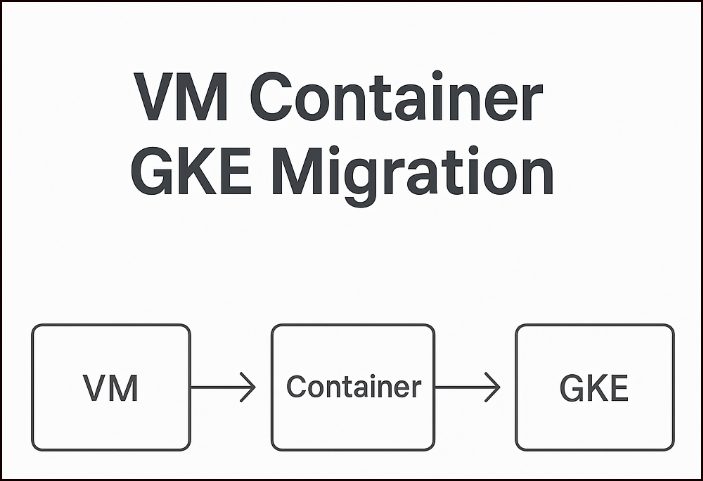
A well-planned migration doesn’t start with code — it starts with clarity. In this blog, I’ve captured the essential steps and requirements to evaluate before committing to a full-scale VM-to-GKE migration, both in cluster and application level.
1. Assess the Current VM Workload
Before jumping into containerization, need to start with a clear understanding the entire setup.
- Application Architecture: Is the workload monolithic, multi-tier, or service-oriented?
- Dependencies: Check for libraries, runtimes, and system-level dependencies.
- Networking & Connectivity: Note firewall rules, IP requirements, and external integrations.
- Storage Needs: Identify if the app is stateful (databases, file systems) or stateless.
👉 A strong assessment phase helps decide if the app is a candidate for lift-and-shift or if it needs refactoring for Kubernetes.
2. Plan the Migration Strategy
Next, define your migration path:
- Lift & Shift: Minimal changes, simply moving the app into containers.
- Replatform: Adjust configs and dependencies to run better in Kubernetes.
- Refactor: Break monoliths into microservices for scalability and resilience ( We would need to divide monoliths into multiple microservice modules for ease of management)
3. Set Up the GKE Environment
Once the migration strategy is clear, the next step is to prepare your target GKE cluster on Google Cloud. This setup forms the foundation for running your containerized workloads.
- Cluster Mode: Decide between Autopilot (hands-off operations, Google manages infrastructure) or Standard GKE (more flexibility and granular control).
- Networking: Carefully design the networking layer to support both security and scalability.
- Decide whether workloads will be exposed publicly (via external load balancers, public IPs) or kept private (using internal load balancers, private clusters).
- Define appropriate CIDR ranges for Pods, Services, and Nodes to avoid conflicts with existing on-prem or other VPC networks.
- Configure VPCs, subnets, and firewall rules to ensure only authorized traffic flows between components.
- Enable Cloud NAT if private clusters need outbound internet access.
- Plan for DNS and service discovery
- Use Network Policies to enforce pod-level communication restrictions.
- Binary Authorization: Enable policies to ensure only trusted container images are deployed, adding an extra layer of security.
- IAM & Security: Align IAM roles with Kubernetes RBAC to secure access for both users and workloads.
- Node Pools: Select the right machine types, configure autoscaling policies, and balance performance with cost optimization.
4. Containerize the Application
At this stage, the legacy VM workload is transformed into a container image that can run seamlessly within Kubernetes. There are two main approaches:
- Automated (Migrate to Containers): Use Google’s Migrate to Containers tool to automatically extract the VM workload, package it as a container image, and generate the necessary Kubernetes manifests. This is ideal for lift-and-shift scenarios where minimal changes are required.
- Manual (Dockerfile): For more control, you can containerize the application manually.
- Write a
Dockerfilespecifying the base image, dependencies, environment — -variables, and startup commands. - Build the image using
docker build. - Push the image to Artifact Registry or Container Registry for deployment on GKE.
Best Practices for Containerization:
- Keep images lightweight by starting from slim or minimal base images.
- Use multi-stage builds to separate build-time and runtime dependencies.
- Regularly scan images for vulnerabilities with tools like Container Analysis or Artifact Registry’s built-in scanning.
- Store configuration outside the image using ConfigMaps and Secrets.
- Ensure the container runs as a non-root user to improve security.
- Tag images with clear version identifiers (not just
latest) for traceability.
5. Define Kubernetes Resources
Replace VM configurations with Kubernetes-native objects:
- Deployments / Stateful Sets → Control pod replicas and persistence.
- Services → Expose apps internally or externally.
- ConfigMaps & Secrets → Externalize configurations and credentials.
- Persistent Volumes (PVs) & Claims (PVCs) → Manage stateful data.
6. Handle Data and Storage Migration
For stateful workloads:
- Databases: Consider managed services like Cloud SQL, Spanner, or Bigtable.
- File Storage: Use Filestore or GCS FUSE for shared files.
- Disks: Map existing data into GKE Persistent Disks (regional/zonal).
⚠️ Ensure data consistency by planning replication, backups, or downtime during cutover.
7. Build Observability and Monitoring
Once migrated, observability ensures reliability.
- Metrics: Cloud Monitoring, Prometheus.
- Logs: Cloud Logging, Fluentd, or sidecar log shippers.
- Tracing: Cloud Trace or OpenTelemetry for distributed apps.
8. Decommission Legacy VMs
Finally, retire the VM infrastructure once workloads are stable on GKE.
- Remove old dependencies.
- Update runbooks and documentation.
- Ensure new backup & DR policies align with Kubernetes.
Final Thoughts
Migrating from VMs to GKE is more than a technical shift — it’s a step towards cloud-native agility. With the right assessment, planning, and tooling, the transition can unlock scalability, automation, and cost efficiency, while preparing your workloads for the future of cloud.
메타데이터
- post_id
- e48d3d09ab4e
- slug
- transforming-vms-into-containers-migration-best-practices-for-gke-e48d3d09ab4e
- url
- https://medium.com/@aishuvinod09/transforming-vms-into-containers-migration-best-practices-for-gke-e48d3d09ab4e
- canonical_url
- https://medium.com/@aishuvinod09/transforming-vms-into-containers-migration-best-practices-for-gke-e48d3d09ab4e
- author_url
- https://medium.com/@aishuvinod09
- status
- ok
- fetched_at
- 2026-06-26 03:39:16




