CyLab/PicoCTF 2026 — Web — Writeup
picoCTF 2026 Web Challenges
CyLab/PicoCTF 2026 — Web — Writeup
picoCTF 2026 Web Challenges

Completed Challenges
- Old Sessions
- No FA
- Hashgate
Old Sessions

As the challenge name “Old Sessions” suggests, I assumed from the beginning that the challenge would involve some kind of session manipulation or improper session handling.
After reading the description, that suspicion became stronger, so I started exploring the application with session-related behavior in mind.
The landing page was fairly simple and contained only two options:
- Login
- Register
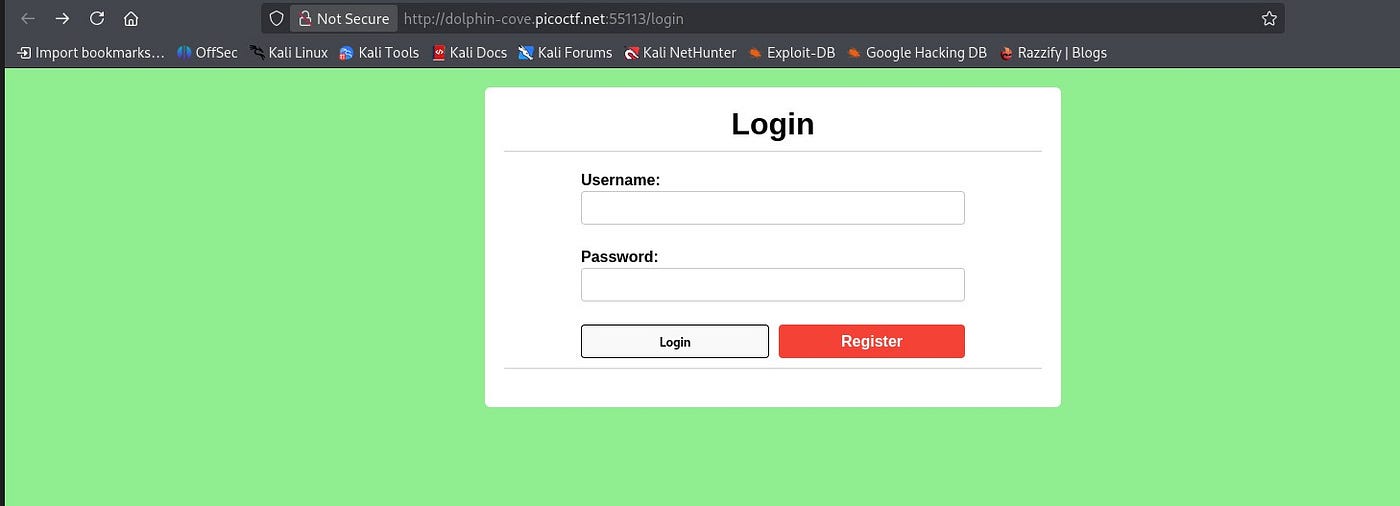
Since there wasn’t much functionality visible initially, I decided to begin with the registration flow and observe how the application managed authentication and session creation after login.

To start exploring the application, I registered a random account and logged in with the same credentials.

After logging in, I noticed a user named mary_jonas_8992 had left a comment saying: “Hey, I found a strange page at /sessions.”
That immediately caught my attention since the challenge already hinted at session-related behavior. My first thought was to check whether that endpoint exposed anything interesting, so I navigated directly to /sessions.

On the /sessions page, I found two session IDs — one belonging to admin and the other matching the user account I had created.
To verify my assumption, I went back to the main page and checked my browser cookies/session value to see whether it matched the session ID shown on /sessions.
After comparing them, I confirmed that the session ID displayed for my account was the same as the one currently assigned to my session.

Since the session ID matched my current session, my next thought was: what would happen if I replaced it with the admin’s session ID that I found on the /sessions page?
To test that idea, I modified my session cookie in the browser, replaced my session value with the admin’s session ID, and reloaded the page to see whether the application trusted the modified session.

After refreshing the page, I was successfully logged in as admin. The application accepted the modified session, which gave access to the admin panel and revealed the flag.

No FA

After launching the instance, three resources were provided:
- The vulnerable application URL
- The application Backend code in app.py
- A database file
I started by opening the vulnerable application URL, which led to a login page. Since authentication required valid credentials and I didn’t have any, my first thought was to check the provided database file.

I opened the database file using SQLite Browser and started exploring the tables to see if any user information or credentials had been leaked.

Inside the database, I found an admin username along with a hashed password. Since the application required valid credentials, the next step was to recover the original password.
To do that, I submitted the hash to https://crackstation.net/. Fortunately, the hash was already available in its database, allowing me to recover the plaintext password.

After recovering the password, I logged in using the admin credentials. The application accepted the login but then asked for a 2FA code, meaning another step was required before gaining access.
My next goal was to find a way to obtain or predict the correct OTP.

I first tried brute-forcing the OTP to bypass 2FA, but it didn’t work. After several failed attempts, I realized brute force wasn’t the right approach, so I checked the application’s source code in app.py to understand how the OTP was being generated and validated.

In app.py, I found that the OTP was stored directly in the Flask session. Since Flask sessions are client-side cookies that are only signed and not encrypted, the session data can be decoded by the user, exposing the OTP on the client side instead of keeping it securely on the server.
Using the browser’s Inspect tool, I checked the cookies and found the Flask session cookie, which contained the encoded session data.

To decode the cookie, I used an online Flask session decoder tool: https://www.kirsle.net/wizards/flask-session.cgi , which allowed me to view the session contents in readable form.

Decoding the session cookie revealed the OTP stored inside it. I then used this OTP to complete the verification step, successfully bypassed the 2FA, and gained access to the application, which led me to the flag.

Hashgate

From the challenge description and hints, I suspected that user IDs were being processed using a one-way function. After launching the application, I was presented with a simple login page. To start my recon, I inspected the page source code and discovered hardcoded login credentials.

I used the discovered credentials to log into the application. After a successful login, I was redirected to a page that displayed the user ID, which became the next point of interest for further analysis.

By examining the URL, I noticed that the user ID was represented as a hash. My first thought was to decode or analyze the hash to determine whether it directly mapped to the original user ID or if it represented something else used for access control.
I used CrackStation (https://crackstation.net/) to decode the hash and retrieve the original value.

After decoding, I confirmed the hash mapped to a valid user ID. To find the admin account, I generated hashes for a range of possible IDs and tested them. Since the hint suggested there were only about 20 employees, I focused my script on a small range (3000–3020) to enumerate possible valid accounts.

python hash.py
After running the script, I found a valid hash and tested it in the URL parameter. One of the values successfully resolved to the admin profile, giving me access to the admin account and eventually leading to the flag.

Thankyou !!!
메타데이터
- post_id
- e4d28188b720
- slug
- cylab-picoctf-2026-web-writeup-e4d28188b720
- url
- https://medium.com/@ctf.exe890/cylab-picoctf-2026-web-writeup-e4d28188b720
- canonical_url
- https://medium.com/@ctf.exe890/cylab-picoctf-2026-web-writeup-e4d28188b720
- author_url
- https://medium.com/@ctf.exe890
- status
- ok
- fetched_at
- 2026-06-23 03:48:11