Making custom sidebar menu panel in XWiki
The XWiki’s developers team position it as a free open source analog of Confluence.
Making custom sidebar menu panel in XWiki

The XWiki’s developers team position it as a free open source analog of Confluence.
When you want to separate some independent parts of the content in Confluence you use the Spaces feature. In XWiki you can use a similar tool — the Wikis, it’s mean that your XWiki can contain more than one Wiki.
The navigations in XWiki and Confluence in this case may look identical. In the left navigation panel, you’ll see pages of a wiki (space).
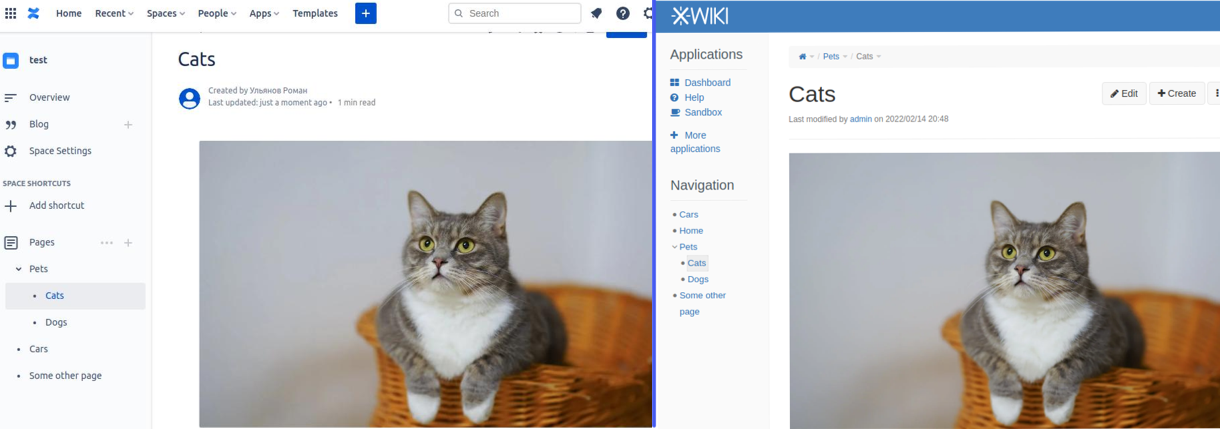
Navigation sidebar in Confluence and XWiki
But the other hand XWiki has a nested pages feature. If you want to organize your sidebar menu into different partitions with nested pages, I’ll tell you how to do it with a custom menu.
Let’s try to make the “Pets” page display in the individual menu block.
I’ve next structure pages of XWiki:
• Pets • →Cats • →→Kitty • →Dogs • Cars • Some other page •Home
First, we need to exclude the “Pets” item from the Navigation panel.
Open XWiki preferents -> Look & Feel ->Navigation Panel
For localhost URL will be like http://localhost:8080/bin/admin/XWiki/XWikiPreferences?editor=globaladmin§ion=panels.navigation
Drag the “Pets” item into the “Other Page” section and press the “Save” button.
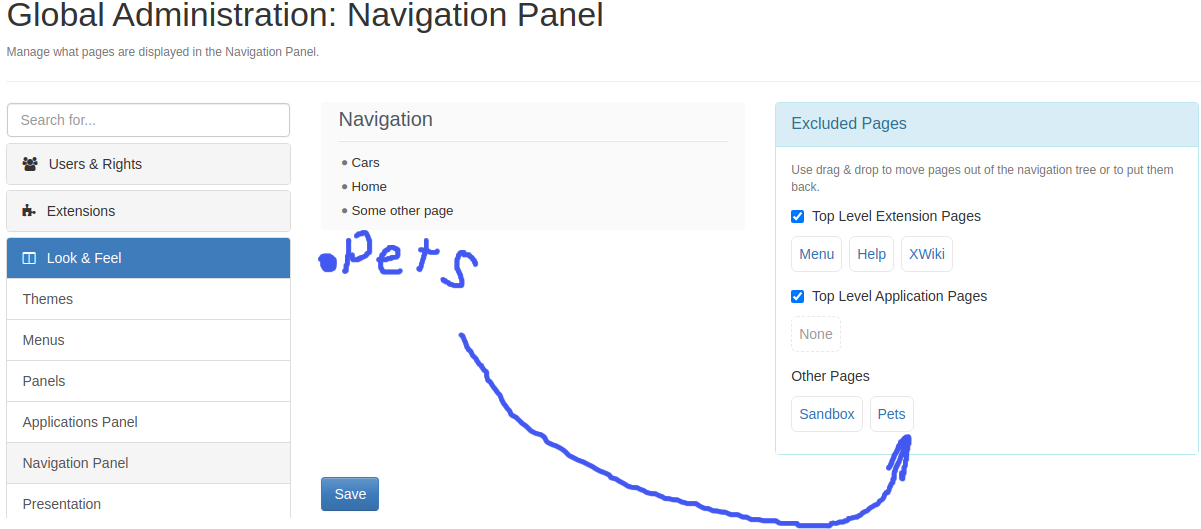
Remove the “Pets” item from the Navigation panel.
After page update, the “Pets” item will hide from the Navigation panel.
The next step is the creation of a custom menu.
Go to XWiki preferents -> Look & Feel -> Menus
For localhost URL will be like http://localhost:8080/bin/admin/XWiki/XWikiPreferences?editor=globaladmin§ion=menu.name
Press the “ADD NEW ENTRY” button. And set entry name (e.g. “PetsMenu”)
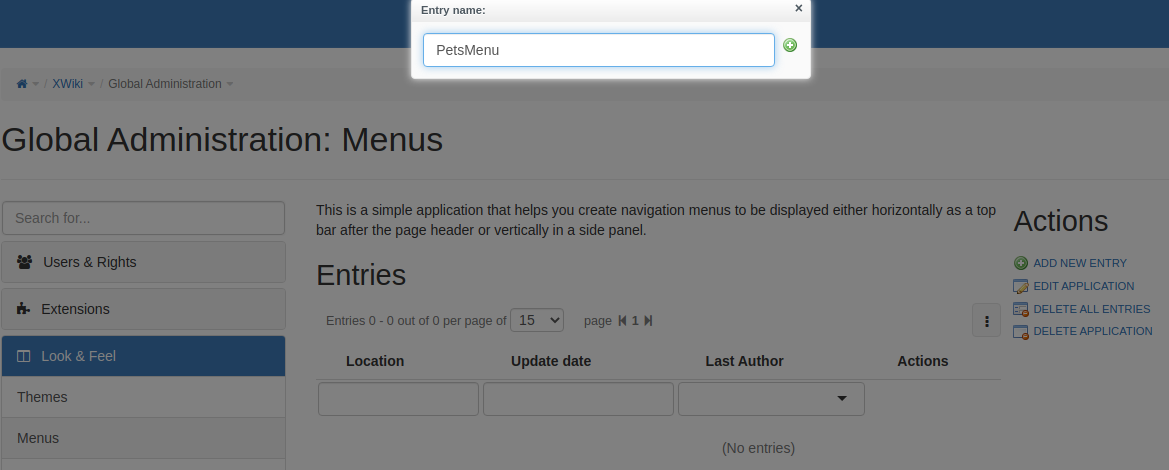
Add a new menu entry.
In the editor window, you can put any available elements to your menu, such as links, text, macros, images, etc.
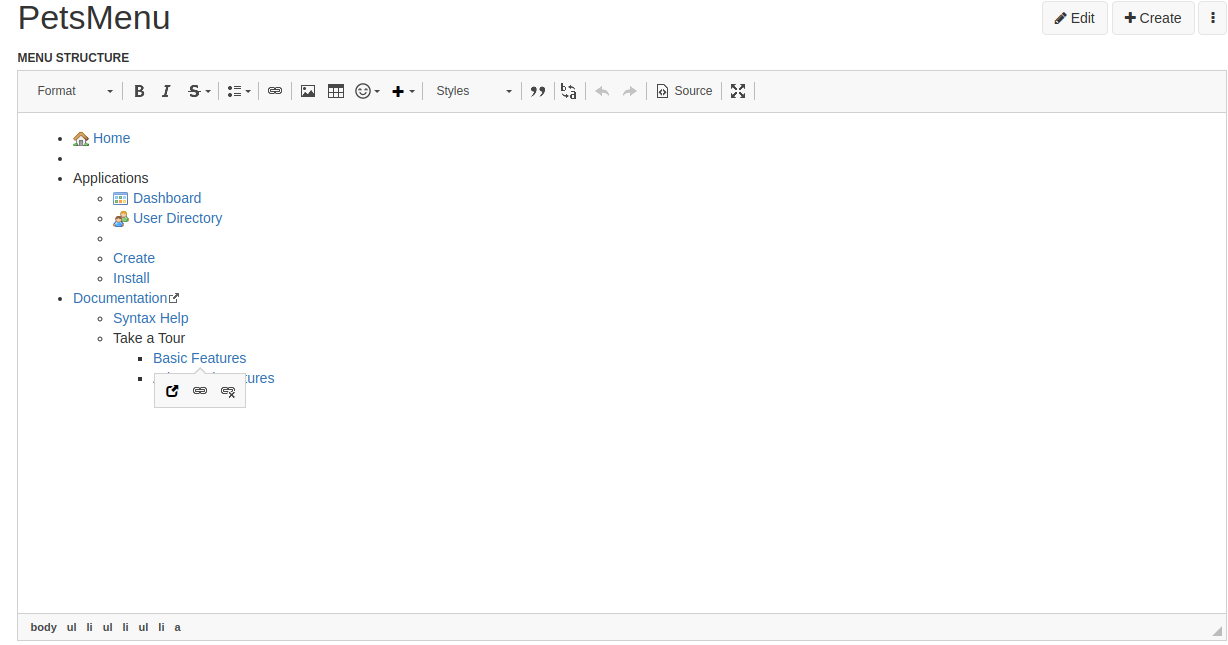
The default menu template.
To make logic like the Navigation panel use the “documentTree” macro. But we need to wrap this macro by Velocity macro. We need it to parse the variable “document:$doc.documentReference” which opens the menu to the current page. Let’s do that. Click the “Source” button and paste this code
{{velocity}} {{documentTree root=”document:xwiki:Pets.WebHome” compact=”true” openTo=”document:$doc.documentReference”/}} {{/velocity}}
Also set “MENU DISPLAY LOCATION” to “Inside left panel” and set “MENU VISIBILITY SCOPE” to “Current Wiki”.
Then save the page.
Before saving page must look like the figure below (be careful with spaces).
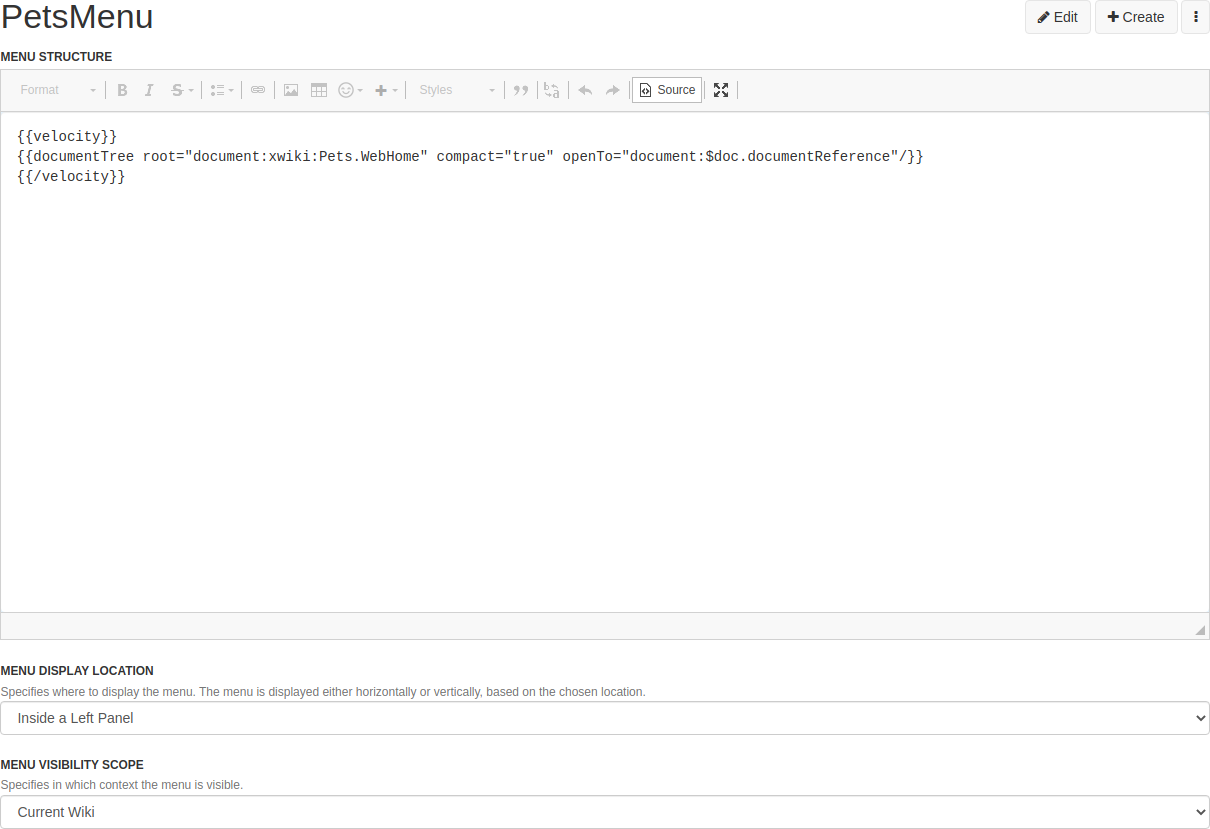
The menu’s content source code.
Copy menu address
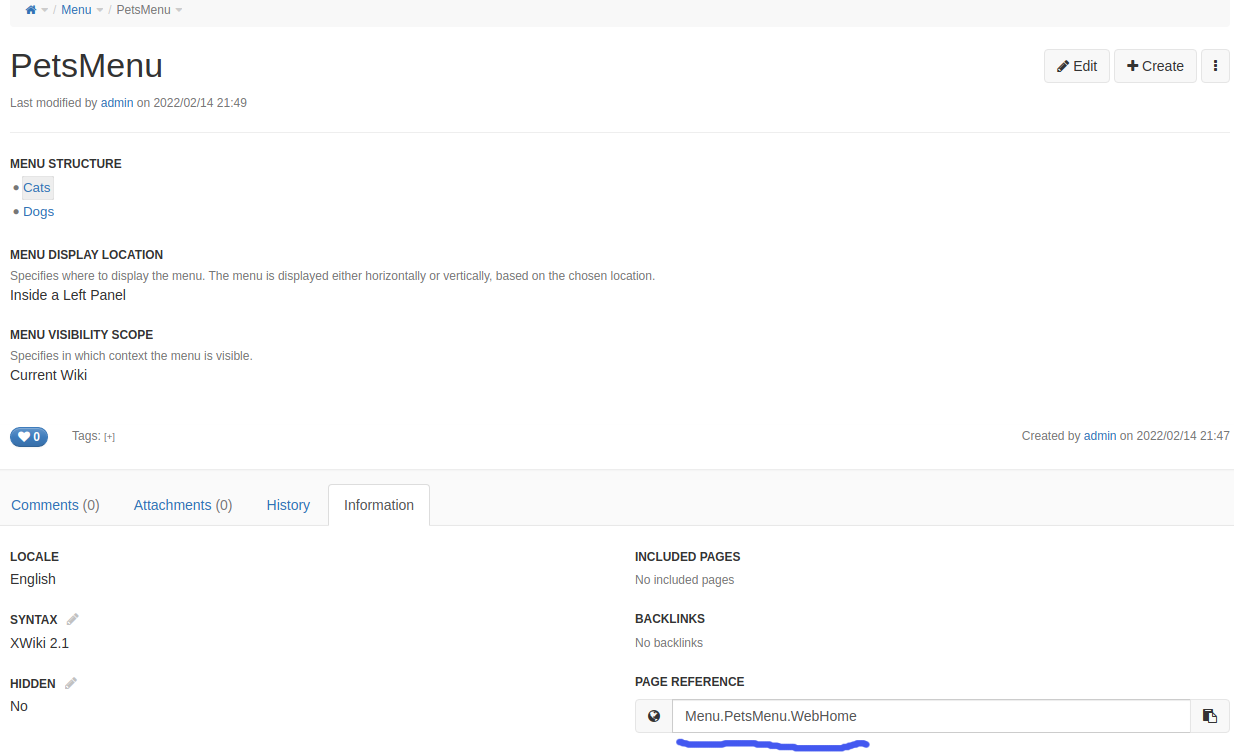
Copy menu address.
Go to XWiki preferents -> Look & Feel -> Panels
For localhost URL will be like http://localhost:8080/bin/admin/XWiki/XWikiPreferences?editor=globaladmin§ion=Panels.PanelWizard&forceLeftPanels=1&forceRightPanels=1§ion=Panels.PanelWizard
Paste “Menu.PetsMenu.WebHome” in “PANELS DISPLAYED ON THE LEFT” after “Panels.Navigation”.

Sidebar customizing.
Open the Home page, you’ll see the new menu.
Go to Cats -> Kitty and make sure what sidebar menu expanded on this page.
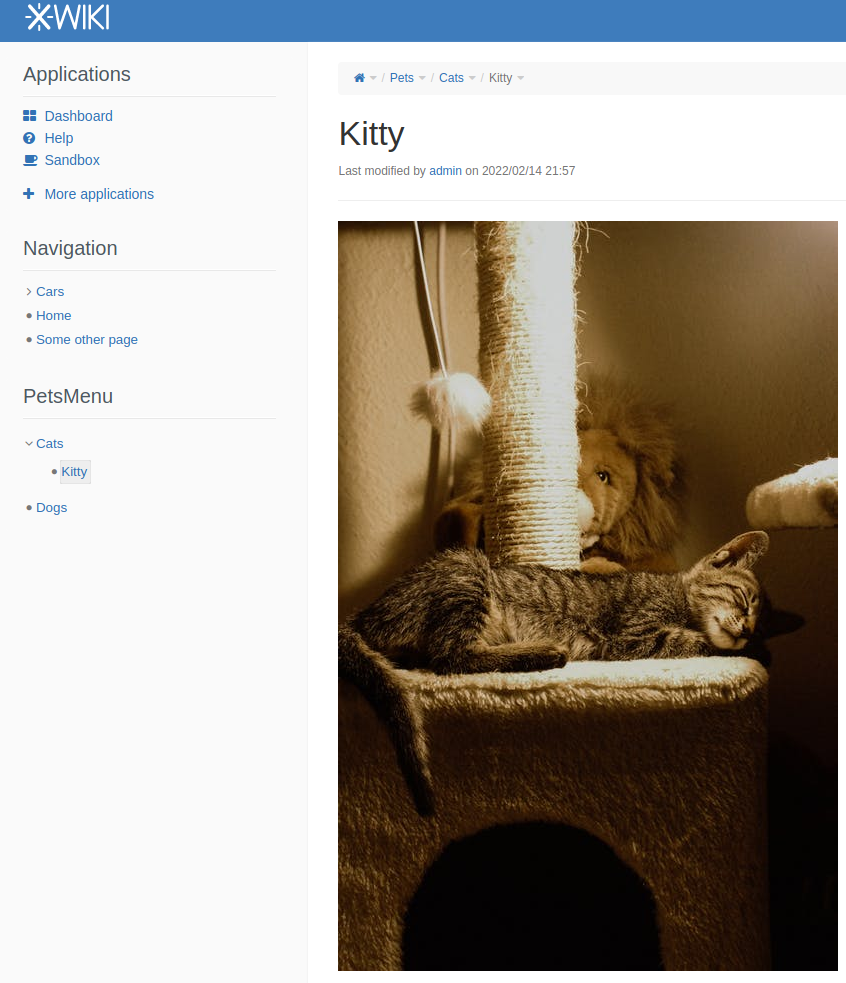
The menu expanded on the “Kitty” page.
The last tweak is changing the menu title.
Go to PetsMenu page. (e.g. http://localhost:8080/bin/view/Menu/PetsMenu/#Information)
Set advanced editor mode (press x+x+x+a keys on the page) and open the objects editor
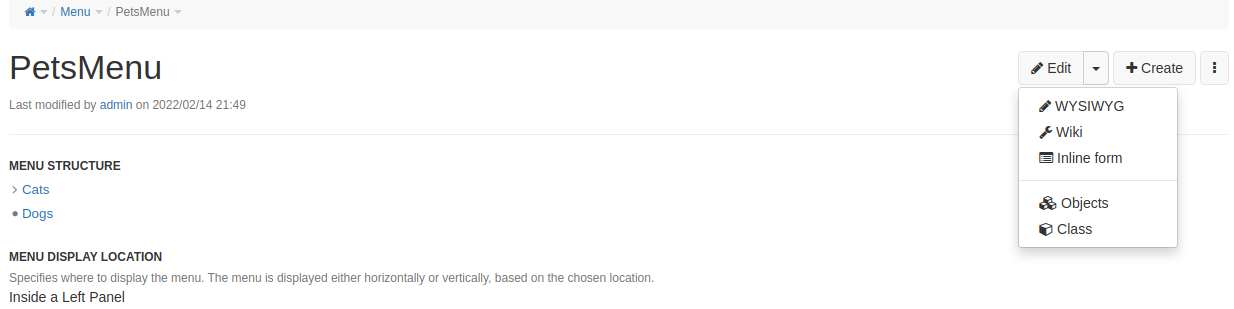
Open the object editor.
Change the “PetsMenu” to a different value.
Before:
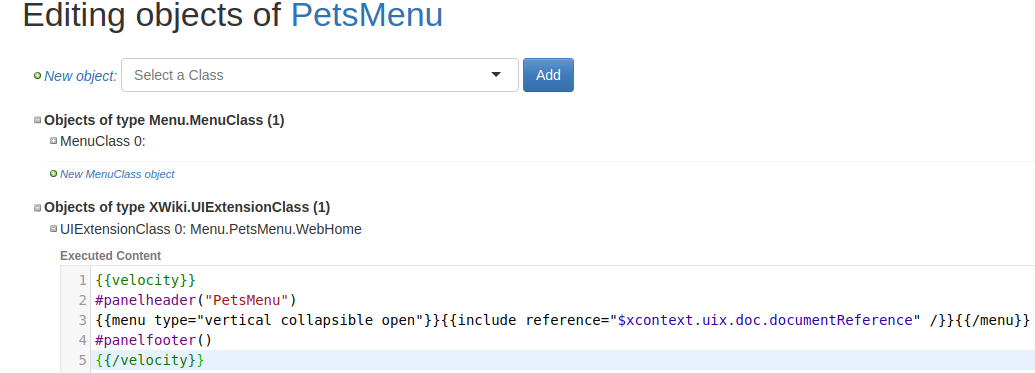
Default panel template.
After:

Change the panel header.
Press the “Save & view” button.
We successfully changed the header of the menu
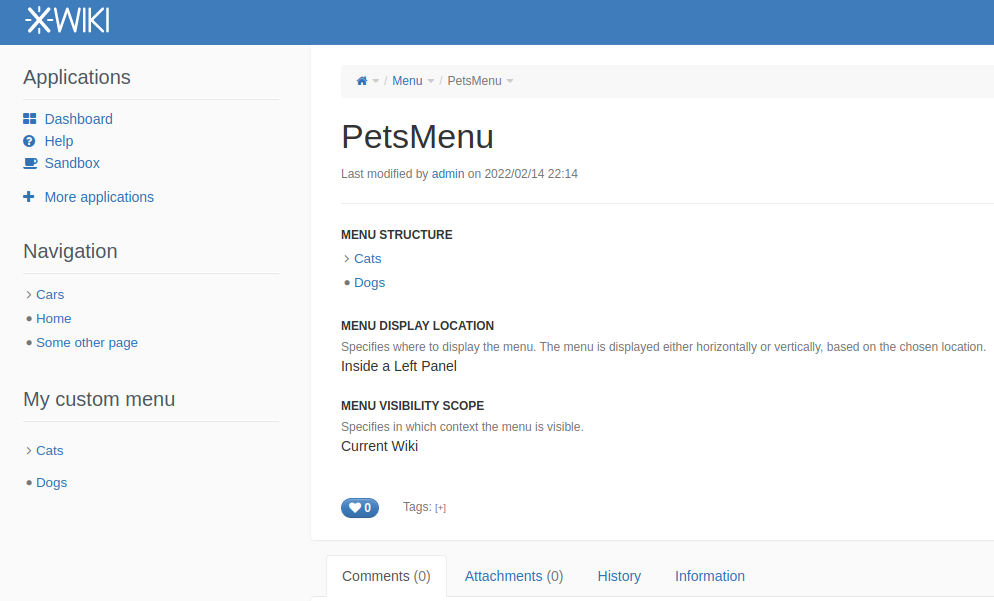
Result.
That’s all, thank you for reading.
메타데이터
- post_id
- e522d0fe5dd0
- slug
- making-custom-sidebar-menu-panel-in-xwiki-e522d0fe5dd0
- url
- https://medium.com/@bosonbeard/making-custom-sidebar-menu-panel-in-xwiki-e522d0fe5dd0
- canonical_url
- https://medium.com/@bosonbeard/making-custom-sidebar-menu-panel-in-xwiki-e522d0fe5dd0
- author_url
- https://medium.com/@bosonbeard
- status
- ok
- fetched_at
- 2026-07-27 12:21:05


